Bombardier Flight Deck 3

Bombardier Flight Deck 3

Download on App Store
Logo of Bombardier Flight Deck 3

Bombardier Flight Deck 3: Elevating Efficiency in the Paperless Cockpit

The mission-critical documentation suite for professional flight crews. Streamline your operations with automatic revision updates, aircraft-specific data, and FAA/EASA compliant audit trails—all optimized for high-performance iPad and iPhone use.

Publisher

Bombardier Aerospace

Category

Reference

Downloads

21K+

User Rating

4.7/5

Total Ratings

400

Locales

1

Precision at a Glance

Discover the interface used by 21K+ users.
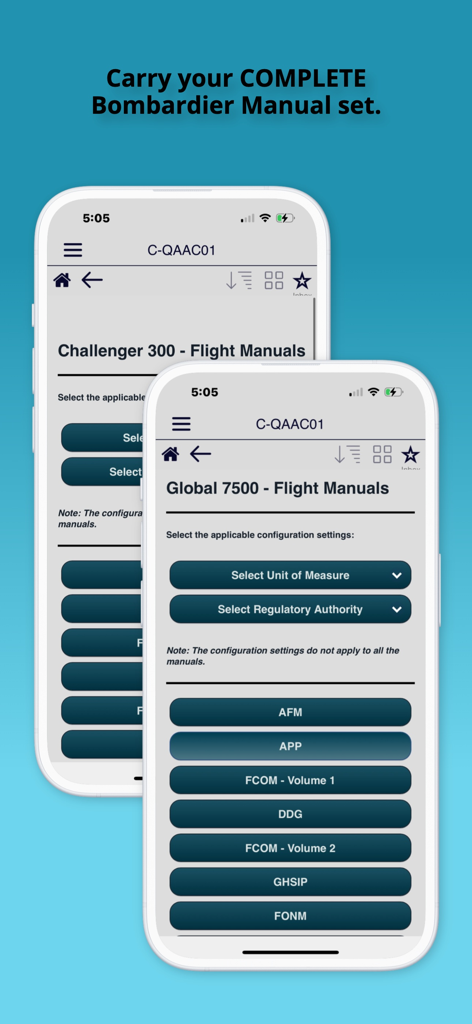
Bombardier Flight Deck 3 app interface displaying flight manuals for Global 7500 and Challenger 300 aircraft

Bombardier Flight Deck 3 app interface displaying flight manuals for Global 7500 and Challenger 300 aircraft

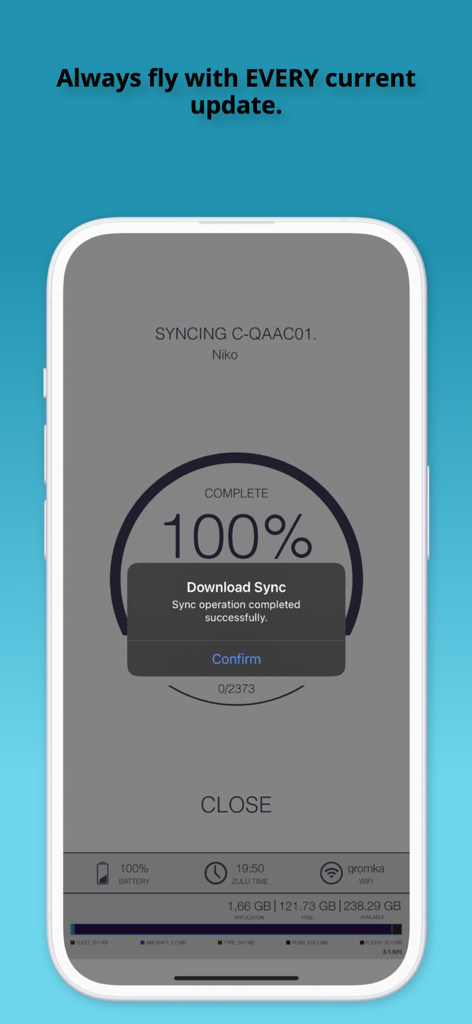
A mobile phone screen showing a successful 100 percent synchronization of flight documents in the Bombardier Flight Deck 3 app

A mobile phone screen showing a successful 100 percent synchronization of flight documents in the Bombardier Flight Deck 3 app

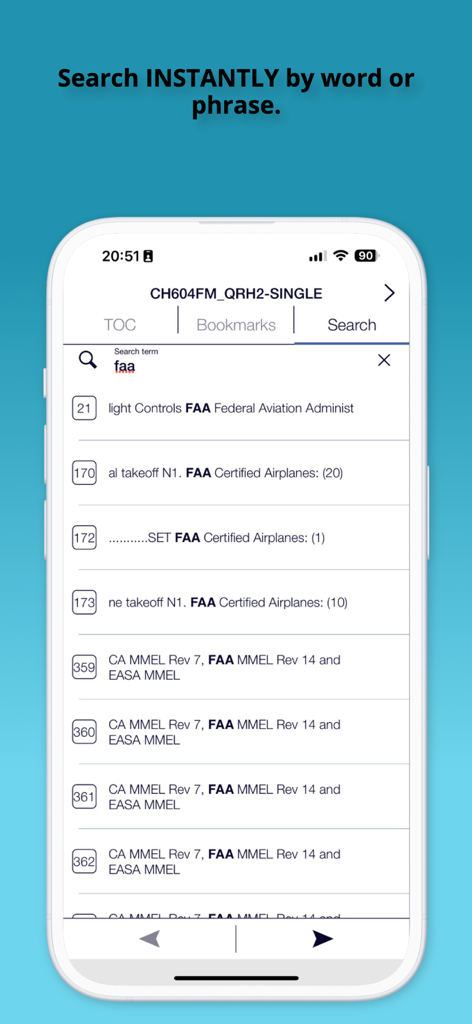
Screenshot of the Bombardier Flight Deck 3 app showing the instant document search feature with results for FAA regulations

Screenshot of the Bombardier Flight Deck 3 app showing the instant document search feature with results for FAA regulations

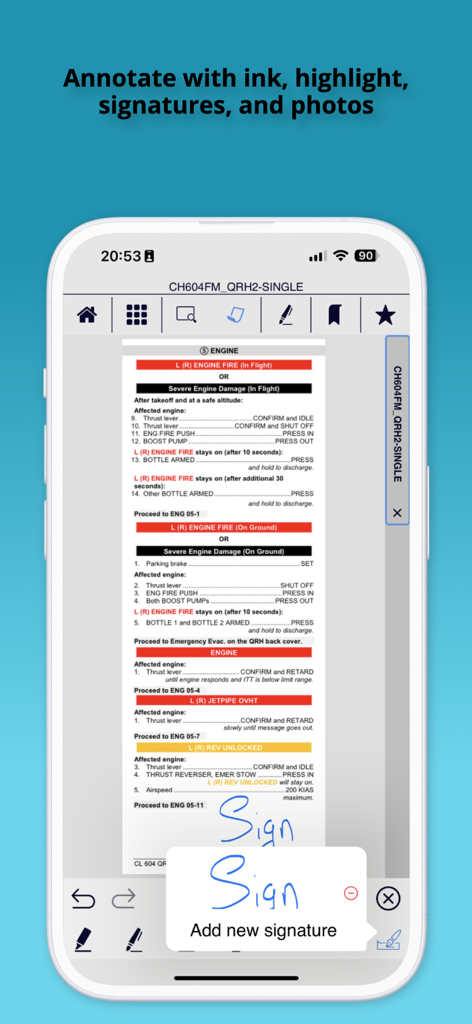
Bombardier Flight Deck 3 app screenshot showing a pilot adding a digital signature to an aircraft manual

Bombardier Flight Deck 3 app screenshot showing a pilot adding a digital signature to an aircraft manual

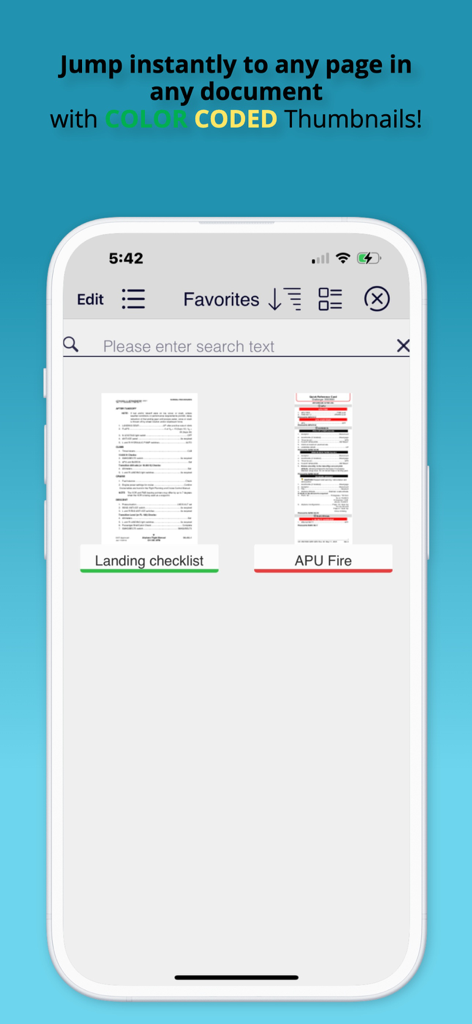
Bombardier Flight Deck 3 app favorites screen with color coded document thumbnails

Bombardier Flight Deck 3 app favorites screen with color coded document thumbnails

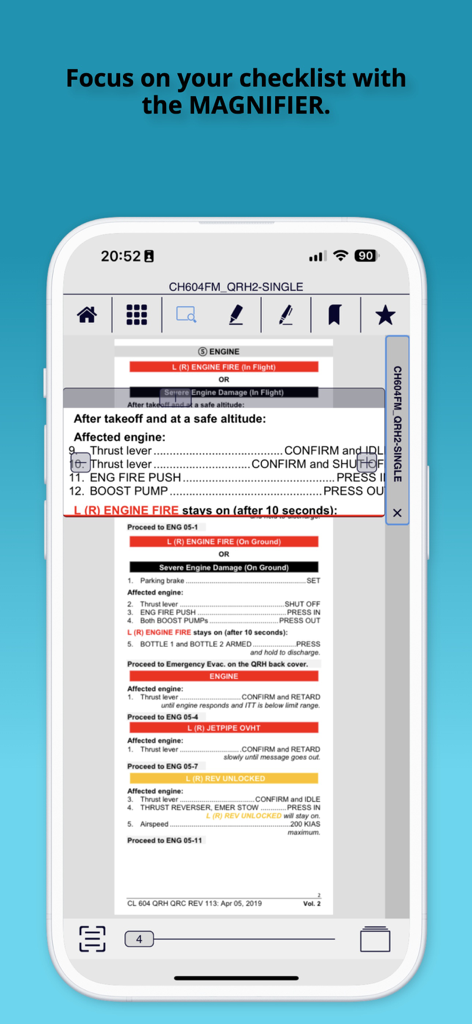
Bombardier Flight Deck app showing a digital magnifier tool highlighting a flight checklist for pilots

Bombardier Flight Deck app showing a digital magnifier tool highlighting a flight checklist for pilots

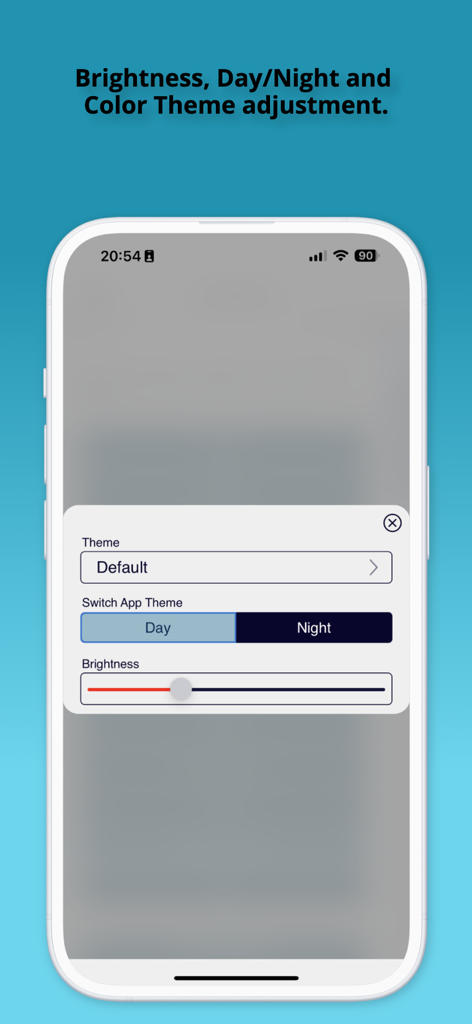
Theme and brightness adjustment settings screen in the Bombardier Flight Deck 3 app showing day and night mode options.

Theme and brightness adjustment settings screen in the Bombardier Flight Deck 3 app showing day and night mode options.

Elevate Your Flight Operations

The tools that make this app stand out, trusted by 21K+ users.

šŸ”„

Automatic Revision Updates

Eliminate manual paperwork with automatic syncing of Flight Manuals and Temporary Revisions (TRs), ensuring you always fly in accordance with latest regulatory requirements.

āœˆļø

Mission-Critical Offline Access

Access your entire aircraft-specific library instantly without Wi-Fi. Replace heavy flight cases with digital, searchable manuals optimized for iPad and iPhone.

šŸ–‹ļø

Precision Document Management

Optimize your workflow with color-coded tagging and favorites. Annotate technical data with ink, notes, or signatures for rapid reporting and seamless compliance audit trails.

About the app

Everything you need to know about Bombardier Flight Deck 3.

Description

To enroll in using the Flight Deck app please contact: Bombardier Technical Publications by email bbad.pubs.dist@aero.bombardier.com or phone 1-866-538-1247 or 1-514-855-2999. Bombardier is pleased to announce that the new version 3 of its very popular Bombardier Flight Deck app is now available. It is a complete refactoring of the app, with many new and exciting capabilities. The new version allows you to: - Organize your documents for rapid access using tags, color-codes and favorites - Swipe to the left any document title to tag it, color-code it or mark it as a favorite - Visually search for documents with the new automatic thumbnail feature - Select files easily on smaller devices with large icon view - Annotate your documents with ink, highlighter, text, notes, photos or add a signature in one touch - Select your favorite day and night time theme - Support GDPR privacy legislation - Read PDF files easily and intuitively with one touch full-screen mode and thumbnail page view - Display Supporting Documents - Runs on iPhone Note to flight crews: 1. When you first install this application you MUST press the SYNC icon, which will resync all of your existing files to support the new file formats in this version. Make sure you allow yourself some time for this. 2. After syncing, pilots MUST take the time to read the Version 3.0 Pilot Training publication included on their account when using this version as an EFB as several of the icons have changed location. If you do not have this publication assigned to your device, contact flightdeckapp@aero.bombardier.com. 3. When clicking hyperlinks in a document, note that the hyperlink button has been moved to the navigation pane. 4. Check with your local authority for regulatory compliance of the new Bombardier Flight Deck app version 3 before deleting the previous version 2. ------------------------- Bringing Paperless¹ Efficiency to Pilots No more carrying pounds of aircraft manuals and documents on-board. No more waiting for Temporary Revision (TR) updates. With the Bombardier Flight Deck* application, Bombardier* aircraft pilots can enjoy the benefits of going paperless¹ by being able to store and access manual data and other documentation instantly from their iPadĀ® - without Wi-Fi. No other solution combines automatic TR updates, user control of content and aircraft serial number-specific information into one application. Bombardier Flight Deck* also includes all required FAA, EASA and TC compliant audit trails for paperless¹ operations. All documents. All accessible. All in one Place. Fast and easy, you can drag and drop electronic versions of aircraft documents, manuals and forms into online folders. Pilots simply enter a license code, then push a sync button on the iPadĀ® and the updated documents are automatically downloaded and cataloged. In less time than it takes to send a fax, pilots can sign documents, add text and email it to the fleet manager. Automatic Revision Updates No more manually inserting revisions or Temporary Revisions (TRs) into Bombardier’s flight manuals. These are automatically inserted into the correct sections and distributed across every iPadĀ® in the operator’s fleet by Bombardier Technical Publications. Valuable time is saved and pilots are always ready to fly in accordance with the latest regulatory requirements. ¹ Paperless refers to the process identified in the relevant airworthiness requirement pertaining to paperless cockpits, including but not limited to FAA-AC-91-78. Use of the Bombardier Flight Deck* application does not relieve operator and its flight crew of their responsibility to comply with the applicable airworthiness authority approved documents.

Latest Version

3.1.14

Size

122.6 MB

First Released

Aug 19, 2019

Ready to Elevate Your Flight Deck Efficiency?

Join thousands of Bombardier pilots today. Download the industry-leading EFB to streamline your cockpit operations, automate manual revisions, and ensure total regulatory compliance.

Download on App Store

App information, icons, screenshots, and descriptions displayed on this page are sourced from the Apple App Store and are the property of their respective developers. Download estimates and rankings are based on MWM's proprietary models and may not reflect actual figures. This page is provided for informational and analytical purposes only.

Believe this page infringes your intellectual property? File a dispute