
This page is not an official page of the app or its developer, but an independent editorial publication created for informational and commentary purposes. Unless expressly stated otherwise, neither the app nor its developer is affiliated with, endorsed by, sponsored by, authorized by, or otherwise officially connected with MWM, Apple, Google Play, the app publisher, or the app's developer, and nothing on this page implies that the app was developed using MWM's services. Any trademarks, logos, screenshots, and other content remain the property of their respective owners.

Google Translate
Silence ends here. This app grants direct access to global voices, transforming every interaction into understanding.
Downloads
250M+User Rating
Total Ratings
473.2KPublisher
Category
ReferenceLocales
83Latest Version
10.12.281Size
265.9 MBFirst Released
Feb 8, 2011Google Translate: Bridging Global Communication Barriers
An analytical overview of essential features empowering seamless linguistic exchange for international users.
Real-time Conversational Translation
The app provides a dedicated conversation mode that translates bilingual exchanges on the fly, facilitating natural and fluid communication between speakers of different languages.
Instant Camera Translation
The app provides instant camera translation, enabling users to effortlessly understand foreign text on signs, menus, and documents by simply pointing their device's camera.
Offline Translation Mode
This tool features robust offline translation capabilities, ensuring communication remains uninterrupted even without an internet connection.
Voice Input and Speech Translation
This tool features speech translation, allowing users to speak into their device and instantly translate spoken words and phrases into another language.
Real-time Transcription
It allows users to continuously transcribe and translate spoken language in near real-time, making it ideal for understanding live discussions or presentations.
Text Input Translation
It allows users to translate text by typing, providing a quick and accurate way to understand written content across numerous languages.
Customizable Phrasebook
The app provides a convenient phrasebook feature, enabling users to star and save important translated words and phrases for quick access and future reference.
Photo Text Translation
It allows users to translate text within existing photos or imported images, offering flexibility for reviewing content at a later time.
Frequently Asked Questions
Everything you need to know about Google Translate
Does Google Translate support offline translation?
Yes, Google Translate supports offline translation. Users download language packs to translate text without an internet connection, as indicated by the app's prompt.
How many languages does Google Translate support for translation?
Google Translate supports translation between up to 249 languages. Feature support, such as text, offline, or camera translation, varies by language.
Does Google Translate offer camera translation?
Yes, Google Translate offers instant camera translation. It translates text in images by pointing the camera or by importing photos from a user's library.
Does Google Translate facilitate real-time bilingual conversations?
Yes, Google Translate facilitates real-time bilingual conversations. The app translates spoken words and phrases on the fly, allowing users to communicate across language barriers.
What is the 'Transcribe' feature in Google Translate?
The 'Transcribe' feature in Google Translate continuously translates spoken language in near real-time. It allows users to understand someone speaking a different language instantly.
Can users translate handwritten text with Google Translate?
Yes, users translate handwritten text with Google Translate. The app allows drawing text characters directly instead of typing, which it then translates.
What is the 'Phrasebook' feature in Google Translate?
The 'Phrasebook' feature in Google Translate allows users to star and save translated words and phrases. This provides easy access for future reference and learning.
What permissions does the Google Translate app require?
The Google Translate app requires Microphone permission for speech translation, Camera permission for camera-based text translation, and Photos permission for importing images from a user's library.
Does Google Translate support text input for translation?
Yes, Google Translate supports text input for translation. Users type words or phrases into the app, and it translates them between the selected languages.
The following screenshots and description are sourced directly from the app's official store listing and are the property of the app developer.
App Store
Screenshots
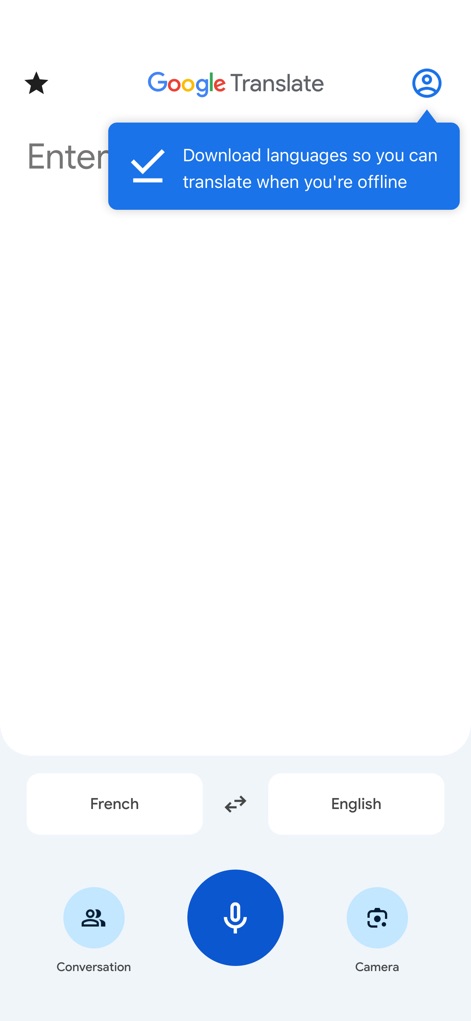
Instant Translation Hub
Explore the app's intuitive interface with quick access to features like the 'Download languages' prompt for offline use and dedicated modes for 'Conversation' and 'Camera' translation.
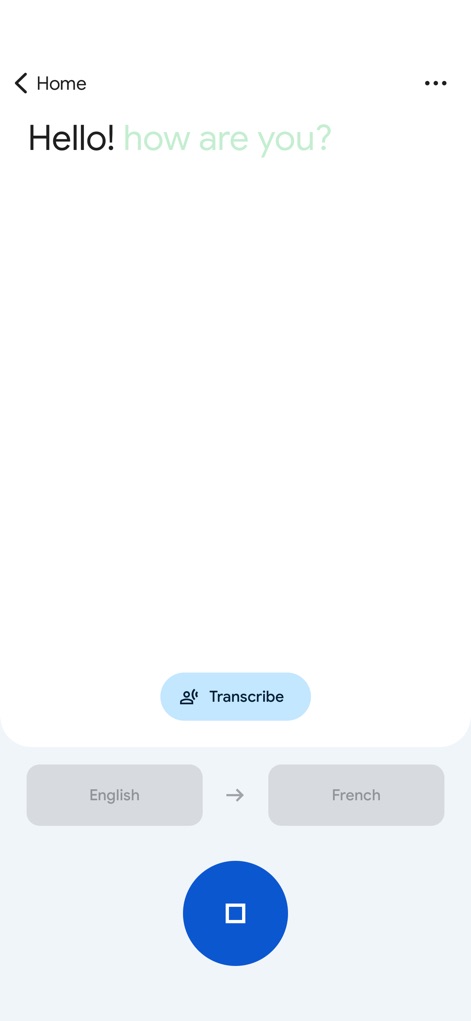
Real-time Transcription
Witness the power of real-time language transcription, where the 'Transcribe' button initiates continuous translation and spoken words appear instantly on the screen.
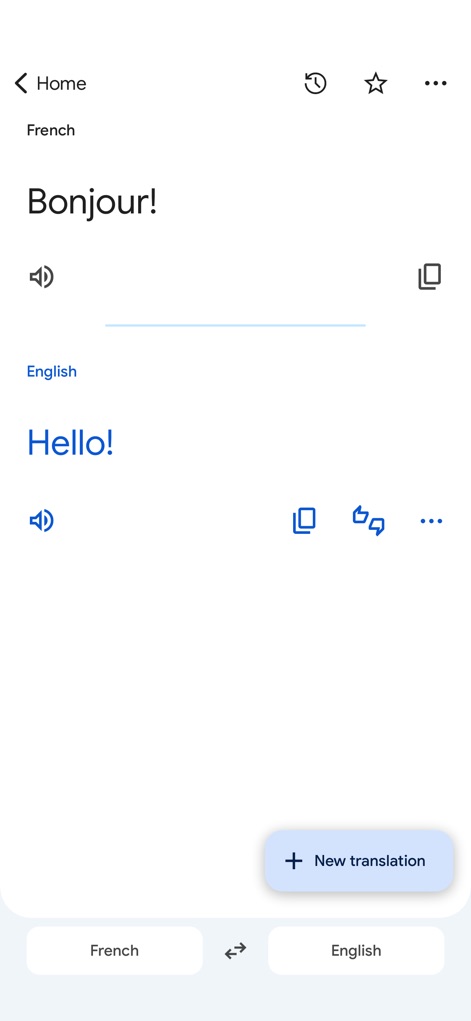
Effortless Text Translation
Experience seamless text translation, showcasing clear source and target language displays for 'French' and 'English', alongside the convenient 'New translation' button for continued use.

Handwriting Input
Discover the unique handwriting input feature, allowing users to draw complex characters like '水' (water) and instantly see their translation in English.
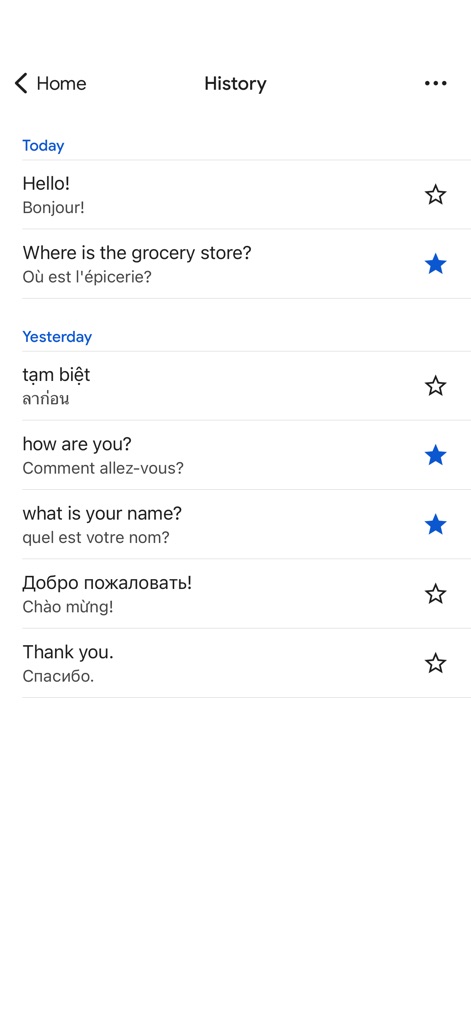
Translation History
Access a comprehensive translation history, presenting a chronological list of previous translations and an integrated star icon for saving important phrases.
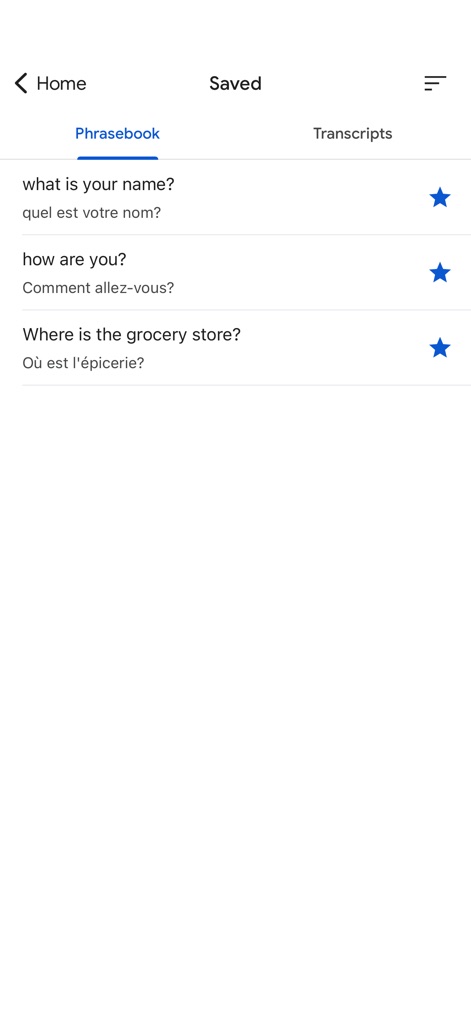
Organized Phrasebook
Utilize the organized 'Phrasebook' feature to save and quickly reference important phrases like 'What is your name?' and 'How are you?', indicated by the prominent star icons.
Description
Download
More Like This
Apps with similar features and user experience

DeepL Translate
DeepL SE

腾讯翻译君-多语言翻译
Tencent Technology (Shenzhen) Company Limited

出国翻译官- 多语言语音翻译聊天交友
Beijing Qicai Muzhi Technology Co.,Ltd.

Translate Voice:Ai Chat
TINY BOLT (HK) CO., LIMITED

GO Translate・AI Translator App
INNOVAPP LLC

翻译全能王-中文日文图片扫描翻译器
Shanghai Baowu Network Technology Co., Ltd.

translation-Global translation
Hebei jiudao network technology co., ltd

Photo Translator: Camera OCR
Son Hoang

Voice Translator : Language +
AmazinPro Technology Solutions And Training Company Limited
This page is not an official page of the app or its developer, but an independent editorial publication created for informational and commentary purposes. Unless expressly stated otherwise, neither the app nor its developer is affiliated with, endorsed by, sponsored by, authorized by, or otherwise officially connected with MWM, Apple, Google Play, the app publisher, or the app's developer, and nothing on this page implies that the app was developed using MWM's services. Any trademarks, logos, screenshots, and other content remain the property of their respective owners.