
This page is not an official page of the app or its developer, but an independent editorial publication created for informational and commentary purposes. Unless expressly stated otherwise, neither the app nor its developer is affiliated with, endorsed by, sponsored by, authorized by, or otherwise officially connected with MWM, Apple, Google Play, the app publisher, or the app's developer, and nothing on this page implies that the app was developed using MWM's services. Any trademarks, logos, screenshots, and other content remain the property of their respective owners.


Booktab
Master the Italian curriculum with multimedia textbooks, interactive exercises, and smart annotation tools designed for high-achieving students and global learners.
Downloads
560K+User Rating
Total Ratings
1K+Publisher
Category
EducationLocales
2Latest Version
4.28Size
74.5 MBFirst Released
May 12, 2012Master the Italian Curriculum on Your iPad
Access Zanichelli’s world-class interactive textbooks, multimedia resources, and powerful study tools in one paperless experience tailored for international students and Italian expats.
A Paperless Italian Library
Carry your entire curriculum without the weight or shipping costs. Download chapters as you need them and access authentic Italian educational content instantly from anywhere in the world.
Interactive Multimedia Learning
Go beyond static text with integrated educational videos, animations, and audio files. Engage with CLIL activities designed to bridge the gap between Italian and English academic standards.
Frequently Asked Questions
Everything you need to know about Booktab
What is Booktab?
Booktab is a platform for reading and studying interactive and multimedia textbooks on iPad. It allows users to access a digital bookshelf, annotate content, and utilize various educational resources.
What are the main features of the Booktab app?
Booktab features include chapter-by-chapter textbook downloads, educational videos, interactive animations, audio content, mind maps, interactive exercises, note-taking, highlighting, bookmarking, and cross-device syncing.
Can users download textbooks chapter by chapter in Booktab?
Yes, Booktab users can download their textbooks chapter by chapter. They can also delete unnecessary chapters and redownload them anytime. This allows for flexible content management.
Is Booktab compatible with all mobile devices?
No, Booktab requires an iPad with iOS 12.0 or later for compatibility. The application supports Multi-Touch gestures specific to the iPad. This ensures optimal functionality.
Does Booktab support multimedia content within textbooks?
Yes, Booktab fully supports multimedia content. Textbooks include educational videos, interactive animations, audio files in Italian and English, mind maps, and interactive exercises directly linked to the pages.
Can I take notes and highlight in Booktab?
Yes, Booktab provides built-in tools for taking notes and highlighting. Users can use a pen, highlighter, add notes, and save pictures of pages to their notes within the app.
Which textbooks are supported by Booktab?
Booktab supports Zanichelli textbooks. These textbooks are integrated into the platform, offering interactive reading and study experiences enhanced with multimedia content and exercises.
Does Booktab allow syncing progress across multiple devices?
Yes, Booktab offers online save functionality. Users can save their study status and sync it across various devices and all supported platforms, ensuring continuity of learning.
Is a special account required to use Booktab?
Yes, a free MyZanichelli account is required to use Booktab. This account provides access to all the application's features and content.
In what language is the Booktab application available?
The Booktab application is available in Italian only. All interface elements, features, and textual content within the application are presented in Italian.
The following screenshots and description are sourced directly from the app's official store listing and are the property of the app developer.
App Store
Screenshots
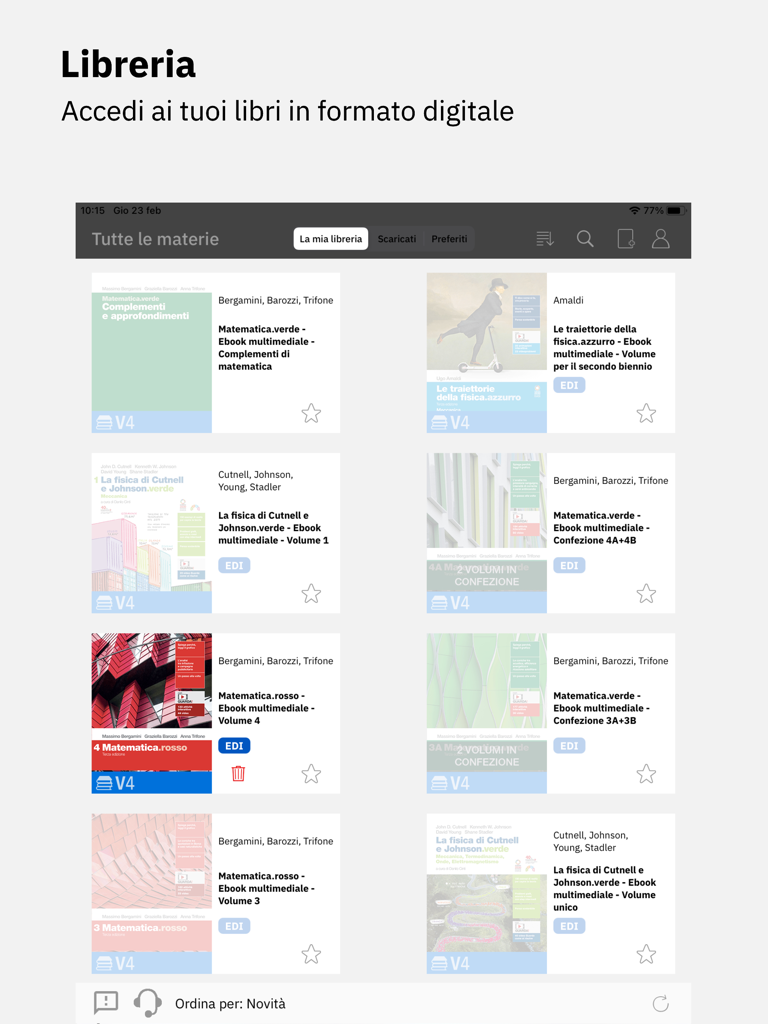
Digital library view of Booktab app featuring a collection of Italian textbooks.
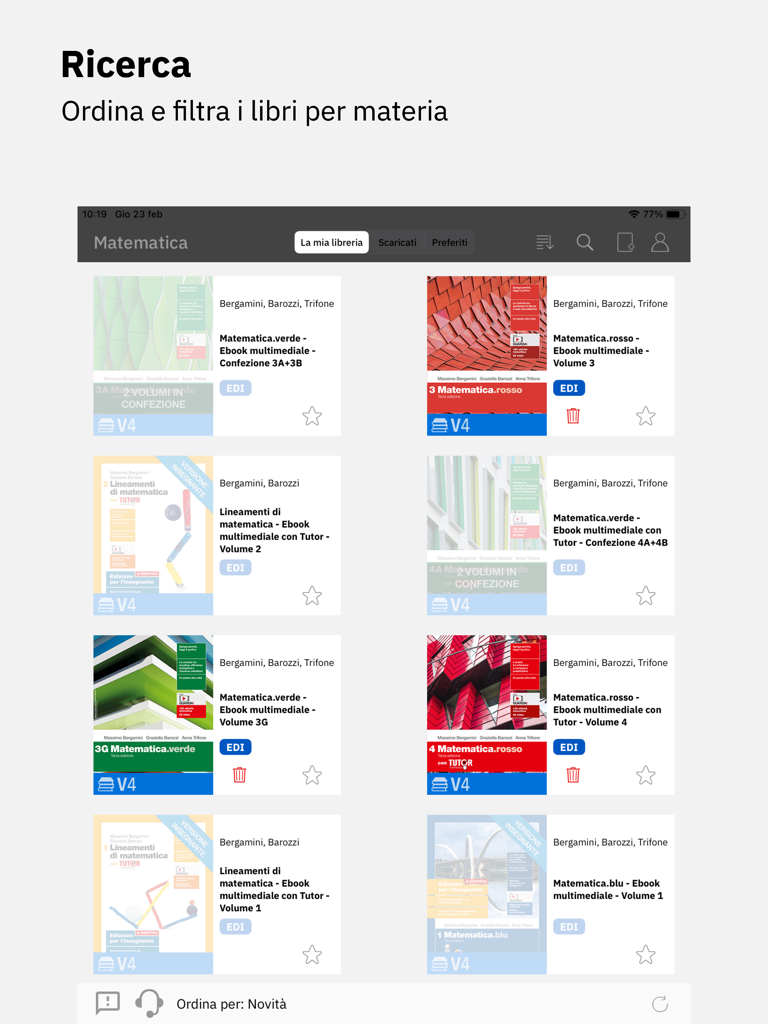
The Booktab app interface showing a digital library of Italian mathematics textbooks with search and sorting features
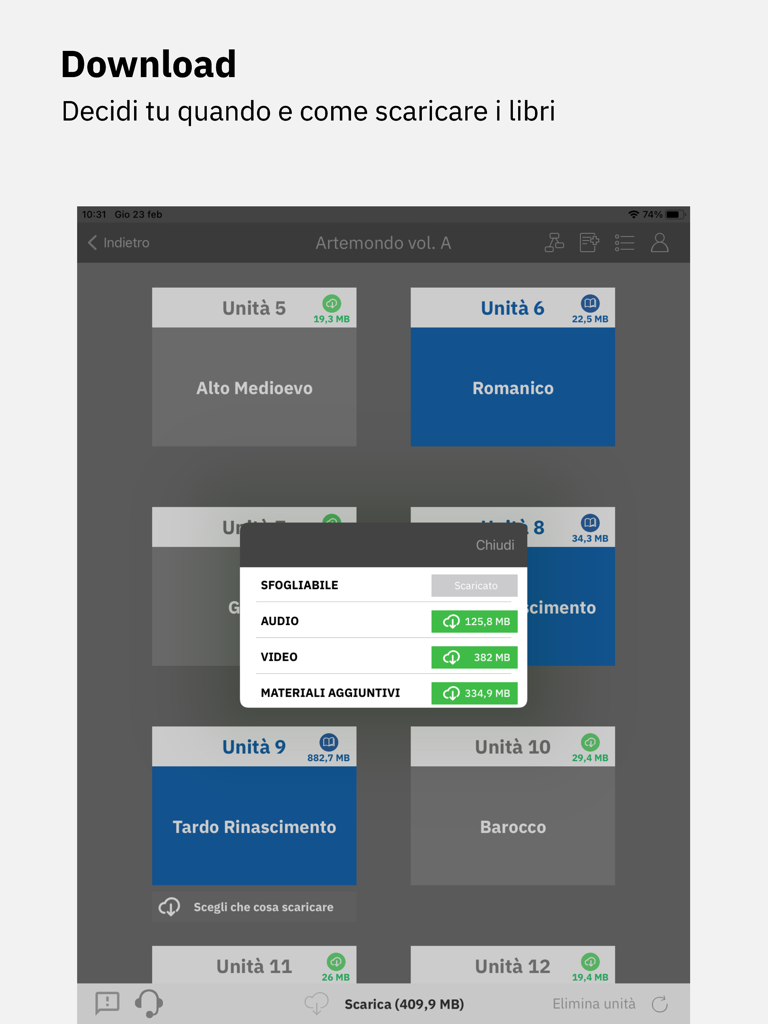
Interface for downloading textbook chapters and multimedia content in Booktab.
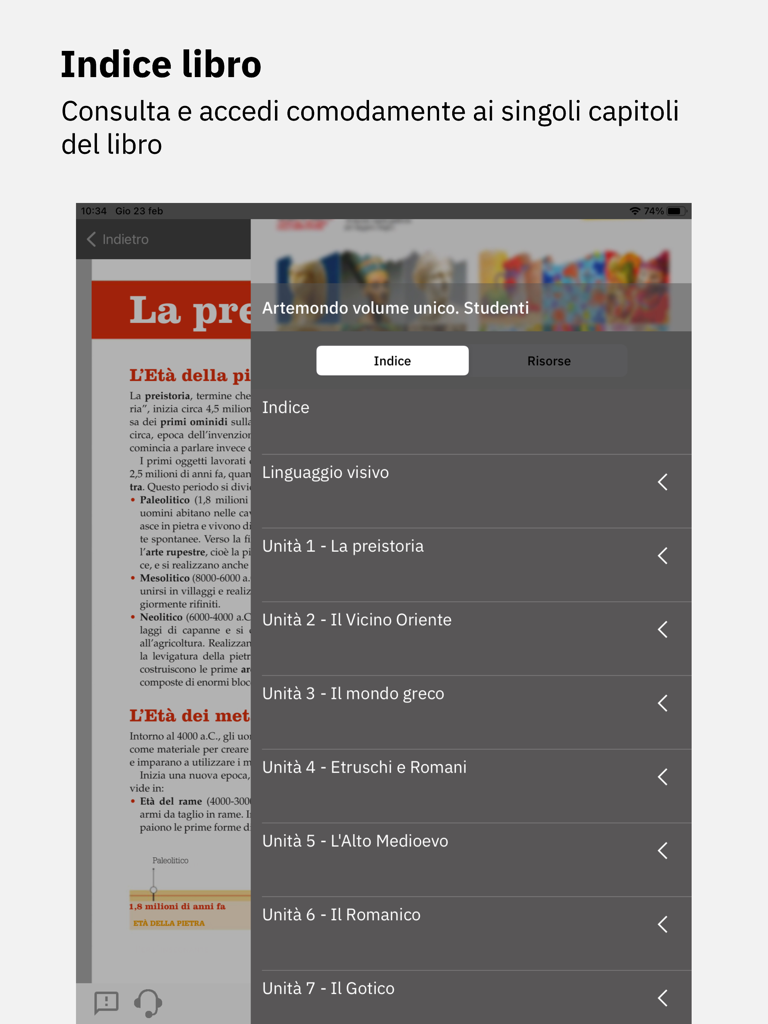
Booktab app interface showing the table of contents for an Italian educational textbook
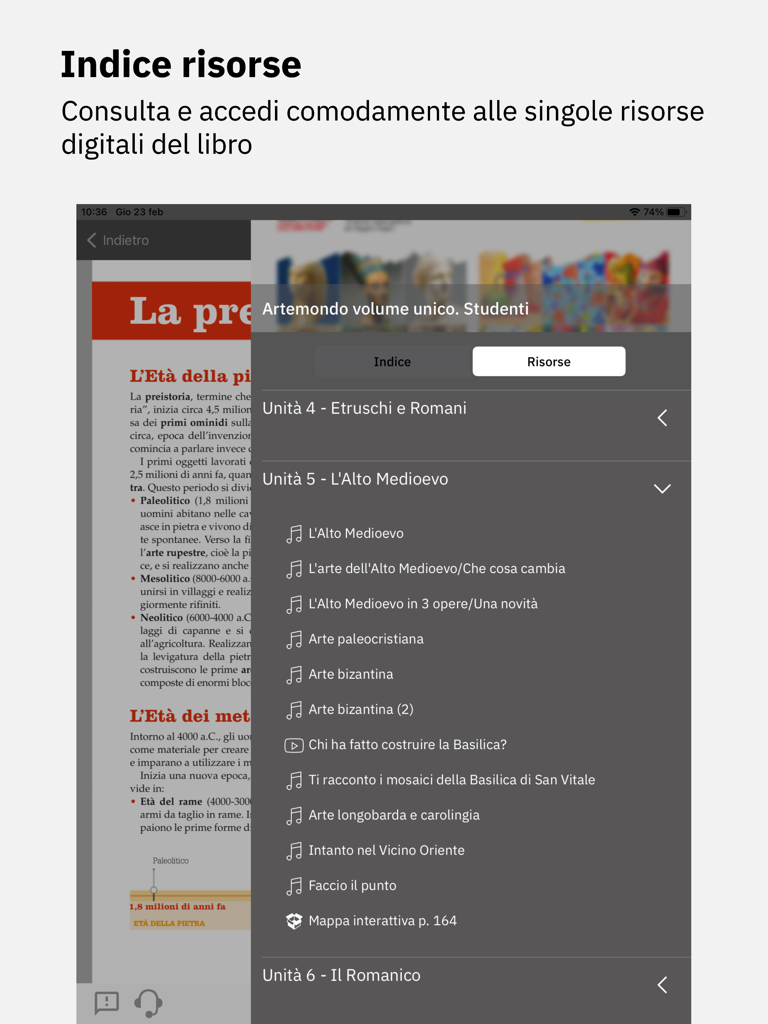
Interface of the Booktab app displaying a list of digital resources like audio and video for a textbook chapter.
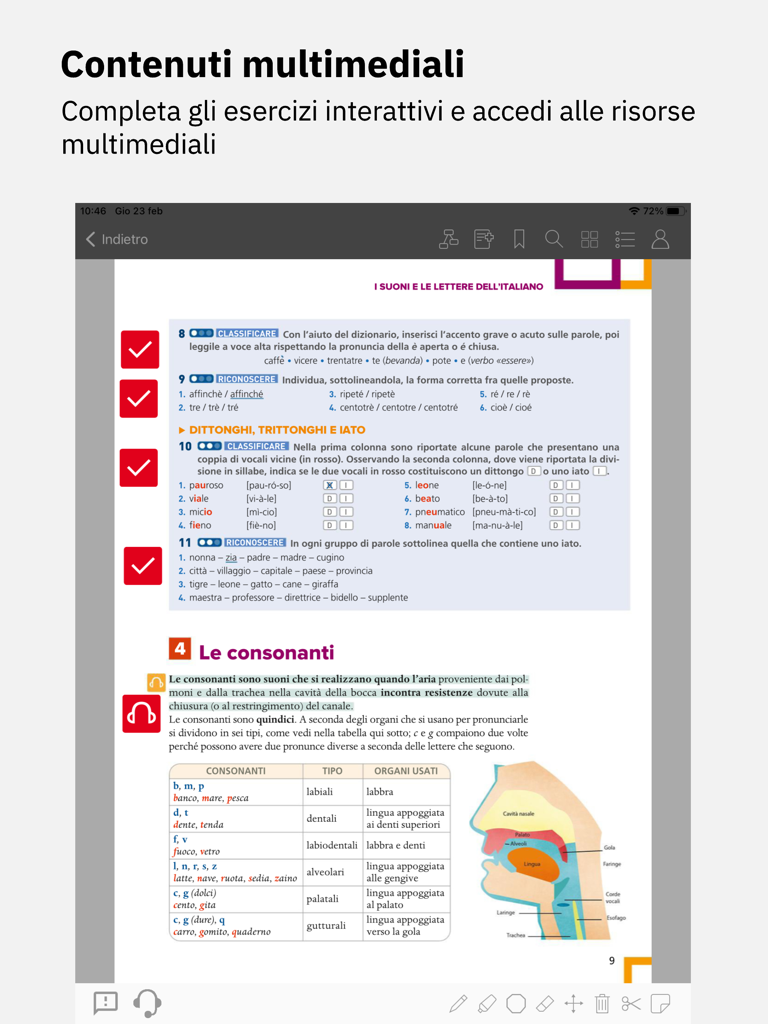
Booktab app screenshot showing a digital textbook with interactive Italian language exercises and a diagram of the vocal tract for phonetics study.
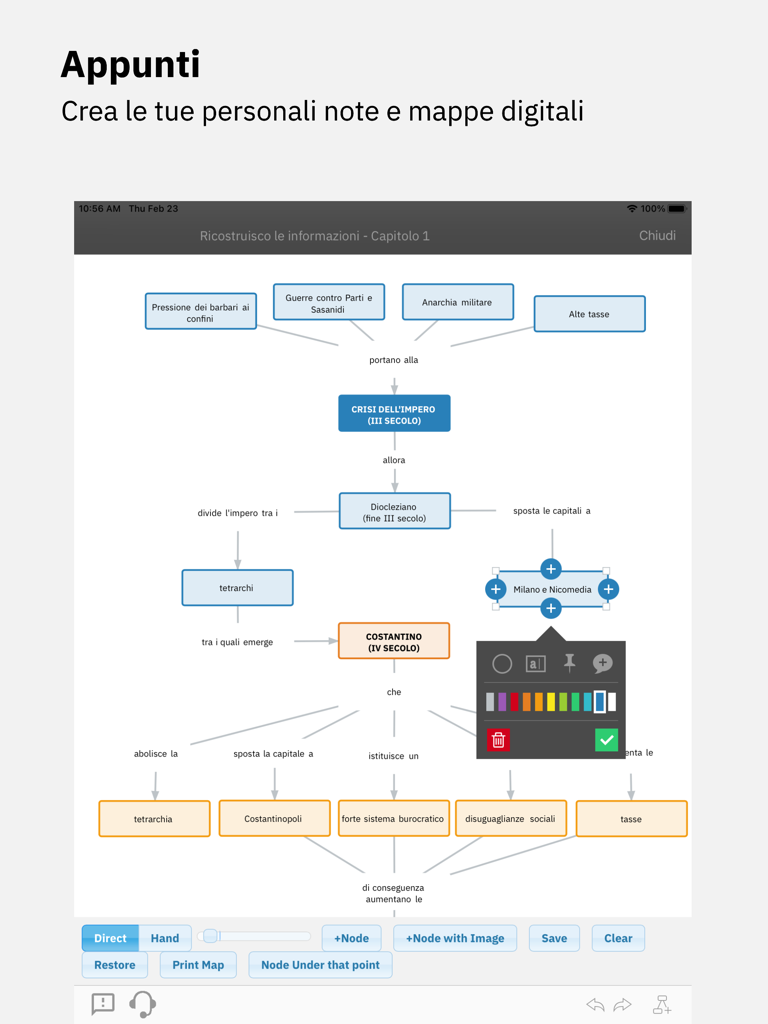
A digital mind map interface in the Booktab app for creating educational flowcharts and notes on iPad.
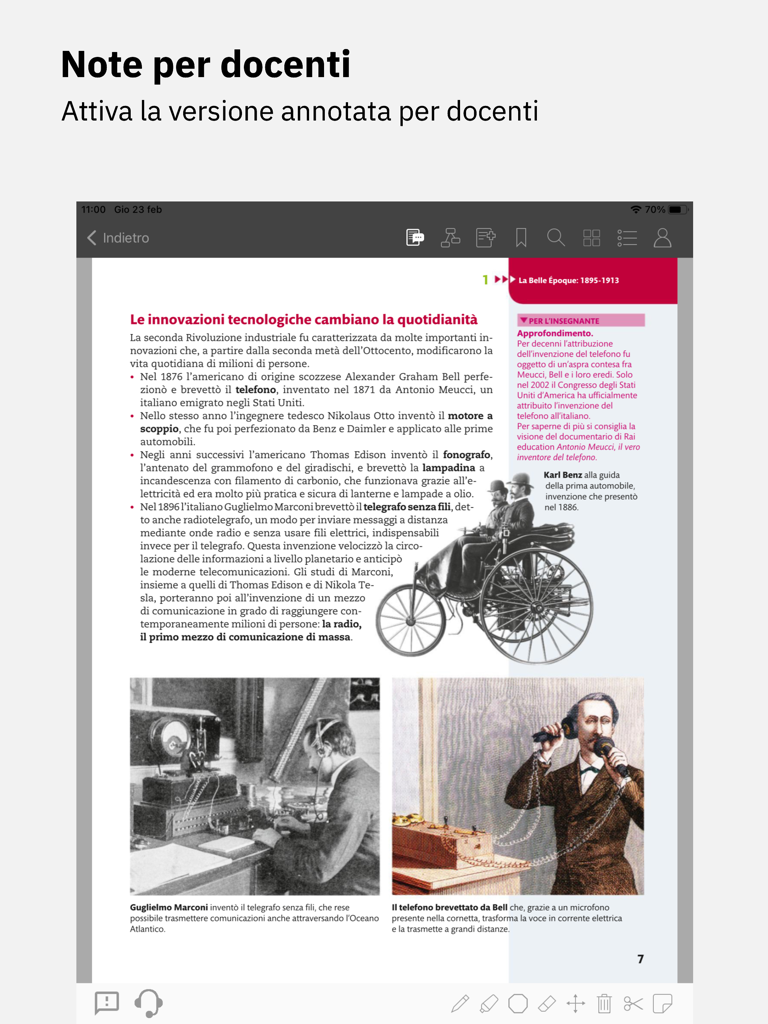
Digital history textbook page in Booktab with teacher notes and interactive tools
Description
Download
More Like This
Apps with similar features and user experience

纳米盒—英语语文数学同步学习辅导工具
Jinxin Network Technology Co., Ltd.

سهل - منصة تعليمية
Ramzi Salha

数学トレーニング
StudySwitch, Inc.

Lời Giải Hay - Loigiaihay.com
Thu Ngo Quy

小学生手書き漢字ドリル1026 - かんじ忍者
StudySwitch, Inc.

学宝-中小学语数英同步学
Beijing HuiDaTianXia Technology Co., LTD

Matematyka Gryzie
Maciej Caputa

答案来了-作业答案和听力下载
Hangzhou Xinqi Cultural Communication Co., Ltd.

ÜçDörtBeş Video Çözüm
FERNUS BILISIM HIZMETLERI EGI.DAN. ve TIC.LTD.STI.
This page is not an official page of the app or its developer, but an independent editorial publication created for informational and commentary purposes. Unless expressly stated otherwise, neither the app nor its developer is affiliated with, endorsed by, sponsored by, authorized by, or otherwise officially connected with MWM, Apple, Google Play, the app publisher, or the app's developer, and nothing on this page implies that the app was developed using MWM's services. Any trademarks, logos, screenshots, and other content remain the property of their respective owners.