
This page is not an official page of the app or its developer, but an independent editorial publication created for informational and commentary purposes. Unless expressly stated otherwise, neither the app nor its developer is affiliated with, endorsed by, sponsored by, authorized by, or otherwise officially connected with MWM, Apple, Google Play, the app publisher, or the app's developer, and nothing on this page implies that the app was developed using MWM's services. Any trademarks, logos, screenshots, and other content remain the property of their respective owners.


BPI
Open an account in 5 minutes, send money home instantly via QR Ph, and manage your family's financial future with the security of the Philippines' leading digital bank.
Downloads
4M+User Rating
Total Ratings
211K+Publisher
Category
FinanceLocales
1Latest Version
15.1Size
151.3 MBFirst Released
Feb 26, 2023Empowering Global Filipinos to Manage PH Finances
Bridge the distance between the USA and the Philippines with the most trusted mobile banking app for your cross-border needs.
Instant, Low-Cost Money Transfers
Send funds to family or your own PH accounts instantly via InstaPay and QR Ph, bypassing high remittance fees and long wait times.
Open a PH Account Without Travel
Start your BPI savings journey from the USA. All you need is one government ID and five minutes to open an account—no branch visit needed.
Frequently Asked Questions
Everything you need to know about BPI
What is the BPI app used for?
The BPI app is a mobile banking application that allows users to access accounts, transfer funds, pay bills, and manage various financial services from their mobile device.
Can I open a bank account online with the BPI app?
Yes, you can open a BPI savings account online using the BPI app in 5 minutes with one government ID. There is no need to visit a branch.
Does the BPI app support QR payments in stores?
Yes, the BPI app supports QR payments. Users can scan any QR Ph code in stores to pay directly from their BPI app, functioning as an e-wallet.
What types of money transfers can I make using the BPI app?
The BPI app facilitates transfers between BPI accounts, to other BPI account holders, and to other local banks and e-wallets via PesoNET and InstaPay.
Can I schedule bill payments and fund transfers in the BPI app?
Yes, the BPI app allows users to schedule transactions for bill payments, fund transfers to BPI accounts or other banks, and prepaid card loading with adjustable frequencies.
Does the BPI app offer personalized financial advice?
Yes, the BPI app features "Track & Plan," an AI-powered personal finance manager. It provides expert money advice and alerts to help users achieve financial goals.
How does the BPI app enhance transaction security?
The BPI app enhances security through Custom Transaction Limits and Mobile Key for authorization, eliminating SMS OTPs. It also allows managing card settings and blocking cards.
Can I manage my investments directly in the BPI app?
Yes, the BPI app includes investment services. Users can open an investment account, view and manage their funds, and set up or amend a Regular Subscription Plan (RSP).
Can I perform cardless withdrawals using the BPI app?
Yes, the BPI app supports cardless withdrawals. Users can withdraw money from ATMs using the BPI app without needing a physical debit card.
Does the BPI app allow mobile check deposits?
Yes, the BPI app allows users to deposit checks remotely. Customers can simply take and upload a photo of the check's front directly through the app.
The following screenshots and description are sourced directly from the app's official store listing and are the property of the app developer.
App Store
Screenshots
BPI mobile app onboarding screen with the logo popping out of a box and a welcome message
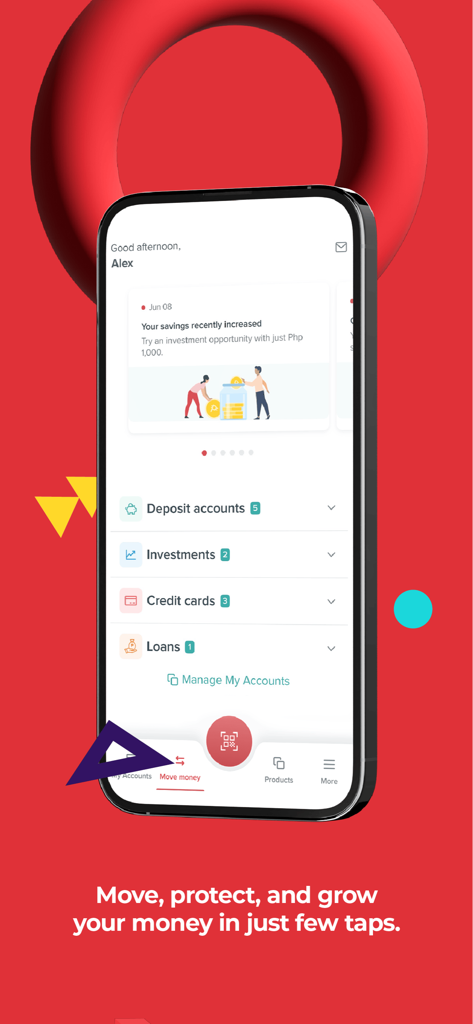
BPI mobile banking app dashboard displaying accounts investments and personal finance insights
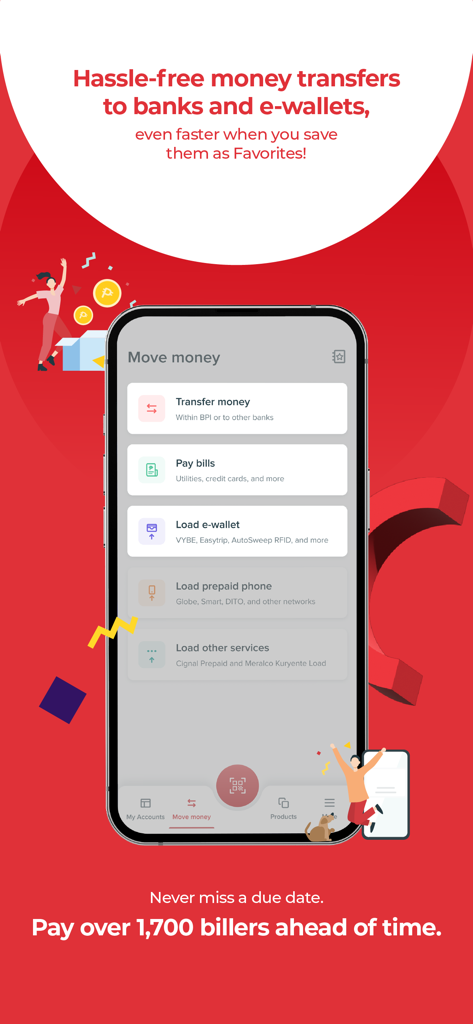
BPI mobile app interface for transferring money and paying bills
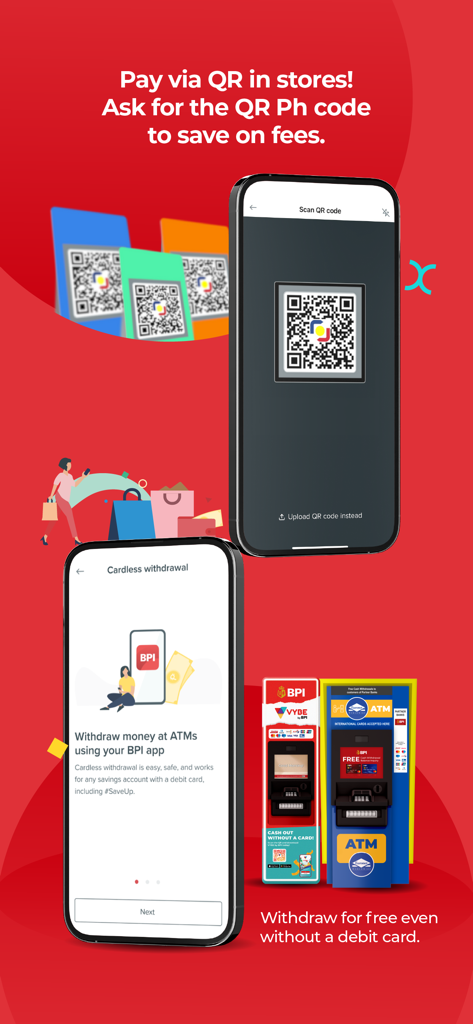
BPI app interface showing QR Ph payment scanning and cardless ATM withdrawal options.
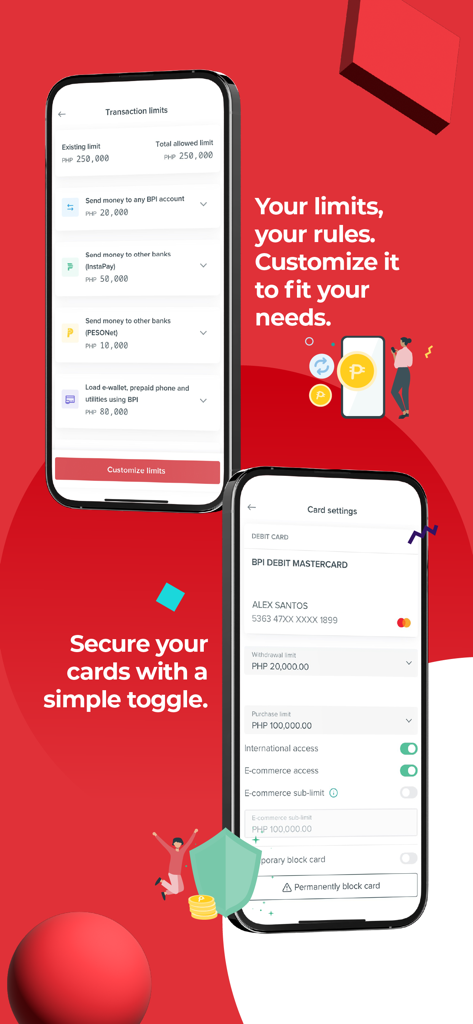
BPI mobile app screens showing transaction limit customization and card security settings
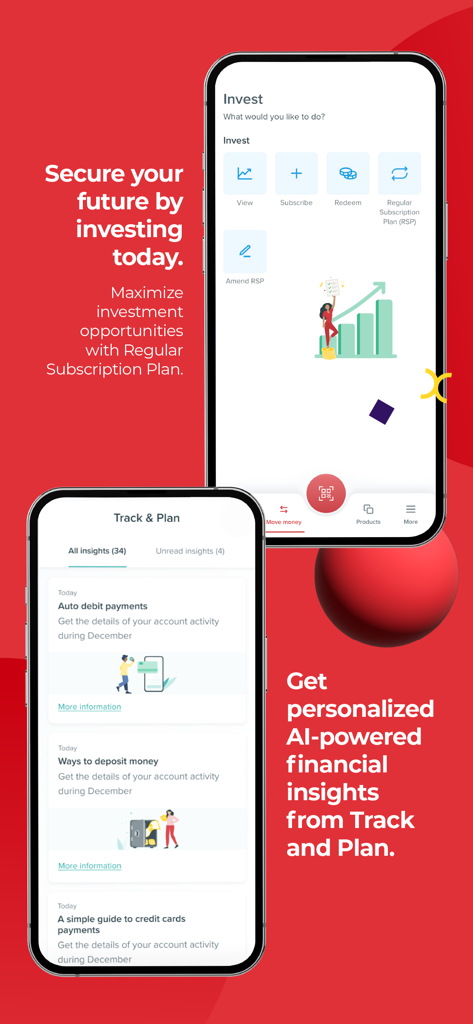
BPI mobile app screens showing investment options and AI-powered financial insights
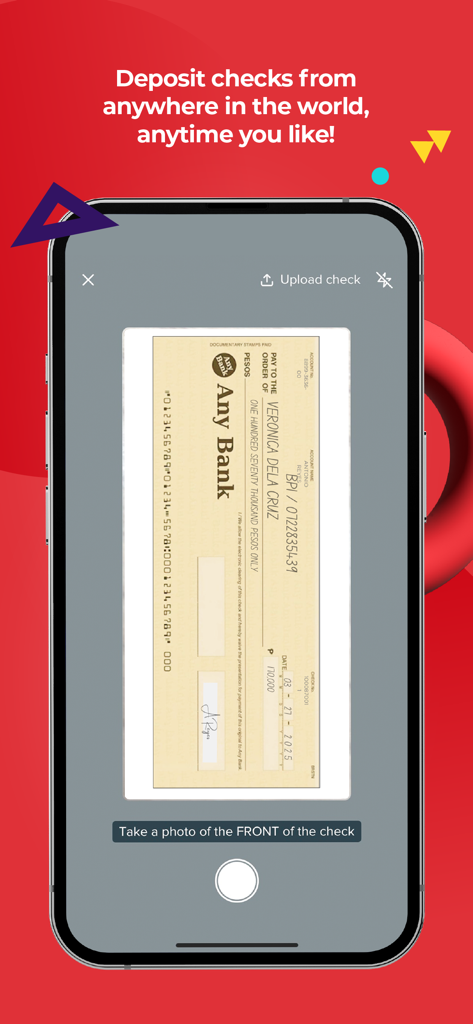
A mobile phone screen showing the BPI app feature to deposit checks by taking a photo of the front of the check.
Description
Download
More Like This
Apps with similar features and user experience

PayPal - Pay, Send, Save
PayPal, Inc.

中国农业银行
AGRICULTURAL BANK OF CHINA LIMITED

Mercado Pago: cuenta digital
MercadoLibre S.A.

中国工商银行
Industrial and Commercial Bank of China

Revolut: Send, spend and save
Revolut Ltd

HDFC Bank App (Early Access)
HDFC Bank Ltd

Zalopay - Quét Mọi QR
ZION JOINT STOCK COMPANY

Cash App
Block, Inc.

招商银行
CHINA MERCHANTS BANK CO.,LTD.
This page is not an official page of the app or its developer, but an independent editorial publication created for informational and commentary purposes. Unless expressly stated otherwise, neither the app nor its developer is affiliated with, endorsed by, sponsored by, authorized by, or otherwise officially connected with MWM, Apple, Google Play, the app publisher, or the app's developer, and nothing on this page implies that the app was developed using MWM's services. Any trademarks, logos, screenshots, and other content remain the property of their respective owners.