Bryte Balance
Bryte Balance
Download on App Store

This page is not an official page of the app or its developer, but an independent editorial publication created for informational and commentary purposes. Unless expressly stated otherwise, neither the app nor its developer is affiliated with, endorsed by, sponsored by, authorized by, or otherwise officially connected with MWM, Apple, Google Play, the app publisher, or the app's developer, and nothing on this page implies that the app was developed using MWM's services. Any trademarks, logos, screenshots, and other content remain the property of their respective owners.


Logo of Bryte Balance
Download on App Store

Bryte Balance

The essential command center for your intelligent mattress. Harness Restorative AI™ to personalize your comfort, optimize physical recovery, and master your sleep health through data-driven insights.

Key Figures

Downloads

0

User Rating

1.0/5

Total Ratings

0

Publisher

BRYTE, INC.

Category

Health & Fitness

Locales

1

Latest Version

3.4.4

Size

92.3 MB

First Released

Oct 20, 2022
Features

Engineered for Peak Restoration

Harness the power of Restorative AI™ to transform your mattress into a personalized sleep sanctuary that evolves with your body's needs.

Intelligent Rebalancing

Continuous AI-driven adjustments eliminate pressure points in real-time, ensuring deeper and more restorative sleep cycles.

Dual Comfort Tailoring

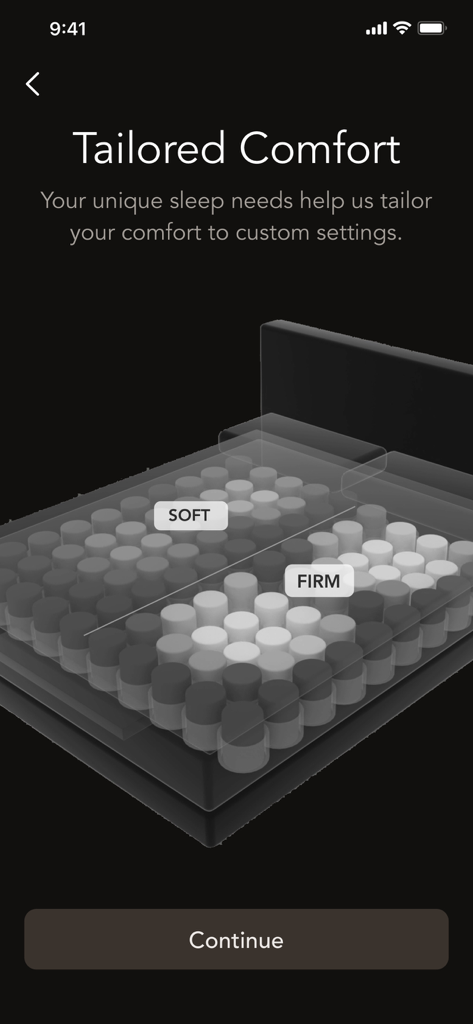
Independently customize firmness for both sides of the bed, providing personalized support for you and your partner.

The following screenshots and description are sourced directly from the app's official store listing and are the property of the app developer.

App Store

Screenshots
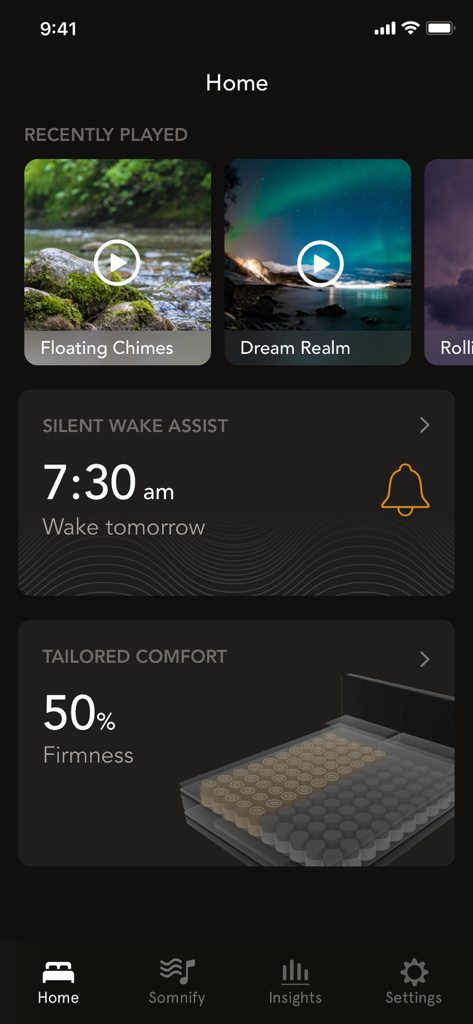
Bryte Balance - Bryte Balance app home screen displaying sleep soundscapes, silent wake assist alarm at 7:30 am, and 50% tailored mattress firmness setting.
Bryte Balance app home screen displaying sleep soundscapes, silent wake assist alarm at 7:30 am, and 50% tailored mattress firmness setting.

Bryte Balance - Bryte Balance app screen showing dual comfort zones for soft and firm mattress settings.
Bryte Balance app screen showing dual comfort zones for soft and firm mattress settings.

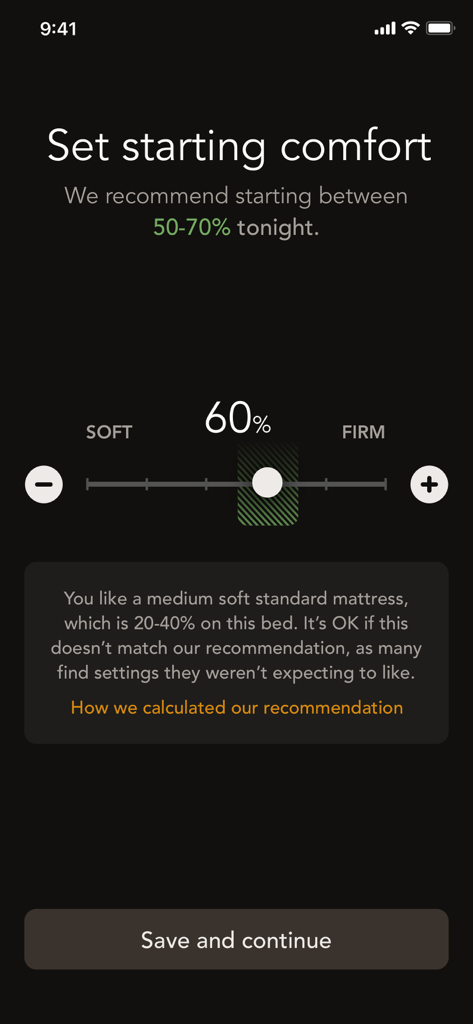
Bryte Balance - Bryte Balance app interface showing a slider to adjust mattress firmness between soft and firm settings
Bryte Balance app interface showing a slider to adjust mattress firmness between soft and firm settings

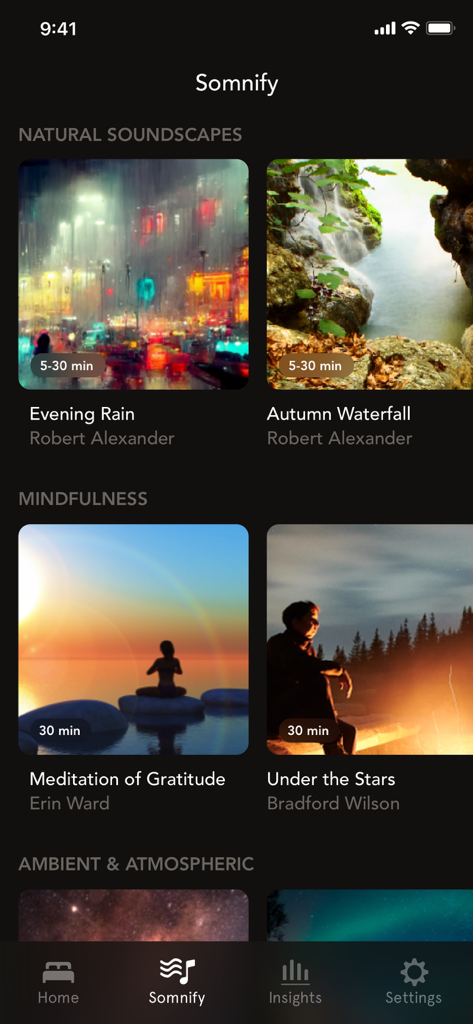
Bryte Balance - Somnify relaxation screen in the Bryte Balance app showing various natural soundscapes and mindfulness tracks
Somnify relaxation screen in the Bryte Balance app showing various natural soundscapes and mindfulness tracks

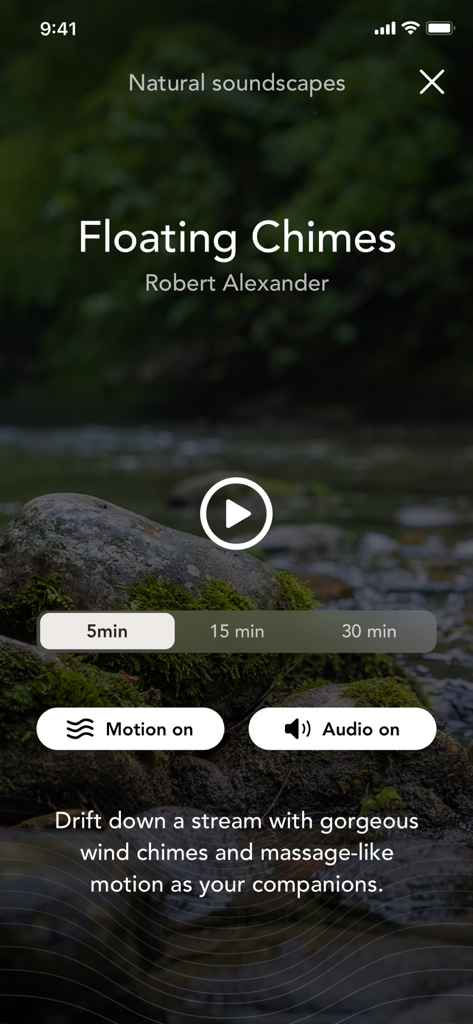
Bryte Balance - Bryte Balance app Somnify screen showing Floating Chimes relaxation session with audio and mattress motion controls
Bryte Balance app Somnify screen showing Floating Chimes relaxation session with audio and mattress motion controls

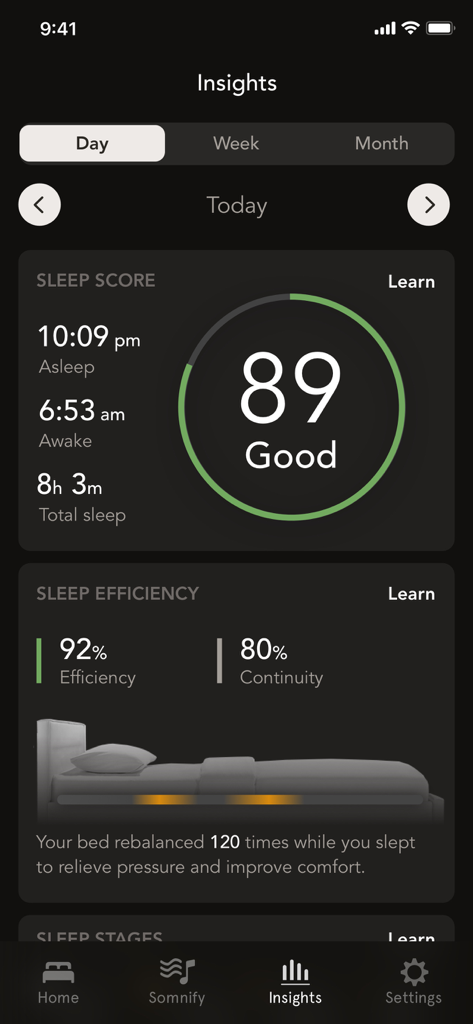
Bryte Balance - Bryte Balance app sleep insights dashboard showing a sleep score of 89 and daily sleep data

Bryte Balance app sleep insights dashboard showing a sleep score of 89 and daily sleep data

Description

Bryte Balance is the companion app to the Bryte Balance mattress and is only compatible with this mattress. Bryte Balance™ is a mattress integrated with purposeful connected technology that unlocks transformational restorative sleep. Learn more at bryte.com/bryte-balance. The Bryte Balance app guides you through bed setup and allows you to start personalizing your comfort settings. The Bryte Balance mattress can be customized for individual sleepers as well as for couples. For couples, each sleeping partner needs to download the app on their respective mobile device to set up and customize their side of the bed. Grounded in the latest findings in sleep science, the Bryte Balance mattress restores sleep so that you can be at your best mentally, physically, and emotionally. SOMNIFY: Fall asleep faster with Somnify™, Bryte's multi-sensory relaxation experience. Explore the breadth of Somnify content within the Bryte Balance app including natural soundscapes, sleep-inducing music, and mindfulness exercises. You can customize your relaxation experience in the app, by selecting whether you want bed motion, audio, or both combined and by changing the duration of select tracks. REBALANCING: Bryte's Rebalancing system continually orchestrates the perfect, personalized support and comfort to minimize wake events for any sleeper in any position with a matrix of intelligent cushions that sense, target and relieve pressure spikes. See how many times your bed has rebalanced throughout the night on the home screen of the Bryte Balance app. DUAL COMFORT TAILORING: No two sleepers are the same and Bryte's Dual Comfort Tailoring™ allows each sleeper to discover and set their individual comfort settings. Bryte guides you in finding your ideal support based on your unique attributes and sleeping preferences and you can change your comfort settings as your sleeping needs evolve over time. SILENT WAKE ASSIST: Avoid waking up to a jarring alarm clock with Bryte's Silent Wake Assist feature. Set your alarm in the app and wake up peacefully as silent, rhythmic motions gradually bring you out of your sleep. SLEEP INSIGHTS: Through the Bryte Balance app, you can access valuable insights on sleep duration, sleep stages and key biometrics including your resting heart rate and respiration rate. Tap into your weekly and monthly views to understand trends over time. SLEEP CONCIERGE: Powered by Bryte’s Restorative AI™, Sleep Concierge provides the meaning behind your metrics and can adjust the comfort of your mattress, even if it’s just for the night. It’s like having a sleep scientist, a mattress expert, a coach, and a helpful friend all available at the tap of a button. Need more help? We're here for you. For support, go to bryte.com/support or contact us at hello@bryte.com. Updated screenshots: take out “Set starting comfort” screen and replace with Sleep Concierge intro screen. If we can have more than six, just add as the first screen and have a chat shot as the second screen.

Download

Download on App Store

This page is not an official page of the app or its developer, but an independent editorial publication created for informational and commentary purposes. Unless expressly stated otherwise, neither the app nor its developer is affiliated with, endorsed by, sponsored by, authorized by, or otherwise officially connected with MWM, Apple, Google Play, the app publisher, or the app's developer, and nothing on this page implies that the app was developed using MWM's services. Any trademarks, logos, screenshots, and other content remain the property of their respective owners.








