
This page is not an official page of the app or its developer, but an independent editorial publication created for informational and commentary purposes. Unless expressly stated otherwise, neither the app nor its developer is affiliated with, endorsed by, sponsored by, authorized by, or otherwise officially connected with MWM, Apple, Google Play, the app publisher, or the app's developer, and nothing on this page implies that the app was developed using MWM's services. Any trademarks, logos, screenshots, and other content remain the property of their respective owners.


BuildCores: Part Picker for PC
Architect your dream battlestation with real-time compatibility checks, interactive 3D simulations, and live price tracking across Amazon, Newegg, and Best Buy.
Downloads
296K+User Rating
Total Ratings
2K+Publisher
Category
UtilitiesLocales
1Latest Version
2025.8.0Size
99.1 MBFirst Released
Jan 24, 2019Master Your Next PC Build
The ultimate toolkit for enthusiasts to design, verify, and save on high-performance rigs without the guesswork.
Smart Compatibility Check
Avoid the headache of returns. Our engine automatically verifies CPU sockets, RAM clearance, and PSU wattage for zero-risk building.
Interactive 3D Builder
See your battlestation come to life. Inspect your components in a 3D space to ensure everything fits and looks exactly how you imagined.
Frequently Asked Questions
Everything you need to know about BuildCores: Part Picker for PC
What is BuildCores?
BuildCores is a PC Builder and Part Picker app that offers a powerful component database with revolutionary full 3D viewing. It allows users to simulate their real-life PC before building it directly on their phone.
Does BuildCores offer a 3D PC building experience?
Yes, BuildCores features a full 3D PC Builder Simulator. This allows users to see their chosen components in an interactive 3D space, rotating and zooming to check fit and aesthetics.
How does BuildCores ensure PC part compatibility?
BuildCores ensures PC part compatibility using an intelligent compatibility engine. It automatically cross-references every part, checking CPU/motherboard sockets, RAM clearance, and PSU wattage to prevent issues.
Can I compare prices for PC components using BuildCores?
Yes, BuildCores allows users to compare real-time prices for every component across top retailers like Amazon, Newegg, and Best Buy. It also supports regional price tracking globally.
Does BuildCores provide FPS performance estimates for game builds?
Yes, BuildCores provides a Performance Estimator feature. This allows users to get FPS estimates for their build, showing how it will perform in popular games.
Which retailers does BuildCores compare prices from?
BuildCores compares prices from major retailers including Amazon, Newegg, and Best Buy. It supports retailers across the USA, Canada, United Kingdom, Germany, Australia, and more.
Can users save and manage multiple PC builds in BuildCores?
Yes, users can create a free BuildCores account to save, edit, and manage unlimited custom PC builds. This ensures builds are synced and accessible anytime.
How often is the component database updated in BuildCores?
The massive component database in BuildCores is updated hourly. This includes specifications and pricing for CPUs, GPUs, motherboards, RAM, SSDs, and other parts.
Does BuildCores allow sharing of PC build lists?
Yes, BuildCores allows easy sharing of PC build lists. Users can export their build list in a Reddit-friendly table format or as simple text to share with communities.
Can BuildCores show me sales and price drops for PC parts?
Yes, BuildCores features a dedicated Sales Feed that alerts users to the latest discounts and price drops on PC parts. This helps users save money automatically.
The following screenshots and description are sourced directly from the app's official store listing and are the property of the app developer.
App Store
Screenshots
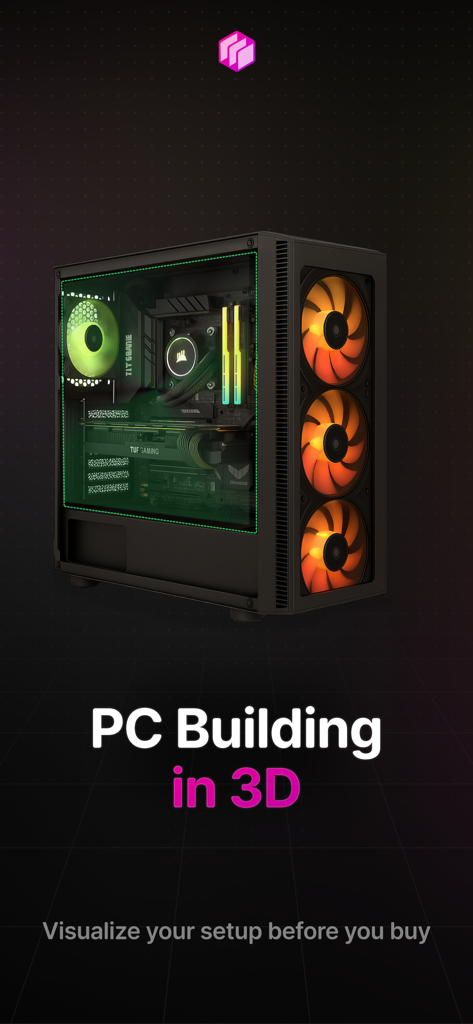
A 3D visualization of a custom gaming PC setup within the BuildCores app
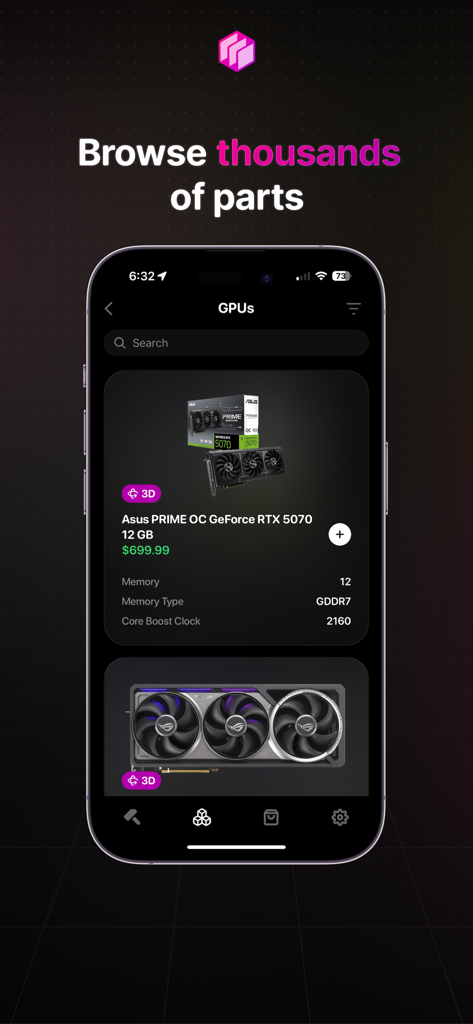
BuildCores app screen showing a list of graphics cards for PC building including an Asus RTX 5070
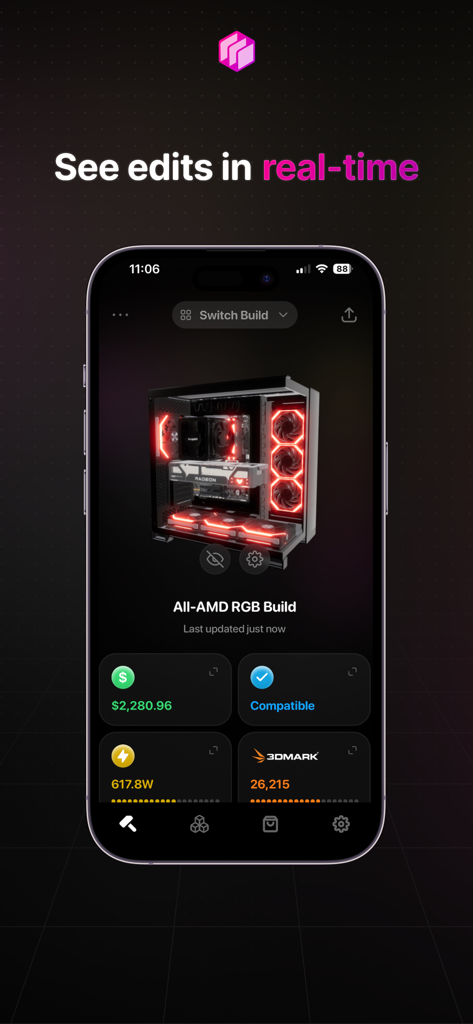
BuildCores 3D PC simulator showing a custom gaming rig with real time price and compatibility stats
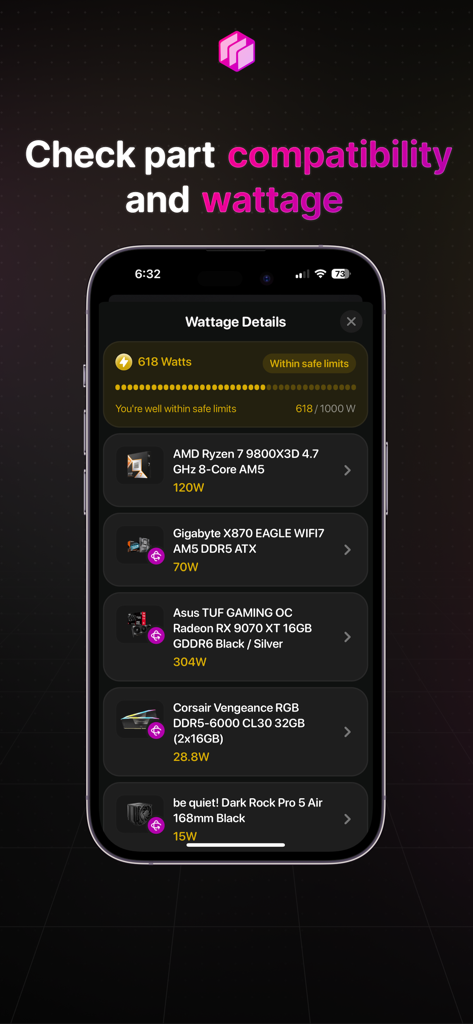
BuildCores app displaying PC part compatibility and total system wattage calculation
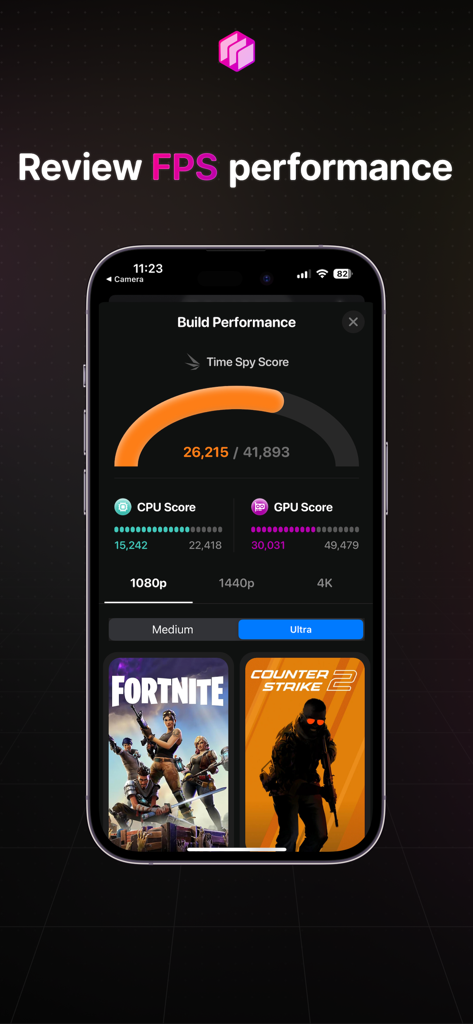
Mobile interface of BuildCores app showing PC build performance scores and FPS estimates for popular games
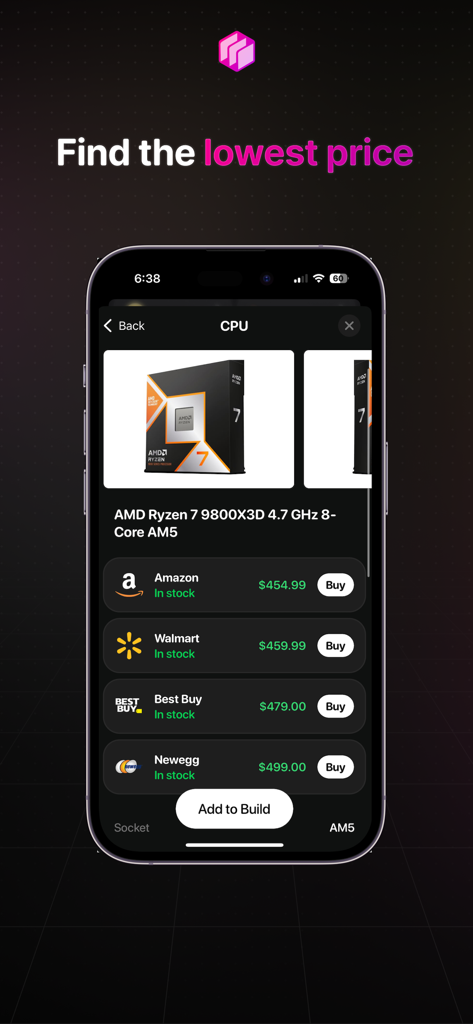
BuildCores mobile app displaying a price comparison for an AMD Ryzen CPU across various retailers like Amazon and Best Buy
Description
Download
More Like This
Apps with similar features and user experience






This page is not an official page of the app or its developer, but an independent editorial publication created for informational and commentary purposes. Unless expressly stated otherwise, neither the app nor its developer is affiliated with, endorsed by, sponsored by, authorized by, or otherwise officially connected with MWM, Apple, Google Play, the app publisher, or the app's developer, and nothing on this page implies that the app was developed using MWM's services. Any trademarks, logos, screenshots, and other content remain the property of their respective owners.