
Buildertrend


The all-in-one mobile platform for professionals to streamline projects, protect profits, and deliver a world-class client experience from the field to the office.
Publisher
Category
BusinessDownloads
1M+User Rating
Total Ratings
5K+Locales
1Discover the interface used by 1M+ users.
The tools that make this app stand out, trusted by 1M+ users.
Sync your team with real-time schedules, daily logs, and geofenced time tracking—all accessible directly from your truck or the job site.
Stop revenue leakage with instant estimates, digital change orders, and professional signatures that keep your business legally and financially secure.
Build trust and win more bids by providing homeowners a professional portal for progress photos, selections, and seamless communication.
Everything you need to know about Buildertrend.
Description
Latest Version
10.74.0
Size
208.1 MB
First Released
Mar 19, 2012
Join nearly one million construction professionals who use Buildertrend to eliminate communication errors, drive growth, and finally run their business—instead of letting it run them.
Everything you need to know about Buildertrend
Buildertrend construction software helps users manage projects, align teams, and drive growth. It provides tools to reduce delays, eliminate communication errors, and increase customer satisfaction for construction professionals.
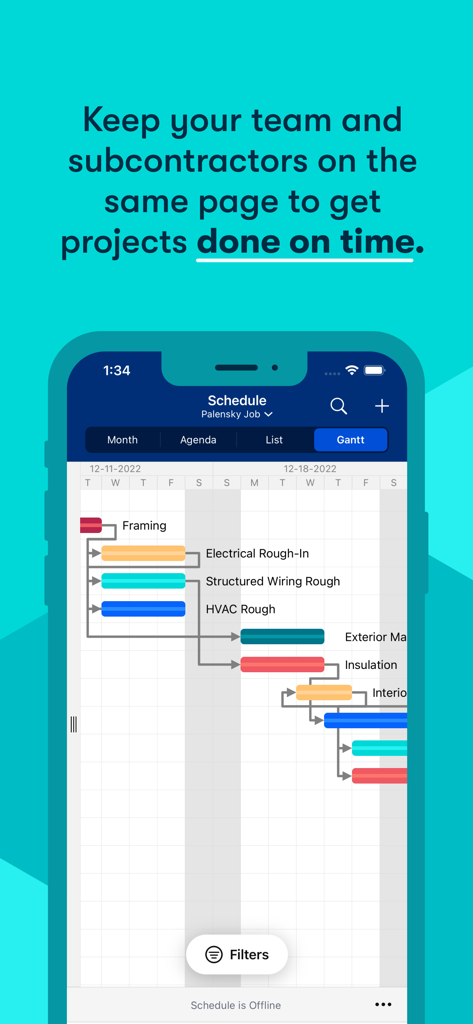
Yes, Buildertrend includes project scheduling tools. Users can view schedules in Month, Agenda, List, or Gantt chart formats. This feature keeps teams and subcontractors on the same page to get projects done on time.
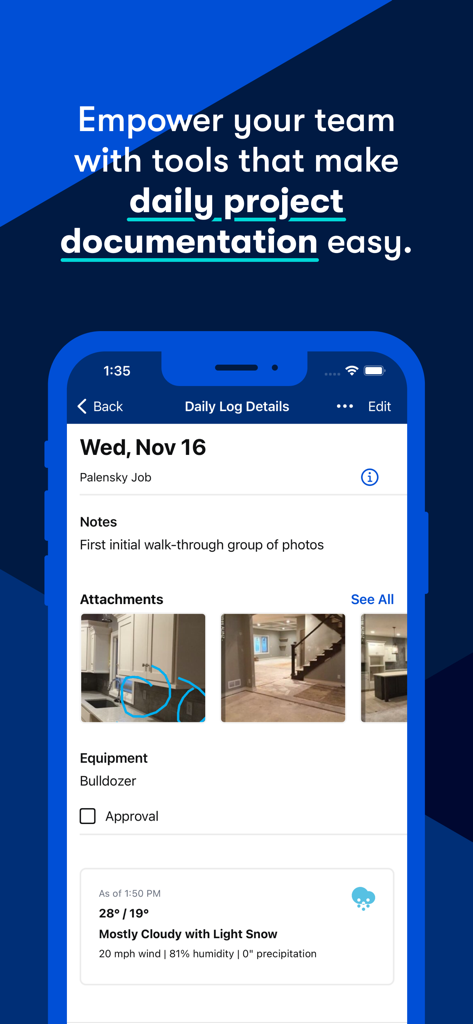
Yes, Buildertrend empowers teams with tools for daily project documentation. The app features Daily Logs where users can add notes, attach photos, detail equipment usage, and include weather information for specific jobs.
Buildertrend provides extensive financial management tools, including takeoff, estimates, bids, proposals, budgeting, and client invoicing. It also supports online client and sub payments, accounting integrations, and financial reporting.
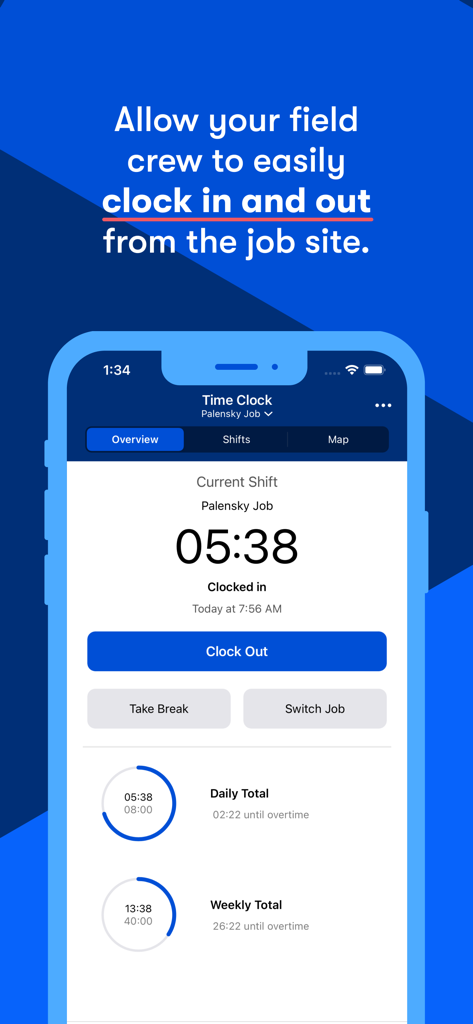
Yes, Buildertrend features a Time Clock tool with geofencing. This allows field crews to easily clock in and out from the job site, tracking current shift, daily, and weekly work totals directly within the app.
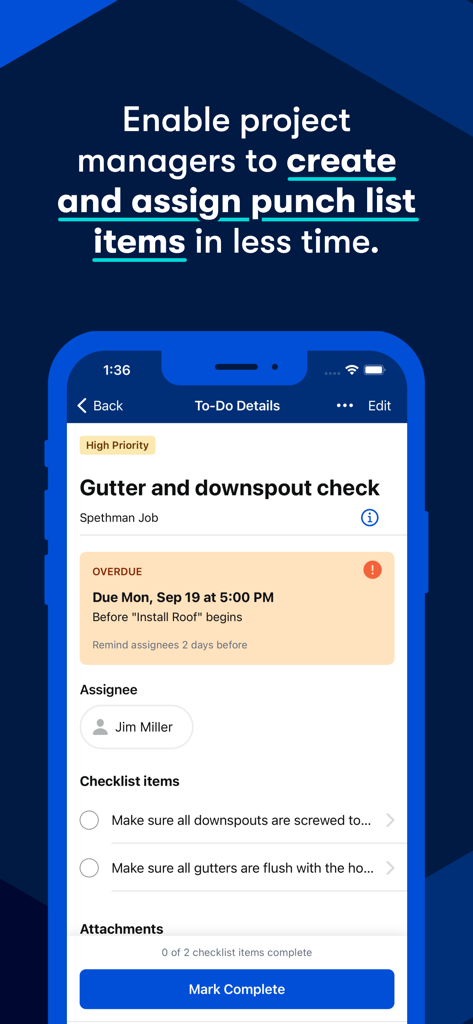
Buildertrend enables project managers to create and assign punch list items, also known as To-Do's. Users can detail tasks, set priority, due dates, assign individuals, and track checklist completion, helping to manage project tasks efficiently.
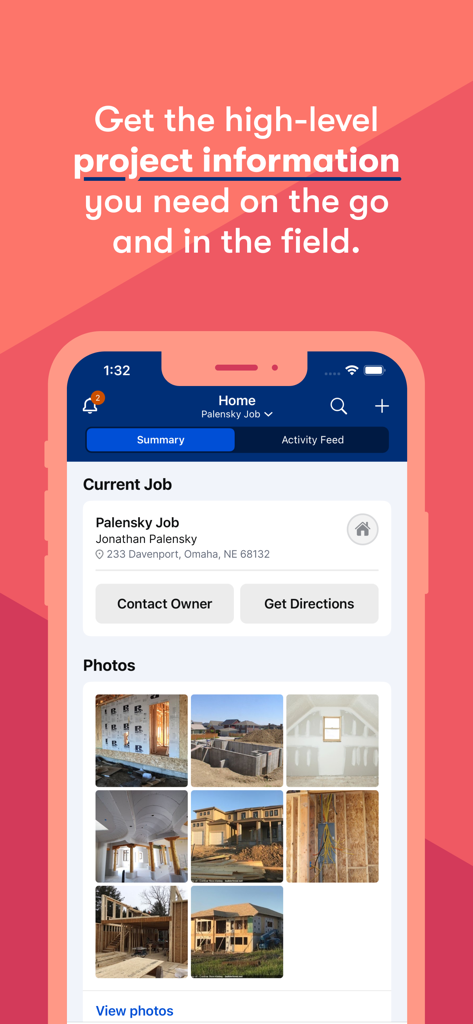
Yes, users can manage projects from anywhere with the Buildertrend app. The platform provides access to high-level project information on the go and in the field, allowing for remote oversight and communication.
Apps with similar features and user experience

Octopusapp Inc

AGENDA BOA TECNOLOGIA DA INFORMACAO LTDA

BILLDU LTD

1Build, Inc.
Contractor Plus, Inc.

Procore Technologies

Codefied Inc.

Eroldawn Pty Ltd

Joist Software Inc.
App information, icons, screenshots, and descriptions displayed on this page are sourced from the Apple App Store and are the property of their respective developers. Download estimates and rankings are based on MWM's proprietary models and may not reflect actual figures. This page is provided for informational and analytical purposes only.
Believe this page infringes your intellectual property? File a dispute