Contractor+
Contractor+
Download on App Store

This page is not an official page of the app or its developer, but an independent editorial publication created for informational and commentary purposes. Unless expressly stated otherwise, neither the app nor its developer is affiliated with, endorsed by, sponsored by, authorized by, or otherwise officially connected with MWM, Apple, Google Play, the app publisher, or the app's developer, and nothing on this page implies that the app was developed using MWM's services. Any trademarks, logos, screenshots, and other content remain the property of their respective owners.


Logo of Contractor+
Download on App Store

Contractor+

Win more jobs with professional itemized estimates, live material pricing from The Home Depot®, and instant payments—the all-in-one toolkit built specifically for the trades.

Key Figures

Downloads

119K+

User Rating

4.8/5

Total Ratings

1K+

Publisher

Contractor Plus, Inc.

Category

Business

Locales

1

Latest Version

10.0.1

Size

264.9 MB

First Released

Nov 19, 2020
Features

Everything You Need to Scale Your Trade

Stop losing money on paperwork. Contractor+ gives you the tools to look more professional, win higher-paying jobs, and manage your crew directly from your truck.

Estimates that Win Jobs

Create professional, itemized quotes with photos and live material pricing from The Home Depot to impress clients and close deals on the spot.

Instant Payments & Financing

Accept credit cards on-site and offer homeowner financing to help your clients afford big remodeling projects while you get paid faster.

The following screenshots and description are sourced directly from the app's official store listing and are the property of the app developer.

App Store

Screenshots
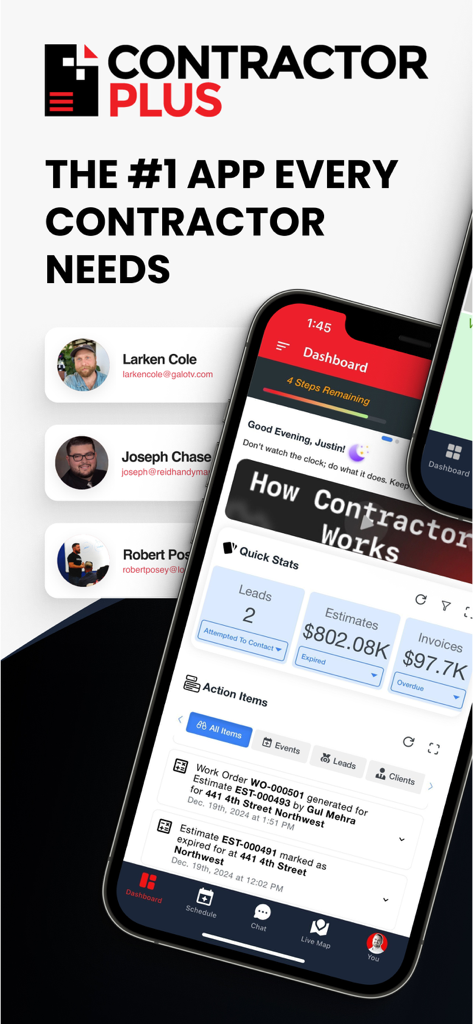
Contractor+ - Contractor Plus app dashboard displaying business stats and project management tasks
Contractor Plus app dashboard displaying business stats and project management tasks

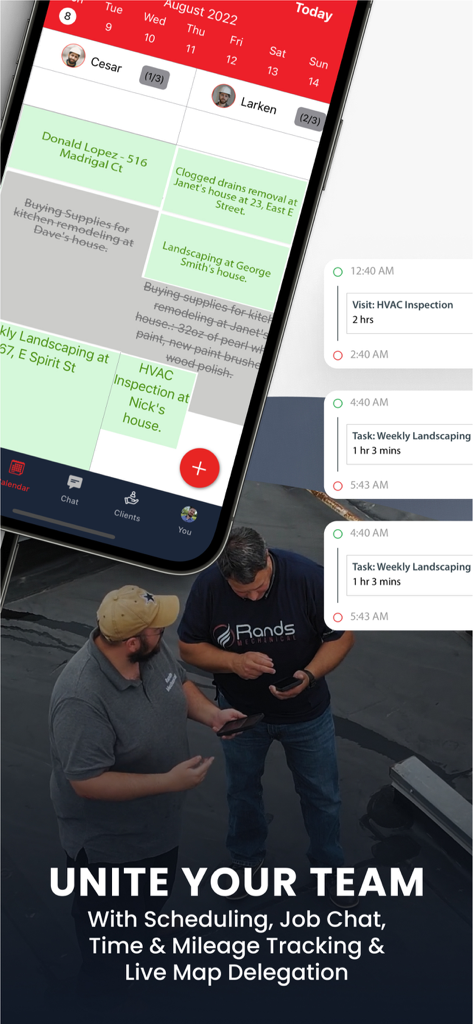
Contractor+ - Contractor Plus app showing team job schedules and task assignments on a mobile interface
Contractor Plus app showing team job schedules and task assignments on a mobile interface

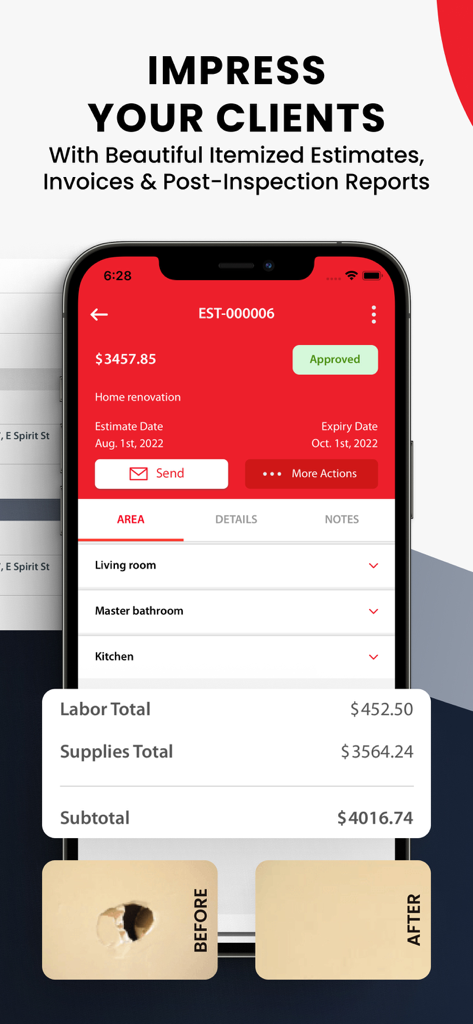
Contractor+ - Professional itemized estimate and invoice interface in the Contractor Plus app

Professional itemized estimate and invoice interface in the Contractor Plus app

Contractor+ - Contractor plus app lead management screen with follow up reminders
Contractor plus app lead management screen with follow up reminders

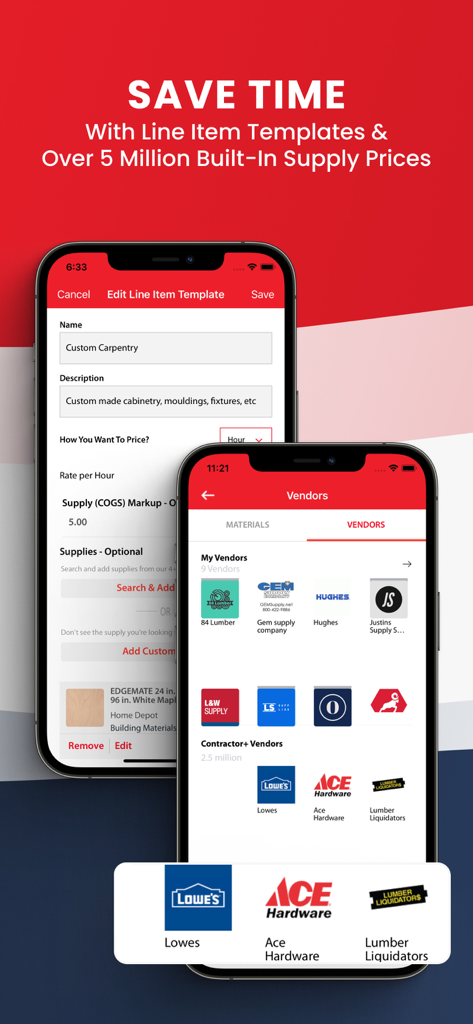
Contractor+ - Contractor+ app interface showing custom carpentry line item templates and a list of integrated supply vendors including Lowe's and Ace Hardware
Contractor+ app interface showing custom carpentry line item templates and a list of integrated supply vendors including Lowe's and Ace Hardware

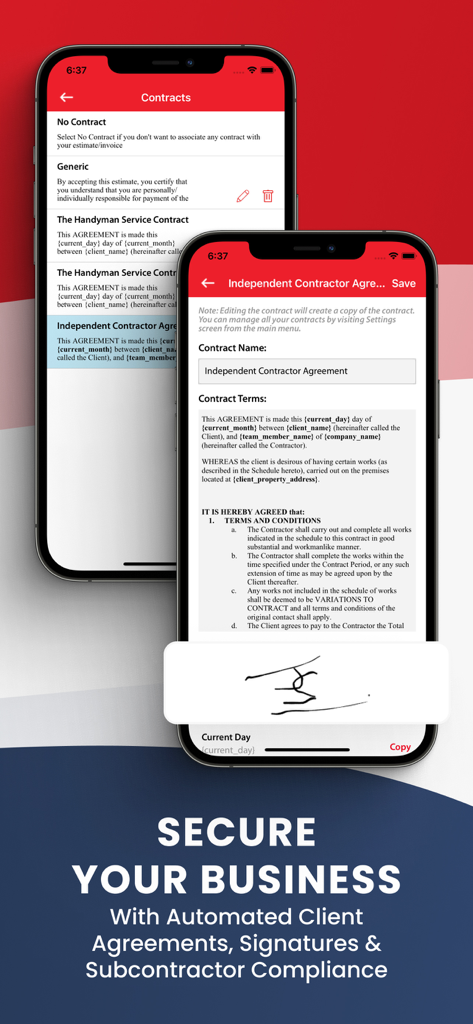
Contractor+ - Mobile app interface for creating digital contracts and capturing electronic signatures for home service businesses
Mobile app interface for creating digital contracts and capturing electronic signatures for home service businesses

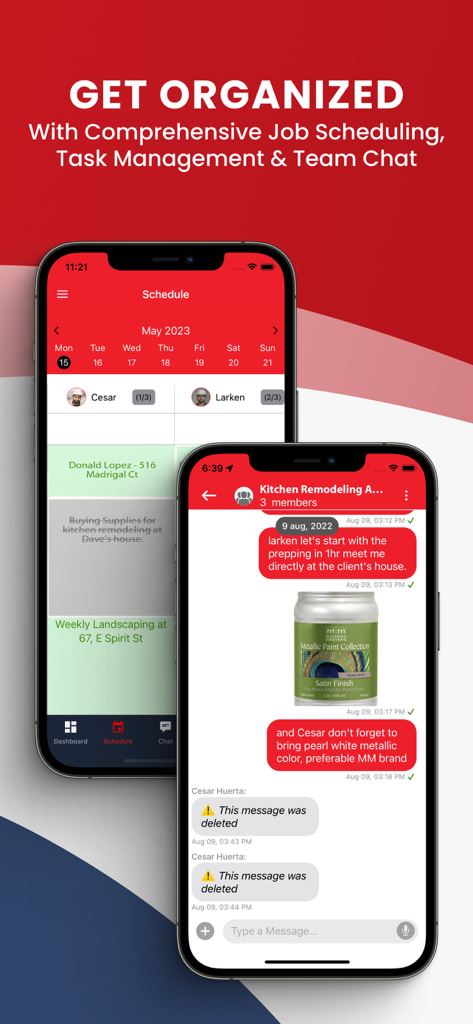
Contractor+ - Contractor plus app interface showing job scheduling and team chat for construction projects
Contractor plus app interface showing job scheduling and team chat for construction projects

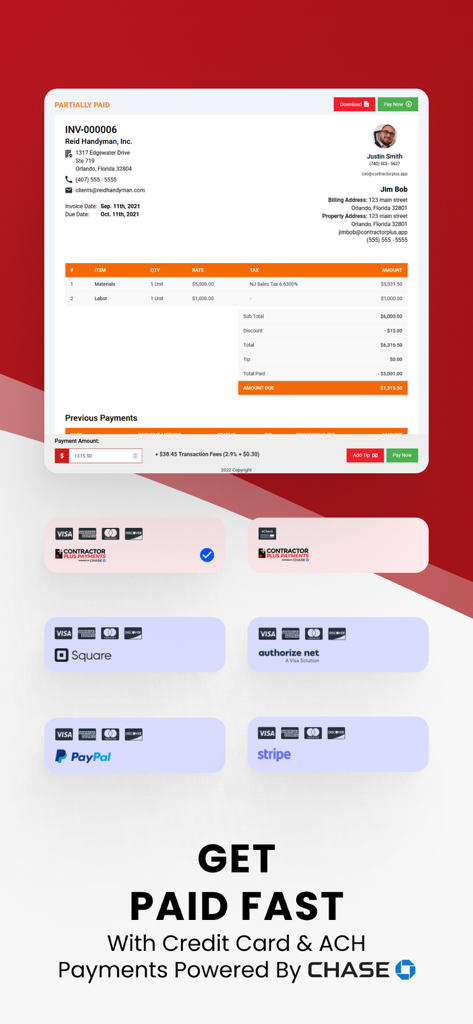
Contractor+ - Contractor plus digital invoice showing itemized costs and integrated payment options including Square PayPal and Chase
Contractor plus digital invoice showing itemized costs and integrated payment options including Square PayPal and Chase

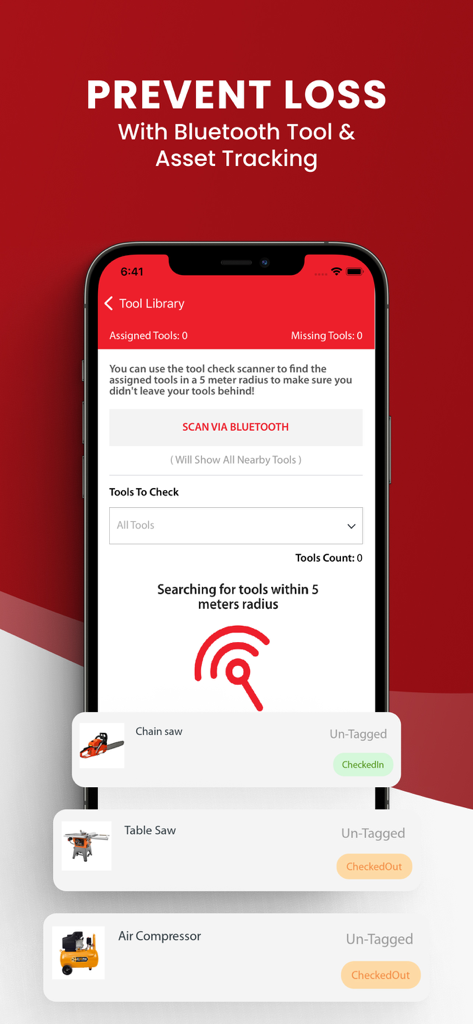
Contractor+ - Contractor+ app interface showing Bluetooth tool tracking and asset management to prevent loss
Contractor+ app interface showing Bluetooth tool tracking and asset management to prevent loss

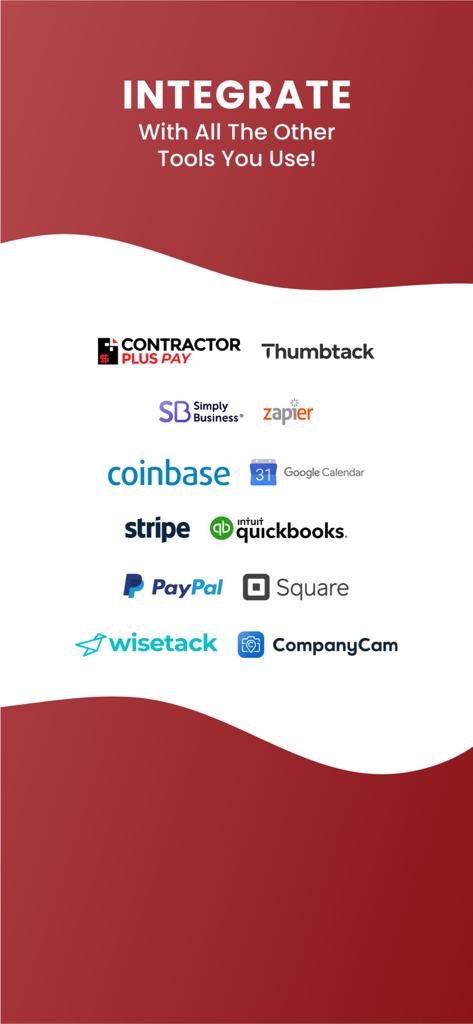
Contractor+ - A showcase of third-party tool integrations for Contractor Plus including QuickBooks, Stripe, PayPal, Square, and Google Calendar.

A showcase of third-party tool integrations for Contractor Plus including QuickBooks, Stripe, PayPal, Square, and Google Calendar.

Description

Contractor+ is for handyman companies & over 50 categories of home service contractors. Whether you do home remodeling, general handyman work, painting, drywall, roofing, plumbing, electrical, flooring, HVAC, lawn care & landscaping, pest control, concrete, or anything else, Contractor+ makes your life easier and your business more profitable. Itemized Estimates That WOW Clients Contractor+ offers branded construction estimates & invoices that are itemized with photos for each line item/task. Take project management a step further with access to live local material pricing from stores like The Home Depot®. A construction estimate generated with Contractor+ will impress your clients and win you more jobs. If you need a professional estimator tool to make accurate construction estimates, your search is over. Send Invoices & Collect Payments Use the invoice maker to create invoices, having your invoices sent automatically or manually. Make an invoice before, during, or after any job with the easy invoice maker. You can even link your account to Stripe®, Square®, PayPal® and Authorize.net® for instant payments. Now you can accept cash, checks, credit cards. The ultimate payment solution for contractors. Win More Home Remodeling Jobs with Homeowner Financing You can offer your clients financing options for home remodeling projects. Homeowners can get the home remodeling work done now and pay for it later. Schedule & Manage Construction Projects The Job Calendar in Contractor+ makes complicated project management super-easy. View jobs scheduled for any date range & assign team members to each job site. Every job on the job schedule has a group chat to communicate and keep your team on the same page at all times. Get All Your Supplies In One Trip Contractor+ has supply pricing from the leading construction suppliers. You can generate a shopping list for any estimate in seconds, taking the stress out of project management. Pre-Written Client Contracts Included client contracts you can modify and attach to any estimate or invoice. You can collect your client signature before scheduling the job on the Job Calendar. Time Clock & Mileage Log Once you've assigned team members to a job or field service on the job schedule, they'll be able to clock in and clock out using the GPS validated employee time clock. They'll also be able to track their mileage using the mileage log. This is not your ordinary time clock or mileage log, the Contractor+ time clock and mileage log was built specifically with handyman contractors in mind. Showcase Your Projects To Field Service Clients Contractor+ allows you to quickly and easily send post inspection reports to each client. You can take after photos for every task and send a branded report with all the details that matter most. Then, automatically invite your clients to leave a review that is leveraged to help you grow your business. Keep Track Of Your Valuable Tools The Tool Library in Contractor+ is a powerful asset management solution that uses low-cost Bluetooth Tool Tags to track any tool or tool box. Then, you can assign any tool to any team member and/or job site. Sync Your Accounting Data With QuickBooks Everything from employee timesheets, mileage reimbursement, estimates, invoices, payments, and even supply costs are automatically synced with your QuickBooks® Online account. True Collaboration Keeps Your Team On The Same Page At All Times You can add each of your team members and configure their level of access to optimize your business and maximize productivity. The Team Chat and Job Scheduling helps you manage your business like a PRO!

Download

Download on App Store

This page is not an official page of the app or its developer, but an independent editorial publication created for informational and commentary purposes. Unless expressly stated otherwise, neither the app nor its developer is affiliated with, endorsed by, sponsored by, authorized by, or otherwise officially connected with MWM, Apple, Google Play, the app publisher, or the app's developer, and nothing on this page implies that the app was developed using MWM's services. Any trademarks, logos, screenshots, and other content remain the property of their respective owners.