
This page is not an official page of the app or its developer, but an independent editorial publication created for informational and commentary purposes. Unless expressly stated otherwise, neither the app nor its developer is affiliated with, endorsed by, sponsored by, authorized by, or otherwise officially connected with MWM, Apple, Google Play, the app publisher, or the app's developer, and nothing on this page implies that the app was developed using MWM's services. Any trademarks, logos, screenshots, and other content remain the property of their respective owners.


Castro: Podcast App & Player
The elite player for power listeners. Triage your inbox like a pro, trim silence automatically, and curate the perfect queue for your daily commute.
Downloads
604K+User Rating
Total Ratings
20K+Publisher
Category
NewsLocales
1Latest Version
2025.12.2Size
162.5 MBFirst Released
Aug 15, 2016Master Your Information Flow
Designed for power listeners and professionals, Castro provides the tools to triage your library, reclaim your time, and enjoy a premium listening experience.
Conquer Subscription Guilt
Triage your podcasts like email. New episodes land in your inbox—queue what's relevant and archive the rest without the stress of a growing unplayed count.
Maximized Efficiency
Save hours every week with Trim Silence and Enhance Voices. Get through more content in less time with professional-grade audio optimization.
Frequently Asked Questions
Everything you need to know about Castro: Podcast App & Player
What is Castro: Podcast App & Player?
Castro is a full-featured podcast player that enables users to track, manage, and listen to podcasts. It offers features like queuing episodes, CarPlay compatibility, and trim silence.
How does the Castro app manage podcast episodes?
New episodes arrive in the NEW tab. Users add desired episodes to their QUEUE and clear the rest. Episodes are listened to from the QUEUE in order and download automatically.
Does Castro support CarPlay?
Yes, Castro supports CarPlay. This feature allows users to easily resume listening to podcasts while driving, ensuring a seamless experience.
What is Castro Plus and what features does it include?
Castro Plus is an optional paid subscription that unlocks advanced features. These include Trim Silence, Enhance Voices, Sideloading, Mono-Mix, Chapter Support, and custom settings per-podcast.
How much does Castro Plus cost?
Castro Plus costs $24.99 per year. This price applies in US dollars and may vary in other countries.
Can I try Castro Plus before subscribing?
Yes, Castro Plus includes a one-week free trial. The trial ends immediately if a user switches subscription periods before it completes.
How does the 'Trim Silence' feature work in Castro?
When 'Trim Silence' is active, Castro analyzes audio to detect and accelerate silent parts. This allows users to get through more episodes faster.
Does the Castro app offer an Apple Watch app?
Yes, Castro provides an Apple Watch app. Users can control playback and select episodes from their queue directly from their Apple Watch.
Can I import audio files into Castro?
Yes, Castro Plus offers a sideloading feature. Users can import audio files directly by dropping them into iCloud Drive.
Does Castro allow users to control episode playback speed?
Yes, Castro allows users to control playback speed. Screenshot #2 indicates options like 1.5x and 2x speed for listening to episodes.
How do episode notifications work in Castro?
Episode notifications in Castro include a summary. Users can play, queue, or clear the episode directly from the notification without opening the app.
How can users discover new podcasts in Castro?
Users can discover new podcasts through the 'Explore' tab in Castro. This section features categories and top charts, allowing discovery in three taps.
Does Castro have a dark mode or sleep timer?
Yes, Castro features an elegant dark mode and a thoughtfully designed sleep timer. These options enhance nighttime podcast listening.
What is the benefit of 'Enhance Voices' in Castro Plus?
Enhance Voices improves listening by applying dynamic compression. This feature increases volume where needed, making podcasts easier to hear in loud environments.
Can I customize settings for individual podcasts in Castro?
Yes, Castro Plus allows custom settings per-podcast. Options include Episode Limit, Trim Silence, Enhance Voices, Mono Mix, Skip Intros, and Playback Speed.
What is Mono-Mix in Castro Plus?
Mono-Mix in Castro Plus converts stereo podcasts to mono. This makes it easier to hear podcasts where guests are panned across left and right channels.
How do I manage my Castro Plus subscription?
Users can manage their Castro Plus subscription and turn off auto-renewal through the user's Account Settings after purchase. Auto-renewal can be canceled anytime from Castro settings.
Does Castro have chapter support for podcasts?
Yes, Castro Plus offers chapter support. This includes artwork, skipping, and pre-selection functionalities within podcast chapters.
The following screenshots and description are sourced directly from the app's official store listing and are the property of the app developer.
App Store
Screenshots
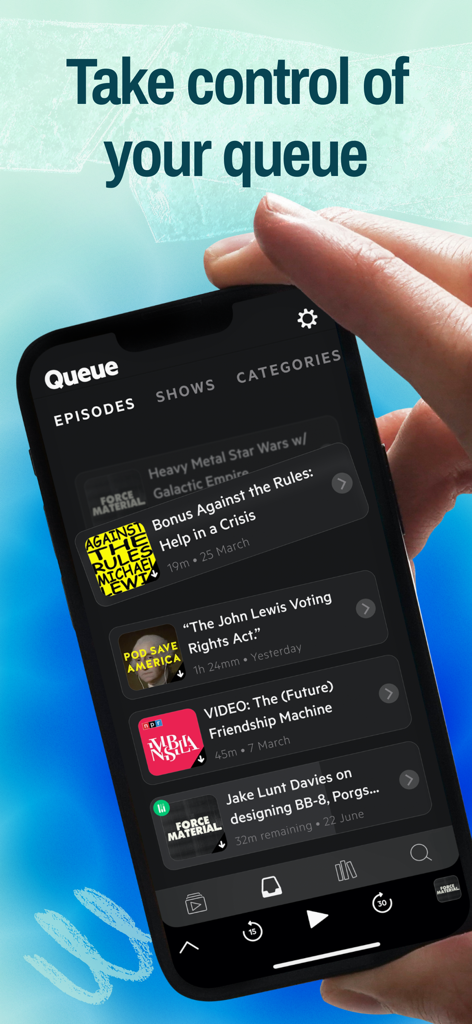
iPhone screen displaying the Castro podcast app queue with multiple episodes in a sleek dark mode interface.
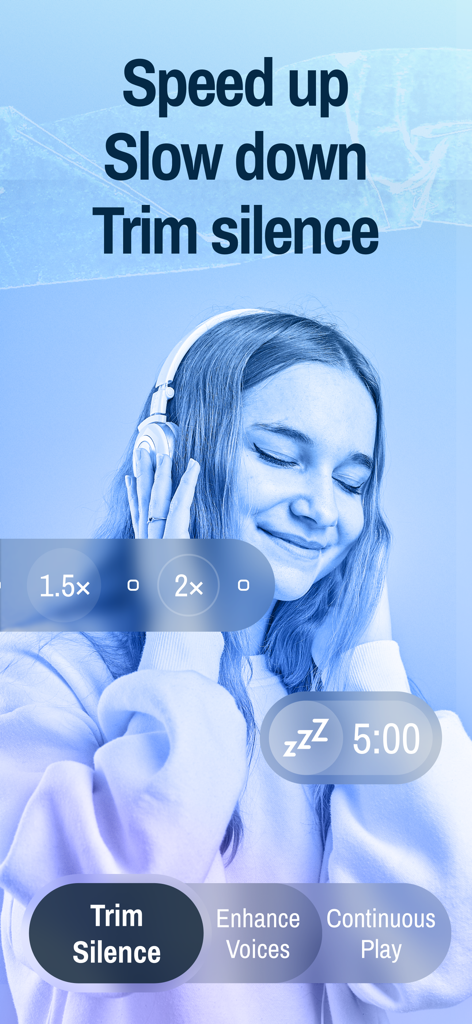
Castro podcast app interface showing trim silence, playback speed, and enhance voices features
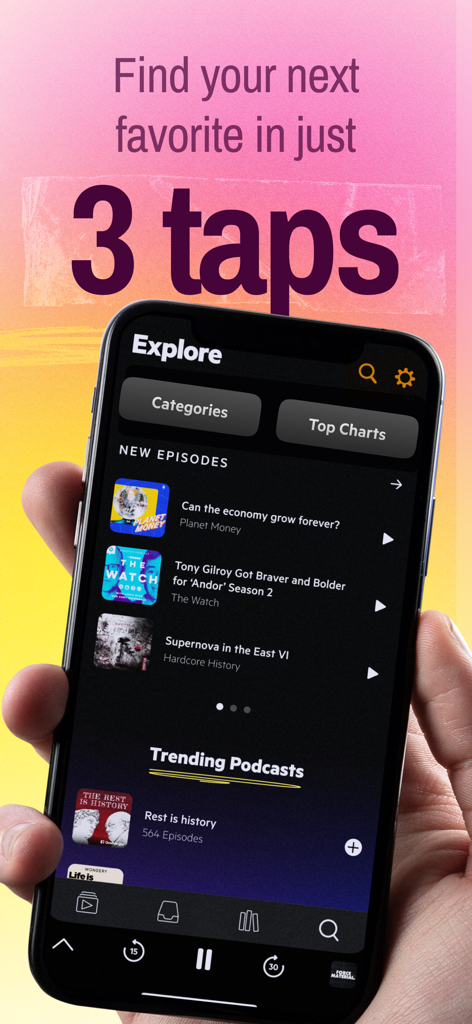
Hand holding iPhone showing the Castro podcast app explore tab with trending episodes
Woman wearing headphones with text saying No chaos Just podcasts
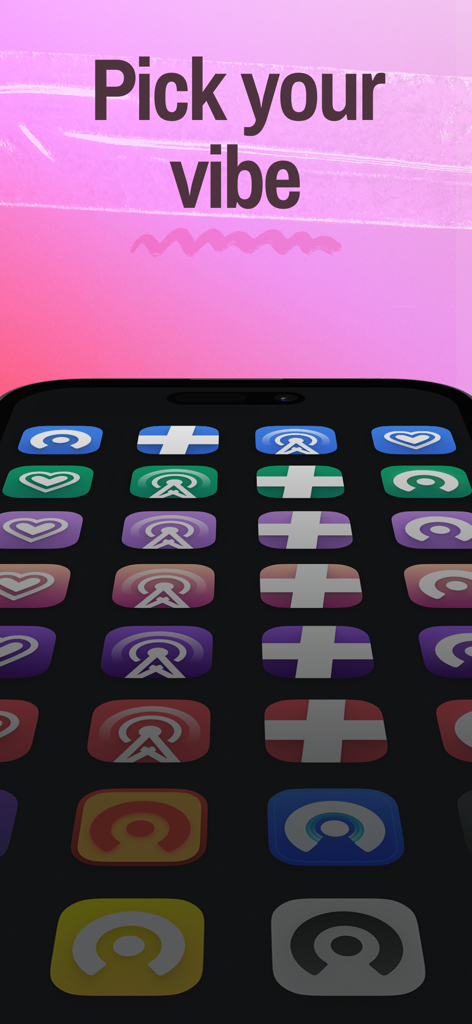
A variety of colorful custom app icons for Castro Podcast Player displayed on an iPhone with the text Pick your vibe
MacStories review quote for Castro Podcast App featuring a listener with headphones
Description
Download
More Like This
Apps with similar features and user experience

小宇宙·一起听播客
Ningbo Zhuiguang Network Technology Co., Ltd
Apple Podcasts
Apple Inc.
Overcast
Overcast Radio, LLC

Radio thmanyah: Podcast, Books
Thmanyah, LLC

Podcast myTuner - Podcasts App
Appgeneration, Software Technologies, Lda

Podcast Player - Video & RSS
Maple Media Apps, LLC

Pocket Casts: Podcast Player
Automattic, Inc.

AI Podcast Player: Podurama
Podurama Ltd
This page is not an official page of the app or its developer, but an independent editorial publication created for informational and commentary purposes. Unless expressly stated otherwise, neither the app nor its developer is affiliated with, endorsed by, sponsored by, authorized by, or otherwise officially connected with MWM, Apple, Google Play, the app publisher, or the app's developer, and nothing on this page implies that the app was developed using MWM's services. Any trademarks, logos, screenshots, and other content remain the property of their respective owners.