
This page is not an official page of the app or its developer, but an independent editorial publication created for informational and commentary purposes. Unless expressly stated otherwise, neither the app nor its developer is affiliated with, endorsed by, sponsored by, authorized by, or otherwise officially connected with MWM, Apple, Google Play, the app publisher, or the app's developer, and nothing on this page implies that the app was developed using MWM's services. Any trademarks, logos, screenshots, and other content remain the property of their respective owners.


Caveo
Streamline your practice with 100% digital accounting, automated tax management, and professional invoicing—tailored specifically for the modern physician on the move.
Downloads
2K+User Rating
Total Ratings
100Publisher
Category
FinanceLocales
1Latest Version
6.3.1+328Size
272.0 MBFirst Released
Feb 21, 2022Master the Business of Medicine
The all-in-one digital platform designed for physicians and independent contractors to manage accounting, taxes, and invoices—all from your pocket.
Specialized Medical Accounting
Tailored tax advisory and digital accounting for 1099 contractors, ensuring you maximize deductions and stay IRS-compliant.
Instant Medical Invoicing
Issue professional invoices and track service payments across multiple clinics or hospitals in seconds, even between patient rounds.
Frequently Asked Questions
Everything you need to know about Caveo
What is the Caveo app?
Caveo is a digital platform that organizes medical professionals' accounting, financial, and service routines. It centralizes management simply and transparently, acting as a comprehensive solution for medical financial needs.
What core features does the Caveo app provide for financial management?
The Caveo app provides digital accounting advisory, invoice issuance, tax payment, and service management. It centralizes all financial and accounting processes for medical routines, simplifying daily operations.
Can medical professionals issue invoices using the Caveo app?
Yes, medical professionals can issue invoices directly through the Caveo app. This feature is designed to streamline the invoicing process, helping to ensure that payments arrive without delay.
Does the Caveo app support tax payments and management?
Yes, the Caveo app supports tax payments and management. It allows users to pay taxes, view outstanding amounts, and activate automatic debits, ensuring comprehensive tax control for medical professionals.
How does Caveo assist with monthly financial reporting?
Caveo assists with monthly financial reporting by providing a dedicated section for reports. It shows key financial metrics such as monthly revenue, profit, total taxes, and expenses, aiding in organized financial oversight.
Does Caveo show the current account balance and monthly earnings?
Yes, Caveo clearly displays the current account balance and monthly earnings. It also indicates amounts reserved for taxes, offering a transparent and immediate overview of the user's financial status.
Can users make transfers or PIX payments within the Caveo app?
Yes, users can make transfers and PIX payments directly within the Caveo app. The platform provides a dedicated interface for managing transfers and offers guidance on available balances and tax reservations.
The following screenshots and description are sourced directly from the app's official store listing and are the property of the app developer.
App Store
Screenshots

Caveo mobile app interface showing financial summary and tax tools for medical professionals
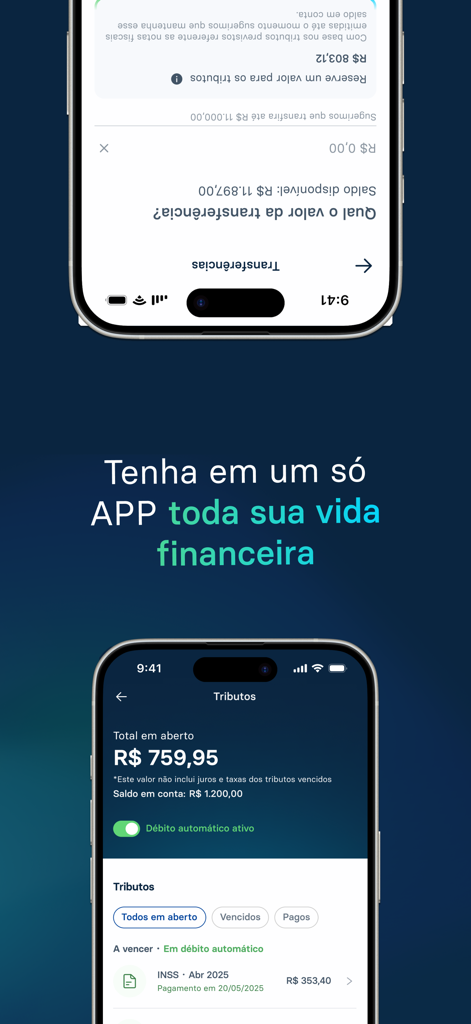
Caveo mobile app interface for tracking medical taxes and finances
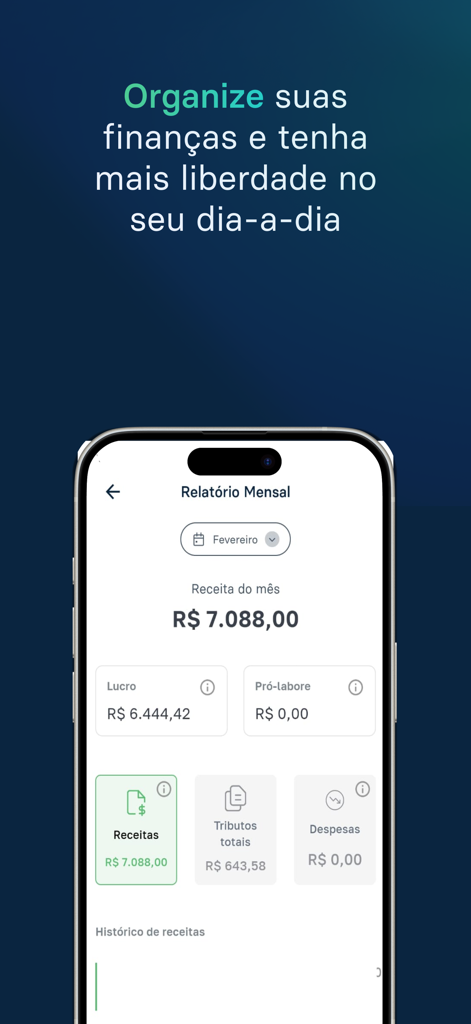
A monthly financial report dashboard in the Caveo app for medical solopreneurs showing revenue and tax summaries
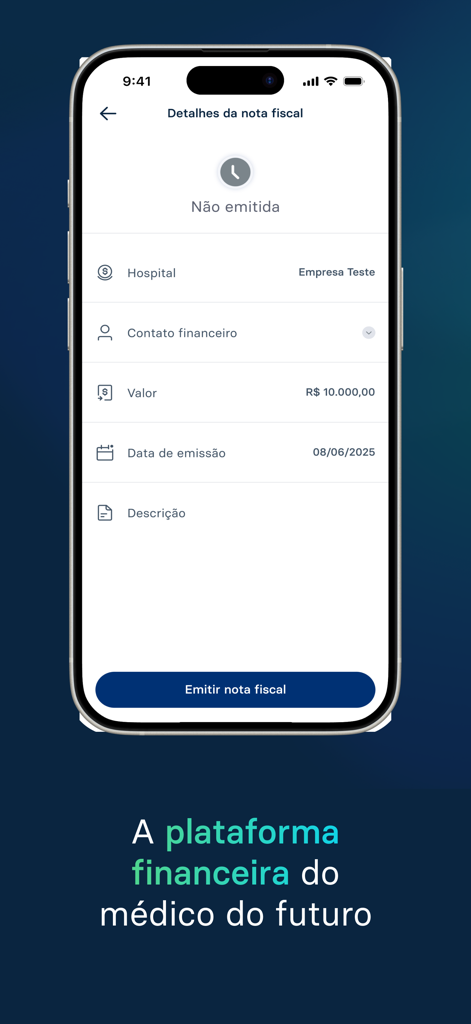
Caveo mobile app interface showing medical invoice details for healthcare independent contractors
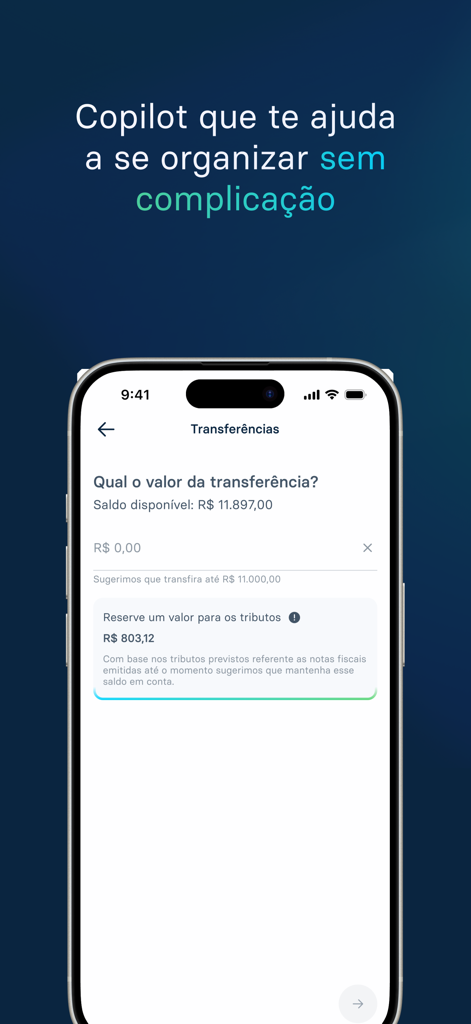
Caveo app screen showing financial transfer options and automated tax reservation for medical professionals
Description
Download
More Like This
Top-ranked apps in the same category

电子税务局
State Administration of Taxation

UnionPay APP
China Unionpay Co.,Ltd.

养基宝 - 年轻人的养基神器
Shenzhen Xiaoduotou Information Technology Co.,Ltd.

PayPal - Pay, Send, Save
PayPal, Inc.

中国农业银行
AGRICULTURAL BANK OF CHINA LIMITED

Mercado Pago: cuenta digital
MercadoLibre S.A.

Kalshi: Trade on the Big Game
KALSHI INC.

中国工商银行
Industrial and Commercial Bank of China

个人所得税
State Administration of Taxation
This page is not an official page of the app or its developer, but an independent editorial publication created for informational and commentary purposes. Unless expressly stated otherwise, neither the app nor its developer is affiliated with, endorsed by, sponsored by, authorized by, or otherwise officially connected with MWM, Apple, Google Play, the app publisher, or the app's developer, and nothing on this page implies that the app was developed using MWM's services. Any trademarks, logos, screenshots, and other content remain the property of their respective owners.