Chessify - Magic Chess Tools
Download on App Store

This page is not an official page of the app or its developer, but an independent editorial publication created for informational and commentary purposes. Unless expressly stated otherwise, neither the app nor its developer is affiliated with, endorsed by, sponsored by, authorized by, or otherwise officially connected with MWM, Apple, Google Play, the app publisher, or the app's developer, and nothing on this page implies that the app was developed using MWM's services. Any trademarks, logos, screenshots, and other content remain the property of their respective owners.


Logo of Chessify - Magic Chess Tools
Download on App Store

Chessify - Magic Chess Tools

Transform your training with a 99% accurate board scanner, superfast 100,000 kN/s cloud engines, and an instant video finder to master openings like a Grandmaster.

Key Figures

Downloads

116K+

User Rating

4.6/5

Total Ratings

1K+

Publisher

Chessify, Inc.

Category

Games

Locales

9

Latest Version

6.4.2

Size

62.1 MB

First Released

Aug 4, 2018
Features

Master the Board with Pro-Level Intelligence

From scanning physical books to deep cloud analysis, Chessify gives you the ultimate edge to climb the Elo ladder and refine your strategy with frictionless, high-tech tools.

Magic Chessboard Scanner

Digitize any position with 99% accuracy. Simply snap a photo of your physical board or a book diagram to start analyzing instantly without the manual setup.

Superfast Cloud Analysis

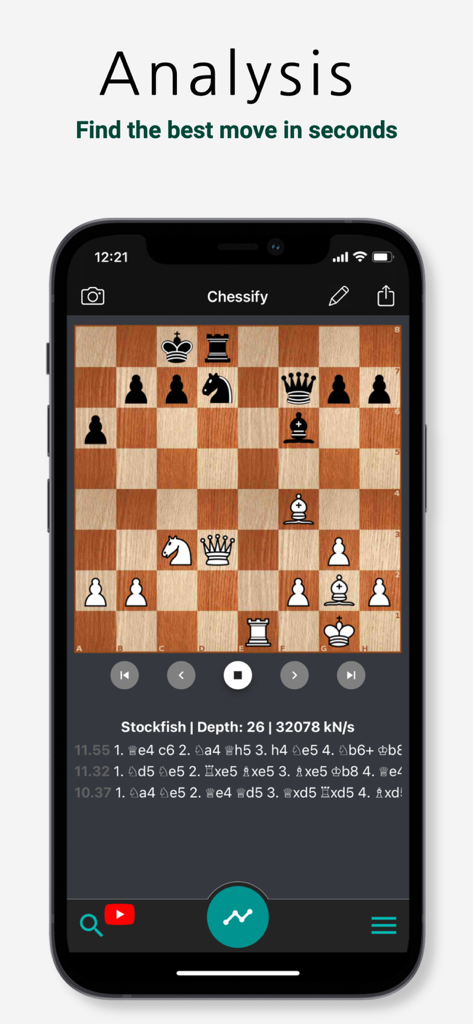
Unleash Stockfish 16 on our 100,000 kN/s servers. Get grandmaster-level insights 20x faster than any local engine can provide on your mobile device.

The following screenshots and description are sourced directly from the app's official store listing and are the property of the app developer.

App Store

Screenshots
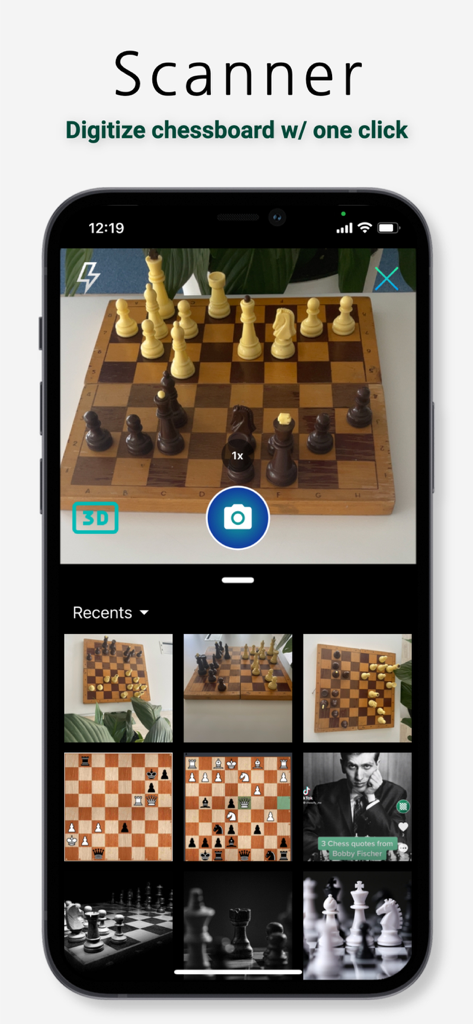
Chessify - Magic Chess Tools - The Chessify app interface showing the chessboard scanner feature digitizing a physical board
The Chessify app interface showing the chessboard scanner feature digitizing a physical board

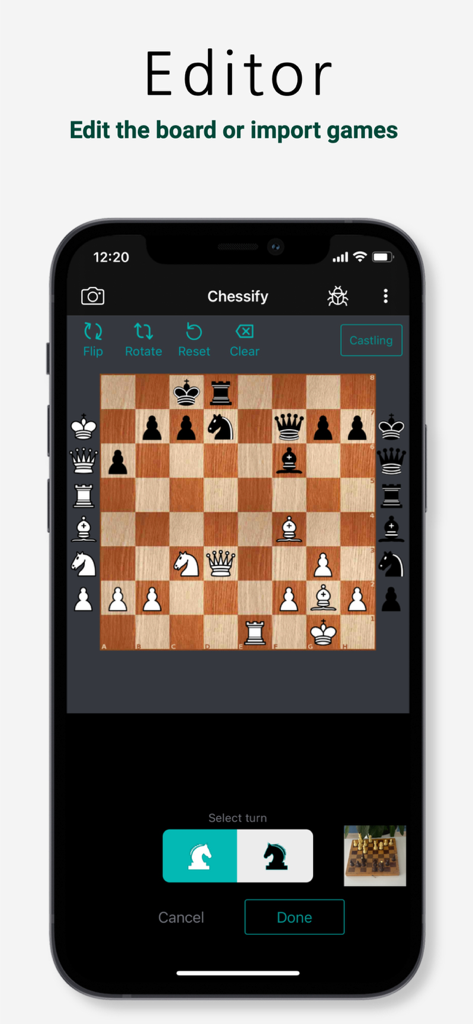
Chessify - Magic Chess Tools - A mobile screen showing the Chessify app board editor feature with a chess position and options to flip, rotate, or reset the board.
A mobile screen showing the Chessify app board editor feature with a chess position and options to flip, rotate, or reset the board.

Chessify - Magic Chess Tools - Chessify mobile app screen showing a chessboard with deep Stockfish engine analysis and move recommendations
Chessify mobile app screen showing a chessboard with deep Stockfish engine analysis and move recommendations

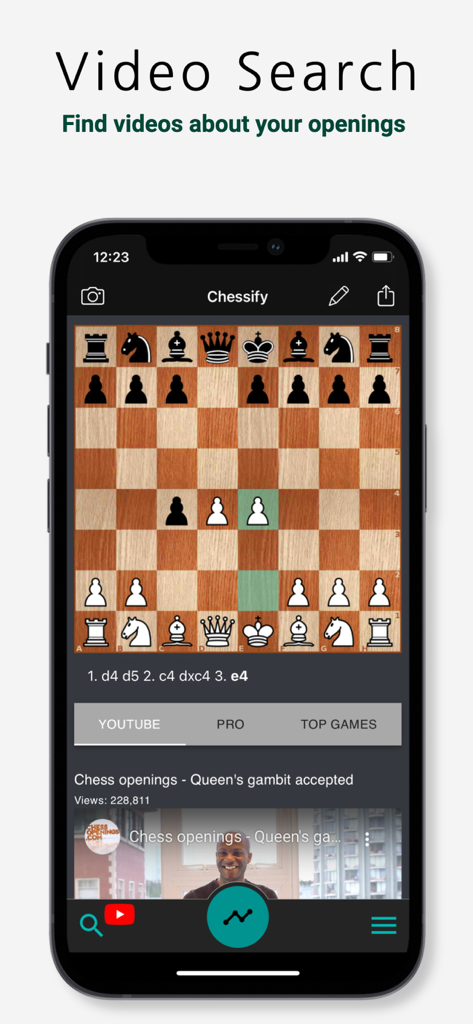
Chessify - Magic Chess Tools - Chessify mobile app interface showing video search results for the Queen's Gambit Accepted opening.
Chessify mobile app interface showing video search results for the Queen's Gambit Accepted opening.

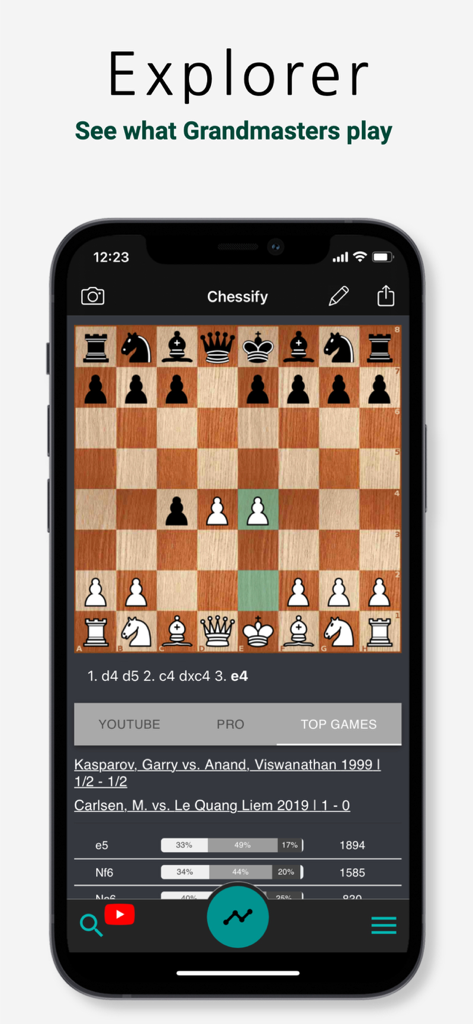
Chessify - Magic Chess Tools - Chessify mobile app screen featuring the opening explorer and top grandmaster games for analysis
Chessify mobile app screen featuring the opening explorer and top grandmaster games for analysis

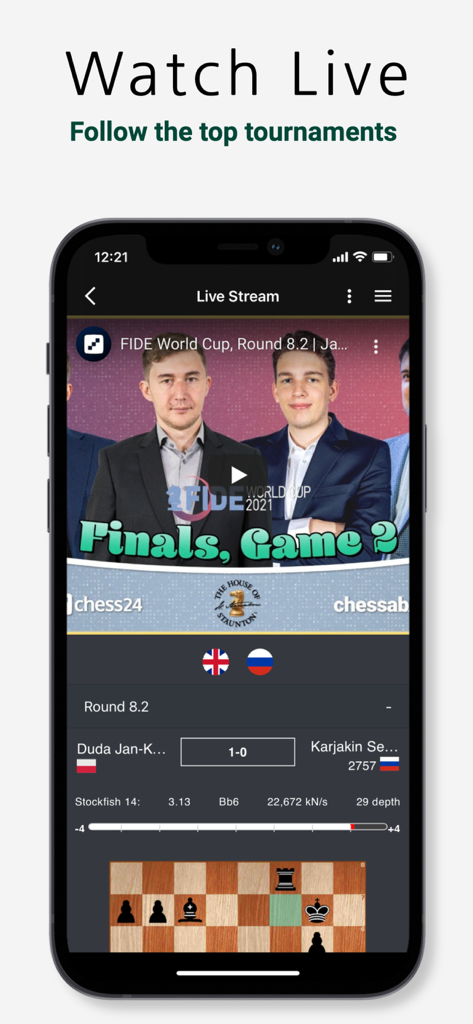
Chessify - Magic Chess Tools - Live chess tournament streaming with Stockfish cloud analysis
Live chess tournament streaming with Stockfish cloud analysis

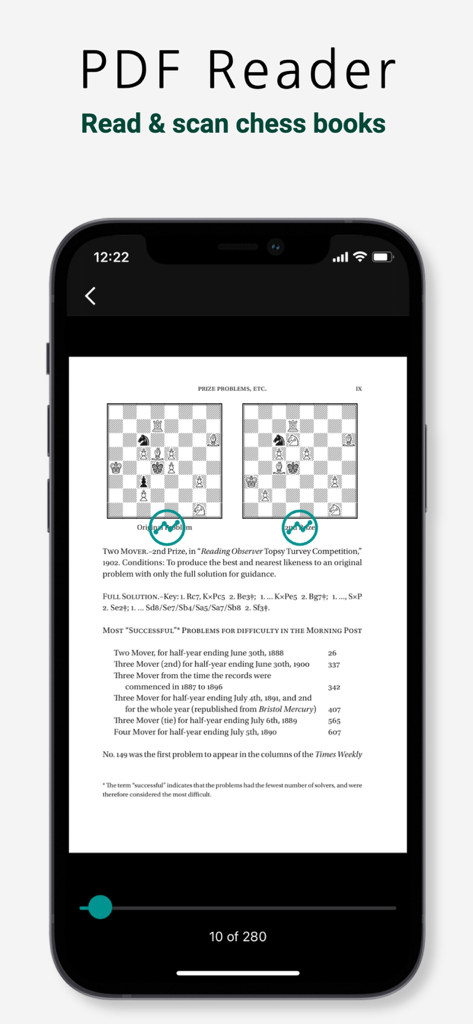
Chessify - Magic Chess Tools - Chessify PDF reader for scanning and analyzing chess book diagrams
Chessify PDF reader for scanning and analyzing chess book diagrams

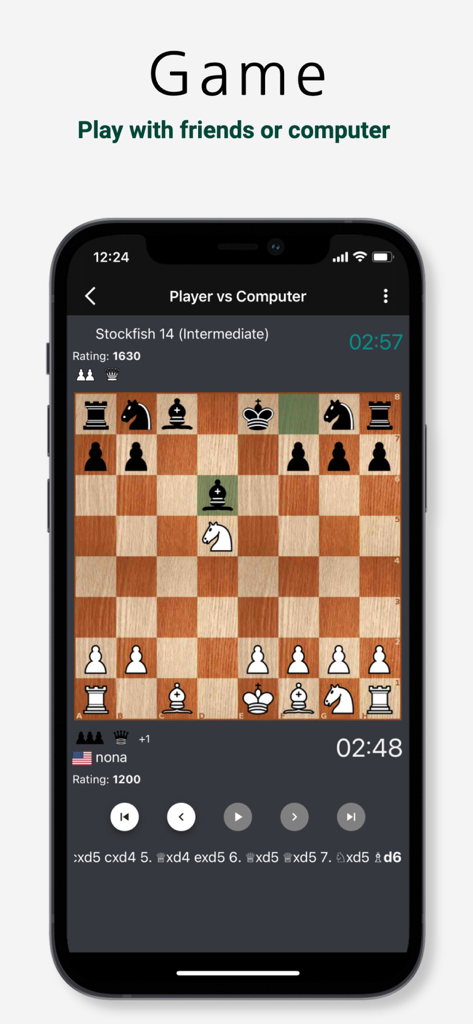
Chessify - Magic Chess Tools - Mobile interface of the Chessify app showing a chess game against the Stockfish 14 computer engine

Mobile interface of the Chessify app showing a chess game against the Stockfish 14 computer engine

Description

Improve your playing level and skills with our magic chess tools: a chess scanner for real chessboards, books, and diagrams, a unique video finder, and a Superfast cloud engine. Analyze puzzles and games with Stockfish 16 Play chess with friends online or challenge the computer for an offline game. Features you’ll find ONLY on Chessify: - The Perfect Chessboard Scanner Take a photo of a real chessboard to get its digitized version on your phone or scan chess puzzles from printed or digital sources with 99% accuracy. - Chess PDF Reader & Scanner Upload a book to keep track of your reading as well as scan and analyze its puzzles. - Superfast Cloud Chess Engine Analyze with Stockfish 16 on Chessify's up to 100,000 kN/s CLOUD server, which is typically 20X faster than a local chess engine. - Video Finder Play some opening moves and use the search button to find related videos on YouTube & chesslecture.com (Pro). By clicking on a video, you will get to watch it from the second when the searched position first appears in it. - High-Quality VIDEO Share chess games as videos on Facebook, Twitter, and other social media or messaging apps. - Watch Chess LIVE with Strong Cloud Analysis by Lc0 & Stockfish Follow the games of the strongest grandmasters LIVE with simultaneous cloud analysis by Stockfish 16 and LCZero. Get notified about the top events (like the World Chess Championship or FIDE Candidates) before their start. We also provide many basic features to help you learn chess easier: - ANALYZE with STOCKFISH Enjoy free chess engine analysis by Stockfish 16 when you need to find the right moves and tactics in puzzles or the mistakes you made in your recent game. - Play Chess OFFLINE against STOCKFISH Choose a difficulty level and play a free offline game against the world’s best chess engine from a starting position or your current analysis board. - Learn chess theory with the Opening Explorer Find the most popular moves in the given opening using the LiChess DATABASE of 2 million OTB games of 2200+ FIDE rated players. - Import & export FEN/PGN Export the PGN files of your games or copy the FENs of puzzles to share them with other chess apps if needed. Use the ‘paste PGN/FEN’ option to import a game into Chessify. - Edit board - SAVE games and positions directly on the app - SHARE games Share chess puzzles as IMAGE and games as PGN on Facebook, Twitter, and other social media or messaging apps. - Play real-time Blitz ONLINE Choose a standard time control or create your own one and send the invitation link to your friend challenging them to a chess game. Play online with other users who search for the same time control. - CHESS CLOCK Choose a time control (Fischer, Bronstein, Delay, etc), set the time, and play chess with friends on a real chessboard. - Chess for Kids Apply parental control to disable chess engine analysis for kids. - Available in 9 LANGUAGES English, Russian, French, German, Spanish, Norwegian, Armenian, Italian, & Portuguese. Read the Terms of Use here: https://www.apple.com/legal/internet-services/itunes/dev/stdeula/ Available memberships in the app: Bronze: $0.99/month ($9.99/year) 2D/3D scans: 1000 SuperFast engine: 1,000 seconds Silver: $2.99/month ($29.99/year) 2D/3D scans: unlimited SuperFast engine: 5,000 seconds PRO video views: 25 Gold: $9.99/month ($99.99/year) 2D/3D scans: unlimited SuperFast engine: 40,000 seconds PRO video views: 100 PDF scans: 10 Prices may vary based on your location. Enjoy an ad-free experience regardless of your plan. Sign up for free to increase your monthly limits of our premium features.

Download

Download on App Store

This page is not an official page of the app or its developer, but an independent editorial publication created for informational and commentary purposes. Unless expressly stated otherwise, neither the app nor its developer is affiliated with, endorsed by, sponsored by, authorized by, or otherwise officially connected with MWM, Apple, Google Play, the app publisher, or the app's developer, and nothing on this page implies that the app was developed using MWM's services. Any trademarks, logos, screenshots, and other content remain the property of their respective owners.








