
This page is not an official page of the app or its developer, but an independent editorial publication created for informational and commentary purposes. Unless expressly stated otherwise, neither the app nor its developer is affiliated with, endorsed by, sponsored by, authorized by, or otherwise officially connected with MWM, Apple, Google Play, the app publisher, or the app's developer, and nothing on this page implies that the app was developed using MWM's services. Any trademarks, logos, screenshots, and other content remain the property of their respective owners.


Chooser!
Decision fatigue ends here. The app offers users a swift, unbiased arbiter for any group choice.
Downloads
5M+User Rating
Total Ratings
147.5KPublisher
Category
UtilitiesLocales
47Latest Version
6.2.2Size
68.3 MBFirst Released
Aug 30, 2017An analytical overview of its core functionalities and target audience utility.
Chooser! App Evaluation
Intuitive Random Selector
The app provides a straightforward mechanism for randomly selecting one finger from multiple touches on the screen, simplifying group decision-making or turn-taking.
Collaborative Multi-Finger Input
It allows users to collectively place multiple fingers on the screen, facilitating participation from several individuals simultaneously for group decisions or game starts.
Versatile Gaming & Social Utility
This tool features broad applicability for enhancing various board games, card games, and casual social gatherings by providing a quick and fun way to make choices or assign roles.
Impartial Decision Facilitator
The app ensures an unbiased selection process, eliminating personal favoritism and resolving minor disputes fairly, which is crucial for equitable gameplay and group harmony.
Frequently Asked Questions
Everything you need to know about Chooser!
What is Chooser! app?
Chooser! is an app that randomly selects a finger among those placed on the screen. It is suitable for various uses like board games and card games.
How does the Chooser! app work?
The Chooser! app functions by identifying multiple fingers placed on the screen and then randomly selecting one of them. This mechanism provides a fair choice for group decisions.
What features does Chooser! app offer?
Chooser! includes a finger selection tool, Lucky Arrow spinner, customizable Roulette, and a Coin flip feature. It also provides settings for sounds, vibrations, and app icons.
Can I use Chooser! for games?
Yes, Chooser! is great for games. It is excellent for board games, card games, and other similar activities where a random selection among players is needed.
Does Chooser! include a roulette feature?
Yes, Chooser! includes a Roulette feature. Users can create a custom roulette wheel to make fun and exciting choices, for example, deciding what food to order.
Can I customize the Chooser! app?
Yes, Chooser! is customizable. Users can adjust settings for winners, sounds, and vibrations. It also offers extra app icons and various beautiful themes.
Does Chooser! have a privacy policy?
Yes, Chooser! has a privacy policy. The privacy policy is available at https://visionarystudio.app/privacy-policy/, ensuring transparency regarding user data.
How do I change the app icon in Chooser!?
You can change the app icon in Chooser! through the settings menu. Navigate to "Settings," then "Appearance," and select "App Icon" to choose a different icon like "Solar."
Are there different themes in Chooser! app?
Yes, Chooser! offers beautiful themes. Users can select from a variety of themes to personalize the app's appearance, making it their own.
What is the Lucky Arrow feature in Chooser! app?
The Lucky Arrow feature in Chooser! allows users to spin an arrow. This mechanism lets "fate choose," providing another random selection tool within the app.
The following screenshots and description are sourced directly from the app's official store listing and are the property of the app developer.
App Store
Screenshots
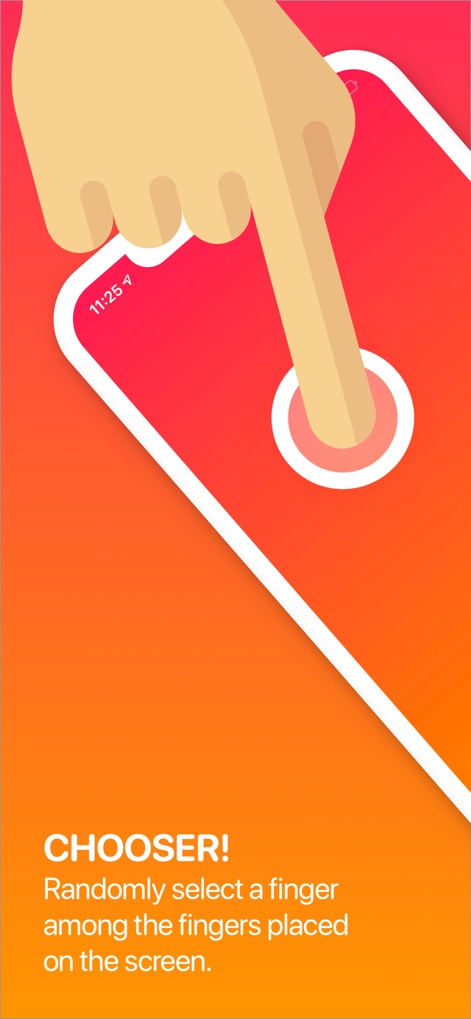
This introductory visual demonstrates the core 'Chooser!' functionality, highlighting the interactive finger placement and the app's intuitive selection mechanism.
Finger Selection Fun

The app seamlessly integrates into social gatherings, offering a dynamic way to decide in board games and enhancing card game experiences.
Game Night Essential
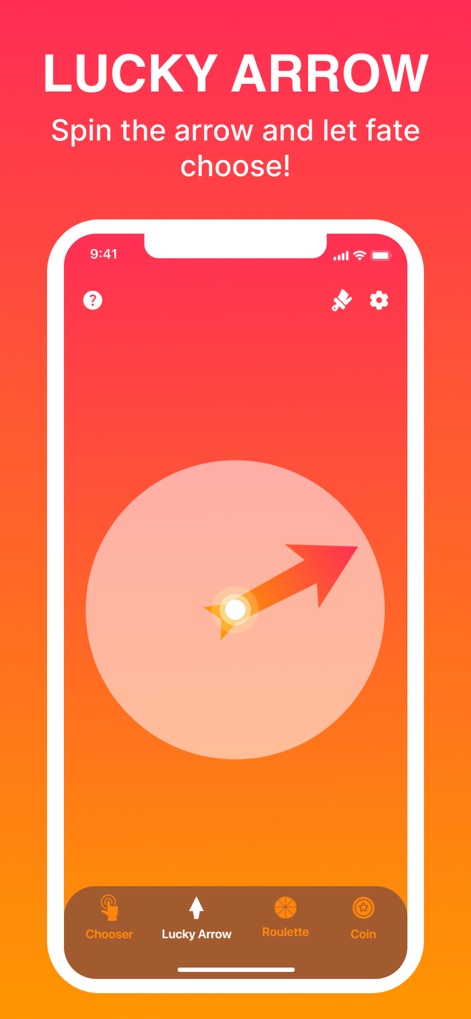
Users can explore additional decision-making tools, like the 'Lucky Arrow' spinner, and navigate easily through the bottom menu to discover 'Roulette' and 'Coin' options.
Spin for Decisions
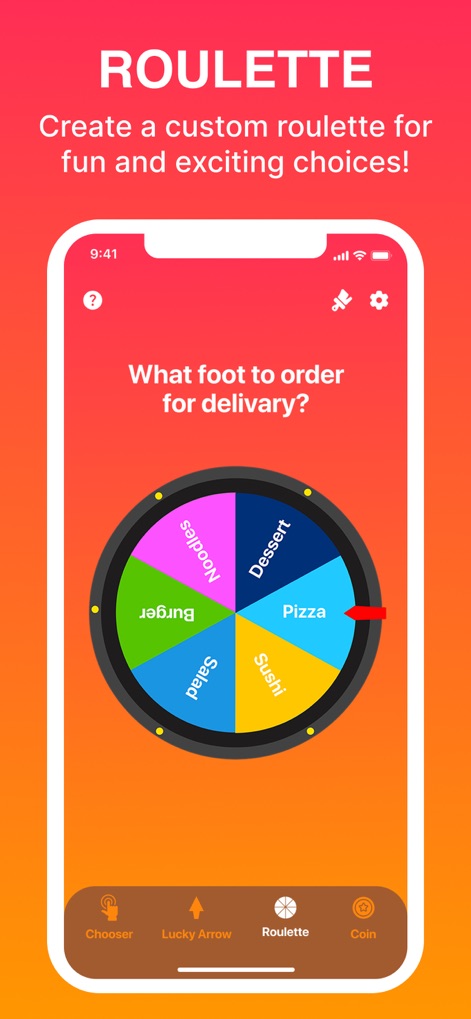
This visual showcases the customizable 'Roulette' feature, allowing users to define their own options, such as 'Pizza' or 'Dessert', for personalized decision-making.
Custom Roulette Wheel

The app provides extensive customization options, including settings for 'Sounds' and 'Vibrations', enabling users to tailor their interaction with the tool.
Personalize Your Experience

Users can personalize the app's aesthetic with a selection of 'Beautiful Themes,' allowing them to choose from diverse color schemes and visual styles.
Vibrant Interface Themes
Description
Download
More Like This
Apps with similar features and user experience

Spin The Wheel - Random Picker
Taurius Petraitis

Easy Raffle
Bruno Soares

Random generator number
Code2Apps Desenvolvimento LTDA

Random Picker - 3D Lucky Ball
伟 雷

GK Decision Wheel
Changsha Rushenzhu Technology Co., Ltd

Rafi - Giveaway for Instagram
APP SORTEOS LLC

Tiny Decisions
Hangzhou Tangsuan Network Technology Co., Ltd.
Wheel Spinner - Pick Me
Marius Caciulescu

Spin The Wheel - Make Decision
晓文 刘
This page is not an official page of the app or its developer, but an independent editorial publication created for informational and commentary purposes. Unless expressly stated otherwise, neither the app nor its developer is affiliated with, endorsed by, sponsored by, authorized by, or otherwise officially connected with MWM, Apple, Google Play, the app publisher, or the app's developer, and nothing on this page implies that the app was developed using MWM's services. Any trademarks, logos, screenshots, and other content remain the property of their respective owners.