Circuit Calculator

Circuit Calculator

Download on App Store
Logo of Circuit Calculator

Circuit Calculator: Mastering Linear Circuit Analysis and Simulation

The essential tool for students and engineers to build, solve, and visualize AC/DC circuits. Get textbook-accurate results with polar notation and real-time animations right on your mobile device.

Download on App Store

Publisher

Neil Woodcock

Category

Education

Downloads

10K+

User Rating

3.8/5

Total Ratings

100

Locales

1

Precision in Action

Discover the interface used by 10K+ users.
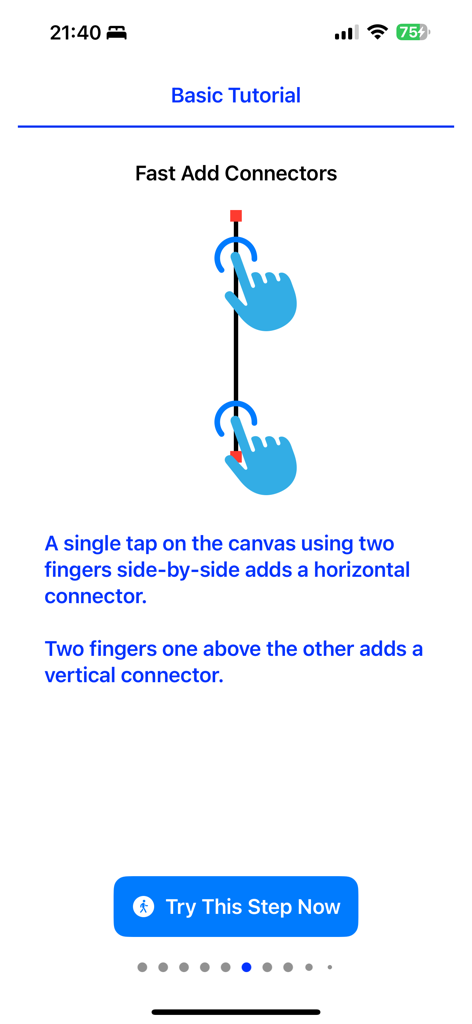
A basic tutorial screen explaining how to add vertical connectors using two-finger gestures.

A basic tutorial screen explaining how to add vertical connectors using two-finger gestures.

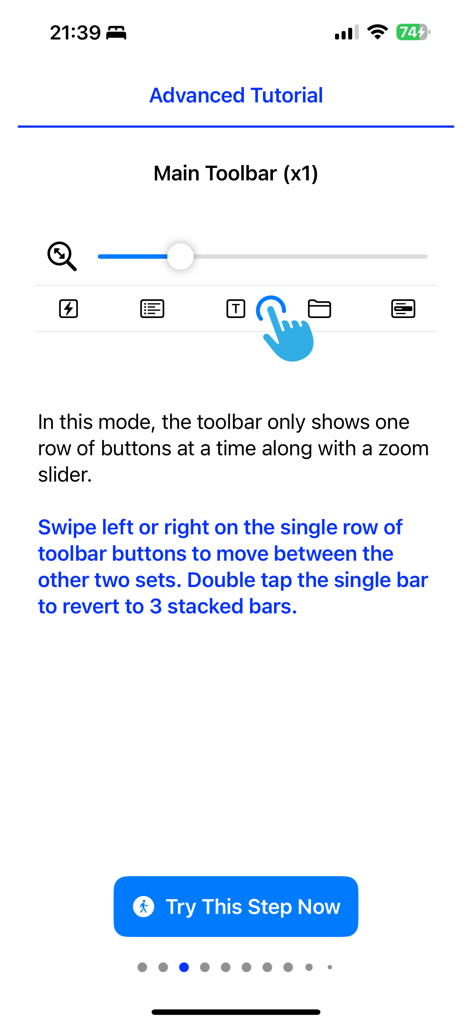
Advanced tutorial for the Circuit Calculator app showing the main toolbar navigation and zoom slider interface

Advanced tutorial for the Circuit Calculator app showing the main toolbar navigation and zoom slider interface

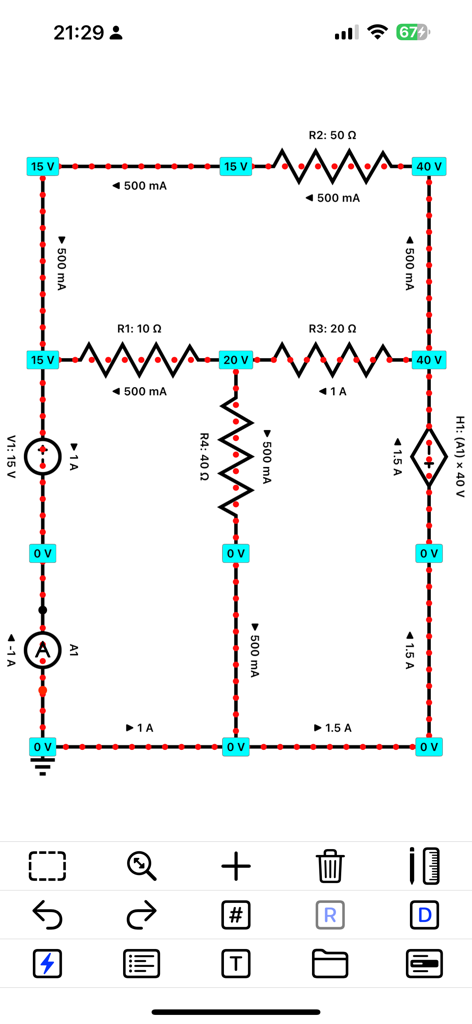
Circuit schematic with real-time current flow animations and node voltages

Circuit schematic with real-time current flow animations and node voltages

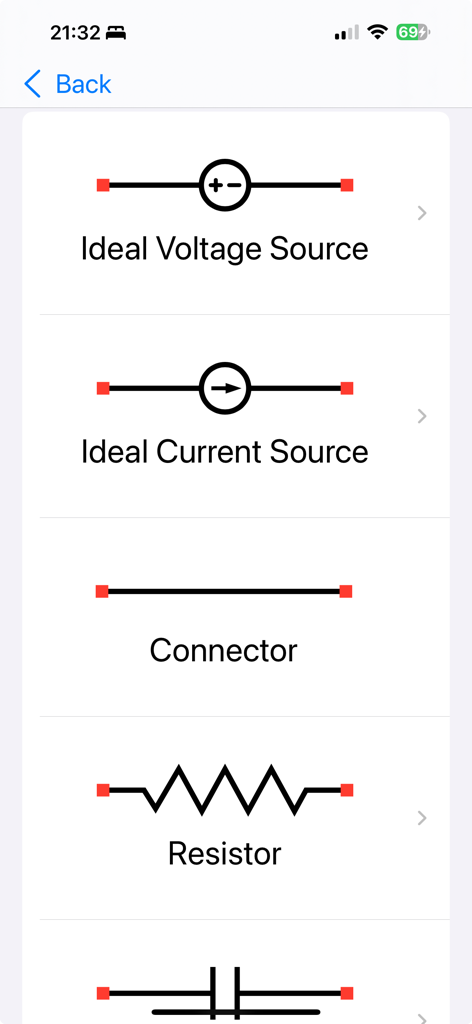
A list of electrical components in the Circuit Calculator app including ideal voltage source and resistor

A list of electrical components in the Circuit Calculator app including ideal voltage source and resistor

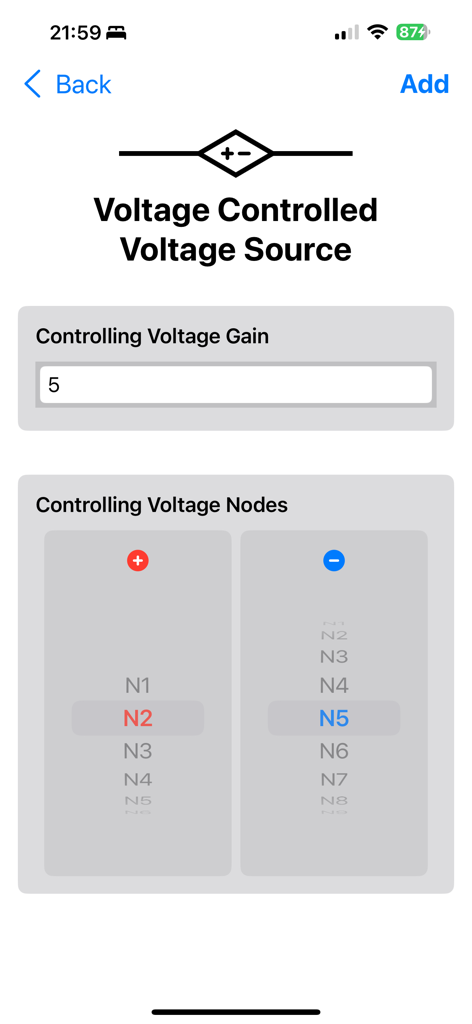
Voltage controlled voltage source settings in Circuit Calculator

Voltage controlled voltage source settings in Circuit Calculator

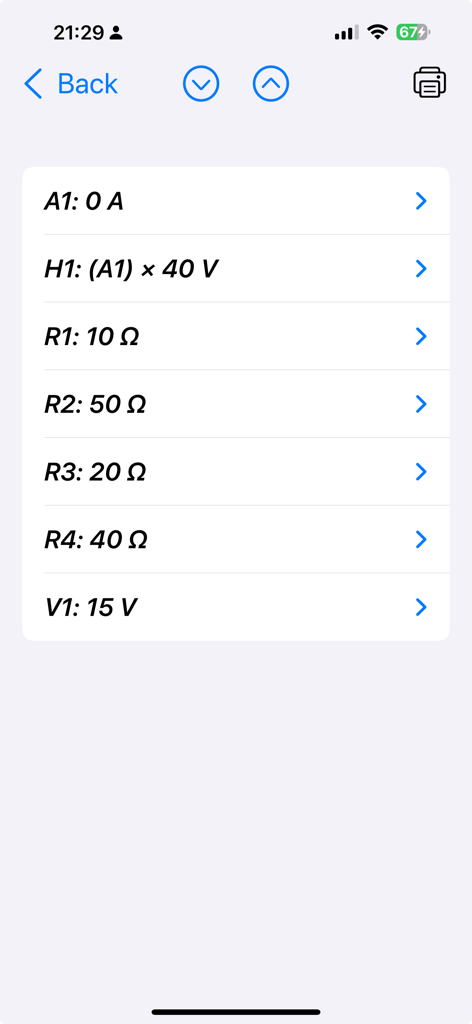
A list of circuit components and their numerical values in the Circuit Calculator app including resistors and voltage sources.

A list of circuit components and their numerical values in the Circuit Calculator app including resistors and voltage sources.

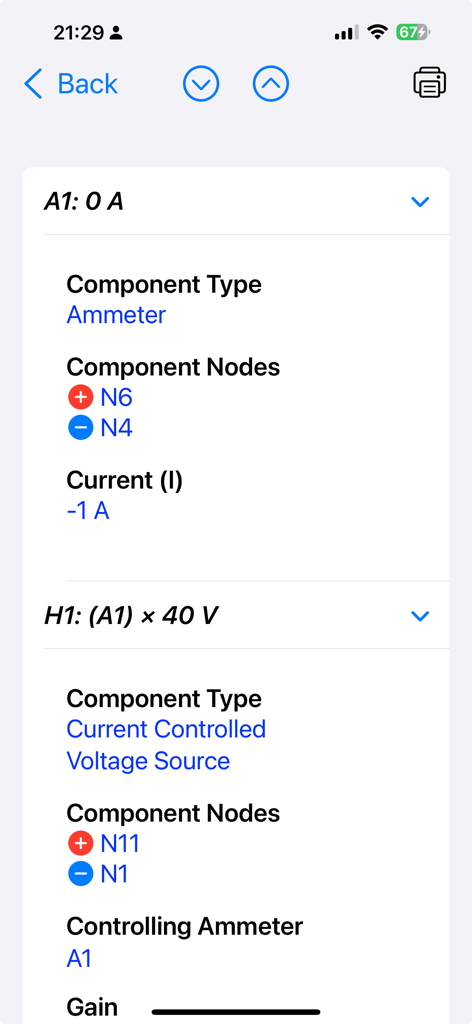
Screenshot of the Circuit Calculator app showing detailed analysis of an ammeter and a current controlled voltage source

Screenshot of the Circuit Calculator app showing detailed analysis of an ammeter and a current controlled voltage source

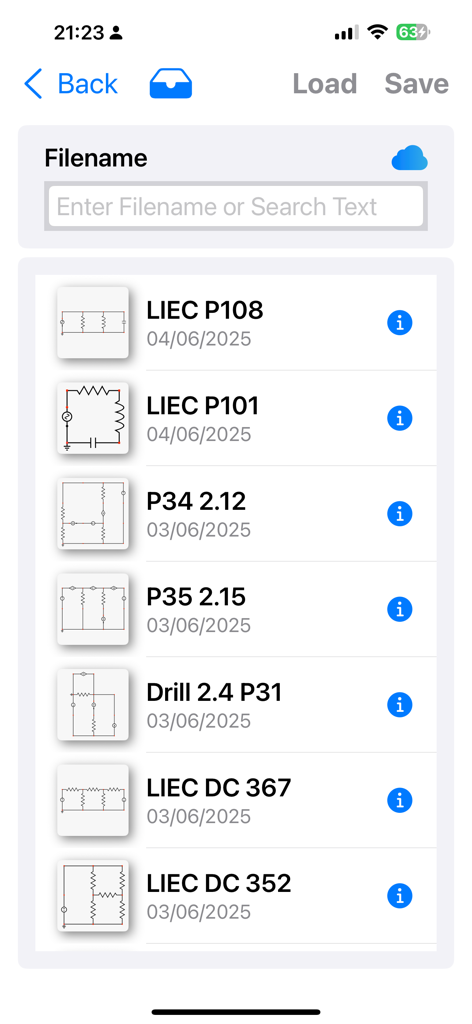
A list of saved circuit schematics within the Circuit Calculator app showing filenames and dates

A list of saved circuit schematics within the Circuit Calculator app showing filenames and dates

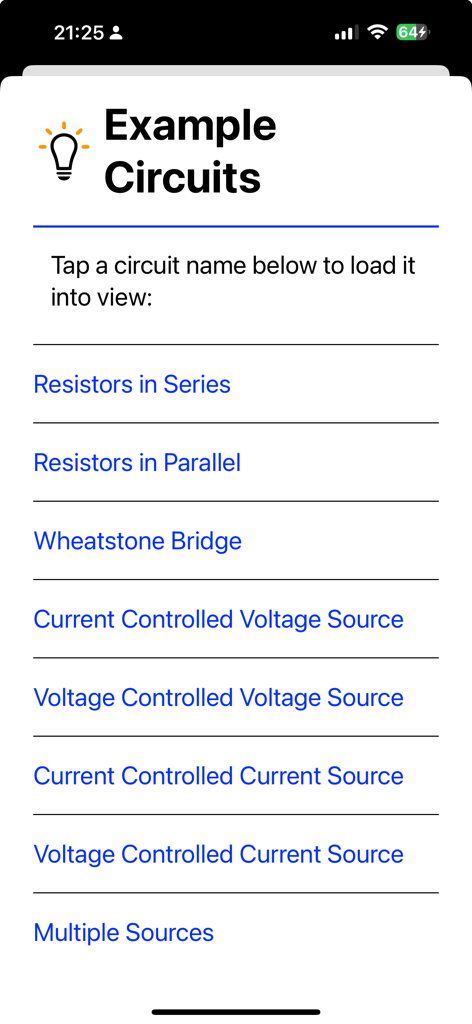
A list of pre-built example circuits available in the Circuit Calculator app for quick reference and learning.

A list of pre-built example circuits available in the Circuit Calculator app for quick reference and learning.

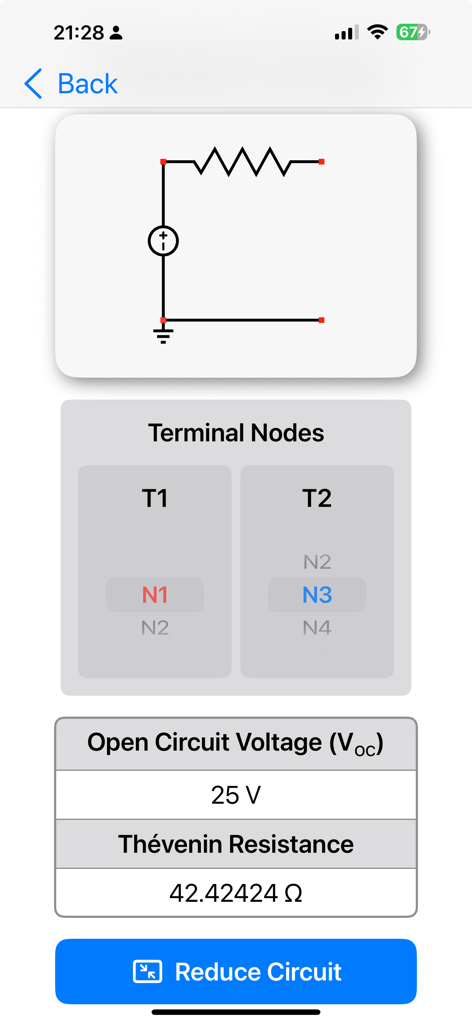
Circuit Calculator app screen showing Thevenin equivalent resistance and open circuit voltage results

Circuit Calculator app screen showing Thevenin equivalent resistance and open circuit voltage results

Master Your Circuits with Professional Precision

The tools that make this app stand out, trusted by 10K+ users.

Interactive Schematic Builder

Design circuits in seconds with an intuitive snap-to-grid interface and visualize theory through real-time DC current flow animations.

📚

Textbook-Aligned Analysis

Solve AC/DC problems using rectangular or polar notation and compute Thévenin/Norton equivalents exactly as they appear in your coursework.

📲

Engineered for Portability

Sync projects across devices with iCloud and export high-quality PDF snapshots directly into your digital lab reports or engineering notes.

About the app

Everything you need to know about Circuit Calculator.

Description

Circuit Calculator - The Essential Tool for Circuit Solutions: Solve circuit problems effortlessly! Circuit Calculator is the go-to app for students, engineers, and electronics enthusiasts. Quickly build, simulate, and solve linear AC and DC circuits - ideal for study, verification, or practical use. Build, Solve & Review Results: • Create schematics by dragging, rotating, and snapping components • Tap solve to compute steady-state voltages and currents • Follow DC current flow with real-time animations • Zoom and pan around to review results directly on the schematic • Tap detailed analysis to also compute power values Perfect for Learning & Quick Verification: Whether you're checking your homework or confirming a design, Circuit Calculator supports both rectangular and polar notation - just like textbook problems. It focuses on steady-state behaviour in linear circuits, making it ideal for academic and professional use. Other Key Features: • Interactive user guide • Pre-built example circuits • Supports DC and sinusoidal AC circuits • Computes Thévenin and Norton equivalents • Save to iCloud for access across devices • Export/share circuits or PDF snapshots • Import circuits from others • Undo/redo and copy/paste support Available Components: • Independent Ideal Current Sources • Independent Ideal Voltage Sources • Current-Controlled Current Sources • Current-Controlled Voltage Sources • Voltage-Controlled Current Sources • Voltage-Controlled Voltage Sources • Resistors, Capacitors & Inductors • Mutually Coupled Inductors (AC only) • Impedances (AC only) • Diodes (DC only) Learn More & See It in Action! Want to see Circuit Calculator in action? Visit our website or check out our YouTube channel for tutorials!

Latest Version

3.01

Size

2.1 MB

First Released

Mar 25, 2014

Build, Solve, and Verify Circuits in Seconds

Join 10,000+ students and engineers mastering AC/DC analysis. Get the essential tool for your next lab or design project today.

Download on App Store

App information, icons, screenshots, and descriptions displayed on this page are sourced from the Apple App Store and are the property of their respective developers. Download estimates and rankings are based on MWM's proprietary models and may not reflect actual figures. This page is provided for informational and analytical purposes only.

Believe this page infringes your intellectual property? File a dispute