Class & Homework Schedule

Class & Homework Schedule


Download on App Store
Logo of Class & Homework Schedule

Class & Homework Schedule: Master Your Academic Life with Ease

The intuitive, all-in-one planner for students to track courses, manage assignments, and navigate campus—synced perfectly across your iPhone and iPad.

Download on App Store

Publisher

Zigoros EOOD

Category

Education

Downloads

7K+

User Rating

5.0/5

Total Ratings

0

Locales

1

Your Semester at a Glance

Discover the interface used by 7K+ users.
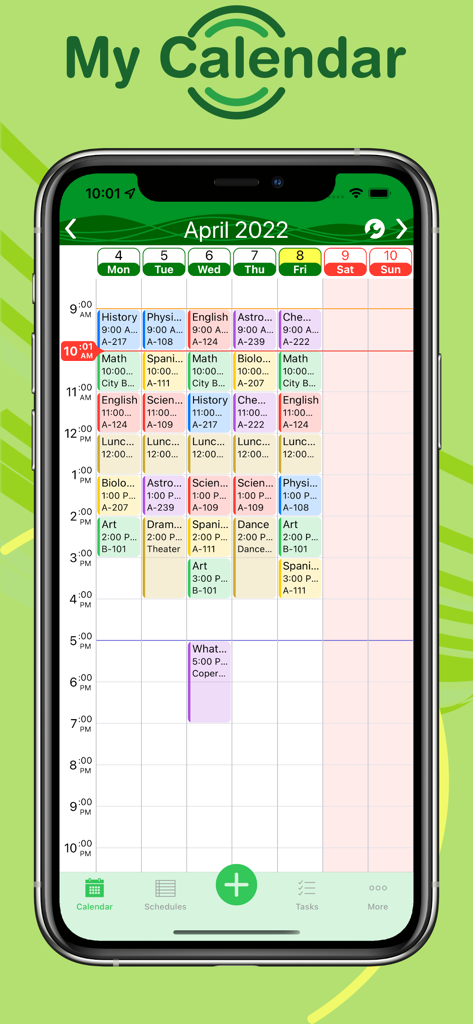
Weekly class schedule with color coded blocks and room numbers on a mobile phone.

Weekly class schedule with color coded blocks and room numbers on a mobile phone.

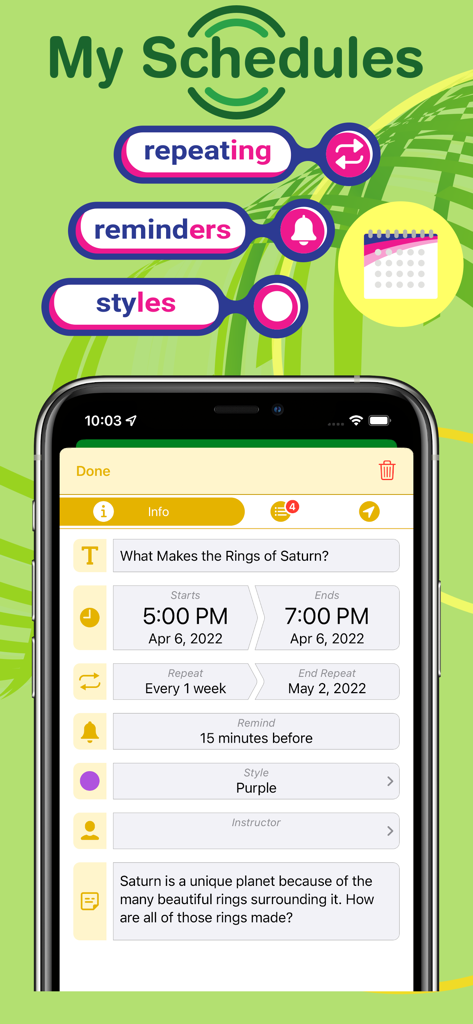
Interface of the Class and Homework Schedule app showing how to set recurring class times reminders and custom styles

Interface of the Class and Homework Schedule app showing how to set recurring class times reminders and custom styles

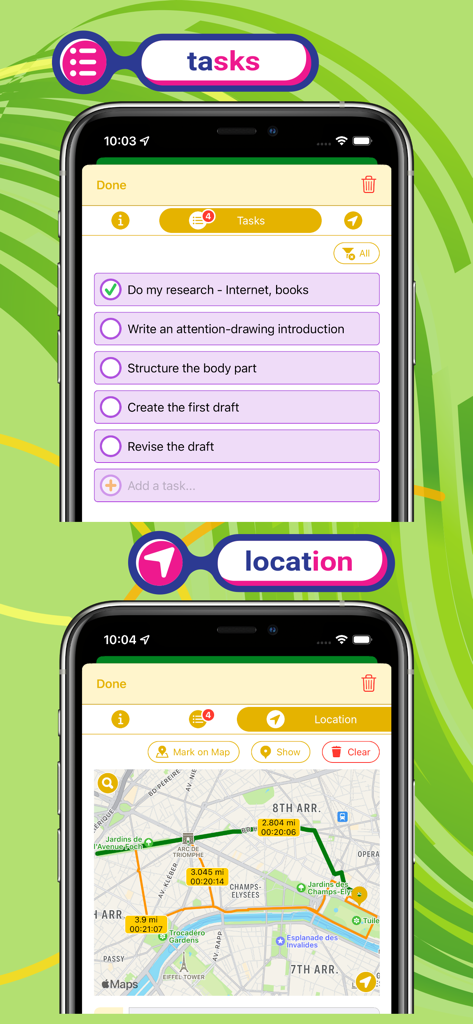
A mobile interface showing a homework task checklist and a map with directions for class locations.

A mobile interface showing a homework task checklist and a map with directions for class locations.

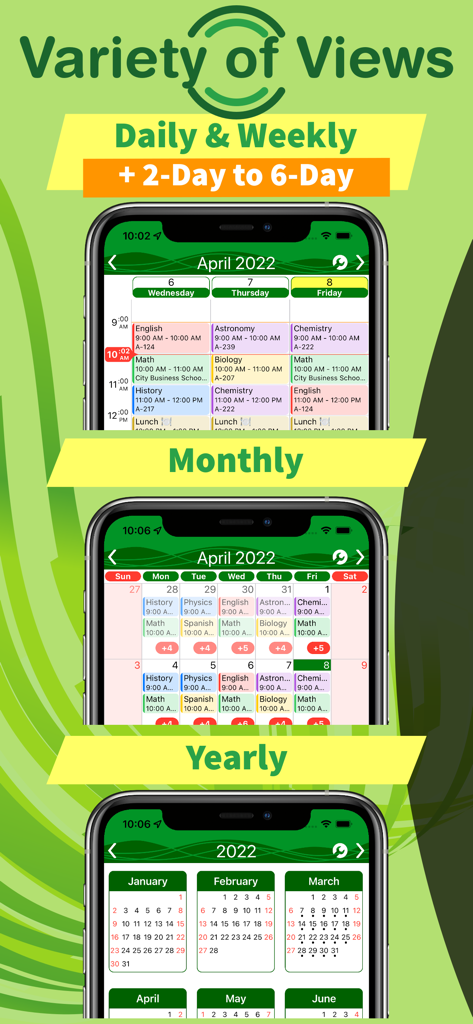
Display of daily weekly monthly and yearly calendar views for organizing classes and assignments

Display of daily weekly monthly and yearly calendar views for organizing classes and assignments

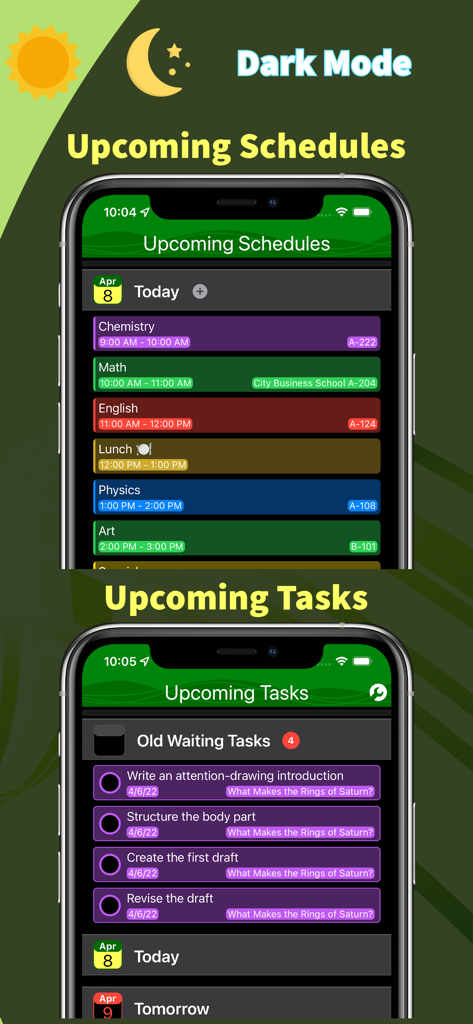
Interface of the Class and Homework Schedule app showing student schedules and task lists in dark mode

Interface of the Class and Homework Schedule app showing student schedules and task lists in dark mode

Master Your Semester with Ease

The tools that make this app stand out, trusted by 7K+ users.

📍

Smart Campus Navigation

Attach locations to your classes and get turn-by-turn directions so you never walk into the wrong lecture hall again.

📝

Integrated Task Manager

Crush your deadlines by merging your class schedule with an intuitive to-do list designed for high-stakes exam weeks.

☁️

Seamless Apple Ecosystem

Stay organized on your iPhone and iPad with instant iCloud sync and offline access for those spotty campus Wi-Fi zones.

About the app

Everything you need to know about Class & Homework Schedule.

Description

Class & Homework Schedule is an excellent pocket class organizer for school, college or university. Keep track of classes and add events to your week's schedule with ease. Track down all of your assignments intuitively. Be reminded about upcoming classes or uncompleted tasks on time. Free & Intuitive. ORGANIZE CLASSES, COURSES, PROJECTS & EXAMS Schedule your classes, courses, projects and exams with ease. GET REMINDERS for a scheduled time so you never miss a class or task. SET LOCATION – search location by name or address, or just swipe the map to the desired location. GET DIRECTIONS to that location. MANAGE ASSIGNMENTS ADD TASKS you have to complete or things you need for the class. Mark when you are done with them. See all unfinished tasks sorted by date. A CONVENIENT VARIETY OF VIEWS Choose between daily (1 to 6 days), weekly, monthly and yearly views. Have a yearly or monthly overview of your daily routines. Or, see what’s up for today or coming days, hour by hour. WORK OFFLINE You can still create, edit and delete events when you do not have an Internet connection. Class & Homework Schedule will cache your changes and sync back to your iCloud account next time you are online. SYNCS SEAMLESSLY BETWEEN YOUR IPHONE, IPAD AND IPOD Class & Homework Schedule keeps your data in sync between your iPhone, iPad and iPod devices through iCloud. FREE & PREMIUM Class & Homework Schedule is provided free of charge for the basic functionalities. More features are included in the Premium plan available through monthly and yearly auto-renewable subscription. Auto-Renewable Subscription payment will be charged to your iTunes Account at confirmation of purchase. Unless auto-renew is turned off at least 24-hours before the end of the current period, your account will be charged for renewal within 24 hours prior to the end of the current period. Your account will be charged at the cost of the subscription plan you have chosen. You can cancel the auto-renew subscription at any time from the account settings on iTunes, but we are unable to issue refunds for any pay periods that have already been billed. Privacy policy: www.zigoros.com/privacy-policy Terms of use: www.zigoros.com/terms-and-conditions

Latest Version

2.2

Size

35.6 MB

First Released

Oct 4, 2019

Ready to Master Your Academic Life?

Join thousands of students who never miss a lecture or a deadline. Get your classes, tasks, and campus directions synced across all your Apple devices for free today.

Download on App Store
FAQ

Frequently Asked Questions

Everything you need to know about Class & Homework Schedule

What is Class & Homework Schedule?

Class & Homework Schedule is a pocket organizer for school, college, or university, designed to track classes, manage assignments, and provide timely reminders for students.

Can Class & Homework Schedule remind me about classes?

Yes, Class & Homework Schedule provides reminders for scheduled times, ensuring users do not miss any classes or tasks.

Does Class & Homework Schedule offer different calendar views?

Yes, Class & Homework Schedule offers daily (1 to 6 days), weekly, monthly, and yearly views, providing a convenient variety of ways to organize schedules.

Can I manage assignments with Class & Homework Schedule?

Yes, Class & Homework Schedule allows users to add tasks, mark them as completed, and view all unfinished tasks sorted by date.

Does Class & Homework Schedule work offline?

Yes, Class & Homework Schedule allows users to create, edit, and delete events offline. Changes cache and sync to iCloud when online again.

Does Class & Homework Schedule sync across multiple devices?

Yes, Class & Homework Schedule seamlessly syncs user data between iPhone, iPad, and iPod devices using iCloud.

Is Class & Homework Schedule a free app?

Yes, Class & Homework Schedule is provided free of charge for its basic functionalities. Premium features are available through a subscription.

How does the Premium plan work for Class & Homework Schedule?

The Premium plan for Class & Homework Schedule is an auto-renewable subscription, available monthly or yearly, charged to your iTunes Account upon purchase.

How do I cancel my Class & Homework Schedule Premium subscription?

Users can cancel their auto-renew subscription at any time from the account settings on iTunes. Refunds are not issued for already billed pay periods.

Does Class & Homework Schedule support Dark Mode?

Yes, Class & Homework Schedule supports Dark Mode, allowing users to view their schedules and tasks with a darker color scheme.

Can I add location details to events in Class & Homework Schedule?

Yes, Class & Homework Schedule allows users to set event locations by searching by name or address, or by swiping the map to the desired location.

App information, icons, screenshots, and descriptions displayed on this page are sourced from the Apple App Store and are the property of their respective developers. Download estimates and rankings are based on MWM's proprietary models and may not reflect actual figures. This page is provided for informational and analytical purposes only.

Believe this page infringes your intellectual property? File a dispute