
This page is not an official page of the app or its developer, but an independent editorial publication created for informational and commentary purposes. Unless expressly stated otherwise, neither the app nor its developer is affiliated with, endorsed by, sponsored by, authorized by, or otherwise officially connected with MWM, Apple, Google Play, the app publisher, or the app's developer, and nothing on this page implies that the app was developed using MWM's services. Any trademarks, logos, screenshots, and other content remain the property of their respective owners.


Clean Tune - Speaker Cleaner
Wet speaker? This app blasts the gunk out, reviving your audio clarity with a single tap. Forget the rice, this is better.
Downloads
2.5M+User Rating
Total Ratings
53.4KPublisher
Category
UtilitiesLocales
14Latest Version
1.2.0Size
34.9 MBFirst Released
Feb 24, 2022An evaluation of key features designed for accessible smartphone audio maintenance and environmental sound analysis.
Clean Tune - Speaker Cleaner: Core Functionality Analysis
One-Touch Speaker Water Ejection
The app provides an automated one-button solution to safely eject water from smartphone speakers, restoring audio clarity without complex procedures.
Environmental Noise Level Meter
It allows users to measure current environmental noise levels using their smartphone's microphone, offering insights into their surroundings.
Frequently Asked Questions
Everything you need to know about Clean Tune - Speaker Cleaner
How does Clean Tune - Speaker Cleaner remove water from my phone speakers?
Clean Tune - Speaker Cleaner automatically cleans phone speakers from water. Users initiate cleaning by pressing one button, requiring no complicated settings.
Can Clean Tune - Speaker Cleaner generate sounds at specific frequencies?
Yes, Clean Tune - Speaker Cleaner allows users to play sounds at a strictly defined frequency. The application features a frequencies generator for this purpose.
Does Clean Tune - Speaker Cleaner measure noise levels?
Yes, Clean Tune - Speaker Cleaner provides current noise level measurement. This feature requires microphone access for correct functionality.
Why does Clean Tune - Speaker Cleaner need microphone access for noise measurement?
Clean Tune - Speaker Cleaner requires microphone access to measure current noise levels. Users must grant permission in device settings if declined initially for the feature to work correctly.
How much does a 1-week premium subscription for Clean Tune - Speaker Cleaner cost?
A 1-week premium subscription for Clean Tune - Speaker Cleaner starts from US$0.99. Prices may vary depending on the user's country.
Does Clean Tune - Speaker Cleaner offer a free trial for its premium subscription?
Yes, Clean Tune - Speaker Cleaner offers a 7-day free trial with its 1-week, 1-month, and 1-year premium subscription plans.
Does the Clean Tune - Speaker Cleaner premium subscription auto-renew?
Yes, the Clean Tune - Speaker Cleaner premium subscription is auto-renewing. It renews unless canceled at least 24 hours before the current period ends.
How can I turn off auto-renewal for Clean Tune - Speaker Cleaner?
Users can turn off the auto-renewal feature for Clean Tune - Speaker Cleaner at any time. This is done by changing their iTunes account settings.
What are the best practices for using Clean Tune - Speaker Cleaner to clean my phone?
For best results with Clean Tune - Speaker Cleaner, set max volume, put the phone face down, and connect to headphones or speakers if cleaning them.
What waveforms are available in Clean Tune - Speaker Cleaner's frequencies generator?
Clean Tune - Speaker Cleaner's frequencies generator offers Sine, Saw, Square, Triangle, and variations like Saw Up, Square Up, Flat Up, Saw Down, Round Rectangle, and Saw Rounded.
The following screenshots and description are sourced directly from the app's official store listing and are the property of the app developer.
App Store
Screenshots
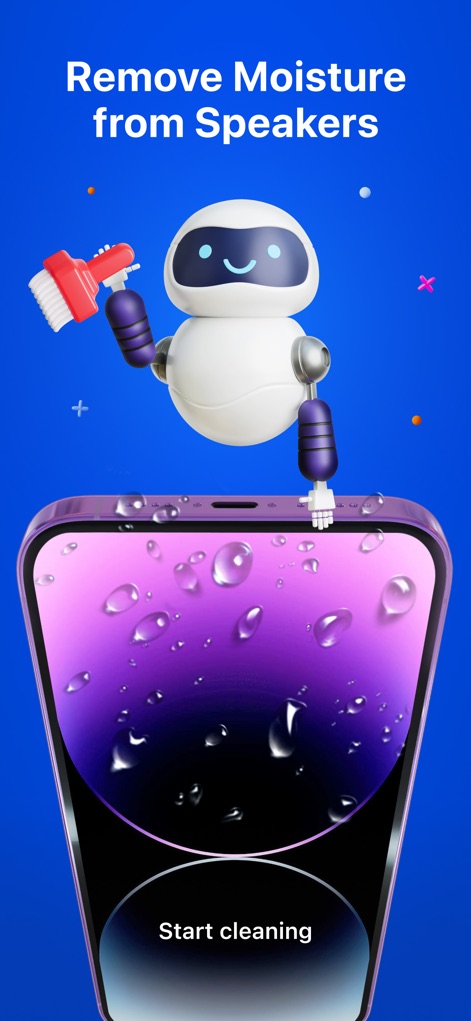
Discover how this app simplifies speaker maintenance, showcasing the animated robot visual and the intuitive "Start cleaning" button for effortless water removal.
Speaker Cleaning Simplified
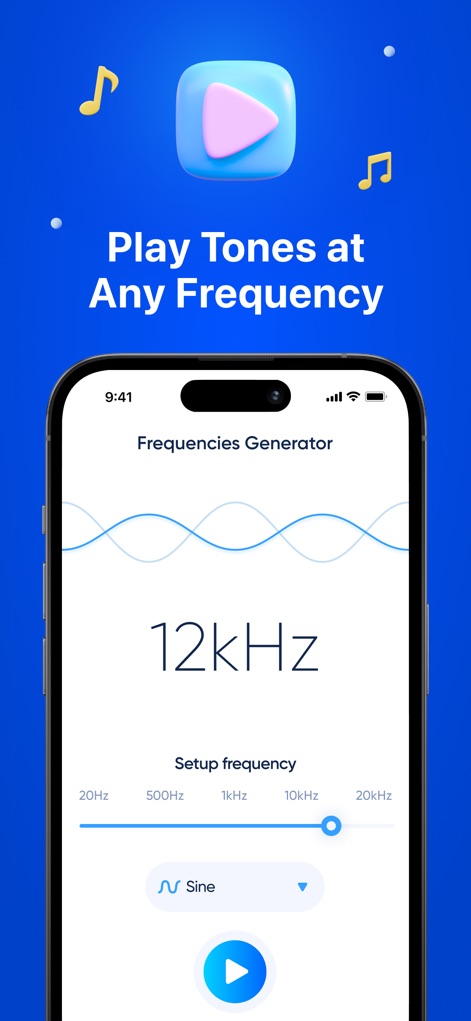
Explore the app's powerful frequency generator, highlighting the exact frequency display like "12kHz" and the customizable "Sine" waveform selector for tailored sound output.
Precision Frequency Generation
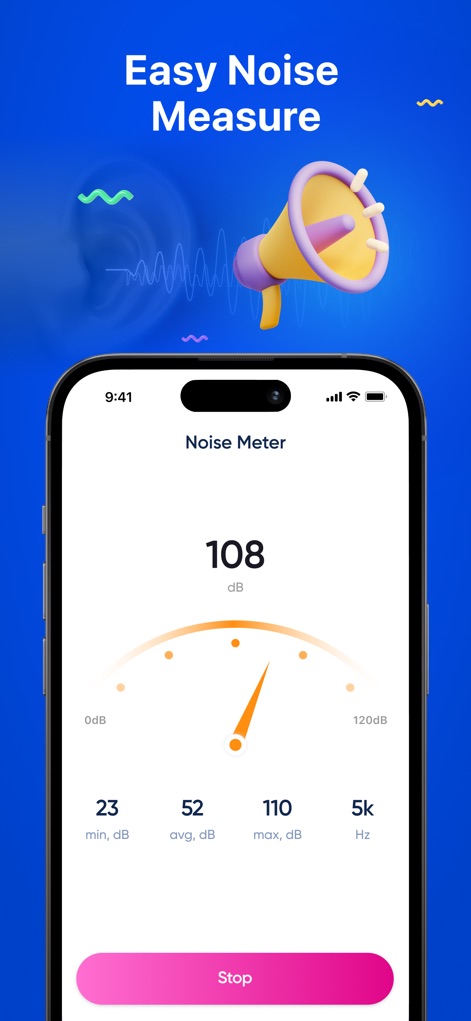
View the app's immediate noise level readings, featuring the clear "108 dB" display and the comprehensive statistical breakdown including min, avg, and max decibel values.
Instant Noise Analysis
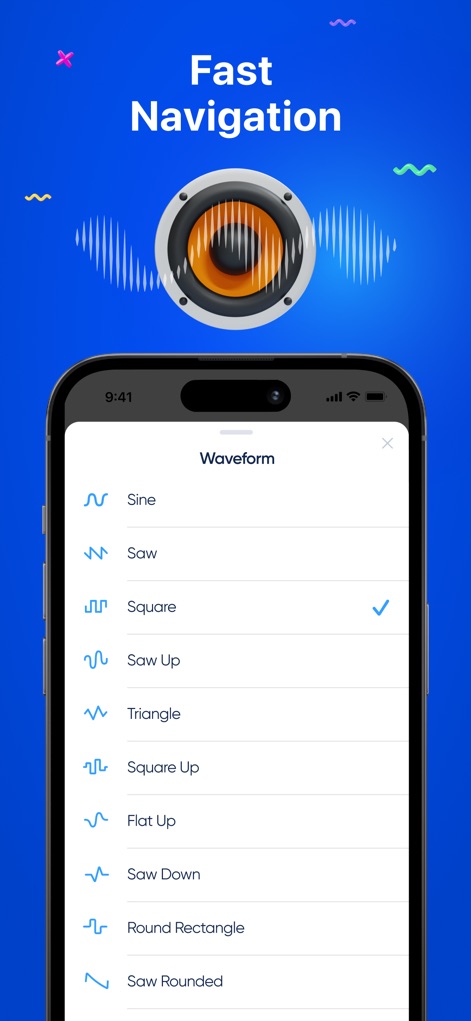
Navigate the rich selection of sound waveforms, showcasing the comprehensive list of options like "Sine" and "Square" and the clear indicator for the currently selected type.
Diverse Waveform Choices

Access essential tips for optimal cleaning, demonstrating the detailed instructions like "Don't forget to set Max volume" and the visual guide for placing the phone face down.
Optimized Cleaning Guidance
Description
Download
More Like This
Apps with similar features and user experience

Sonic | Tone Generator
VonBruno LLC

Water Eject - Clear Wave PRO
UNIVERSE DIJITAL HIZMETLER LIMITED SIRKETI

Water Eject Airpods: WaterDrop
Zion Studios LLC

Water Eject ‒ Speaker Cleaner
TINY BOOM LIMITED
Water Eject ·
Companjen Apps B.V.

Clear Wave - Water Eject App
European apps solutions LTD
Speaker Cleaner - Clear Wave
SUNSHINE SOFTWARE LABS YAZILIM LIMITED SIRKETI

Clear Wave - Remove Water
Davin App LTD

Water Eject: & Speaker Cleaner
REVENTY TEKNOLOJI ANONIM SIRKETI
This page is not an official page of the app or its developer, but an independent editorial publication created for informational and commentary purposes. Unless expressly stated otherwise, neither the app nor its developer is affiliated with, endorsed by, sponsored by, authorized by, or otherwise officially connected with MWM, Apple, Google Play, the app publisher, or the app's developer, and nothing on this page implies that the app was developed using MWM's services. Any trademarks, logos, screenshots, and other content remain the property of their respective owners.