Clocke
Clocke
Download on App Store

This page is not an official page of the app or its developer, but an independent editorial publication created for informational and commentary purposes. Unless expressly stated otherwise, neither the app nor its developer is affiliated with, endorsed by, sponsored by, authorized by, or otherwise officially connected with MWM, Apple, Google Play, the app publisher, or the app's developer, and nothing on this page implies that the app was developed using MWM's services. Any trademarks, logos, screenshots, and other content remain the property of their respective owners.

Logo of Clocke
Download on App Store

Clocke

Empower seniors living with memory loss or vision impairment with a simple, high-contrast day clock. Manage schedules remotely through shared calendars, reduce daily anxiety with clear reminders, and stay connected with personalized greetings and photo memories.

Key Figures

Downloads

3K+

User Rating

1.0/5

Total Ratings

0

Publisher

LocoDog Design LLC

Category

Health & Fitness

Locales

2

Latest Version

1.2

Size

16.0 MB

First Released

Dec 23, 2020
Features

Peace of Mind for Every Moment

Clocke transforms your iPad into a high-visibility orientation aid, helping seniors stay connected to their day while giving caregivers total peace of mind.

Large, High-Contrast Display

Reduce confusion with clear, full-word text for the day, date, and time. Designed specifically for those with vision loss or memory challenges.

Remote Schedule Management

Sync with shared calendars to add appointments or medication reminders from your own device. Changes appear instantly on their screen.

The following screenshots and description are sourced directly from the app's official store listing and are the property of the app developer.

App Store

Screenshots
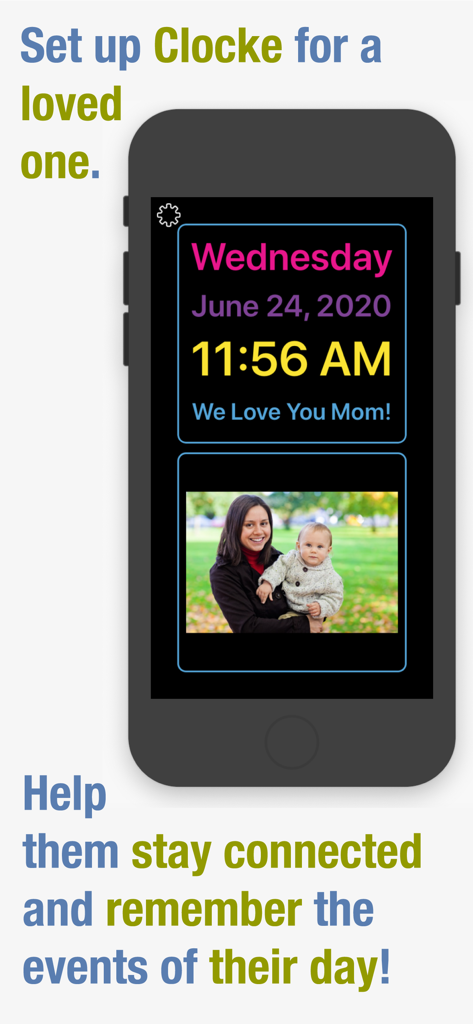
Clocke - Clocke app interface on a smartphone displaying time, date, a personal message, and a family photo for senior memory support
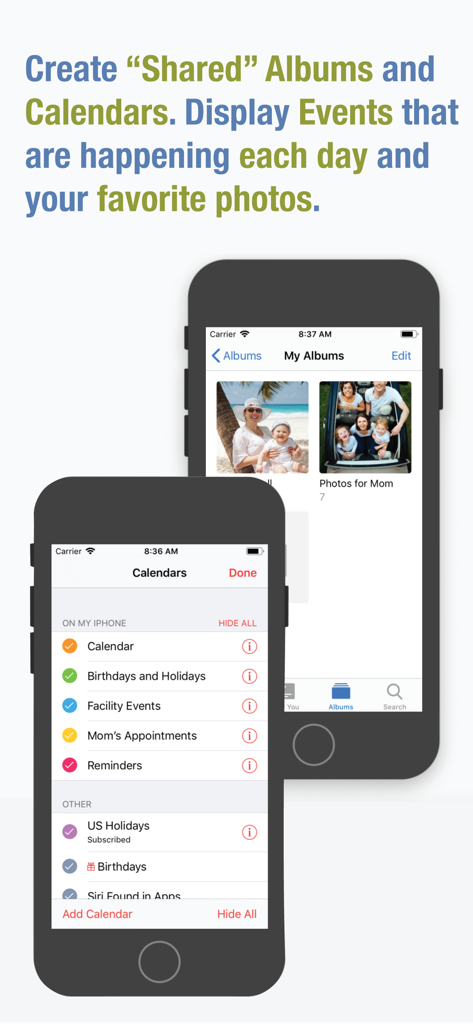
Clocke app interface on a smartphone displaying time, date, a personal message, and a family photo for senior memory support

Clocke - Interface showing shared calendar and photo album settings for senior care
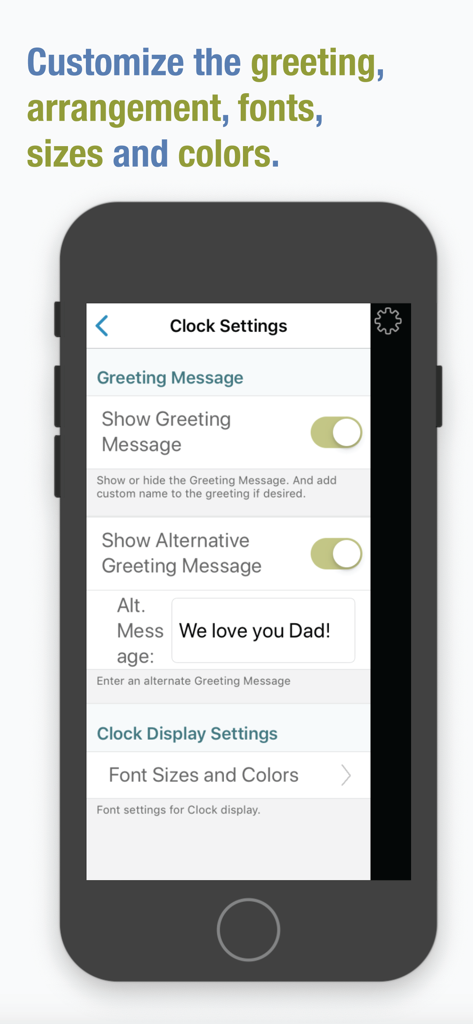
Interface showing shared calendar and photo album settings for senior care

Clocke - Clocke app settings screen showing options to customize the greeting message and clock display fonts
Clocke app settings screen showing options to customize the greeting message and clock display fonts

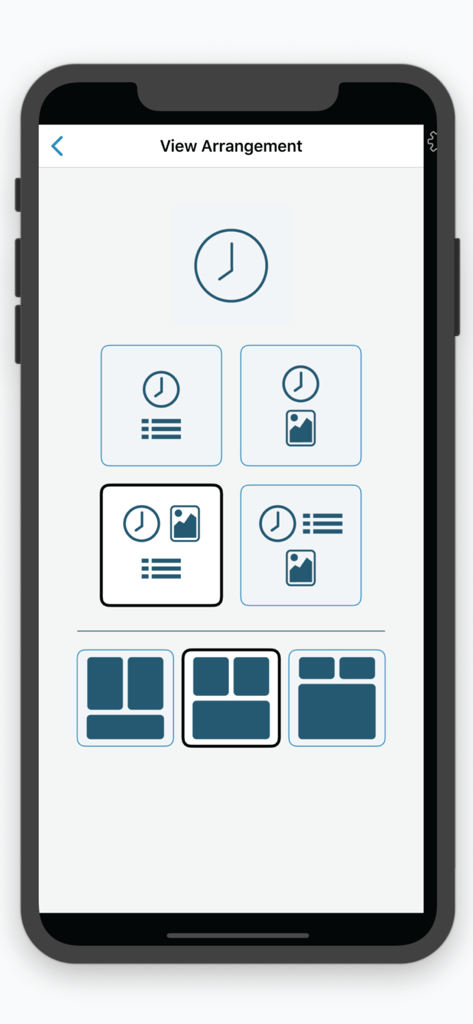
Clocke - View arrangement settings showing different display options for clock calendar and photos
View arrangement settings showing different display options for clock calendar and photos

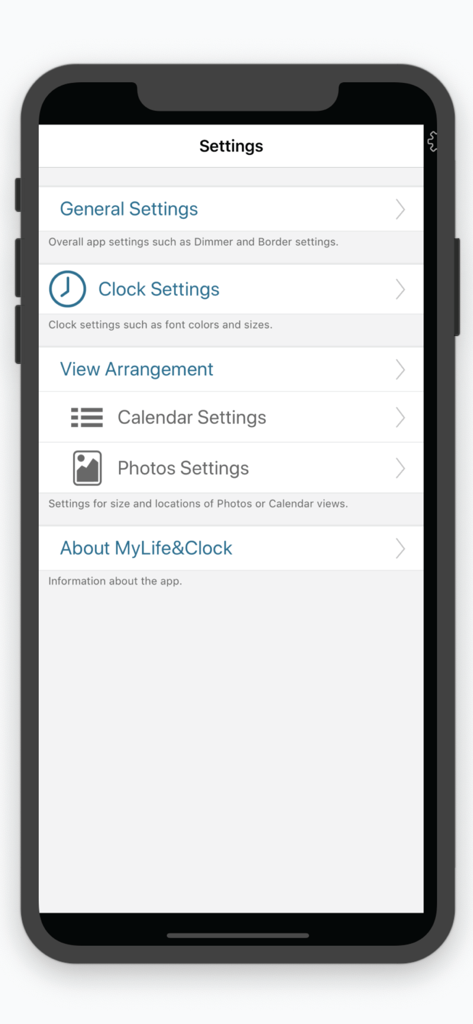
Clocke - The settings menu of the Clocke app showing customization options for seniors
The settings menu of the Clocke app showing customization options for seniors

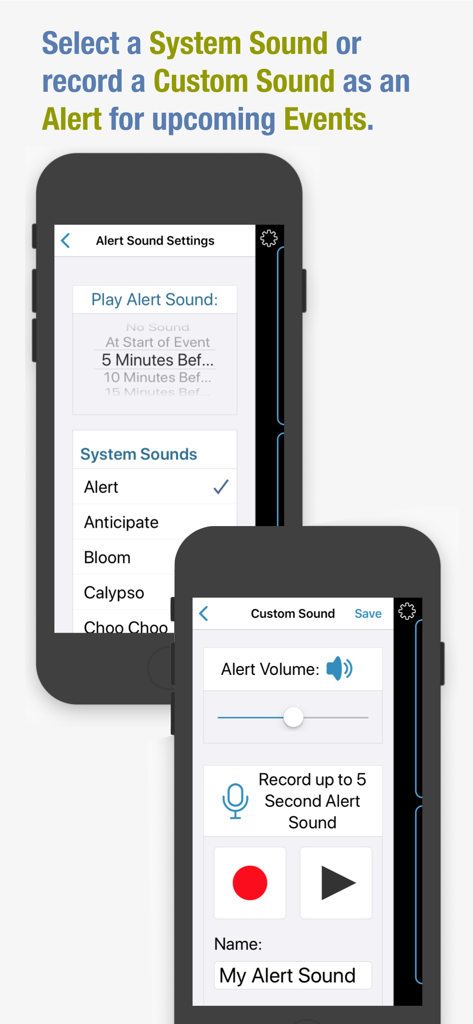
Clocke - Screenshot of the Clocke app showing alert sound settings and a custom voice recording interface for senior memory care
Screenshot of the Clocke app showing alert sound settings and a custom voice recording interface for senior memory care

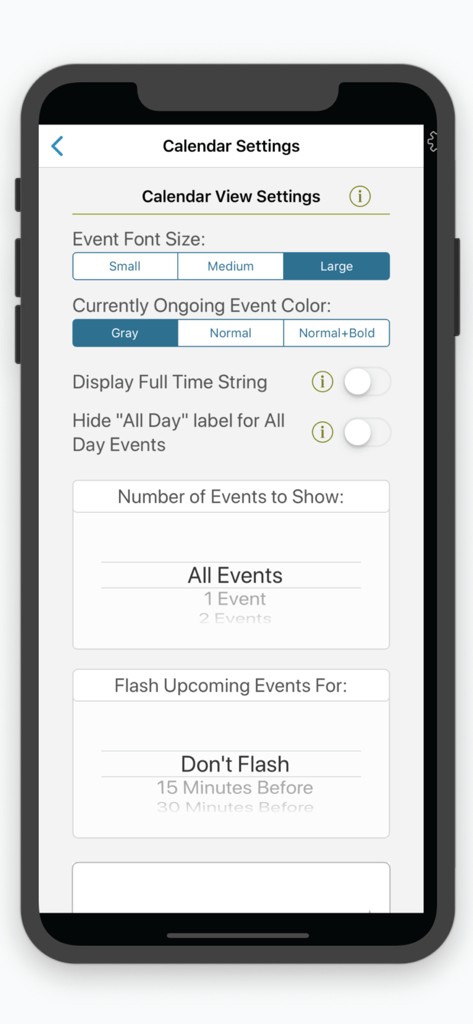
Clocke - Interface showing calendar customization options and font size settings in the Clocke app
Interface showing calendar customization options and font size settings in the Clocke app

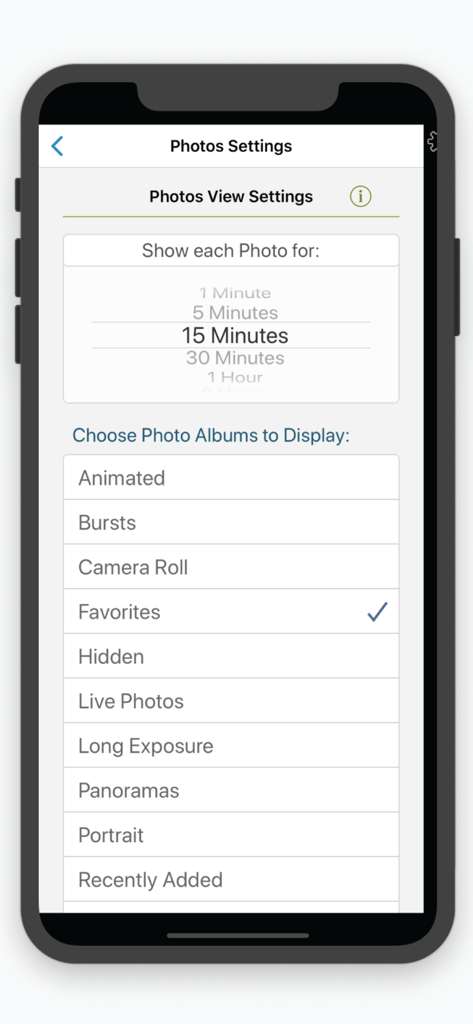
Clocke - Clocke app photo display settings showing album selection and photo duration
Clocke app photo display settings showing album selection and photo duration

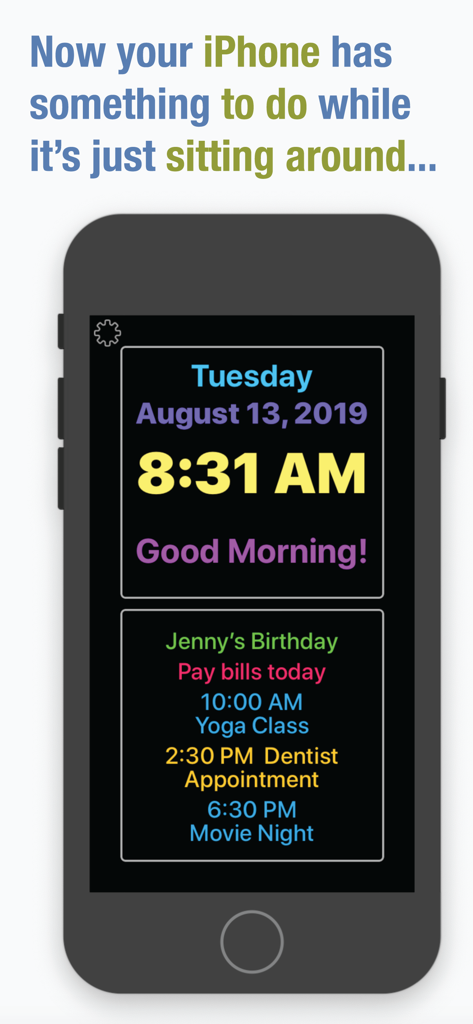
Clocke - iPhone screen showing Clocke app with large text time, date, and list of daily calendar reminders.

iPhone screen showing Clocke app with large text time, date, and list of daily calendar reminders.

Description

Clocke is a simple, large and easy to read clock that clearly displays the full day of the week, month, date and a greeting message in large letters. Clocke is great for seniors! Clocke provides structure, routine and focus for people faced with memory loss, Dementia or Alzheimer’s, who often lose the ability to recognize what day it is. Clocke has a clear and large display that helps reduce anxiety about the time of day and ease the worry of missing an appointment, mealtime, birthday, a favorite TV program, or any other event. Add comforting photos to the display or add calendar events from personal, family or shared calendars in the Calendar App. Displayed on an iPad with a stand, Clocke is invaluable for the visually impaired or anyone who wants to easily see the time/day/day of week or calendar events for the day. Customizations include: Display Calendar Events – choose from a list of the Calendars you have set up in the Calendar App. Choose the number of events to show, Small/Medium/Large type or, as a reminder have Clocke flash upcoming events. Use "shared" Calendars to be able to add/remove/edit Events remotely. Event Alert Sounds – use a System sound or record a custom sound to play an alert at upcoming Events. Have your facility create a "shared" Google calendar that you can subscribe to and display in Clocke. Give a calendar the name "Reminders" and these entries will be displayed without times. For example, a Reminder with a Start Time of 10:00 AM and End Time of 10:30 AM could say "Did you take your morning pill?". It would only display during the set time. An "All Day" Reminder could say "Tomorrow is Sue's Birthday", and would be displayed all day. Name a Calendar "Birthdays and Holidays" to add your own special "All Day" events to be displayed. Clock Display - sizes and colors are adjustable. Choose from a variety of display arrangement options. Display Photos – Clocke gives you the ability to display photos from Albums you have set up on your iPad or iPhone. Choose an Album or Albums to display and the amount of time you want each photo to display. Auto-Dimming On/Off – the display automatically dims at 7:00PM and brightens at 6:00AM by default but these values are customizable. Auto-dimming settings from “Light” to “Extra Dark” are available as well as turning Auto-dimming Off/On/Always On. Personal Greeting On/Off – an on/off setting is available as well as the ability to add a name to the message. Making the display more personal and comforting is easy by adding a name to the “Good Morning”, “Good Evening”, “Good Afternoon” and “Good Night” message. Parts of the day begin at: Morning 4:00AM, Afternoon 12:00 Noon, Evening 5:00PM, and Night 10:00PM. Protection from accidental changes – changing the Clocke settings can be set to require a double-tap on the "Settings" button, keeping users from inadvertently making changes or getting confused. Power "Not Connected" Indicator – we recommend that your device be connected to power while Clocke is in use. An indicator is displayed if the device is not connected to power.  Time Formats – Clocke supports AM/PM and 24-hour time display. It supports displaying the Day, Time, and Date in the current Region setting. Event times are also displayed using the current Region format. Event titles are displayed in the same language that they are input in. Privacy – Clocke does not collect any user data or display ads. We also recommend that you use of a stand for your iPad or iPhone. See our website for which ones we like.

Download

Download on App Store

This page is not an official page of the app or its developer, but an independent editorial publication created for informational and commentary purposes. Unless expressly stated otherwise, neither the app nor its developer is affiliated with, endorsed by, sponsored by, authorized by, or otherwise officially connected with MWM, Apple, Google Play, the app publisher, or the app's developer, and nothing on this page implies that the app was developed using MWM's services. Any trademarks, logos, screenshots, and other content remain the property of their respective owners.








