
This page is not an official page of the app or its developer, but an independent editorial publication created for informational and commentary purposes. Unless expressly stated otherwise, neither the app nor its developer is affiliated with, endorsed by, sponsored by, authorized by, or otherwise officially connected with MWM, Apple, Google Play, the app publisher, or the app's developer, and nothing on this page implies that the app was developed using MWM's services. Any trademarks, logos, screenshots, and other content remain the property of their respective owners.


Coffee Bean Tracker - Vault
Elevate your brewing ritual. Organize your collection, track complex tasting notes, and master your coffee expenses with beautiful insights and interactive widgets.
Downloads
300User Rating
Total Ratings
0Publisher
Category
Food & DrinkLocales
8Latest Version
2.5Size
25.9 MBFirst Released
Feb 6, 2024Master Your Specialty Coffee Collection
The professional-grade tool for home baristas to track bean origins, refine brewing variables, and manage their coffee library with precision.
Comprehensive Bean Journaling
Log every detail from origin and roast date to processing method, ensuring you never forget the nuances of your favorite specialty beans.
Smart Consumption Insights
Analyze your coffee spending and inventory at a glance with interactive widgets and detailed cost-per-cup breakdowns.
Frequently Asked Questions
Everything you need to know about Coffee Bean Tracker - Vault
What is Beanvault?
Beanvault is a coffee bean tracker app designed to help users discover, track, and enjoy their coffee beans by logging comprehensive details and providing insights.
Can I track detailed information about my coffee beans with Beanvault?
Yes, Beanvault allows tracking of bean name, roastery, package size, price, roast date, origin, variety, processing method, roast level, grind, tasting notes, and ratings.
Does Beanvault provide insights into coffee expenses?
Yes, Beanvault offers insights into coffee expenses, including total costs, individual bean costs, and cost per coffee, to help users make informed decisions.
Can I customize unit measurements in the Beanvault app?
Yes, Beanvault offers a customizable experience with options for unit measurements, including grams or ounces, decaffeination flags, and roast dates.
Are there Pro features available in Beanvault?
Yes, Beanvault offers exclusive Pro features that unlock full potential, including tracking more details, accessing premium insights, and an ad-free experience.
How does Beanvault help to add new coffee beans?
Beanvault uses an AI expert analysis feature to scan coffee bags with the device's camera or gallery, extracting key details like origin, roast date, and processing method.
Can I share my coffee discoveries from the Beanvault app?
Yes, Beanvault allows users to engage with the coffee community, share their bean discoveries, and review their experiences, with integrated review prompts.
Does Beanvault offer home screen widgets?
Yes, Beanvault provides interactive widgets that offer at-a-glance information about your coffee beans, such as open coffee bags, directly on your home screen.
What kind of information can I see in Beanvault's Insights?
Beanvault's Insights display general statistics like number of beans and roasters, average bean rating, top roasters, and detailed price information including average price per gram.
Can I track the grind size of my coffee beans in Beanvault?
Yes, Beanvault allows users to capture the grind size for each bean, in addition to origin, variety, altitude, processing method, and roast level.
The following screenshots and description are sourced directly from the app's official store listing and are the property of the app developer.
App Store
Screenshots
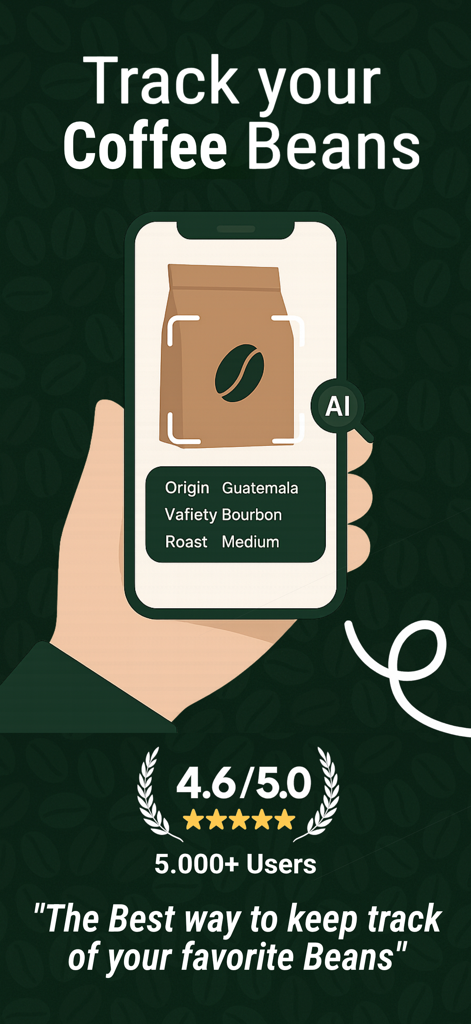
A smartphone using AI to track coffee bean details like origin variety and roast level
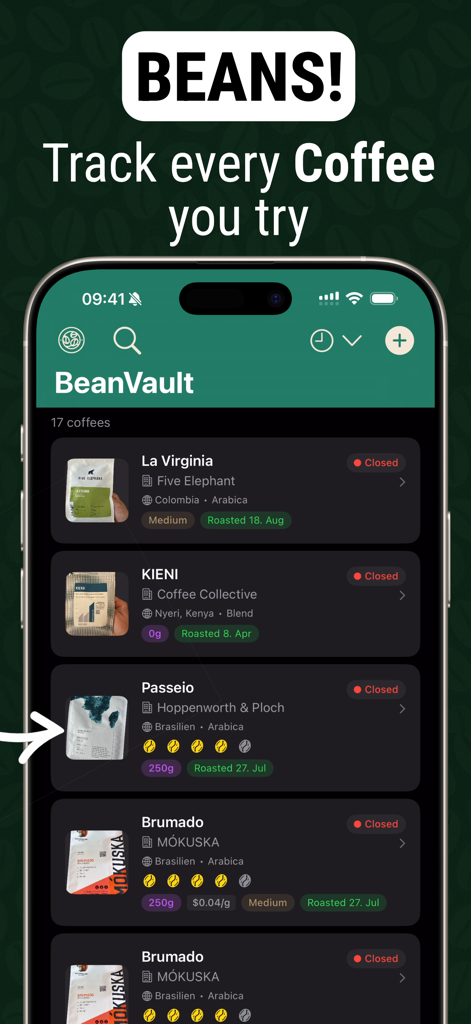
Screenshot of the BeanVault app showing a list of tracked coffee beans with origin and roast details
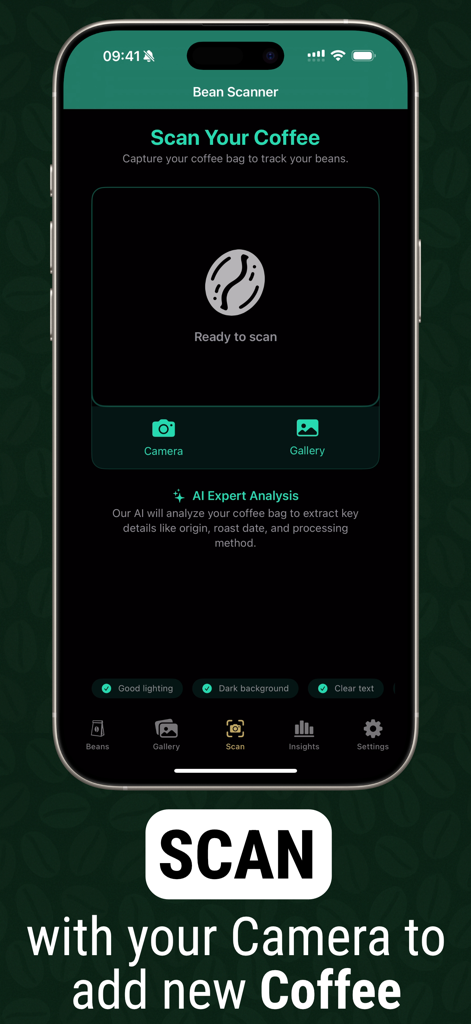
Beanvault mobile app interface showing the AI scanner to capture coffee bag details like origin and roast date.
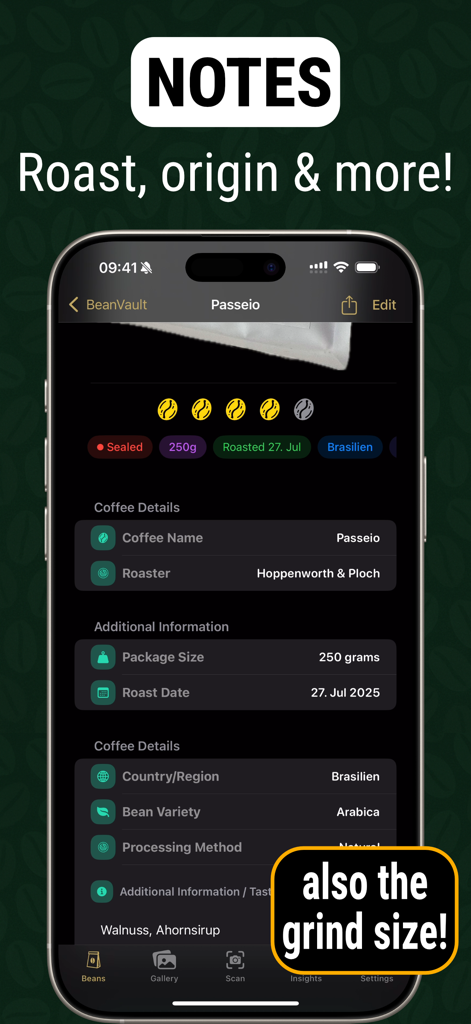
Mobile app interface showing coffee bean details including roast date origin variety and tasting notes
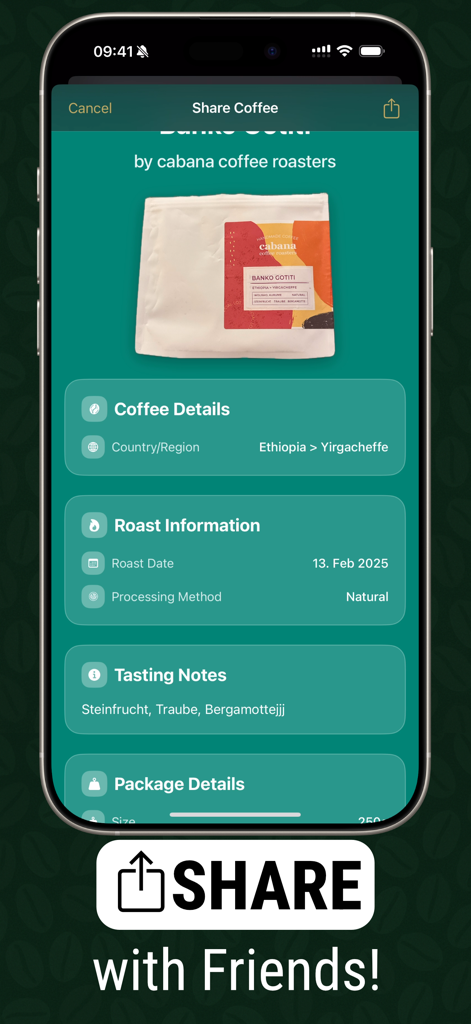
Interface for sharing coffee bean details and tasting notes with friends in the Beanvault app
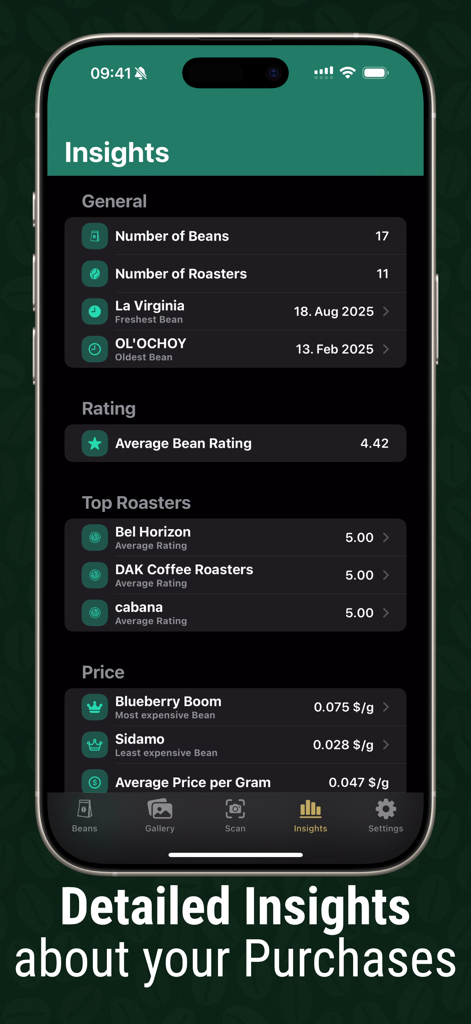
A dashboard showing detailed coffee bean purchase insights and analytics
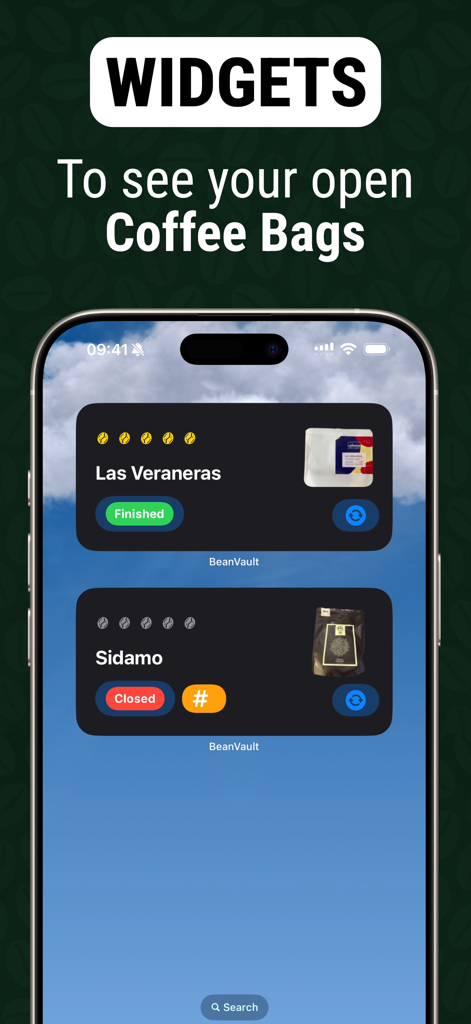
iPhone home screen displaying interactive widgets for tracking coffee beans and bag status in the Beanvault app.
Description
Download
More Like This
Top-ranked apps in the same category

DoorDash: Food, Grocery, More
DoorDash, Inc.

盒马 - 鲜美生活
Shanghai Heli Network Technical Service Co., Ltd.

Uber Eats: Food & Groceries
Uber Technologies, Inc.

Too Good To Go: End Food Waste
Too Good To Go ApS

Keeta - Food Delivery
Kangaroo Limited

麦当劳McDonald's - 到店取餐 麦咖啡 麦乐送
McDonald's (China) Co., Ltd.

McDonald’s
McDonald's Global Markets LLC

McDonald's
McDonalds USA LLC

美团外卖-外卖订餐,送啥都快
Sankuai Technology Co., Ltd.
This page is not an official page of the app or its developer, but an independent editorial publication created for informational and commentary purposes. Unless expressly stated otherwise, neither the app nor its developer is affiliated with, endorsed by, sponsored by, authorized by, or otherwise officially connected with MWM, Apple, Google Play, the app publisher, or the app's developer, and nothing on this page implies that the app was developed using MWM's services. Any trademarks, logos, screenshots, and other content remain the property of their respective owners.