
This page is not an official page of the app or its developer, but an independent editorial publication created for informational and commentary purposes. Unless expressly stated otherwise, neither the app nor its developer is affiliated with, endorsed by, sponsored by, authorized by, or otherwise officially connected with MWM, Apple, Google Play, the app publisher, or the app's developer, and nothing on this page implies that the app was developed using MWM's services. Any trademarks, logos, screenshots, and other content remain the property of their respective owners.


Construction Expense Manager
Stop the budget creep and ditch the paper receipts. The all-in-one financial toolkit for contractors and investors to track labor, materials, and invoices in real-time—from the job site to the office.
Downloads
1K+User Rating
Total Ratings
100Publisher
Category
BusinessLocales
6Latest Version
1.20Size
57.4 MBFirst Released
Nov 10, 2023Master Your Project Finances
From the job site to the home office, manage every expense with an intuitive tool built for contractors and serious renovators.
Instant Receipt Capture
Stop losing receipts in your truck. Snap a photo on-site and instantly link expenses to your project for stress-free tax seasons.
Real-Time Budget Tracking
Prevent costly budget creep with live financial monitoring that shows exactly where your money is going before it is gone.
Frequently Asked Questions
Everything you need to know about Construction Expense Manager
What is Construction Expense Manager?
Construction Expense Manager is an intuitive application designed to simplify the management of expenses related to construction and renovation projects. It helps contractors, architects, and homeowners track and control finances effectively.
How does Construction Expense Manager track expenses?
Construction Expense Manager tracks expenses in real-time, allowing users to record costs as they occur. It keeps users informed about their budget to prevent financial surprises.
Can Construction Expense Manager categorize expenses?
Yes, Construction Expense Manager includes intelligent categorization. It automatically organizes expenses into types like materials, labor, equipment, or other costs, ensuring clear and accurate data organization.
Does Construction Expense Manager support multi-platform synchronization?
Yes, Construction Expense Manager offers multi-platform synchronization. Users can access their data from any device, including smartphones, tablets, or computers, ensuring their financial information follows them everywhere.
Can I generate reports with Construction Expense Manager?
Yes, Construction Expense Manager allows users to generate detailed custom reports. These reports can be based on expenses by project, category, or a specific period, providing a clear financial overview for informed decision-making.
Does Construction Expense Manager offer document storage?
Yes, Construction Expense Manager includes document storage. Users can attach and store invoices, receipts, and other important documents directly within the application for enhanced organization and easier management.
Is Construction Expense Manager a free application?
No, Construction Expense Manager includes a paid subscription. This subscription is automatically renewed and debited from the user's iTunes account based on the chosen offer.
How do I manage or cancel my Construction Expense Manager subscription?
Users can annul the automatic renewal of their Construction Expense Manager subscription in the iTunes store settings. This must be done at least 24 hours before the current subscription ends.
What types of expenses can I track in Construction Expense Manager?
Users can track various expense types like materials, labor, and equipment. Examples shown in the app include "Mobilier," "Course," "électricité," "eau," "gros oeuvre," and "beton."
Does Construction Expense Manager track invoices and payments?
Yes, Construction Expense Manager maintains a detailed history of all invoices and payments associated with each project. This ensures full transparency in financial transactions and makes managing receivables and debts easier.
Can Construction Expense Manager be used for multiple projects?
Yes, Construction Expense Manager supports multiple projects. Users can view total expenses across various projects and add new projects directly within the app, as demonstrated by the "Nouveau projet" button.
How do I add a new expense in Construction Expense Manager?
Users add new expenses by tapping the "Ajouter une dépense" button. The application then prompts for details such as amount, associated project, date, expense type, store, and additional comments.
The following screenshots and description are sourced directly from the app's official store listing and are the property of the app developer.
App Store
Screenshots
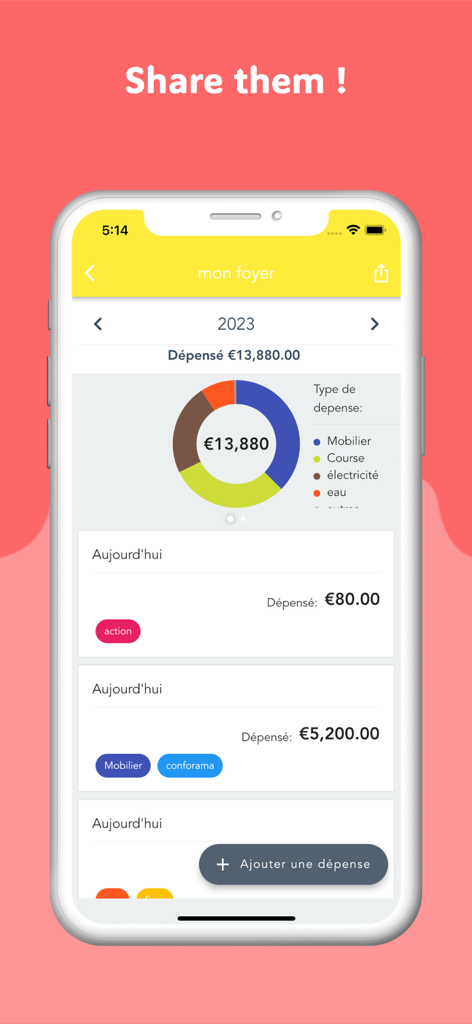
A mobile app dashboard showing a visual breakdown of project expenses with a donut chart and detailed transaction list.
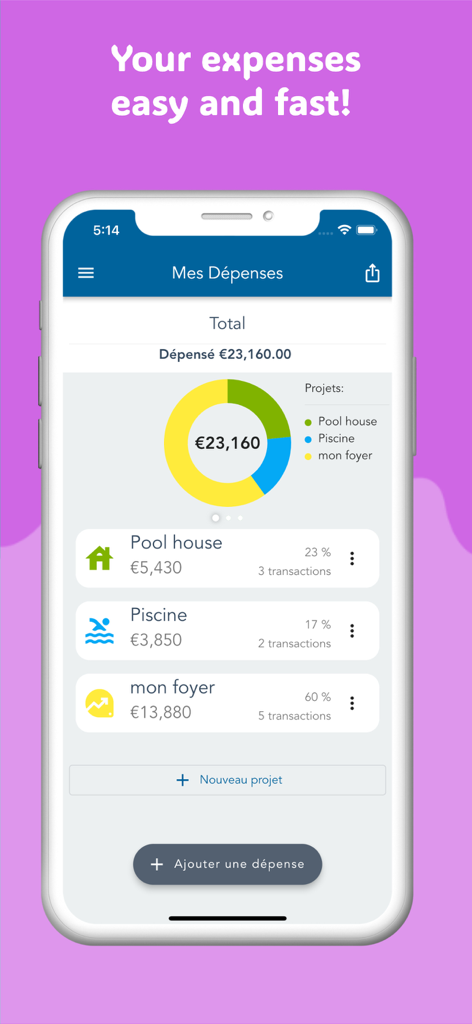
Construction Expense Manager app interface showing a spending overview and project breakdown
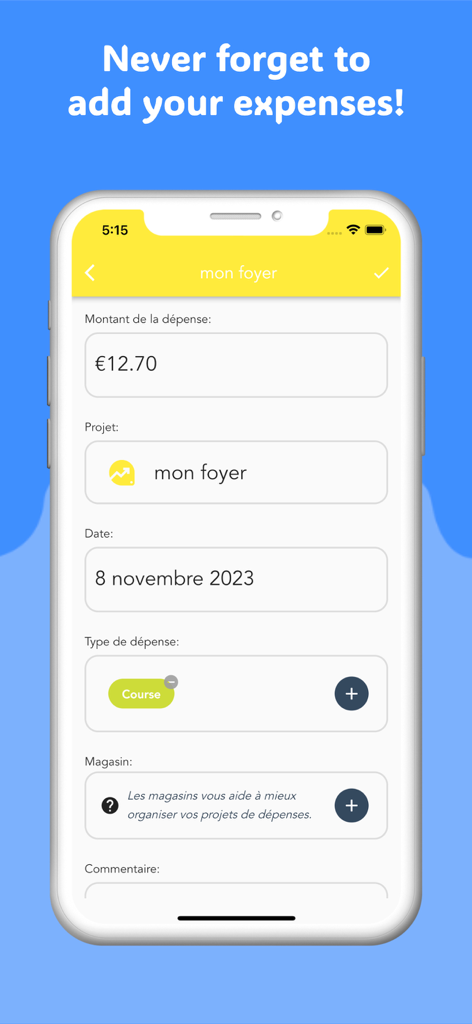
Mobile screen showing the expense entry form for tracking construction costs.
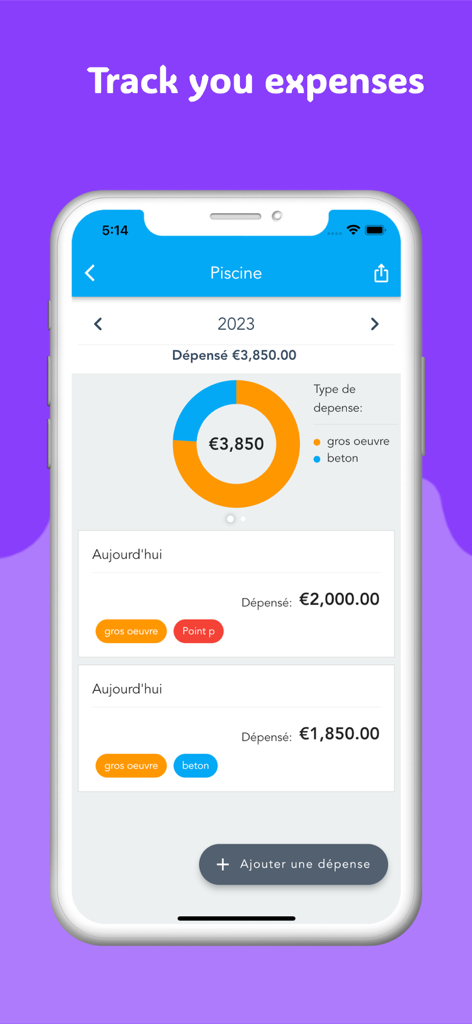
Mobile app dashboard showing construction project expenses with a budget breakdown chart and daily spending list
Description
Download
More Like This
Top-ranked apps in the same category

Microsoft Teams
Microsoft Corporation

Zoom Workplace
Zoom Communications, Inc.

WhatsApp Business
WhatsApp Inc.

Indeed Job Search
Indeed Inc.

LinkedIn: Network & Job Finder
LinkedIn Corporation

Adobe Acrobat Reader: Sign PDF
Adobe Inc.

DingDing - Redefine Work in AI
DingTalk Technology Co., Ltd.

WeCom-Work Communication&Tools
Tencent Technology (Shenzhen) Company Limited

BOSS直聘-招聘求职找工作神器
Beijing China Product Bo Farce Network Technology Co., Ltd.
This page is not an official page of the app or its developer, but an independent editorial publication created for informational and commentary purposes. Unless expressly stated otherwise, neither the app nor its developer is affiliated with, endorsed by, sponsored by, authorized by, or otherwise officially connected with MWM, Apple, Google Play, the app publisher, or the app's developer, and nothing on this page implies that the app was developed using MWM's services. Any trademarks, logos, screenshots, and other content remain the property of their respective owners.