
This page is not an official page of the app or its developer, but an independent editorial publication created for informational and commentary purposes. Unless expressly stated otherwise, neither the app nor its developer is affiliated with, endorsed by, sponsored by, authorized by, or otherwise officially connected with MWM, Apple, Google Play, the app publisher, or the app's developer, and nothing on this page implies that the app was developed using MWM's services. Any trademarks, logos, screenshots, and other content remain the property of their respective owners.

Contact-Cards
Replace outdated paper cards with a sleek, eco-friendly digital presence. Share your contact info instantly via QR codes and iOS widgets while keeping your data 100% private in your own iCloud.
Downloads
20K+User Rating
Total Ratings
0Publisher
Category
BusinessLocales
2Latest Version
1.2Size
1.6 MBFirst Released
Nov 18, 2021Modernize Your Professional Identity
Ditch paper business cards for a sustainable, privacy-first digital solution that lives right on your iPhone.
Instant, Frictionless Sharing
Share your details in seconds via QR code. Your contacts can save your info instantly using their camera—no app download required for them.
Home Screen Access
Never fumble for an app again. Use iOS Widgets to display your QR code directly on your home screen for the fastest networking experience.
Frequently Asked Questions
Everything you need to know about Contact-Cards
What is the Contact-Cards app?
Contact-Cards is an app that stores and manages digital business cards. It eliminates the need for paper cards by allowing users to share their contact information via QR codes and home screen widgets.
Can I share my Contact-Cards business card with someone who doesn't have the app?
Yes, recipients can save your Contact-Cards business card without having the app installed. They simply scan your QR code with their smartphone's camera app to get your details.
Does Contact-Cards offer home screen widgets for sharing?
Yes, Contact-Cards supports home screen widgets. These widgets display a QR code for quick sharing and are available in two sizes: QR code only or QR code with contact details.
How do I choose which business card appears on a Contact-Cards widget?
To customize Contact-Cards widgets, long-tap on the widget on your homescreen. Then, select "Edit widget" to choose which business card you want the widget to display.
Where does Contact-Cards store user data?
Contact-Cards stores your valuable data safely in your iCloud. This ensures your data belongs only to you, and the app developers do not have access to it.
Does the Contact-Cards app access my phone's contacts?
No, Contact-Cards does not access your contacts on your smartphone. The app is designed with privacy in mind, storing your data exclusively in your iCloud.
What information can I add to a Contact-Cards business card?
On a Contact-Cards business card, you can include your name, company, phone number, email address, and website, which are then linked to a scannable QR code.
The following screenshots and description are sourced directly from the app's official store listing and are the property of the app developer.
App Store
Screenshots
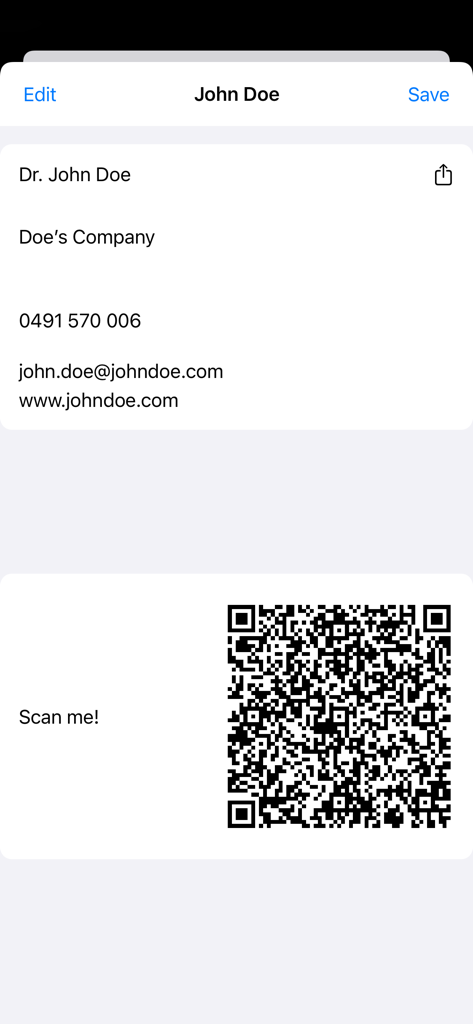
Digital business card showing contact information and a QR code for scanning.
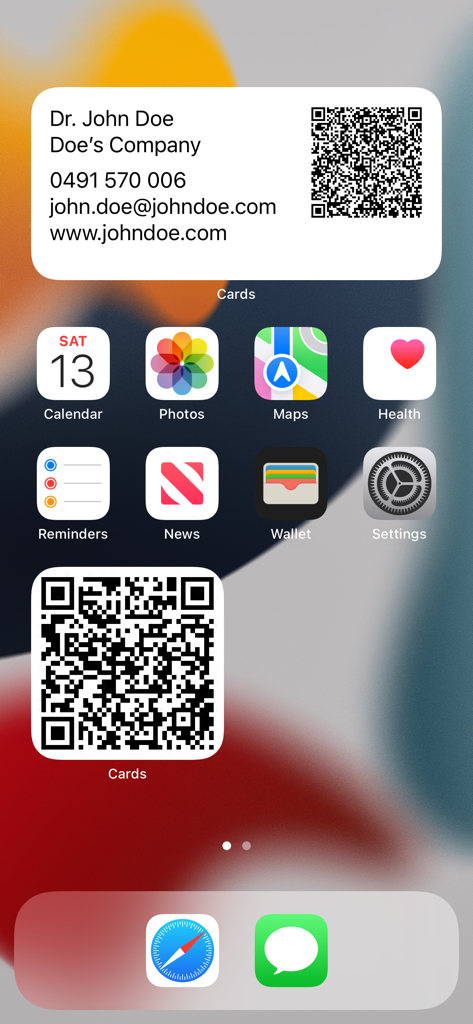
iPhone home screen displaying digital business card widgets with QR codes for easy contact sharing
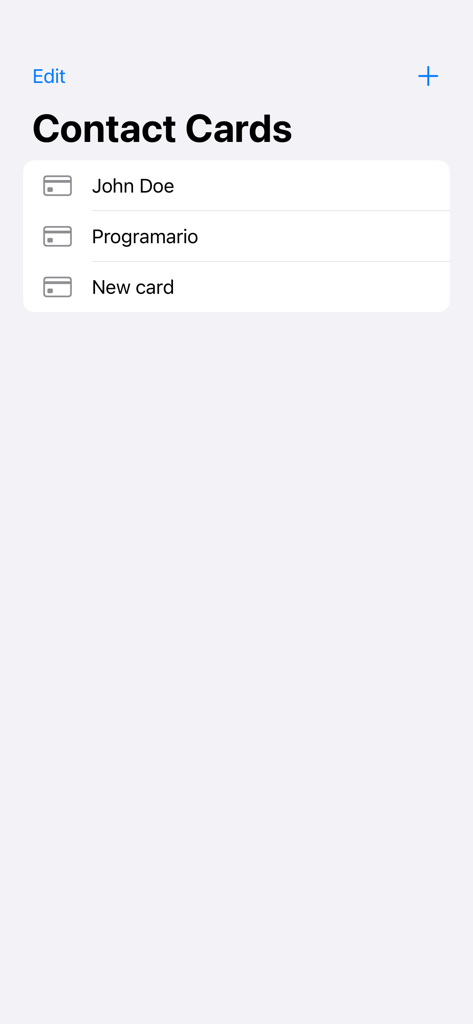
Main screen of the Contact-Cards app showing a list of digital business cards
Description
Download
More Like This
Top-ranked apps in the same category

Microsoft Teams
Microsoft Corporation

Zoom Workplace
Zoom Communications, Inc.

WhatsApp Business
WhatsApp Inc.

Indeed Job Search
Indeed Inc.

LinkedIn: Network & Job Finder
LinkedIn Corporation

Adobe Acrobat Reader: Sign PDF
Adobe Inc.

WeCom-Work Communication&Tools
Tencent Technology (Shenzhen) Company Limited

BOSS直聘-招聘求职找工作神器
Beijing China Product Bo Farce Network Technology Co., Ltd.

DingDing - Redefine Work in AI
DingTalk Technology Co., Ltd.
This page is not an official page of the app or its developer, but an independent editorial publication created for informational and commentary purposes. Unless expressly stated otherwise, neither the app nor its developer is affiliated with, endorsed by, sponsored by, authorized by, or otherwise officially connected with MWM, Apple, Google Play, the app publisher, or the app's developer, and nothing on this page implies that the app was developed using MWM's services. Any trademarks, logos, screenshots, and other content remain the property of their respective owners.