Contacts Backup for VCF Excel

Contacts Backup for VCF Excel


Download on App Store
Logo of Contacts Backup for VCF Excel

Contacts Backup for VCF Excel: Securely Backup, Clean, and Export Your Contacts

The ultimate tool for professionals to manage their address book. Export to Excel, VCF, or PDF, remove duplicates in one tap, and transfer data between devices—no accounts, no login, and 100% private.

Publisher

CEBINDEKI PAZAR E-TICARET ALISVERIS HIZMETLERI SANAYI VE TICARET LIMITED SIRKETI

Category

Reference

Downloads

89K+

User Rating

3.9/5

Total Ratings

500

Locales

33

Efficiency in Action

Discover the interface used by 89K+ users.
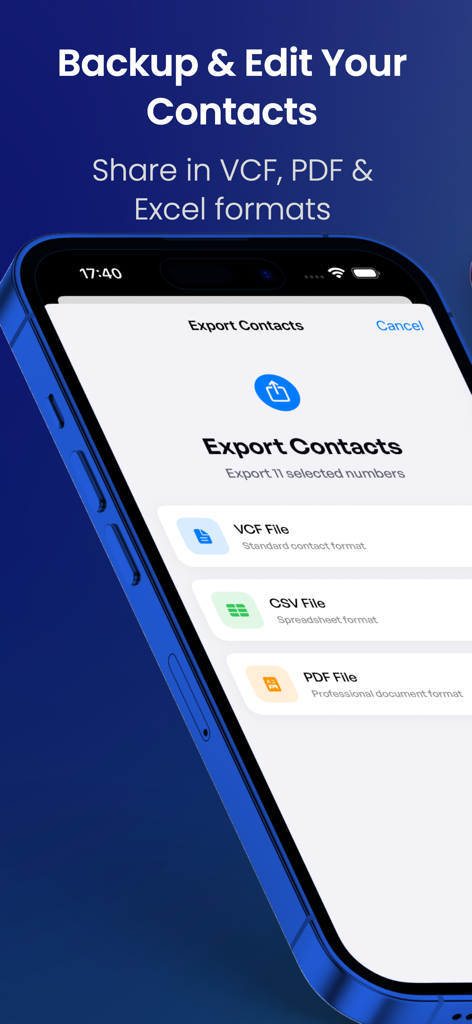
iPhone screen showing options to export contacts in VCF CSV and PDF formats

iPhone screen showing options to export contacts in VCF CSV and PDF formats

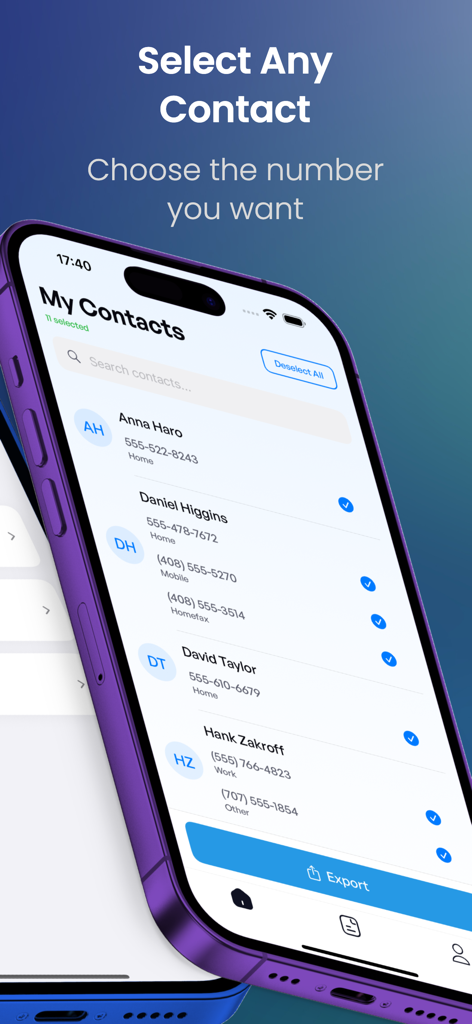
iPhone screen showing selection of specific contact phone numbers for backup and export

iPhone screen showing selection of specific contact phone numbers for backup and export

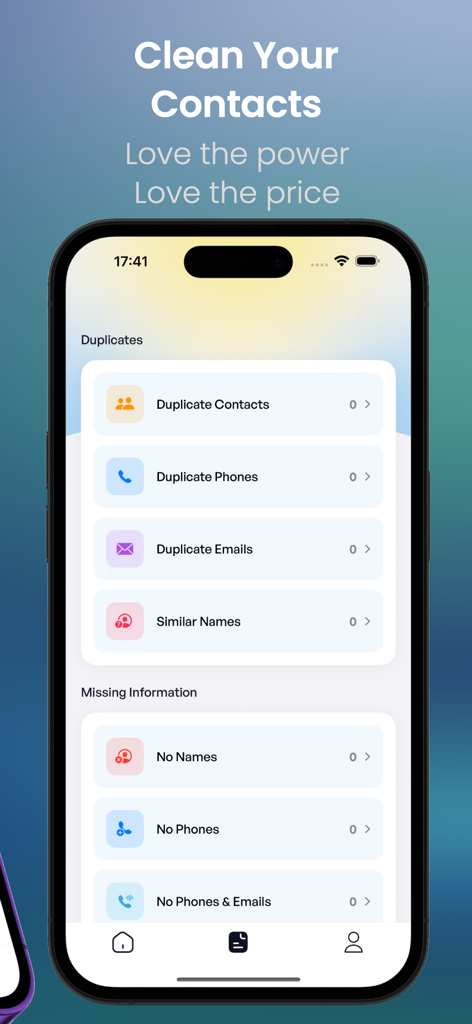
A smartphone screen displaying the app's cleanup interface for deleting duplicate contacts, phone numbers, and emails.

A smartphone screen displaying the app's cleanup interface for deleting duplicate contacts, phone numbers, and emails.

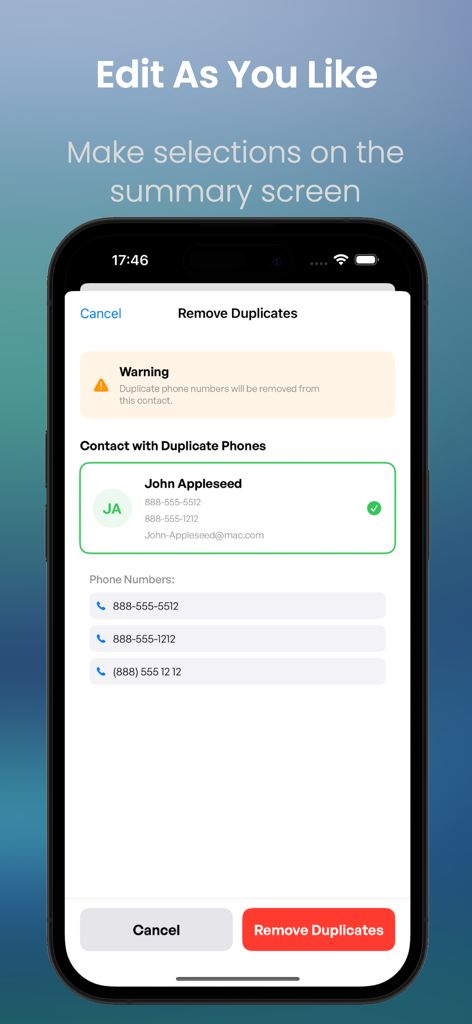
A mobile interface showing a tool to remove duplicate phone numbers from a contact list

A mobile interface showing a tool to remove duplicate phone numbers from a contact list

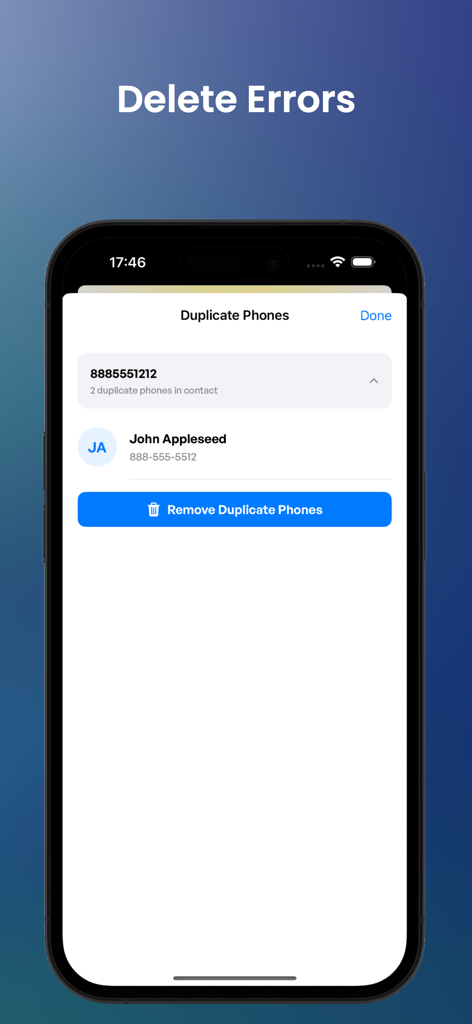
Interface of the Contacts Backup app showing the option to remove duplicate phone numbers for a contact

Interface of the Contacts Backup app showing the option to remove duplicate phone numbers for a contact

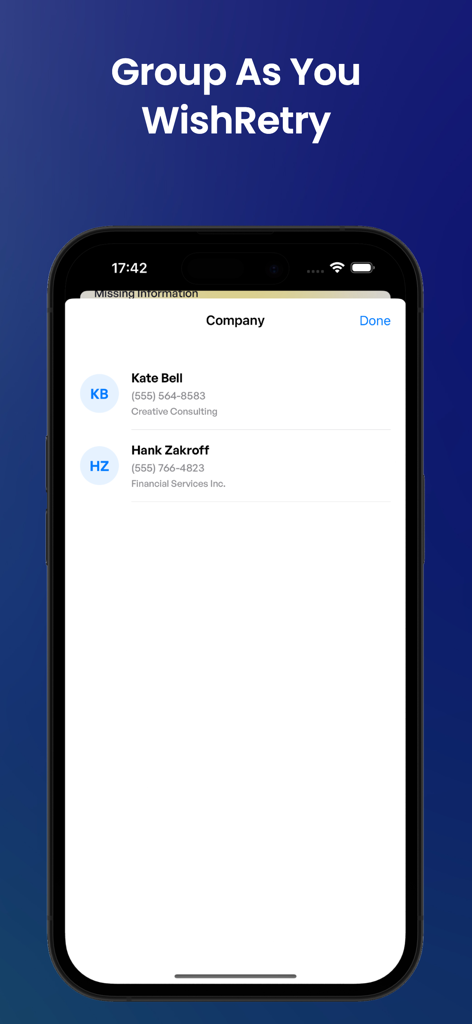
iPhone screen showing contacts grouped by company name in the Contacts Backup app

iPhone screen showing contacts grouped by company name in the Contacts Backup app

Master Your Contacts with Ease

The tools that make this app stand out, trusted by 89K+ users.

šŸ”’

Privacy-First Offline Backups

No servers, no logins. Export your contacts directly to your email or device to keep your personal data 100% private.

✨

One-Tap Duplicate Cleanup

Instantly merge duplicate entries and fix formatting errors to maintain a professional, clutter-free contact list.

šŸ“Š

Universal Excel & PDF Export

Convert your contacts into VCF, CSV, or PDF formats for easy CRM integration, printing, or seamless device migration.

About the app

Everything you need to know about Contacts Backup for VCF Excel.

Description

Backup, Clean & Organize Your Contacts with Ease The ultimate contacts management solution - no login, no accounts, no complicated setup. Simply backup, clean, and transfer your contacts in universal formats that work across all devices. Why Choose This App? * Complete Contact Management Backup contacts in VCF (vCard), CSV (Excel) & PDF formats Transfer contacts between any mobile devices using only email Restore contacts for free using your iPhone, iPod Touch, or iPad Mail app * Smart Contact Cleanup Delete duplicate contacts with one tap Remove multiple phone numbers from single contacts Clean up duplicate emails automatically Fix all contact errors instantly Analyze and organize your entire contact list * Key Features Offline Backup: No server sync required. Just email the backup file to yourself and keep your data private. Easy Restore: No additional apps needed. Simply tap the *.vcf backup file in your iOS Mail client to restore contacts instantly. Universal Transfer: Move contacts between all mobile devices using just your email client - works with iPhone other device, and more. Advanced Editing: Select any contact, choose specific numbers, group contacts as you wish, and organize everything on the summary screen. Multiple Export Formats: Save your contacts as VCF (vCard), CSV for Excel, or PDF documents. Popular Keywords: delete contacts, my contacts backup, sms backup and restore, contacts backup, contact transfer, contacts address book, phone transfer, postable, contacts sync, backup, contact backup, recent contacts, transfer contacts, contact exporter, icloud backup, contact app, recover contacts, vcard, export contacts, contacts app, easy backup, vcf, contacts transfer Subscription Options: Annual: $9.99 Weekly: $3.99 Payment & Renewal: Payment will be charged to your iTunes Account at confirmation of purchase. Subscriptions automatically renew unless auto-renew is turned off at least 24 hours before the end of the current period. Your account will be charged for renewal within 24 hours prior to the end of the current period. You can manage or turn off auto-renew in your Account settings at any time after purchase. No cancellation of the current subscription is allowed during the active period. Terms of Use & Privacy Policy: https://ikbalyasar.github.io/smsgonderapp/userpolicy.html Terms of Use: https://www.apple.com/legal/internet-services/itunes/dev/stdeula/ IMPORTANT NOTE: After sending your backup file (*.vcf) to yourself, please check your inbox to ensure the message arrived with the attachment. Sometimes email providers may block attachments when the file size is too large. If this happens, try using a different email account or save the file to your device first, then try sending it again. Download now and take control of your contacts!

Latest Version

2.2.1

Size

75.4 MB

First Released

Apr 13, 2017

Take Full Control of Your Professional Network Today

Join over 89,000 users who backup, clean, and export their contacts with total privacy. No accounts, no cloud, no hassle—just a secure, organized address book in one tap.

Download on App Store

App information, icons, screenshots, and descriptions displayed on this page are sourced from the Apple App Store and are the property of their respective developers. Download estimates and rankings are based on MWM's proprietary models and may not reflect actual figures. This page is provided for informational and analytical purposes only.

Believe this page infringes your intellectual property? File a dispute