Cosmos : Offline Music Player

This page is not an official page of the app or its developer, but an independent editorial publication created for informational and commentary purposes. Unless expressly stated otherwise, neither the app nor its developer is affiliated with, endorsed by, sponsored by, authorized by, or otherwise officially connected with MWM, Apple, Google Play, the app publisher, or the app's developer, and nothing on this page implies that the app was developed using MWM's services. Any trademarks, logos, screenshots, and other content remain the property of their respective owners.

Logo of Cosmos : Offline Music Player

Cosmos : Offline Music Player

Take back control of your music library with a completely free, open-source player. Experience studio-quality lossless audio, seamless iCloud sync, and native CarPlay integration—all with zero ads and total privacy.

Key Figures

Downloads

1K+

User Rating

4.4/5

Total Ratings

0

Publisher

Raphael Boullay Le Fur

Category

Music

Locales

2

Latest Version

1.2.1

Size

20.5 MB

First Released

Sep 23, 2025
Features

Pure Performance. Total Control.

Reclaim your music library with high-fidelity playback and total privacy. Cosmos delivers a premium, ad-free experience designed for the modern audiophile who values ownership over subscriptions.

Lossless Studio Quality

Support for FLAC, WAV, and DSD formats ensures you hear every detail. Use the integrated Graphic Equalizer to tune your audio for a professional-grade listening experience.

Sync Without Subscriptions

Leverage iCloud Drive to keep your collection updated across all your devices or store files locally. Enjoy the convenience of a cloud library with the freedom of offline ownership.

The following screenshots and description are sourced directly from the app's official store listing and are the property of the app developer.

App Store

Screenshots
Cosmos : Offline Music Player - Cosmos app splash screen displaying the text Play your music offline at any moment above a pixel art cloud logo on a starry purple background.
Cosmos app splash screen displaying the text Play your music offline at any moment above a pixel art cloud logo on a starry purple background.

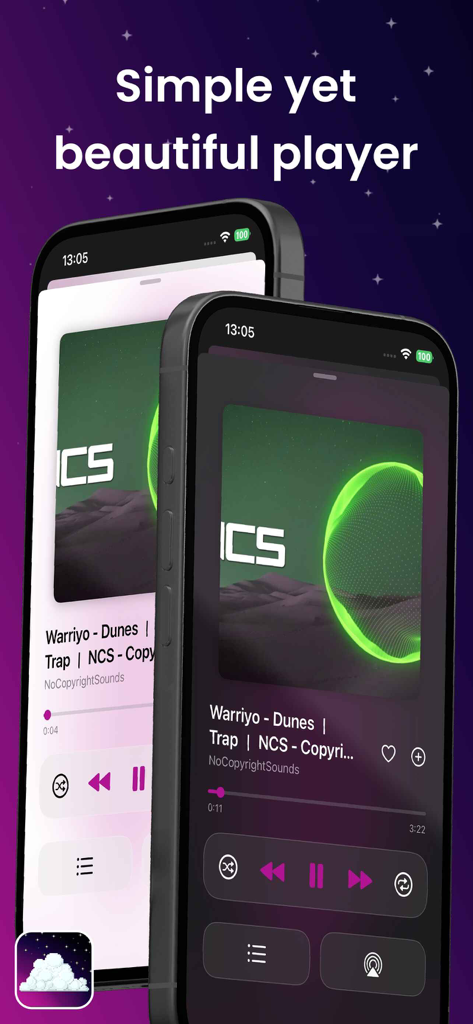
Cosmos : Offline Music Player - Cosmos music player interface displaying the playback screen in light and dark modes
Cosmos music player interface displaying the playback screen in light and dark modes

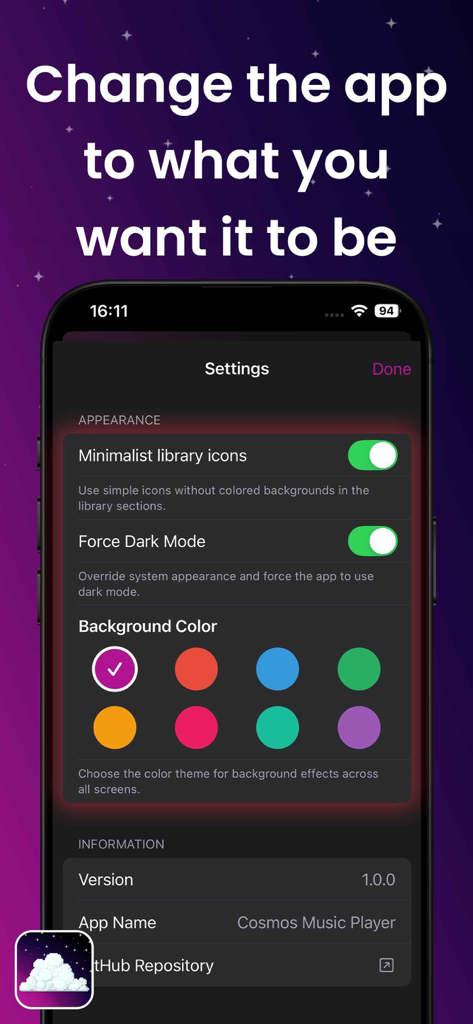
Cosmos : Offline Music Player - Cosmos music player app appearance settings screen with dark mode and theme color options
Cosmos music player app appearance settings screen with dark mode and theme color options

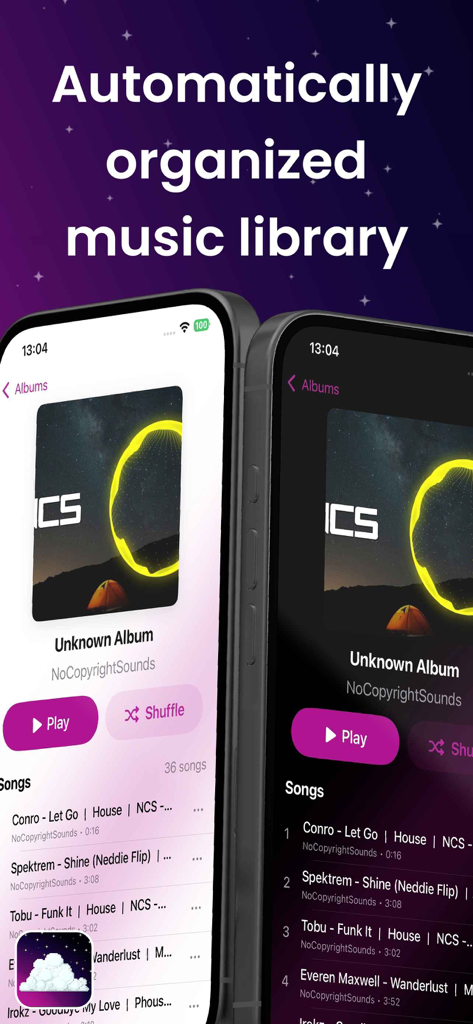
Cosmos : Offline Music Player - Cosmos music player app interface showing an automatically organized library in light and dark modes.
Cosmos music player app interface showing an automatically organized library in light and dark modes.

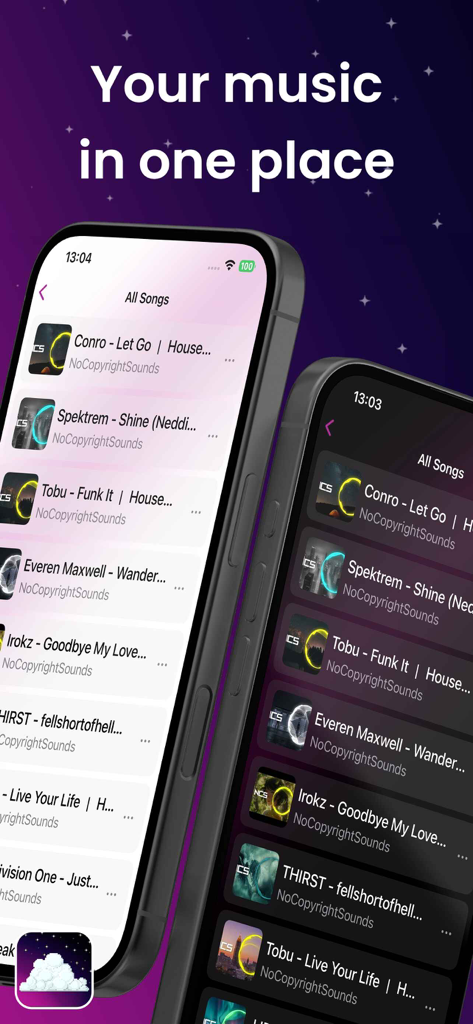
Cosmos : Offline Music Player - Interface of Cosmos Offline Music Player showing a list of songs in light and dark modes.

Interface of Cosmos Offline Music Player showing a list of songs in light and dark modes.
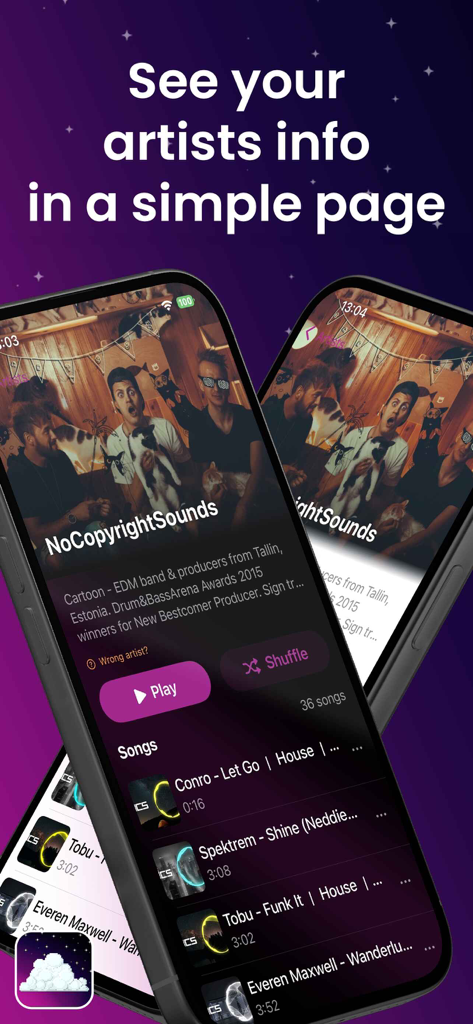
Cosmos : Offline Music Player - Cosmos app interface displaying a detailed artist info page with biography and song list

Cosmos app interface displaying a detailed artist info page with biography and song list

Description

Cosmos Music Player Completely free — no in‑app purchases, no ads, no tracking — and totally open source. Cosmos Music Player is a high-quality music player that supports both iCloud Drive synchronization and local storage, giving users flexibility in how they manage their music. The app is built and designed for the iOS and Apple ecosystem with full CarPlay integration. A premium audiophile music player for iOS supporting FLAC, WAV, M4A, MP3, Opus, OGG, DSD, and DSF formats with advanced features including Apple CarPlay, DSD playback (DoP & PCM conversion), dual storage options (iCloud/local), playlist management, artist information integration, graphic equalizer, and multi-language support. Apple CarPlay Integration - Full CarPlay Support: Native CarPlay interface for safe in-car music control - Tab-Based Navigation: Quick access to All Songs, Favorites, Playlists, and Browse sections - Now Playing Interface: Full player controls with play/pause, skip, and seek functionality - Seamless Synchronization: Real-time playback state sync between phone and CarPlay - Multi-Language Support: CarPlay interface fully localized in English and French Audio Playback - High-Quality Lossless Support: Native support for lossless FLAC and WAV audio files, plus MP3 - Graphic Equalizer: Text-based GraphicEQ support for precise audio customization - Custom EQ Settings: Configure and save different GraphicEQ settings - Siri Integration: Voice control for music playback in English and French - ReplayGain Support: Automatic volume normalization for consistent listening experience - Embedded Artwork: Displays album art from FLAC, MP3, and WAV metadata - Advanced Audio Engine: Built with AVFoundation for optimal audio quality Music Library Management - Dual Storage Support: Choose between iCloud Drive (syncs across devices) or local storage (device only) - iCloud Drive Integration: Automatic sync of music files across devices when using iCloud storage - Local File Support: Full support for music files stored locally in app's Documents folder - Smart Library Indexing: Automatic detection and indexing of music files from both storage locations - Metadata Extraction: Reads artist, album, title, and other metadata - Offline First: Works completely offline with local files, no internet required Artist Information - Dual API Integration: Combines Discogs and Spotify APIs for comprehensive artist data - Artist Profiles: Rich artist biographies and information - High-Quality Images: Artist photos and album artwork - Alternative Sources: "Wrong artist?" feature to switch between data sources - Smart Caching: Efficient caching system for offline access Internationalization - Multi-Language Support: English and French translations - Localized Interface: Complete UI translation system - Cultural Adaptation: Proper pluralization and date formatting - Easy Extension: Modular system for adding new languages Supported Siri Commands - "Hey Siri, play my music on Cosmos" - "Hey Siri, play my favorites on Cosmos" - "Hey Siri, play [playlist name] on Cosmos" - "Hey Siri, play [song name] on Cosmos" Credits - Logo Design: Created by Zerrotic (zerrotic on Discord) - App Store Screenshots: Designed by MrVedakkaN (mrvedakkan on Discord / vimalothomas on Linkdin)

Download

This page is not an official page of the app or its developer, but an independent editorial publication created for informational and commentary purposes. Unless expressly stated otherwise, neither the app nor its developer is affiliated with, endorsed by, sponsored by, authorized by, or otherwise officially connected with MWM, Apple, Google Play, the app publisher, or the app's developer, and nothing on this page implies that the app was developed using MWM's services. Any trademarks, logos, screenshots, and other content remain the property of their respective owners.