CPA Exam Prep - mi. Accounting

CPA Exam Prep - mi. Accounting


Download on App Store
Logo of CPA Exam Prep - mi. Accounting

CPA Exam Prep - mi. Accounting: Master the Language of Business with Visual Clarity

Stop struggling with dense textbooks and start visualizing your success. Our interactive pocket reference simplifies complex GAAP and IFRS scenarios with side-by-side comparisons and real-time financial statement impact.

Publisher

Koji NAKAO

Category

Education

Downloads

16K+

User Rating

5.0/5

Total Ratings

0

Locales

1

A Clearer Perspective

Discover the interface used by 16K+ users.
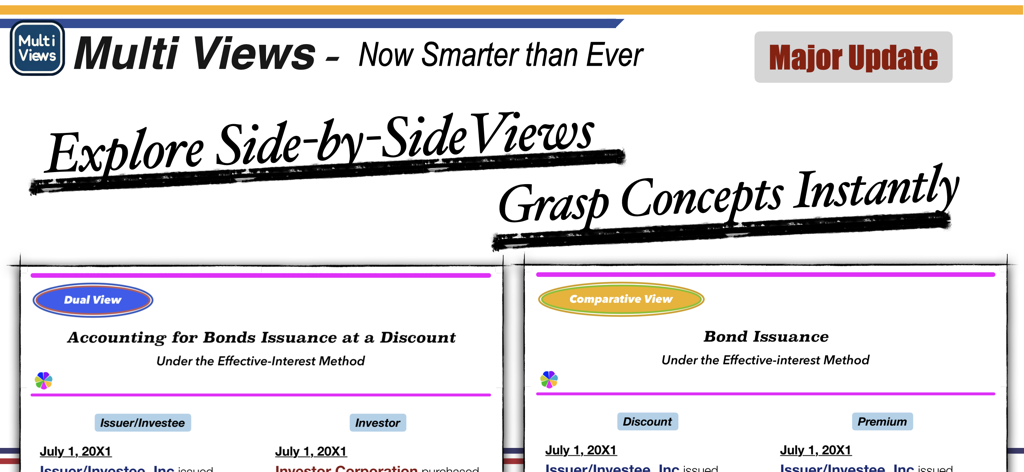
CPA Exam Prep app showing side-by-side multi-views for accounting concepts

CPA Exam Prep app showing side-by-side multi-views for accounting concepts

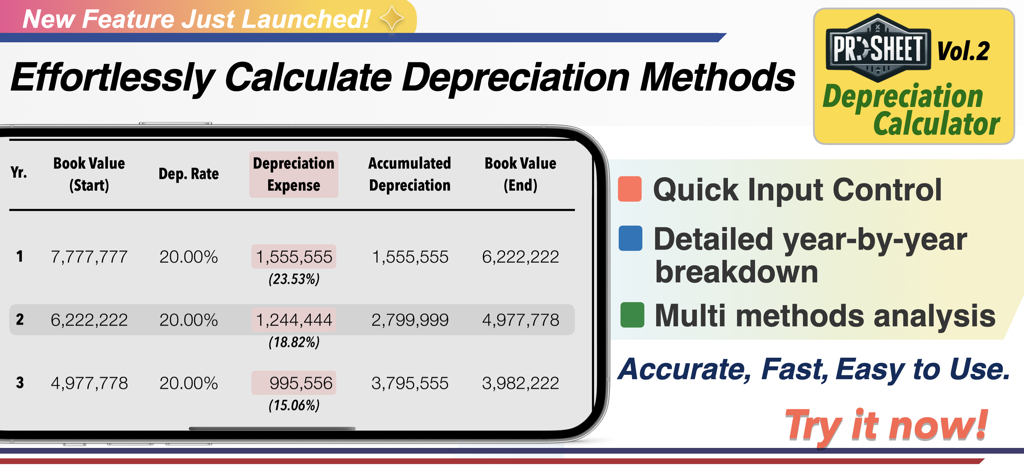
CPA Exam Prep app interface showing the ProSheet depreciation calculator with a year-by-year breakdown table.

CPA Exam Prep app interface showing the ProSheet depreciation calculator with a year-by-year breakdown table.

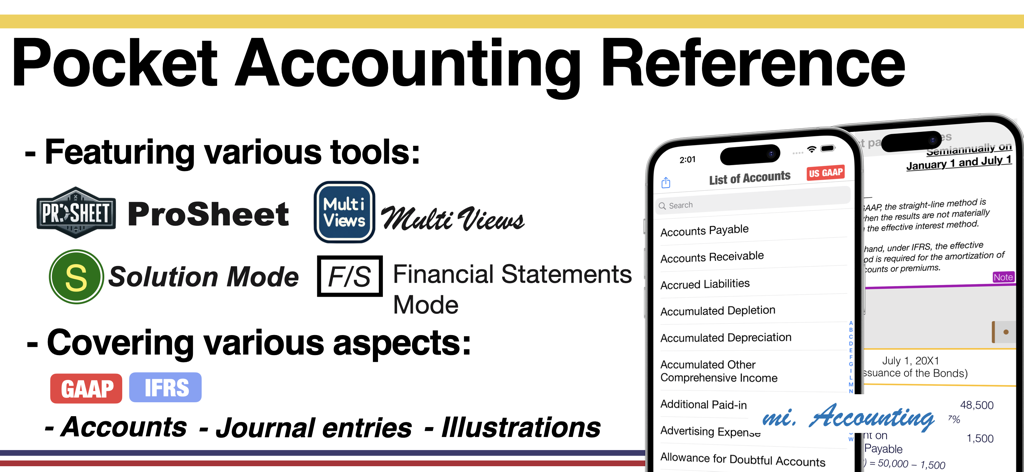
CPA Exam Prep app showing pocket accounting reference features including ProSheet and Solution Mode

CPA Exam Prep app showing pocket accounting reference features including ProSheet and Solution Mode

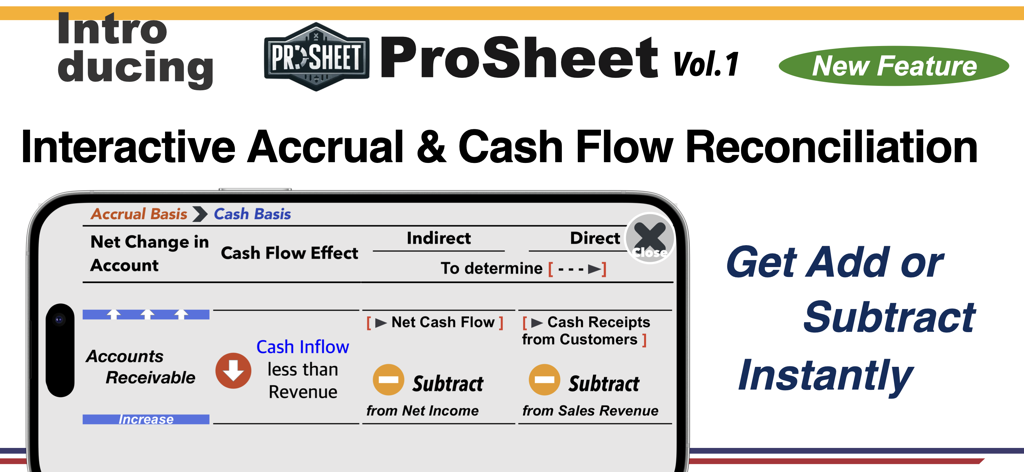
Interface of the CPA Exam Prep app showing the ProSheet interactive feature for accrual and cash flow reconciliation

Interface of the CPA Exam Prep app showing the ProSheet interactive feature for accrual and cash flow reconciliation

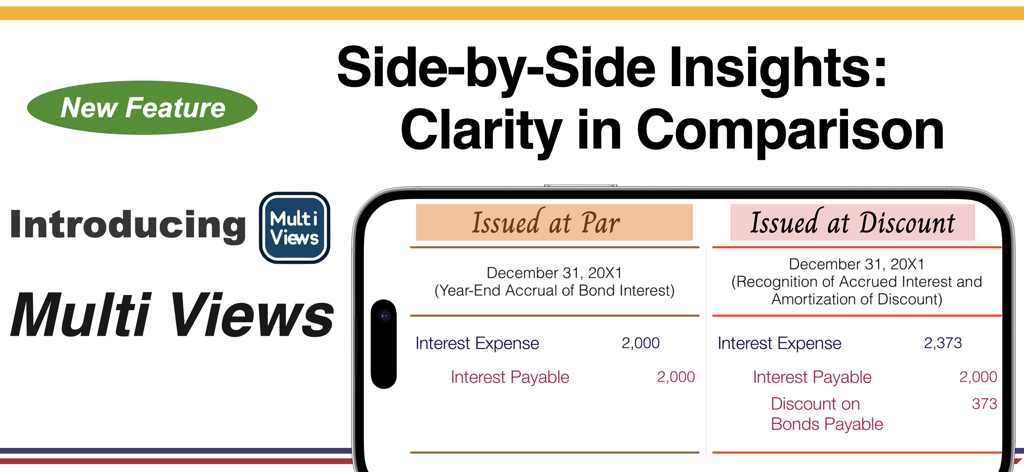
Screenshot of the CPA Exam Prep app showing the Multi Views feature with a side by side comparison of bond interest journal entries issued at par versus at discount.

Screenshot of the CPA Exam Prep app showing the Multi Views feature with a side by side comparison of bond interest journal entries issued at par versus at discount.

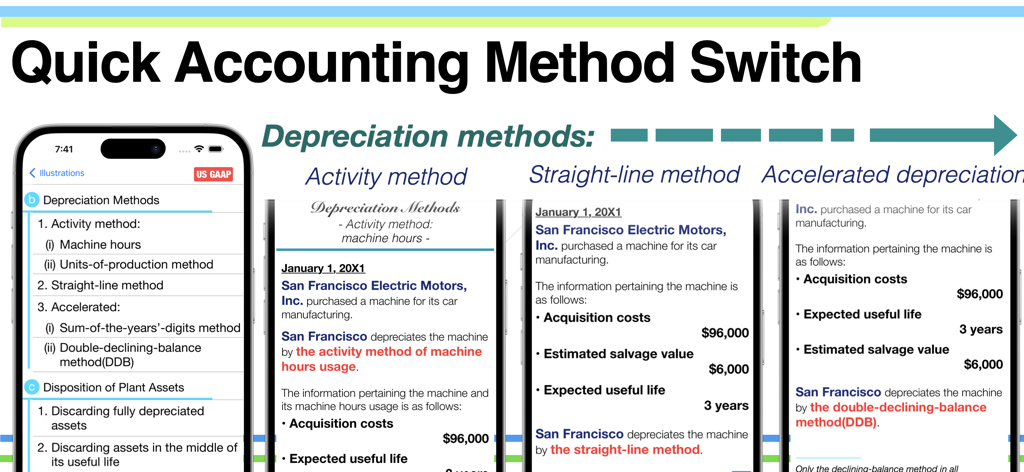
Comparison of different depreciation methods including activity and straight line in the CPA Exam Prep mobile app

Comparison of different depreciation methods including activity and straight line in the CPA Exam Prep mobile app

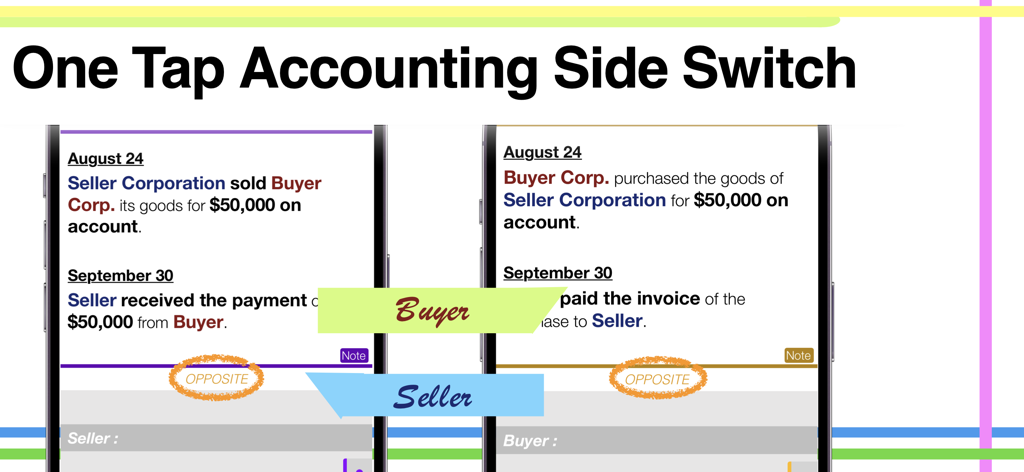
A side by side comparison of buyer and seller transaction views in the CPA Exam Prep app

A side by side comparison of buyer and seller transaction views in the CPA Exam Prep app

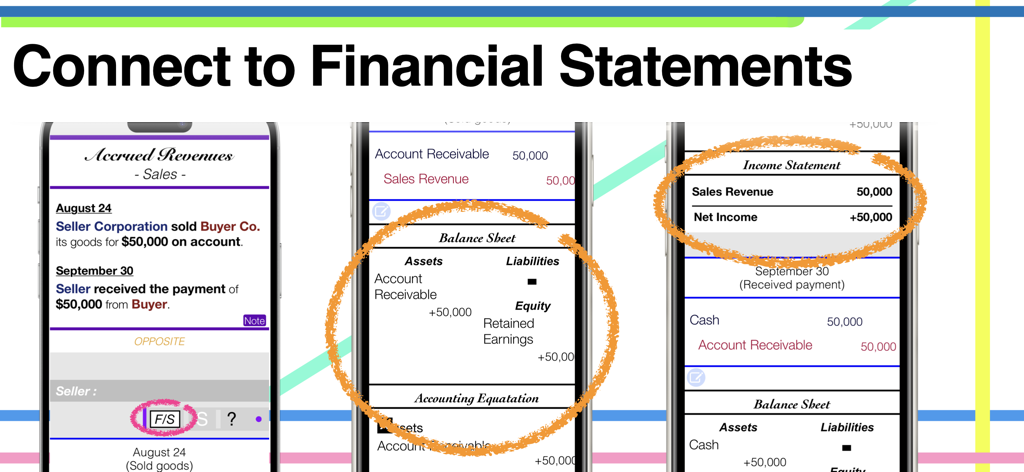
CPA exam prep app interface showing how journal entries connect to the balance sheet and income statement

CPA exam prep app interface showing how journal entries connect to the balance sheet and income statement

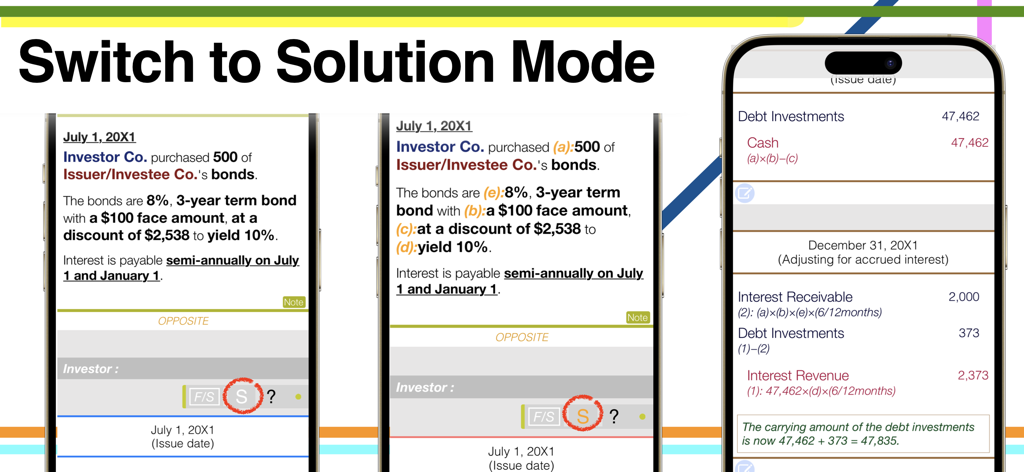
CPA Exam Prep app screenshot showing how to switch to solution mode for detailed accounting journal entries and computations.

CPA Exam Prep app screenshot showing how to switch to solution mode for detailed accounting journal entries and computations.

Master the Language of Business with Ease

The tools that make this app stand out, trusted by 16K+ users.

🔄

Dual Perspective Mastery

Instantly switch between Seller vs. Buyer or Lessor vs. Lessee views. Understand both sides of any transaction with a single tap to ensure you never miss a detail on the FAR exam.

📊

The Big Picture Connection

Use Financial Statements Mode to visualize how individual journal entries flow into the Balance Sheet and Income Statement. No more guessing how the numbers connect.

🌐

Global Standards Toggle

Master the nuances between US GAAP and IFRS standards with a one-tap switch. Perfect for memorizing the technical differences required for high-level accounting certification.

About the app

Everything you need to know about CPA Exam Prep - mi. Accounting.

Description

For those who want to step into the world of accounting but feel hesitant: This app is your friendly companion, designed to help you explore the essential "Language of Business." Let this app be in your hands and dive into the accounting world with confidence. Your Pocket Accounting Reference: = mi. Accounting = Intuitive, versatile, and fundamental, yet simple, handy, and colorful! Try it for free today. Top Highlights: ProSheet: An innovative feature designed as an interactive quick reference series for various accounting topics. Currently, it includes Volume 2, with more volumes planned for future updates. Multi Views: Display two or three scenarios side by side on a single screen, allowing effective comparison of different accounting methods. Covers various perspectives, such as seller vs. buyer and investor vs. investee, helping you understand differences at a glance. Solution Mode: Access detailed explanations and computations by tapping the [S] button in Solution Mode. This feature provides insights into the rationale behind each illustration and journal entry. Solution Mode is accessible by tapping the blink button at the bottom of an illustration. Financial Statements Mode: Shows how each journal entry contributes to the overall financial statements, illustrating the impact of individual entries on the bigger financial picture. More Features: - Covers US GAAP and IFRS Standards: Just one tap to switch between these standards. - Accounts List by Classification: Tap and hold on any classification to reorder the list by that category. - Flip to Opposite View: Easily switch to the opposite side with a single tap of the 'Opposite' button. - Easy Navigation to Other Methods or Illustrations: Simply flick right or left to show different views. - Journal Entry to Account Details: Tap and hold the account name in the journal entry to reveal that account's details. Table of Contents (Categories): 1. Current Assets 2. Fixed Assets, Intangible Assets 3. Current Liabilities 4. Long-Term Liabilities 5. Equity 6. Investments 7. Diluted Securities 8. Leases 9. Revenue Recognition 10. Accounting for Income Taxes 11. Statement of Cash Flows ProSheet: Volume 1: "Interactive Accrual & Cash Flow Reconciliation" Learn to effortlessly adjust account balances between accrual and cash basis.

Latest Version

6.1.2

Size

8.3 MB

First Released

Dec 22, 2017

Master Accounting with Visual Confidence

Turn complex GAAP and IFRS standards into clear, interactive insights. Join thousands of future CPAs and download your interactive pocket reference for free today.

Download on App Store

App information, icons, screenshots, and descriptions displayed on this page are sourced from the Apple App Store and are the property of their respective developers. Download estimates and rankings are based on MWM's proprietary models and may not reflect actual figures. This page is provided for informational and analytical purposes only.

Believe this page infringes your intellectual property? File a dispute