
This page is not an official page of the app or its developer, but an independent editorial publication created for informational and commentary purposes. Unless expressly stated otherwise, neither the app nor its developer is affiliated with, endorsed by, sponsored by, authorized by, or otherwise officially connected with MWM, Apple, Google Play, the app publisher, or the app's developer, and nothing on this page implies that the app was developed using MWM's services. Any trademarks, logos, screenshots, and other content remain the property of their respective owners.


Credit One Bank Mobile
Take control of your financial journey with free monthly credit score tracking, effortless payment tools, and the 24/7 security you need to reach your goals.
Downloads
16M+User Rating
Total Ratings
2M+Publisher
Category
FinanceLocales
1Latest Version
26.01.0Size
129.3 MBFirst Released
Sep 22, 2016Your Path to Better Credit
Everything you need to build your financial future, manage your daily spending, and stay secure on the go.
Monitor Your Progress
Get your free monthly credit score and report to see exactly what’s driving your financial growth and credit-building success.
Total Security & Control
Securely sign in with Face ID and instantly lock or unlock your card if it’s ever misplaced to keep your hard-earned money safe.
Frequently Asked Questions
Everything you need to know about Credit One Bank Mobile
Does the Credit One Bank Mobile app support Face ID login?
Yes, the Credit One Bank Mobile app supports quick and secure sign-in using Face ID.
Can I lock my card using the Credit One Bank Mobile app?
Yes, the Credit One Bank Mobile app allows you to lock and unlock your card for security purposes.
Can I accept a credit line increase through the Credit One Bank Mobile app?
Yes, you can accept new account or credit line increase offers directly within the Credit One Bank Mobile app when eligible.
How do I track my rewards in the Credit One Bank Mobile app?
The Credit One Bank Mobile app allows you to track cash back rewards or points earned with your Credit One card.
Can I schedule payments using the Credit One Bank Mobile app?
Yes, the Credit One Bank Mobile app allows you to quickly schedule payments at any time.
Can I pay my Credit One bill using Siri?
Yes, the Credit One Bank Mobile app supports Siri Shortcuts for bill payment. You can say, “Siri, pay my credit card.”
Does the Credit One Bank Mobile app provide a free credit score?
Yes, the Credit One Bank Mobile app allows you to track your monthly credit score for free.
Can I view my credit report in the Credit One Bank Mobile app?
Yes, you can view your free monthly credit report within the Credit One Bank Mobile app to understand score contributions.
Is the Credit One Bank Mobile app compatible with Apple Watch?
Yes, the Credit One Bank Mobile app allows you to check your balance and credit score on your Apple Watch.
Does the Credit One Bank Mobile app have a home screen widget?
Yes, the Credit One Bank Mobile app provides a home screen widget for a quick glance at your account.
Can I check my balance without logging into the Credit One Bank Mobile app?
Yes, the Credit One Bank Mobile app offers a Quick View feature to check your balance or make a payment without signing in.
Does the Credit One Bank Mobile app notify me about credit line increases?
Yes, the Credit One Bank Mobile app notifies you immediately when you are eligible for a new account or a credit line increase.
What details are visible on the Credit One Bank Mobile app widget?
The Credit One Bank Mobile app widget displays your current balance, available credit, and payment due date directly on your home screen.
How are cash back rewards redeemed in the Credit One Bank Mobile app?
Cash back rewards earned through the Credit One Bank Mobile app are automatically redeemed each month as a statement credit.
Can I manage multiple Credit One Bank accounts within the app?
Yes, the Credit One Bank Mobile app allows you to quickly view details for multiple card accounts in one centralized location.
What payment options are available in the Credit One Bank Mobile app?
The Credit One Bank Mobile app offers options to pay the minimum payment, statement balance, current balance, or a custom amount.
How does locking my card work in the Credit One Bank Mobile app?
Locking your card via the Credit One Bank Mobile app blocks new physical, online, cash advances, and balance transfers. Recurring transactions, pending transactions, and payments still process.
The following screenshots and description are sourced directly from the app's official store listing and are the property of the app developer.
App Store
Screenshots
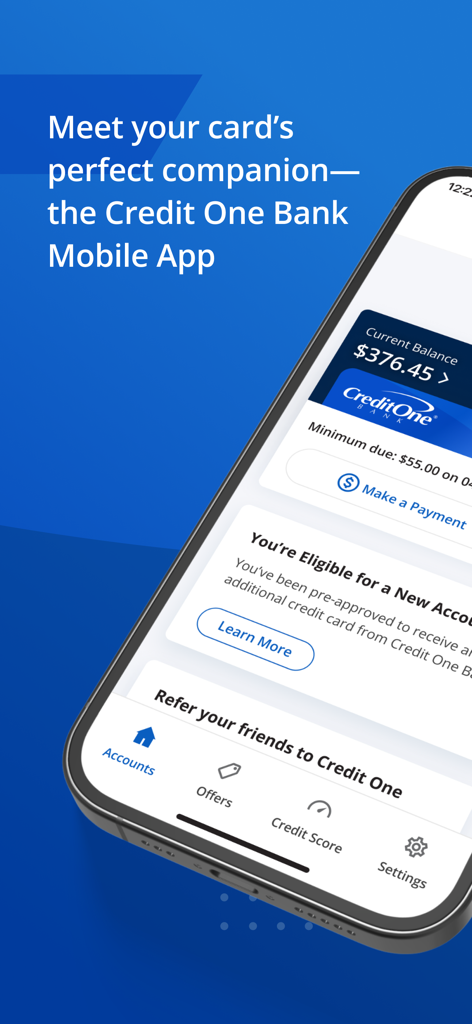
Credit One Bank mobile app interface showing current account balance credit card details and payment options on a smartphone screen
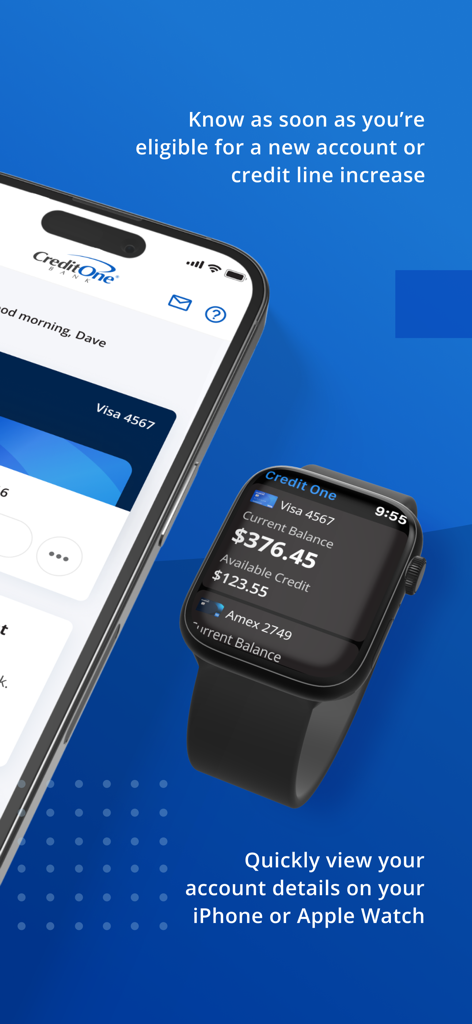
Credit One Bank Mobile app displaying account balance and credit line notifications on an iPhone and Apple Watch
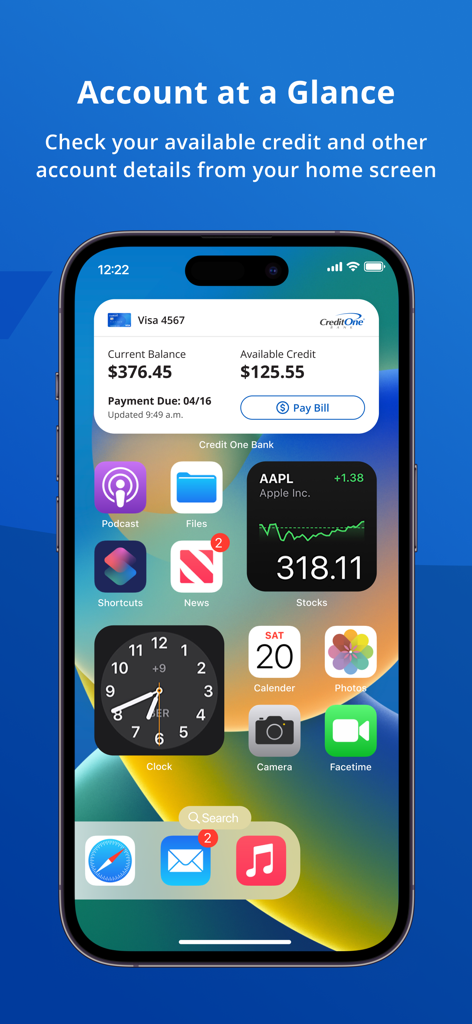
iPhone home screen displaying the Credit One Bank mobile app widget with account balance and payment due date
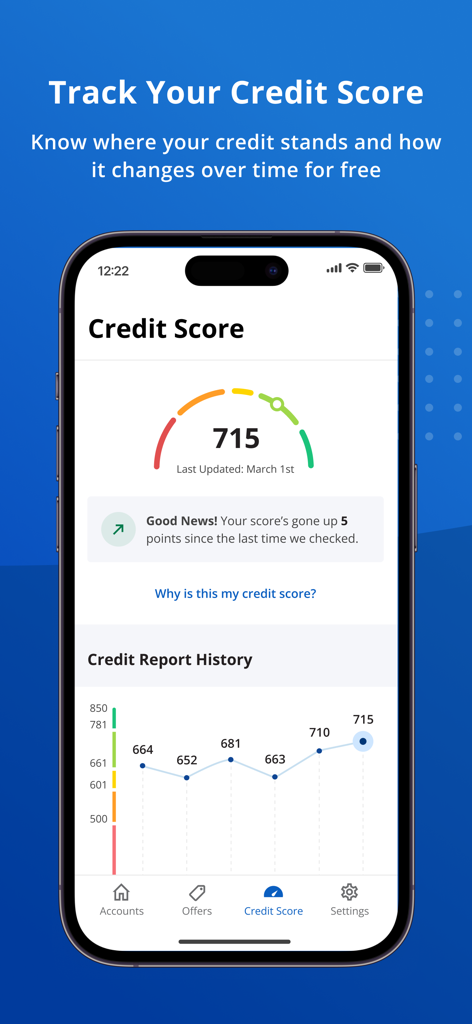
Credit One Bank app displaying a credit score of 715 with a historical progress graph
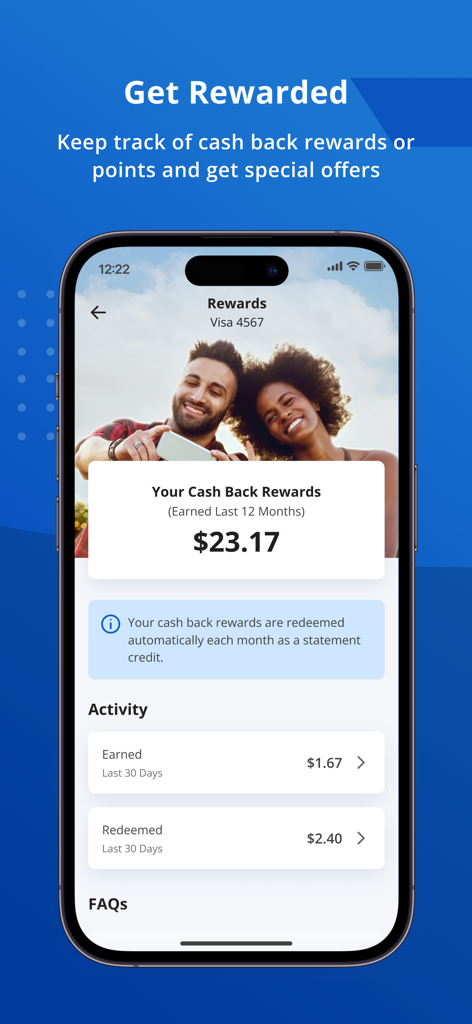
Credit One Bank Mobile app screen showing cash back rewards earned and activity tracking
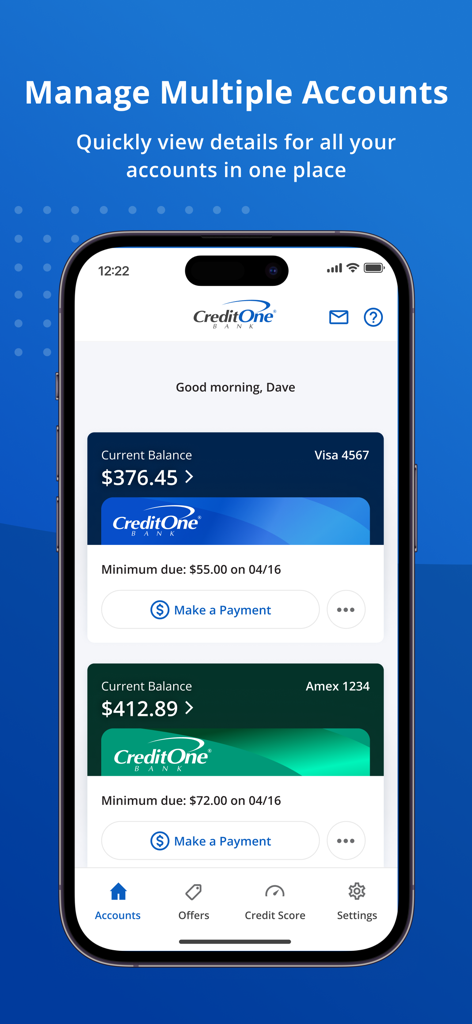
Credit One Bank mobile app dashboard showing multiple account balances and payment options on an iPhone
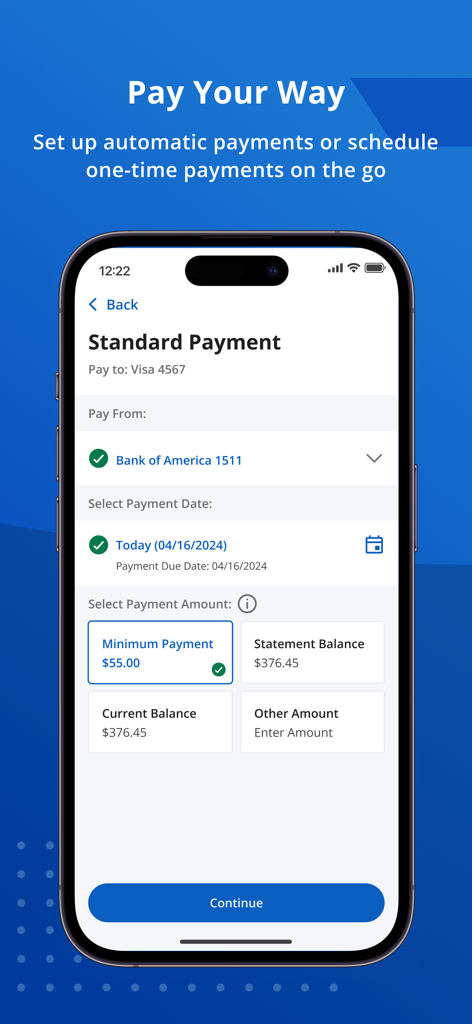
iPhone screen showing the Credit One Bank Mobile app payment interface with options to select payment amount and date
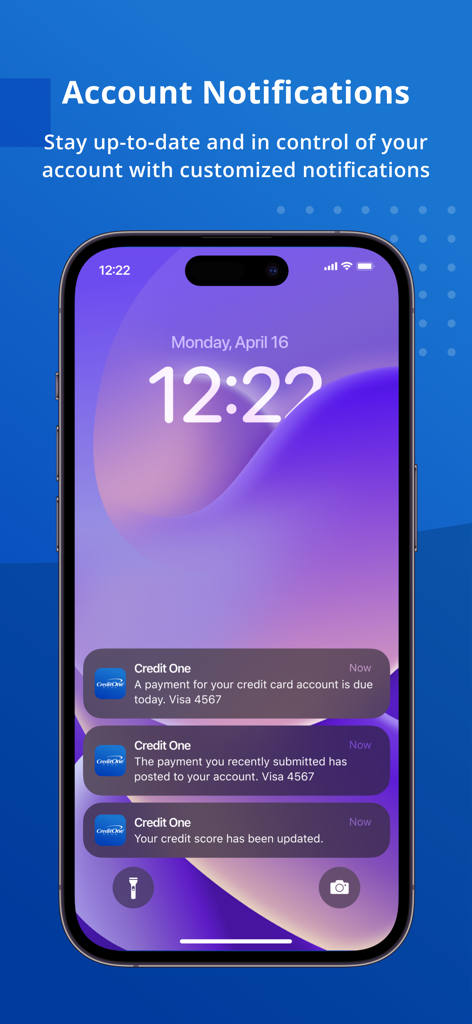
Credit One Bank app notifications on an iPhone lock screen showing payment due reminders and credit score updates
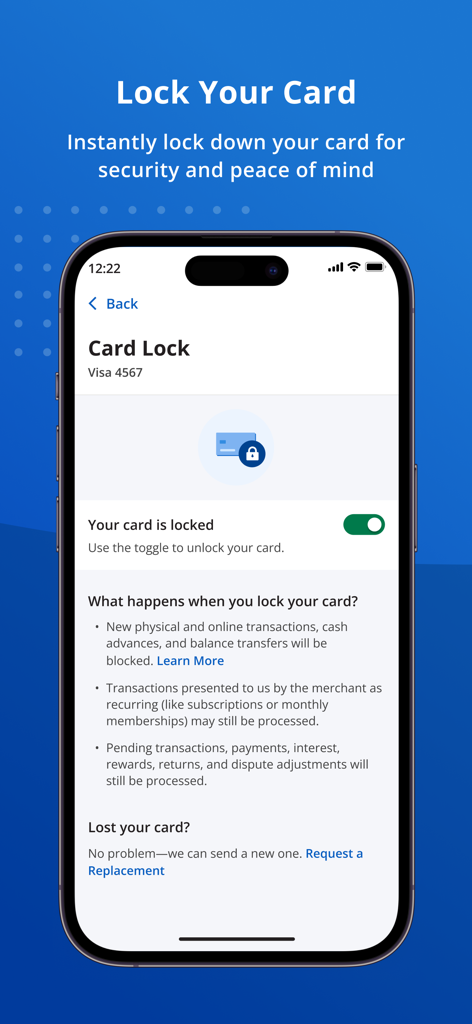
Interface of the Credit One Bank Mobile app showing the toggle to lock a credit card for security
Description
Download
More Like This
Apps with similar features and user experience

掌上生活-招商银行信用卡
CHINA MERCHANTS BANK CO.,LTD.

平安口袋银行-更懂您的智能银行
PingAn Bank

MySynchrony
Synchrony Financial

买单吧-交通银行信用卡
Bank of Communications

浦大喜奔-浦发银行信用卡
Shanghai Pudong Development Bank Co.Ltd

Bread Financial
Bread Financial Holdings, Inc.

丰收互联
Zhejiang Rural Commercial United Bank

CareCredit Mobile
Synchrony Financial

BonusFlaş
T. Garanti Bankasi A.S.
This page is not an official page of the app or its developer, but an independent editorial publication created for informational and commentary purposes. Unless expressly stated otherwise, neither the app nor its developer is affiliated with, endorsed by, sponsored by, authorized by, or otherwise officially connected with MWM, Apple, Google Play, the app publisher, or the app's developer, and nothing on this page implies that the app was developed using MWM's services. Any trademarks, logos, screenshots, and other content remain the property of their respective owners.