Currency - Exchange Rates
Download on App Store

This page is not an official page of the app or its developer, but an independent editorial publication created for informational and commentary purposes. Unless expressly stated otherwise, neither the app nor its developer is affiliated with, endorsed by, sponsored by, authorized by, or otherwise officially connected with MWM, Apple, Google Play, the app publisher, or the app's developer, and nothing on this page implies that the app was developed using MWM's services. Any trademarks, logos, screenshots, and other content remain the property of their respective owners.

Logo of Currency - Exchange Rates
Download on App Store

Currency - Exchange Rates

Track 150+ currencies, crypto, and metals with live charts. Convert instantly on your iPhone or Apple Watch—anywhere, even offline.

Key Figures

Downloads

125K+

User Rating

4.6/5

Total Ratings

2K+

Publisher

Raphael Odermatt

Category

Finance

Locales

6

Latest Version

4.9

Size

39.5 MB

First Released

Dec 4, 2013
Features

Master Your Money Anywhere

Stay ahead of the market with real-time rates for over 150 currencies, cryptocurrencies, and precious metals—even when you're off the grid.

Works Offline, No Roaming

Get instant conversions in remote markets or on planes without needing data. Avoid expensive roaming fees while staying in control.

Glanceable Wrist Conversions

Check rates and convert prices discreetly on your Apple Watch. Perfect for quick checks in crowded shops or busy streets.

The following screenshots and description are sourced directly from the app's official store listing and are the property of the app developer.

App Store

Screenshots
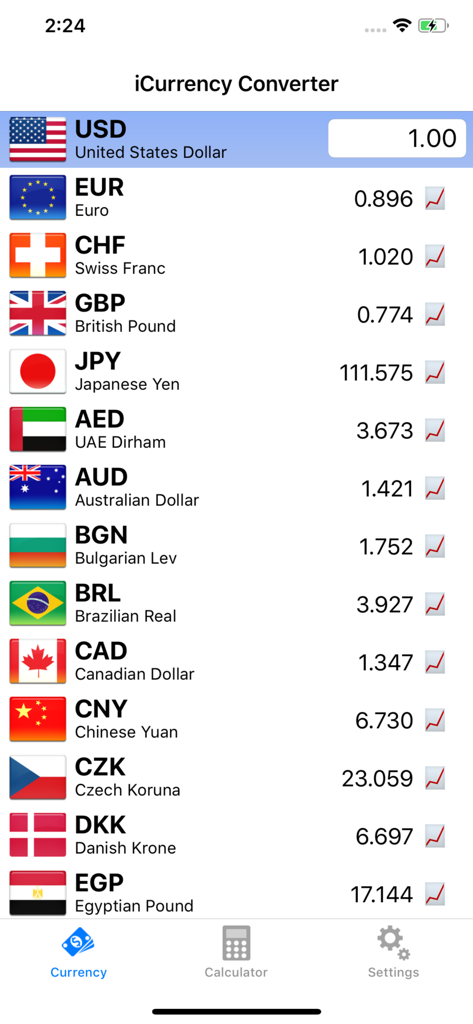
Currency - Exchange Rates - Screenshot of the iCurrency Converter app displaying a list of global exchange rates relative to the US Dollar
Screenshot of the iCurrency Converter app displaying a list of global exchange rates relative to the US Dollar

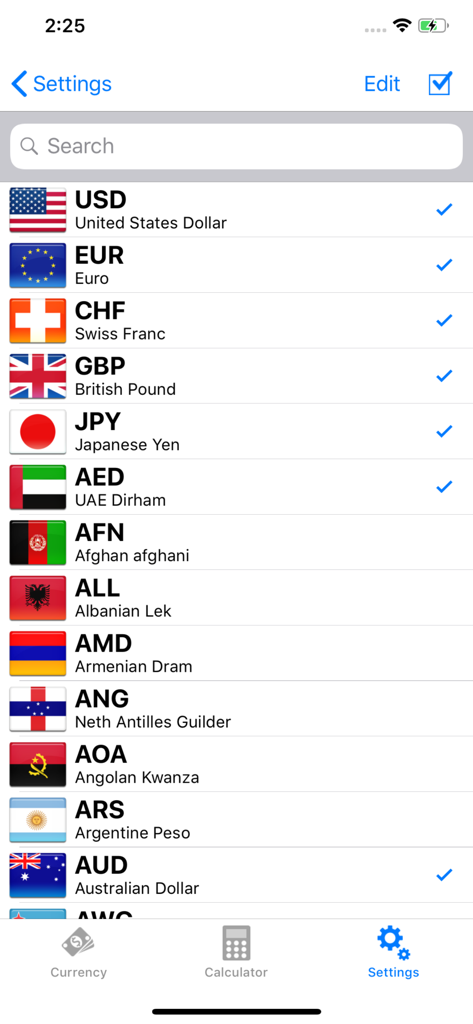
Currency - Exchange Rates - Settings menu showing a list of world currencies and flags to select for conversion
Settings menu showing a list of world currencies and flags to select for conversion

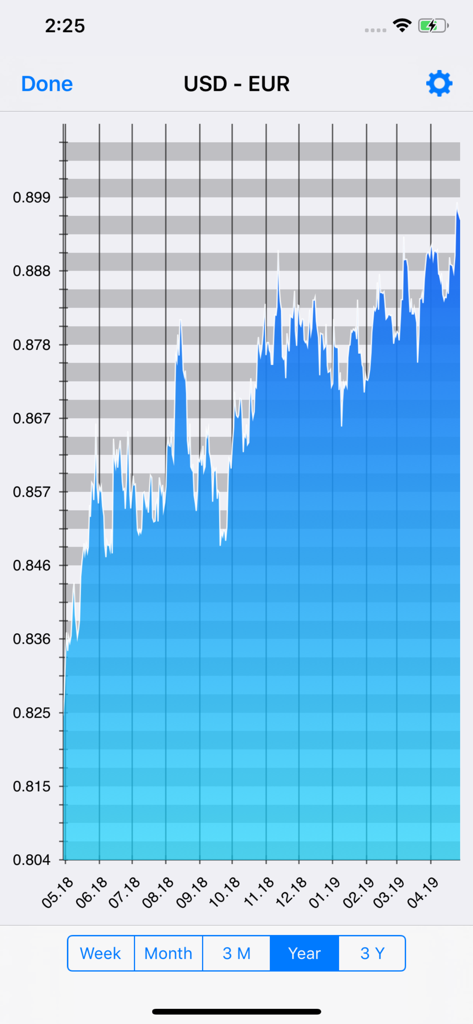
Currency - Exchange Rates - Historical currency exchange rate chart showing USD to EUR trends over one year
Historical currency exchange rate chart showing USD to EUR trends over one year

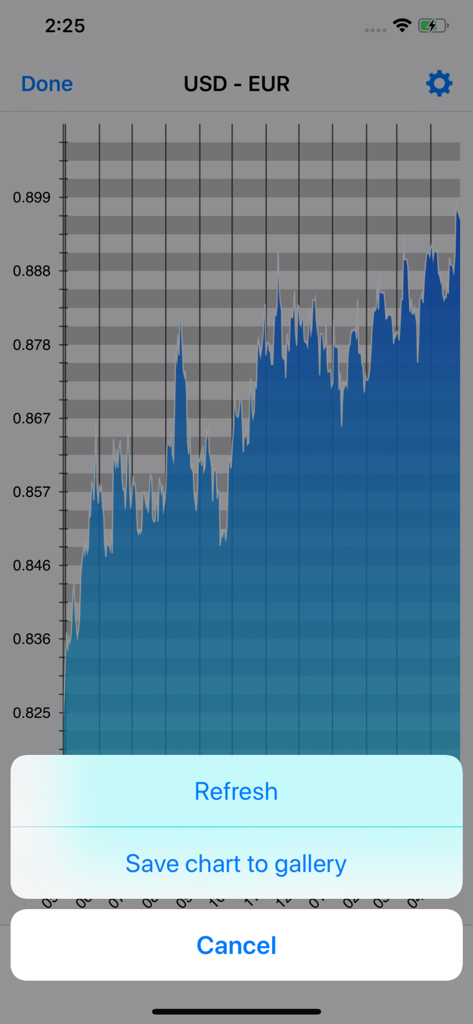
Currency - Exchange Rates - Historical exchange rate chart for USD to EUR with save and refresh options
Historical exchange rate chart for USD to EUR with save and refresh options

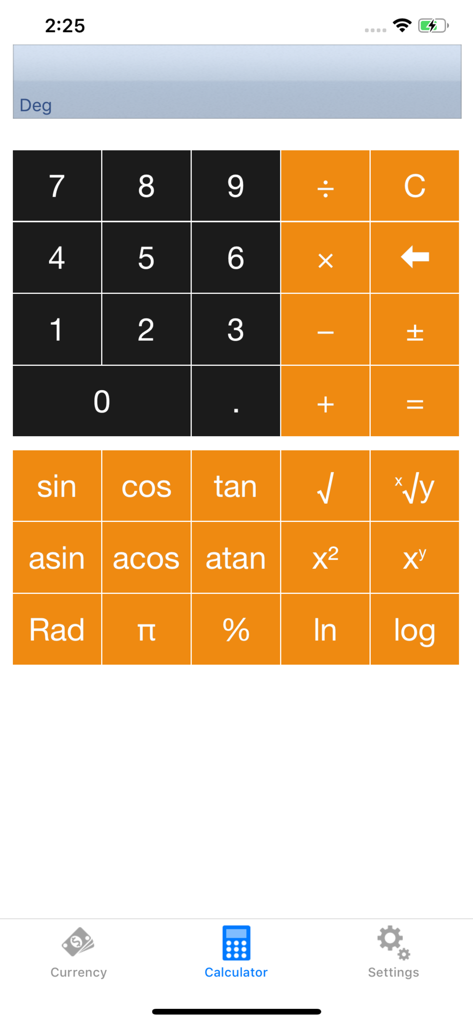
Currency - Exchange Rates - Scientific calculator screen of the Currency Exchange Rates app

Scientific calculator screen of the Currency Exchange Rates app

Description

Get a very popular and intuitive currency converter and access the latest exchange rates quickly and easily. The converter features exchange rates for over 150 countries and commodities. Create your personal currency list and have them a first glance, even offline. Use the built in calculator to verify all your business. We bring currency exchange rates to your Apple Watch. Access and convert currencies directly on your Watch. CURRENCY RATES AND CHARTS ● Major world currencies, crypto-currencies and precious metals (150+) ● Graphs for historical exchange rates (week, month, 3 months, year and 10 years) ● Push notifications ● Intuitive and efficient user interface ● Switch base currency with one click ● Export charts CALCULATOR ● Full featured built-in calculator ● Verify prices manually PERSONALIZE YOUR SETTINGS ● Configure your currency list ● Thresholds for notifications ● Set the precision you need OFFLINE ● Use without internet ● Access the rates from the latest update ● No roaming fees APPLE WATCH ● Convert on your Apple Watch CURRENCIES ● EUR, USD, CHF, GBP, JPY, AED, AFN, ALL, AMD, ANG, AOA, ARS, AUD, AWG, AZN, BAM, BBD, BDT, BGN, BHD, BIF, BMD, BND, BOB, BRL, BSD, BTN, BWP, BYR, BZD, CAD, CLP, CNY, COP, CRC, CUC, CUP, CVE, CZK, DJF, DKK, DOP, DZD, ECS, EEK, EGP, ERN, ETB, FJD, FKP, GHS, GIP, GMD, GNF, GTQ, GYD, HKD, HNL, HRK, HTG, HUF, IDR, ILS, INR, IQD, IRR, ISK, JMD, JOD, KES, KHR, KMF, KPW, KRW, KWD, KYD, KZT, LAK, LBP, LKR, LRD, LSL, LTL, LVL, LYD, MAD, MDL, MKD, MMK, MNT, MOP, MRO, MTL, MUR, MVR, MWK, MXN, MYR, MZN, NAD, NGN, NIO, NOK, NPR, NZD, OMR, PAB, PEN, PGK, PHP, PKR, PLN, PYG, QAR, RON, RSD, RUB, RWF, SAR, SBD, SCR, SDG, SEK, SGD, SHP, SIT, SKK, SLL, SOS, STD, SVC, SYP, SZL, THB, TND, TOP, TRY, TTD, TWD, TZS, UAH, UGX, UYU, VEF, VND, VUV, WST, XAF, XAG, XAL, XAU, XCD, XCP, XOF, XPD, XPF, XPT, YER, ZAR, ZMK, ZWD Available upgrades with subscriptions: * 'Advanced features': $0.49 per 6 months No ADs, Charts - Payment will be charged to iTunes Account at confirmation of purchase - Subscription automatically renews unless auto-renew is turned off at least 24-hours before the end of the current period - Account will be charged for renewal within 24-hours prior to the end of the current period, and identify the cost of the renewal - Subscriptions may be managed by the user and auto-renewal may be turned off by going to the user's Account Settings after purchase
 - Any unused portion of a free trial period, if offered, will be forfeited when the user purchases a subscription to that publication Privacy policy: https://www.bitcommander.ch/privacy-policy Terms of use: https://www.bitcommander.ch/terms-of-use-currencyconverter --------------------------------------------------------------- Thank you for all your feedback! If you miss something, let us know: info@bitcommander.ch ---------------------------------------------------------------

Download

Download on App Store

This page is not an official page of the app or its developer, but an independent editorial publication created for informational and commentary purposes. Unless expressly stated otherwise, neither the app nor its developer is affiliated with, endorsed by, sponsored by, authorized by, or otherwise officially connected with MWM, Apple, Google Play, the app publisher, or the app's developer, and nothing on this page implies that the app was developed using MWM's services. Any trademarks, logos, screenshots, and other content remain the property of their respective owners.








