Cymera

Cymera

Download on App Store
Logo of Cymera

Cymera: The All-in-One Beauty Camera for Your Perfect Aesthetic

Master your social media feed with professional retouching, instant body shaping, and 130+ exclusive filters. Join 200 million creators and get that natural-looking glow effortlessly.

Publisher

NATE Communications Corporation

Category

Photo & Video

Downloads

8M+

User Rating

2.7/5

Total Ratings

8K+

Locales

13

Your Aesthetic, Perfected

Discover the interface used by 8M+ users.
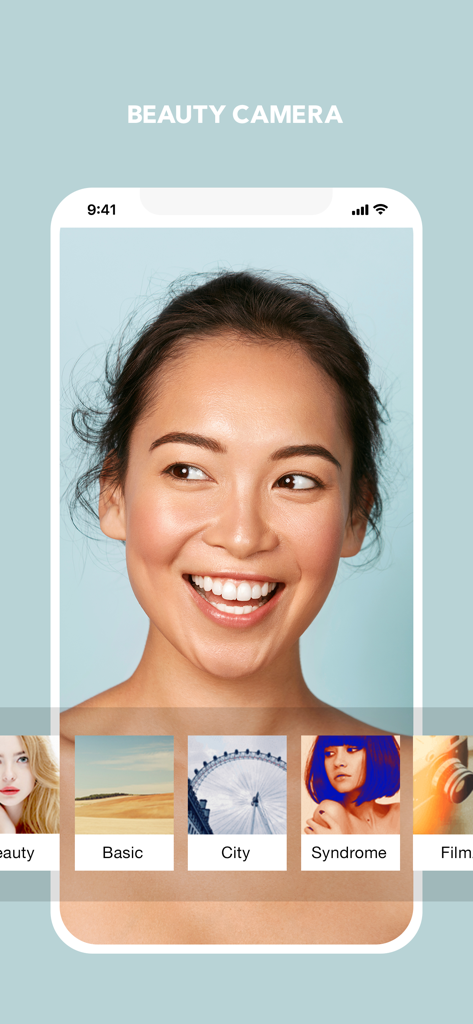
A smiling woman using the Cymera beauty camera app with various filter options at the bottom.

A smiling woman using the Cymera beauty camera app with various filter options at the bottom.

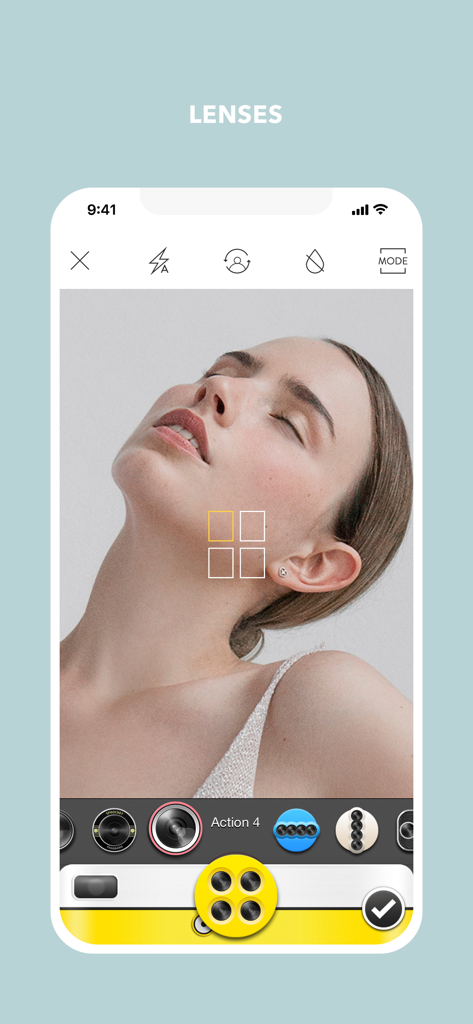
Smartphone screen showing Cymera app camera lenses and multi shot mode

Smartphone screen showing Cymera app camera lenses and multi shot mode

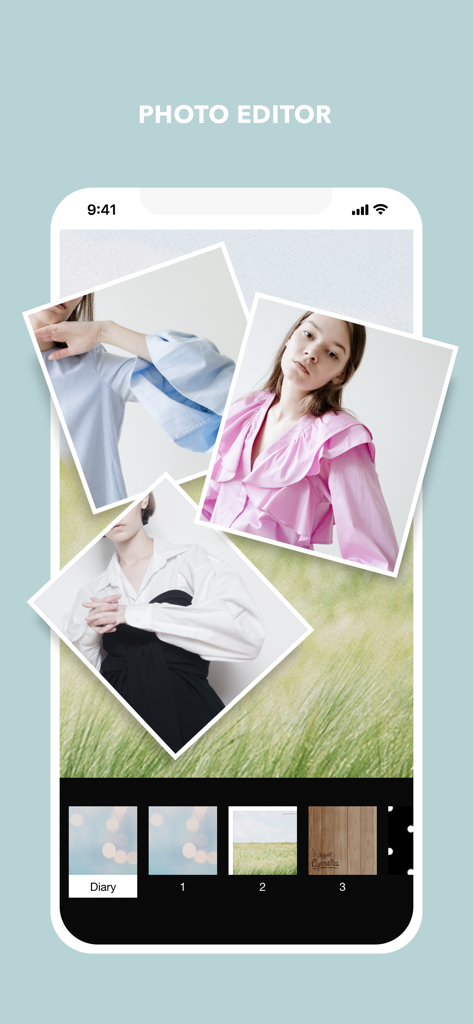
Cymera mobile app interface showcasing a photo collage and editing tools.

Cymera mobile app interface showcasing a photo collage and editing tools.

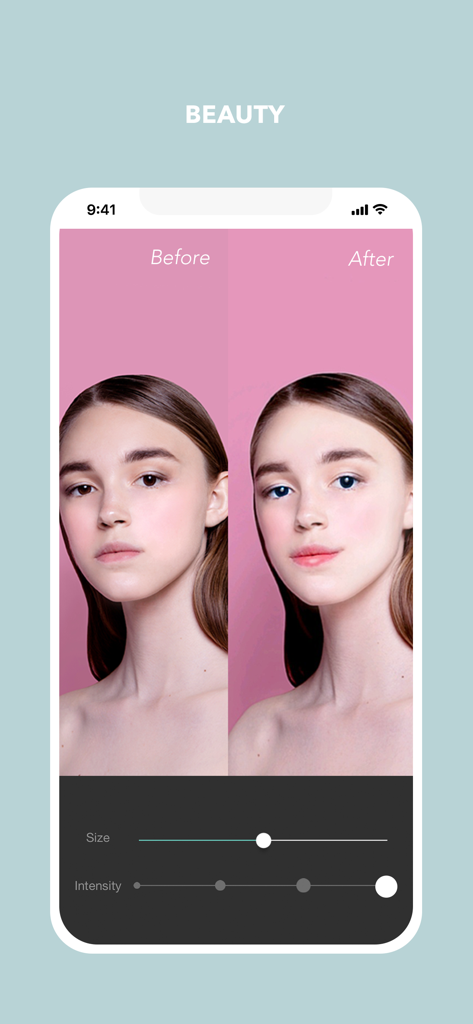
Before and after comparison of face retouching and beauty filters in the Cymera photo editor app

Before and after comparison of face retouching and beauty filters in the Cymera photo editor app

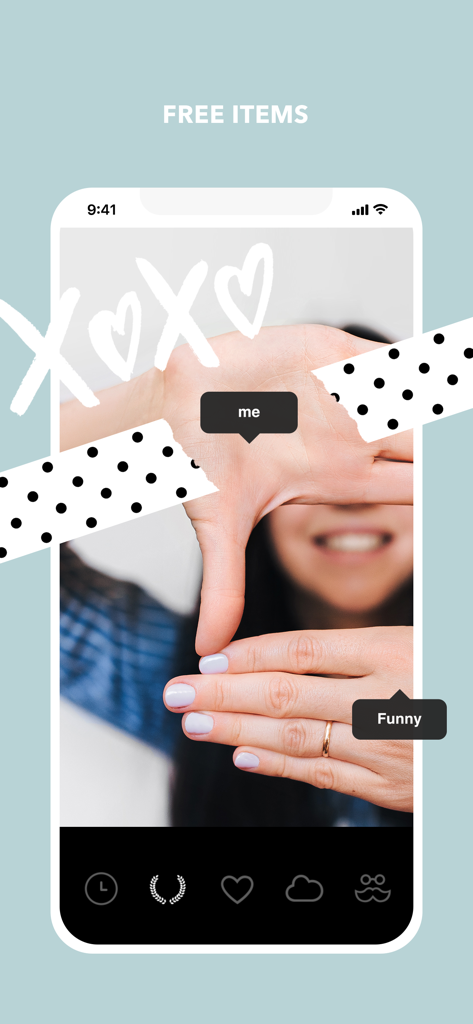
Cymera photo editor interface showing free stickers and decorative items

Cymera photo editor interface showing free stickers and decorative items

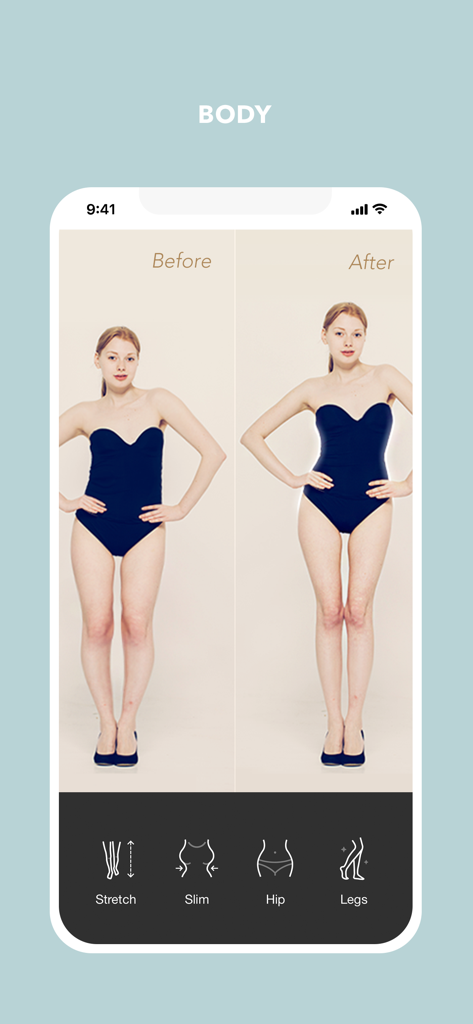
Before and after comparison of body shaping features in the Cymera app including waist slimming and leg stretching

Before and after comparison of body shaping features in the Cymera app including waist slimming and leg stretching

Level Up Your Aesthetic

The tools that make this app stand out, trusted by 8M+ users.

Natural Glow & Pro Filters

Achieve the 'Clean Girl' aesthetic with 130+ professional filters and 5-step skin softening for a flawless look that never looks over-edited.

Precision Body Sculpting

Shape your dream silhouette instantly with easy-to-use tools to slim your waist, lift your hips, and lengthen legs for the perfect InstaFit post.

🤳

All-in-One Social Studio

From silent shutter mode for discreet selfies to no-crop InstaFit layouts, get everything you need to dominate your feed without switching apps.

About the app

Everything you need to know about Cymera.

Description

With 200 million users worldwide, Cymera is a powerful editor and an all-in-one beauty camera. ■ Best For a Natural-Looking Glow! - The most professional beauty tools! (slim, softening) - 5 steps to find your perfect skin makeover - Apply hundreds of amazing selfie filters & effects + Meet the smart selfie camera to look exceptional without hassle! ■ Professional Filters For Fabulous Results! - Perfect instant selfies with 130 different filters - Special effects to make your pictures pop! - Create your own collection of favorite filters + Download popular packages like Selfie, Nation, Icecream, and more for free! ■ Variety of Camera Lenses and Silent Mode - 7 different and fascinating camera lenses (Divided lenses/FishEye/Lomo and more) - Anti-shake, timer, touch shooting, out-focusing options - Silent mode to shoot wherever you want without disturbing others - Bluetooth connection is available for selfie sticks with remote ■ Collage and No Crop InstaFit Features - Different types of grid to combine photos (up to 9 photos) into one - Blurred background with a simple touch + Share your favorite looks for Snapchat follows, Instagram likes, Facebook and your favorite social networks. ■ Retouch Your Photos Instantly Without Photoshop - Automatic face recognition (enlarge eyes/smile/slim) - Liquify, skin corrections (brightening, whitening, concealers) - 200 kinds of natural hair and makeup items ■ Shape your dream body with new features! - New body shaping function - Easy function to slim your waist - The best photo editor to lift your hip - No more bow legs. Get a sexy, shaped legs in few seconds! ■ Super Easy and Fast Editing Tools - Brightness/contrast/mosaic/crop/rotate and more - Extraordinary effects such as filters/lights/borders/vignette - High quality resolution for clean and clear photos - 15 different designs of watermark - Advanced red eye removal function - Add a stunning art effects with color splash function ■ Upgrade Photos with Unique Items - Trendy stickers, animal masks, beauty filters, light effects, frames - Brush items for hand writings and drawings - Variety of fonts in text feature - Face pop and meme ■ Sharing Photos and Smart Gallery - Organize photos by date, location, selfies, etc. - Now you can set your edited photos as wallpaper - Edit photos taken by ‘Photo Wonder, Beauty Plus, Candy Camera, Camera360, Aillis, B612, Makeup Plus, Picsart, VSCO, Moldiv’ and other camera apps - Share photos also on ‘Kakao Story, Facebook, Instagram, Tumblr, Twitter, Band’ and other socials - Send photos to friends on ‘KakaoTalk, Line, Whatsapp, Snapchat, Telegram' and other instant messengers ■ Language Support - Korean, English, Spanish, German, Japanese, Chinese (traditional and simplified), Thai, Portuguese, Russian, Indonesian, Turkish, and Vietnamese. Get the lastest news and recent events of Cymera. Facebook: http://www.facebook.com/CymeraApp Instagram: @Cymera_official Cymera listens to your suggestions and opinions. Customer Service: help@cymera.com Send suggestions/opinions: Cymera>Settings>Feedback Thank you for using Cymera. :)

Latest Version

4.5.2

Size

207.3 MB

First Released

Sep 7, 2012

Ready to Own Your Glow?

Join over 200 million creators and get the all-in-one beauty camera designed for your perfect aesthetic. Professional retouching, body shaping, and flawless filters are just a tap away.

Download on App Store
FAQ

Frequently Asked Questions

Everything you need to know about Cymera

What beauty tools does Cymera offer for photos?

Cymera provides professional beauty tools for natural-looking enhancements, including slim and softening features. It offers a 5-step skin makeover process and hundreds of selfie filters and effects for optimal results.

Does Cymera have selfie filters?

Yes, Cymera includes hundreds of amazing selfie filters and effects. It features a smart selfie camera designed to make users look exceptional without requiring extensive manual adjustments.

How many filters are available in Cymera?

Cymera features 130 different filters for instant selfies. Users can also download additional popular filter packages for free, such as Selfie, Nation, and Icecream, and create custom collections of favorites.

Does Cymera include different camera lenses?

Yes, Cymera offers 7 different camera lenses, including Divided lenses, FishEye, and Lomo. It also provides anti-shake, timer, touch shooting, and out-focusing options for varied photography.

Does Cymera have a silent camera mode?

Yes, Cymera features a silent mode, enabling users to capture photos discreetly without disturbing others. This mode is available alongside other camera options like anti-shake and timer.

Can I use a selfie stick with Cymera?

Yes, Cymera supports Bluetooth connection for selfie sticks equipped with a remote. This feature allows for convenient remote photo capture, enhancing the user's photography experience.

How do I create a photo collage in Cymera?

Cymera enables users to create photo collages by combining up to 9 photos using various grid types. It also provides a blurred background option with a simple touch for enhanced collage aesthetics.

Can Cymera automatically retouch photos?

Yes, Cymera automatically retouches photos using face recognition. It can enlarge eyes, enhance smiles, and slim faces, along with offering liquify, skin corrections, and 200 hair/makeup items.

Does Cymera have body shaping tools?

Yes, Cymera provides new body shaping functions. Users can easily slim their waist, lift hips, and reshape legs, including correcting bow legs, to achieve their desired body shape instantly.

What editing tools are available in Cymera?

Cymera offers easy and fast editing tools such as brightness, contrast, mosaic, crop, and rotate. It also includes filters, lights, borders, vignette effects, watermarks, red-eye removal, and color splash.

Can I add stickers to photos in Cymera?

Yes, Cymera allows users to upgrade photos with various items including trendy stickers, animal masks, beauty filters, light effects, and frames. It also supports brush items for drawings and custom text with different fonts.

Can Cymera edit photos from other camera apps?

Yes, Cymera can edit photos originally taken by other camera apps like Photo Wonder, Beauty Plus, Candy Camera, and Picsart. It also enables organizing photos and setting edited images as wallpaper.

What social media platforms can I share Cymera photos to?

Cymera supports sharing photos to various social networks such as Facebook, Instagram, Twitter, Tumblr, and Kakao Story. Users can also send photos via instant messengers like WhatsApp and Snapchat.

What languages does Cymera support?

Cymera supports multiple languages, including Korean, English, Spanish, German, Japanese, Chinese (traditional and simplified), Thai, Portuguese, Russian, Indonesian, Turkish, and Vietnamese.

How do I contact Cymera customer service?

Users can contact Cymera customer service at help@cymera.com. Suggestions and opinions can also be submitted directly through the app via the path: Cymera > Settings > Feedback.

App information, icons, screenshots, and descriptions displayed on this page are sourced from the Apple App Store and are the property of their respective developers. Download estimates and rankings are based on MWM's proprietary models and may not reflect actual figures. This page is provided for informational and analytical purposes only.

Believe this page infringes your intellectual property? File a dispute