Deep Cleaner:AI Clean Up

Deep Cleaner:AI Clean Up


Download on App Store
Logo of Deep Cleaner:AI Clean Up

Deep Cleaner: AI Clean Up — Reclaim Your iPhone Storage with Intelligent Precision

Stop the "Storage Almost Full" alerts. Effortlessly delete blurry photos, find similar bursts, and compress large videos using AI, or swipe through your gallery to declutter in seconds.

Publisher

Mai Linh Truong

Category

Productivity

Downloads

316K+

User Rating

4.3/5

Total Ratings

3K+

Locales

17

Storage Freedom, Visualized

Discover the interface used by 316K+ users.
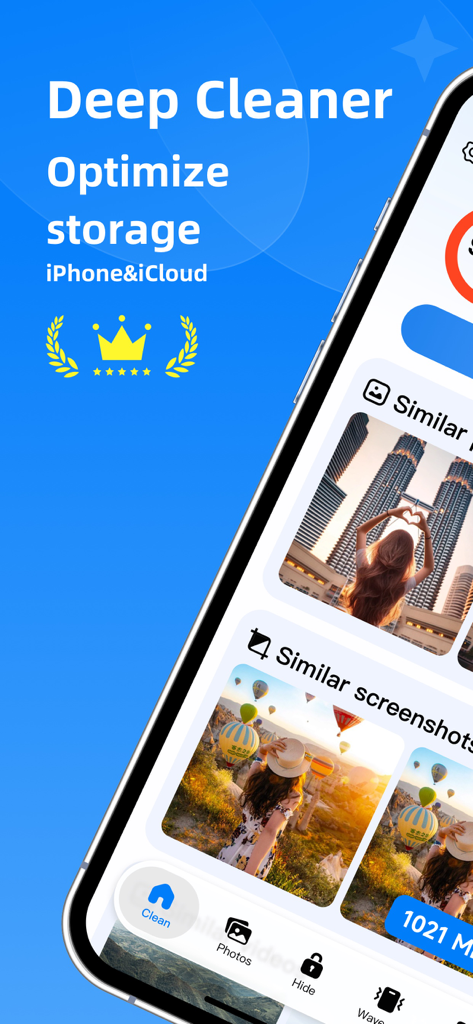
Deep Cleaner app interface showing how to optimize iPhone storage by identifying similar photos and screenshots

Deep Cleaner app interface showing how to optimize iPhone storage by identifying similar photos and screenshots

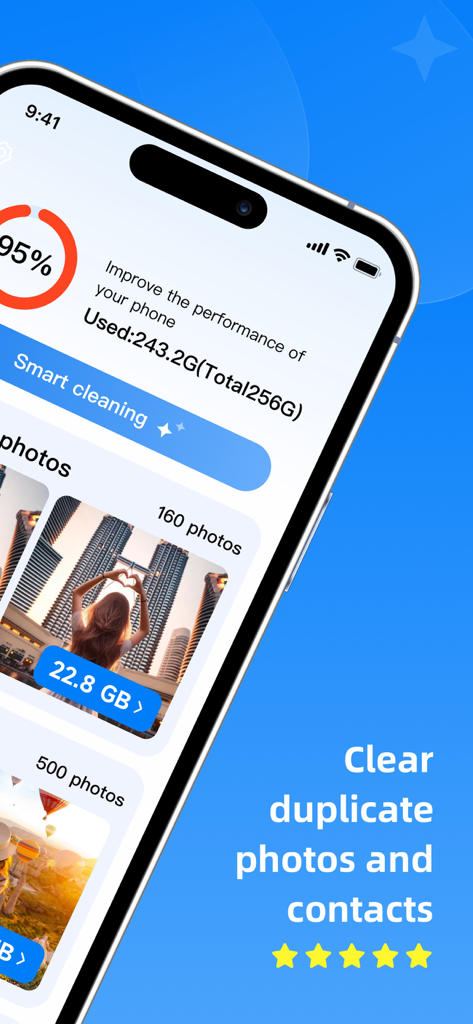
Smartphone screen showing Deep Cleaner app interface with storage status at 95 percent full and a smart cleaning button for photos and contacts

Smartphone screen showing Deep Cleaner app interface with storage status at 95 percent full and a smart cleaning button for photos and contacts

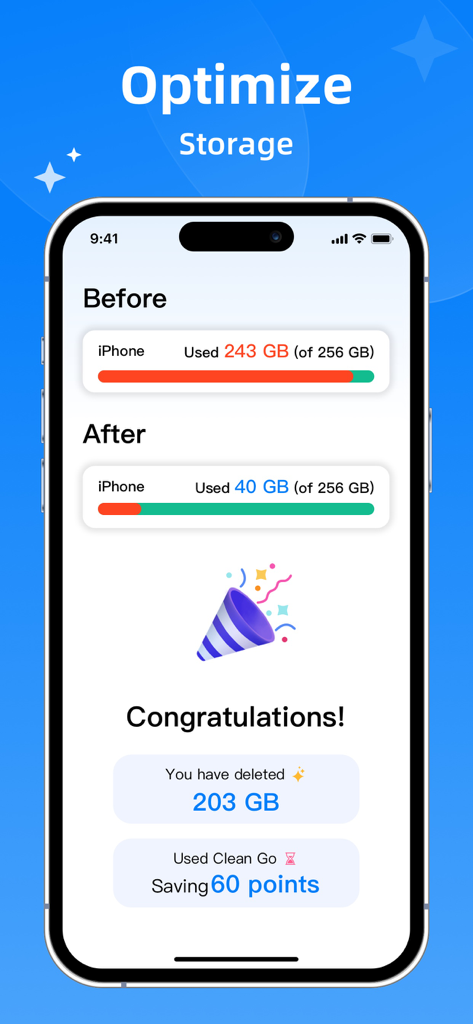
A comparison of iPhone storage usage before and after using Deep Cleaner showing 203 GB of space freed up

A comparison of iPhone storage usage before and after using Deep Cleaner showing 203 GB of space freed up

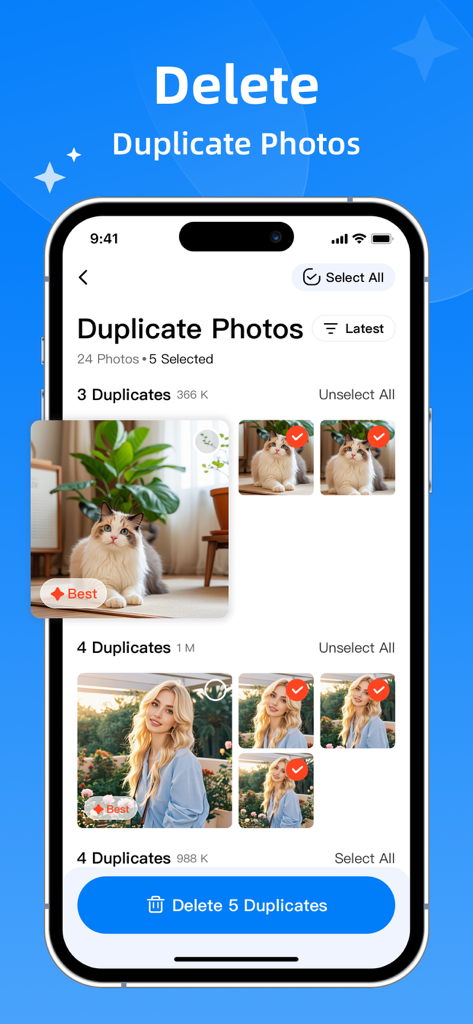
Deep Cleaner app interface showing AI identifying and selecting duplicate cat and portrait photos for deletion on an iPhone

Deep Cleaner app interface showing AI identifying and selecting duplicate cat and portrait photos for deletion on an iPhone

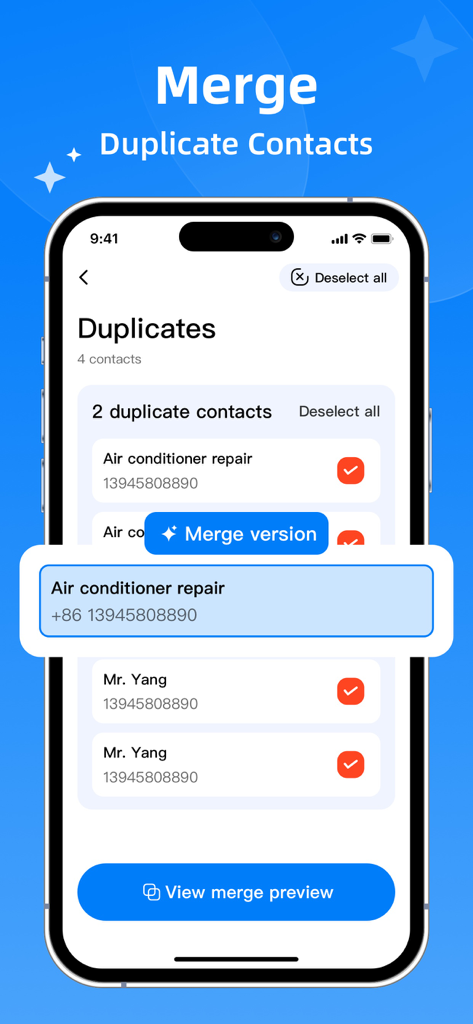
Interface of Deep Cleaner app showing how to merge duplicate phone contacts on an iPhone

Interface of Deep Cleaner app showing how to merge duplicate phone contacts on an iPhone

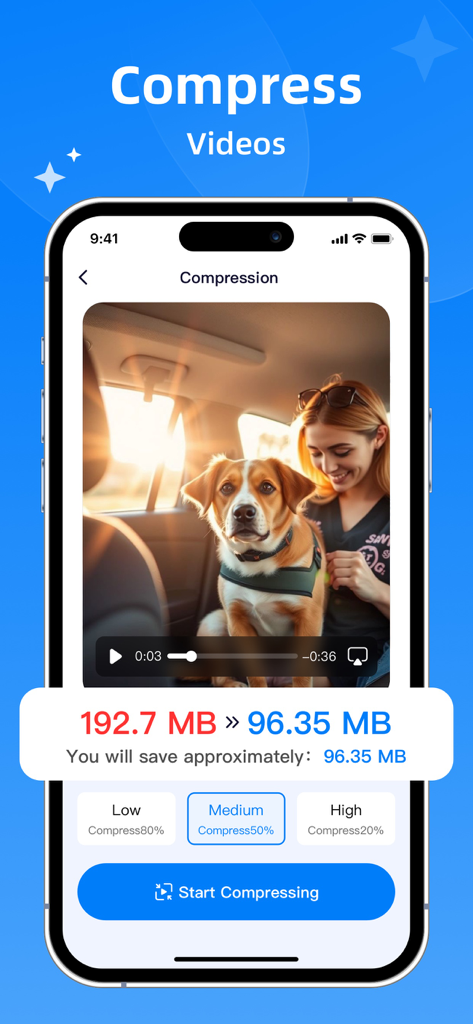
Deep Cleaner app interface showing video compression to save phone storage

Deep Cleaner app interface showing video compression to save phone storage

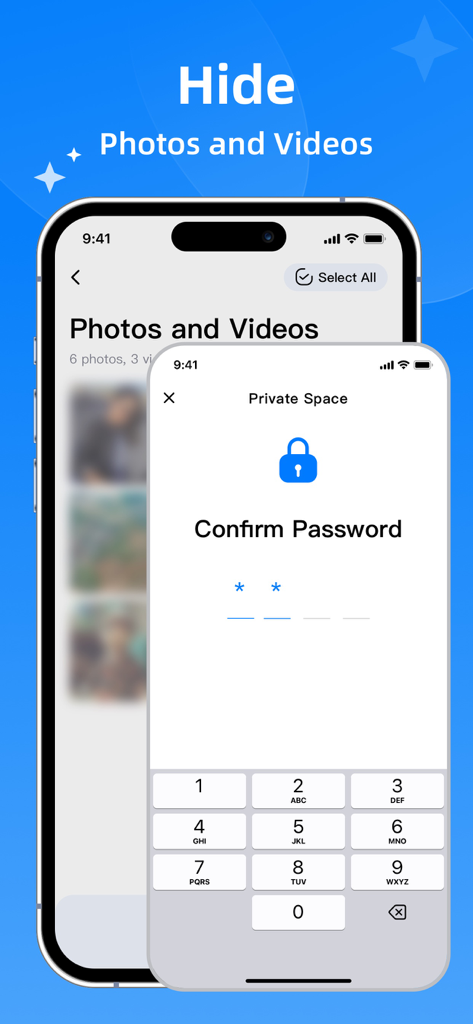
iPhone screen showing the password protected private space feature in the Deep Cleaner app for hiding photos and videos

iPhone screen showing the password protected private space feature in the Deep Cleaner app for hiding photos and videos

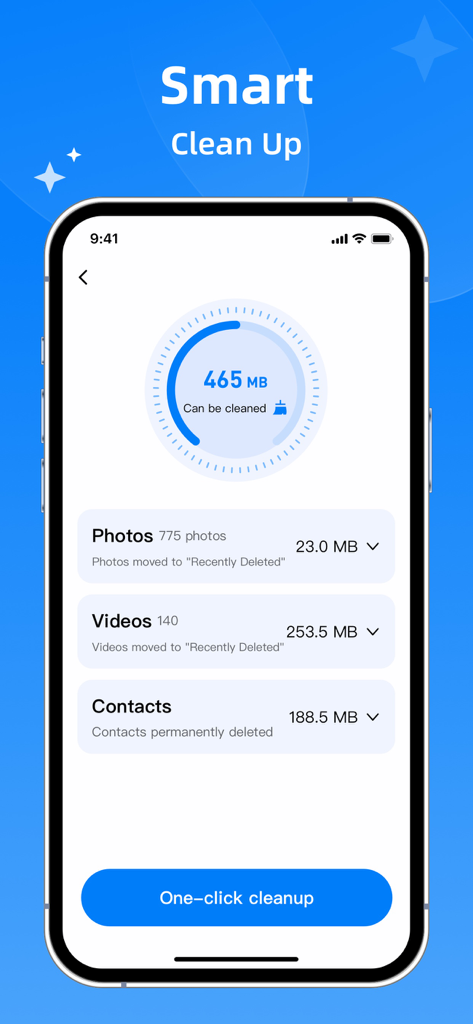
Deep Cleaner app interface showing a smart cleanup dashboard with one click storage optimization for photos videos and contacts

Deep Cleaner app interface showing a smart cleanup dashboard with one click storage optimization for photos videos and contacts

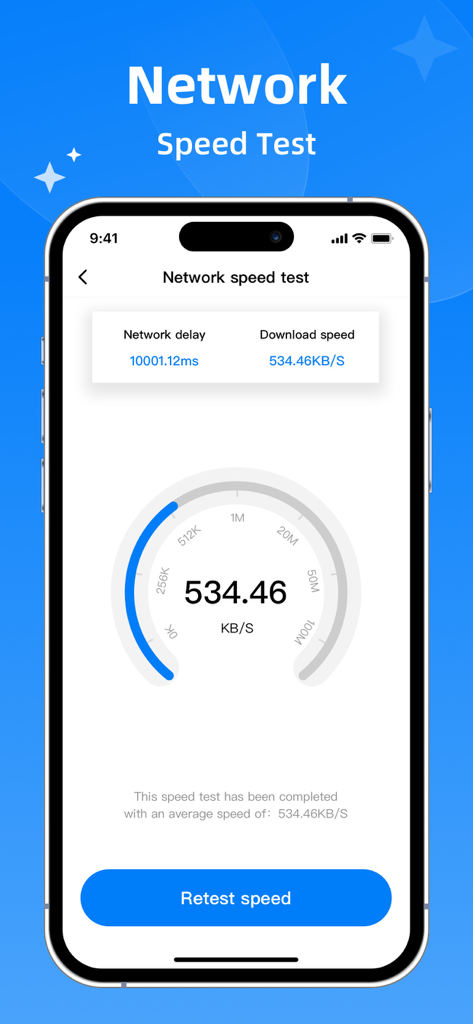
iPhone screen showing a network speed test feature within the Deep Cleaner app

iPhone screen showing a network speed test feature within the Deep Cleaner app

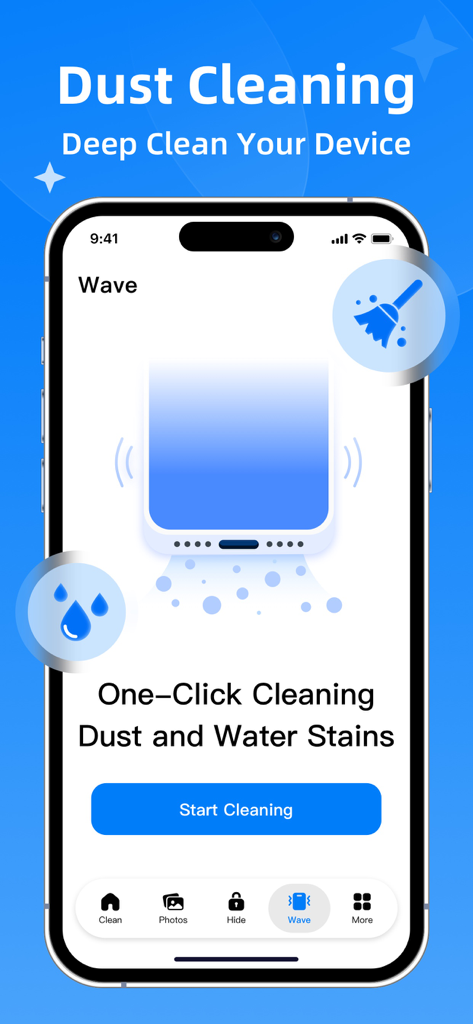
Deep Cleaner app interface showing the speaker dust and water stain cleaning feature

Deep Cleaner app interface showing the speaker dust and water stain cleaning feature

Stop the Storage Struggle

The tools that make this app stand out, trusted by 316K+ users.

🧠

AI-Powered Smart Culling

Our AI instantly identifies blurry shots, duplicates, and burst photos, keeping only your best memories and deleting the rest.

👆

Fun Swipe-to-Clean

Turn chores into a game. Swipe left to delete and right to keep, making it easy to declutter your gallery while you wait in line.

🔒

Secure Private Vault

Move sensitive photos and videos into a local encrypted space that only you can access. Your privacy, fully protected.

About the app

Everything you need to know about Deep Cleaner:AI Clean Up.

Description

Easily manage your phone's photo albums, videos, and contacts. Free up more storage space. Easily perform the following operations: • Image Cleanup: Quick Cleanup -Swipe left or right to switch between images -Swipe up to delete unwanted images Blurred Images/Screenshots -Intelligently detects blurred images and screenshots Similar Photos/Burst Photos - Intelligently identify similar images and burst photos - Intelligently select the best images to keep Video Cleanup: Large Video Cleanup View and identify all video files on your phone Screen Recording Intelligently identify screen recordings on your phone for quick management Low-quality Videos Identify blurry videos on your phone for batch management • Contact Cleanup: Contact Identification Identify contacts on your device for quick filtering and viewing. Manage contacts in batches to quickly manage phone storage. • Video or Image Compression Intelligent compression technology efficiently frees up storage space without sacrificing clarity. Compress both videos and images. • Private Space Local encryption allows you to lock away sensitive data for privacy protection. All access permissions are granted by you. Photos, contacts, and videos can all be stored in a dedicated encrypted space, visible only to you. • Sensitivity Settings Unique support for intelligent sensitivity settings for album content recognition, allowing you to quickly find the images and videos you're looking for. If you have any questions, suggestions, or just want to say hello, please contact us at qinglidashi123@gmail.com. This will help us provide you with a better user experience and update our products. Privacy Policy: https://sites.google.com/view/clean-privacy/%E9%A6%96%E9%A1%B5#h.mkgj6c6453u2 User Agreement: https://sites.google.com/view/clean-terms-of-service/%E9%A6%96%E9%A1%B5#h.4v3xm9mmw4zl

Latest Version

1.7.1

Size

65.6 MB

First Released

Sep 1, 2020

Ready to Fix Your 'Storage Almost Full' Problem?

Join 316,000+ iPhone users who declutter in seconds. Let AI find your duplicates and blurry shots while you keep the memories that matter.

Download on App Store
FAQ

Frequently Asked Questions

Everything you need to know about Deep Cleaner:AI Clean Up

What is Deep Cleaner:AI Clean Up?

Deep Cleaner:AI Clean Up is an application designed to manage phone albums, videos, and contacts. It frees up storage space by offering cleaning, compression, and privacy protection features.

How does Deep Cleaner:AI Clean Up clean photos?

Deep Cleaner:AI Clean Up cleans photos via Quick Cleanup, blurred image detection, and identification of similar or burst photos. It intelligently selects the best images to retain, optimizing your gallery.

Can Deep Cleaner:AI Clean Up manage large videos?

Yes, Deep Cleaner:AI Clean Up manages large video files, screen recordings, and low-quality videos. It identifies these files for efficient viewing and batch cleanup, optimizing video storage.

Does Deep Cleaner:AI Clean Up help manage contacts?

Yes, Deep Cleaner:AI Clean Up assists with contact management. It identifies contacts for quick filtering, viewing, and batch management, helping to efficiently organize and free up phone storage.

Can Deep Cleaner:AI Clean Up compress videos and images?

Yes, Deep Cleaner:AI Clean Up can compress both videos and images. It employs intelligent compression technology to effectively reduce file sizes and free up storage without sacrificing clarity.

Does Deep Cleaner:AI Clean Up offer a private space for sensitive data?

Yes, Deep Cleaner:AI Clean Up offers a Private Space with local encryption. This feature allows users to lock away sensitive photos, contacts, and videos, ensuring they are visible only to the user.

What are the Sensitivity Settings in Deep Cleaner:AI Clean Up?

Deep Cleaner:AI Clean Up includes intelligent sensitivity settings for album content recognition. This unique feature helps users quickly locate specific images and videos within their albums.

How much storage can Deep Cleaner:AI Clean Up save?

Deep Cleaner:AI Clean Up demonstrates significant storage optimization. For example, it can reduce used iPhone space from 243 GB to 40 GB, achieving a saving of 203 GB.

Does Deep Cleaner:AI Clean Up include a network speed test?

Yes, Deep Cleaner:AI Clean Up includes a network speed test feature. Users can access this to check their current network delay and download speed directly within the application.

Does Deep Cleaner:AI Clean Up provide physical dust removal for devices?

No, Deep Cleaner:AI Clean Up's 'Dust Cleaning' is a software function, not for physical dust removal. It provides 'One-Click Cleaning Dust and Water Stains,' likely utilizing sound waves to clear speaker grime.

App information, icons, screenshots, and descriptions displayed on this page are sourced from the Apple App Store and are the property of their respective developers. Download estimates and rankings are based on MWM's proprietary models and may not reflect actual figures. This page is provided for informational and analytical purposes only.

Believe this page infringes your intellectual property? File a dispute