
This page is not an official page of the app or its developer, but an independent editorial publication created for informational and commentary purposes. Unless expressly stated otherwise, neither the app nor its developer is affiliated with, endorsed by, sponsored by, authorized by, or otherwise officially connected with MWM, Apple, Google Play, the app publisher, or the app's developer, and nothing on this page implies that the app was developed using MWM's services. Any trademarks, logos, screenshots, and other content remain the property of their respective owners.


Cleanup: Phone Storage Cleaner
Your phone is overrun. This app arms users with the decisive power to purge digital waste and reclaim critical space.
Downloads
50M+User Rating
Total Ratings
2.0MPublisher
Category
UtilitiesLocales
18Latest Version
6.12.0Size
195.2 MBFirst Released
Dec 5, 2020Key Features: Cleanup: Phone Storage Cleaner
An Analytical Overview for iPhone Users
Duplicate Media Detection
The app intelligently detects and allows users to remove duplicate and similar photos and videos, freeing up significant space in the camera roll.
Offline & Private Data Handling
This tool ensures user data remains private by operating entirely offline, with no files leaving the device and no tracking, guaranteeing full data protection.
One-Tap Storage Optimization
It allows users to quickly free up storage by identifying and removing various types of unnecessary files, including similar screenshots and junk, with a single tap.
High-Quality Video Compression
This tool enables users to compress large video files without significant loss of quality, preserving memories while optimizing device storage.
User-Controlled Deletion Review
The app provides a final review screen before any content is permanently deleted, ensuring users maintain full control and preventing accidental removal of important files.
Intelligent Email Cleaner
It helps users declutter their inbox by highlighting and removing promotional, spam, and unread emails efficiently.
Efficient Contacts Cleanup
This tool allows users to merge duplicate contacts and remove incomplete or unused entries, keeping their address book organized.
Secure Personal Content Vault
It provides a PIN-protected 'Secret Space' where users can securely hide personal photos and videos, accessible only by them.
Frequently Asked Questions
Everything you need to know about Cleanup: Phone Storage Cleaner
What does the Cleanup: Phone Storage Cleaner app do?
The Cleanup app cleans your iPhone and optimizes storage by removing duplicate photos, videos, junk emails, and unused contacts. It also offers video compression, charging animations, and a private vault.
Can the Cleanup app optimize my iPhone storage?
Yes, the Cleanup app helps you optimize storage. It identifies and removes duplicate photos, similar videos, large files, and unwanted emails, freeing up significant space on your iPhone with one tap.
How does Cleanup remove duplicate photos and videos?
Cleanup instantly detects and deletes duplicate photos, similar images, and screenshots. It also removes large and lookalike videos, allowing you to review all selections before final deletion.
Can Cleanup help clean up my email inbox?
Yes, Cleanup features an Email Cleaner to declutter your inbox. It highlights and removes promotional, spam, and unread emails, clearing out junk with one tap.
Does Cleanup organize phone contacts?
Yes, Cleanup includes a Contacts Cleanup feature. It merges duplicate contacts and removes incomplete or unused entries, helping you keep your address book organized.
Can I compress videos with the Cleanup app?
Yes, Cleanup allows you to compress large video files with minimal quality loss. You select specific videos and choose compression levels to save storage space without deleting memories.
Is Cleanup private and safe to use with my data?
Yes, Cleanup is private and safe. It operates offline, requiring no internet connection, and no files leave your phone. The app ensures privacy with no tracking or data misuse.
Does Cleanup offer a free trial period?
Yes, Cleanup offers a 7-day free trial with unlimited access to all features. After the trial, the account automatically renews based on the annual subscription plan.
How do I cancel my Cleanup app subscription?
You cancel your Cleanup subscription directly from your iPhone by going to Settings, tapping your name, then Subscriptions. Turn off auto-renewal at least 24 hours before the current period ends.
Does Cleanup have a feature to hide private photos and videos?
Yes, Cleanup includes a "Secret Space" feature. This allows you to hide personal photos and videos in a secure, PIN-protected vault, ensuring only you can access them.
The following screenshots and description are sourced directly from the app's official store listing and are the property of the app developer.
App Store
Screenshots

App Overview & Recognition
See the app's trusted recognition by Apple and its 70M+ user base, highlighting its comprehensive cleaning capabilities for storage, phone, and email.
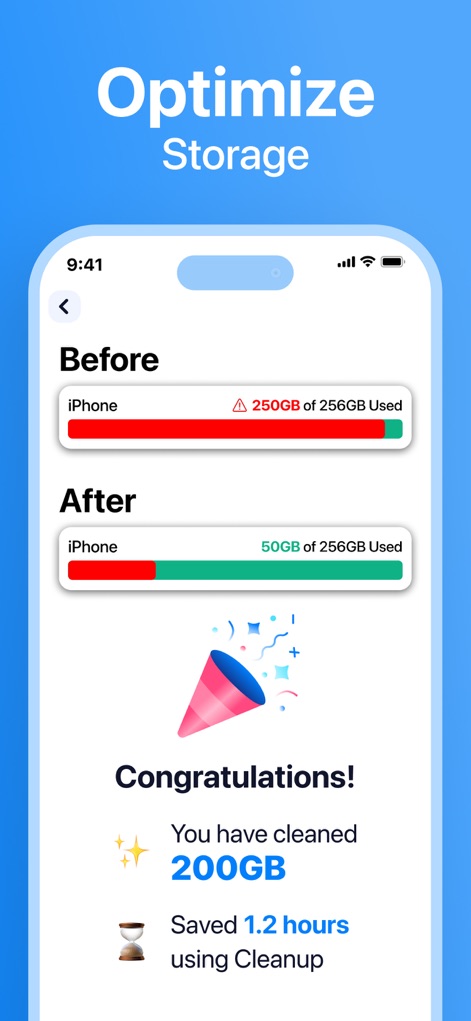
Instant Storage Optimization
Witness the dramatic 'Before' and 'After' storage bars, demonstrating how users can instantly clean hundreds of gigabytes and view their savings.

Smart Photo Declutter
Observe the intelligent grouping of duplicate photos with the 'Best Photo' indicator and the clear display of total storage saved from similar images.
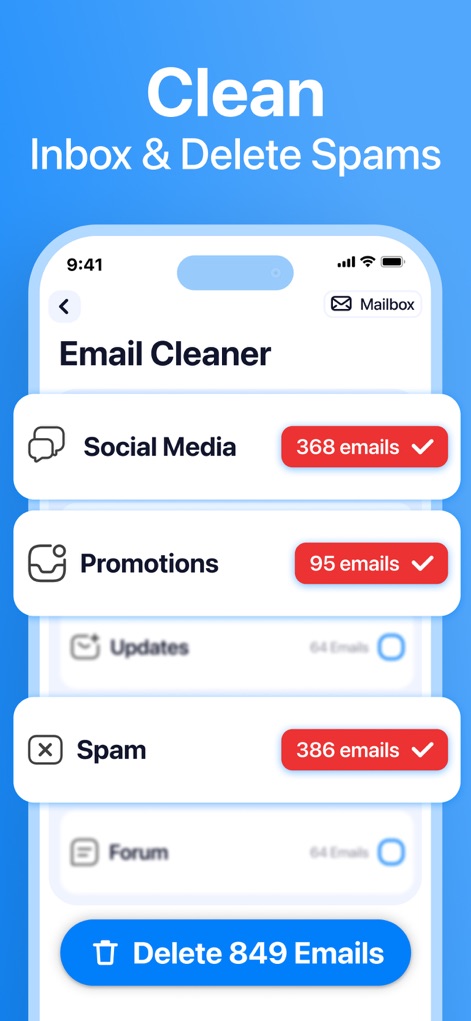
Effortless Email Cleanup
Explore how the app categorizes emails into sections like 'Social Media' and 'Spam' with associated counts, making bulk deletion simple.

Manage Subscriptions Easily
Users can effortlessly choose to 'Keep' or 'Unsubscribe' from email senders, ensuring their inbox remains clutter-free from unwanted promotions.

Video Space Saver
Discover how the app compresses large video files while maintaining quality, visually representing significant size reduction from hundreds of MBs to single digits.
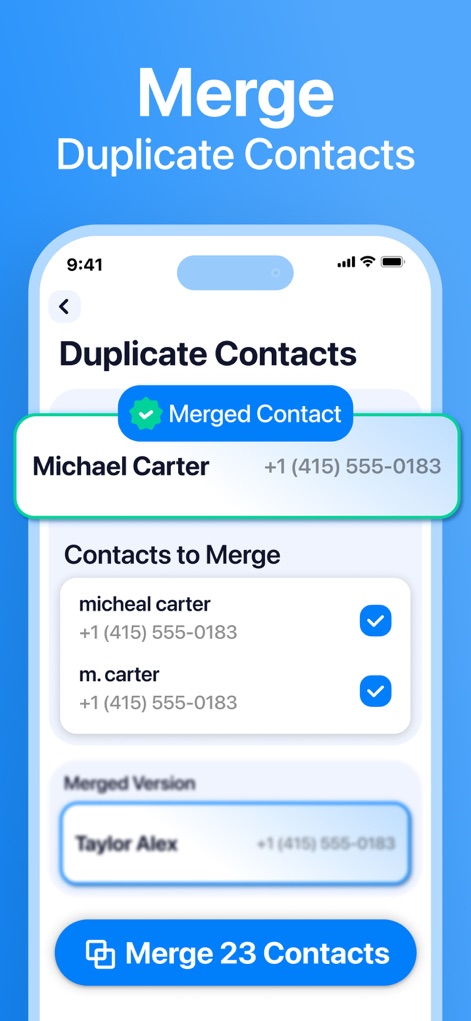
Organized Contacts Simplified
This tool intelligently identifies duplicate contact entries and offers a clear 'Merged Contact' preview, streamlining address book management.

Engaging Charging Experience
Explore a variety of customizable 'Charging Animations' that transform the charging screen into a personalized and dynamic visual event.
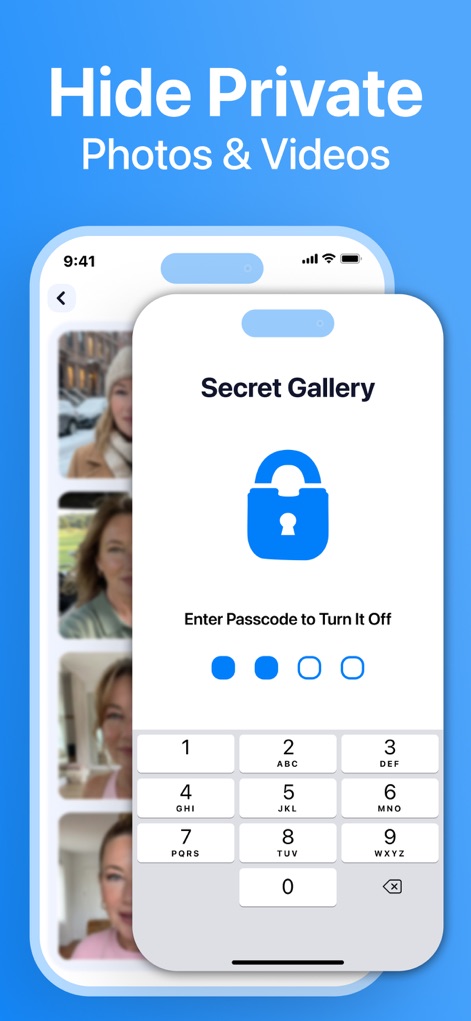
Secure Private Content
The app provides a 'Secret Gallery' feature, secured by a padlock icon and a passcode entry screen, to protect personal photos and videos.

Quick Access Widgets
Users can add custom widgets to their Home screen, offering at-a-glance views of 'Storage' usage and 'Battery' percentage for quick information.
Description
Download
More Like This
Apps with similar features and user experience

Clever Cleaner: AI CleanUp App
CleverFiles Inc.

Slidebox: Photo Cleaner App
Slidebox LLC

Photo Organizer: Picnic
Picnic Ventures Ltd

Super Smart Cleaner
VIBE WITH ME LTD

Boost Cleaner -Clean Up Smart°
AEGIS SOLUTIONS PRIVATE LIMITED

Cleaner Guru: Clean Up Storage
GM UniverseApps Limited

AI Cleaner: Clean Up Storage
GRIMLAX TRADE,S.L.

Photo Cleaner: Swipewipe
MWM

CleanX: Photo Storage Cleaner
XSTUDIOS BILISIM TEKNOLOJILERI REKLAMCILIK ANONIM SIRKETI
This page is not an official page of the app or its developer, but an independent editorial publication created for informational and commentary purposes. Unless expressly stated otherwise, neither the app nor its developer is affiliated with, endorsed by, sponsored by, authorized by, or otherwise officially connected with MWM, Apple, Google Play, the app publisher, or the app's developer, and nothing on this page implies that the app was developed using MWM's services. Any trademarks, logos, screenshots, and other content remain the property of their respective owners.