DiabetesPal

DiabetesPal

Download on App Store
Logo of DiabetesPal

DiabetesPal: The Complete Diabetes Management Suite for Your Apple Ecosystem

Master your health with seamless tracking of glucose, insulin, and nutrition across iPhone, iPad, and Mac. Transform your data into actionable insights and professional reports for proactive care.

Download on App Store

Publisher

Pascal Freiburghaus

Category

Medical

Downloads

0

User Rating

4.5/5

Total Ratings

0

Locales

2

Your Health, Visualized

Discover the interface used by 0 users.
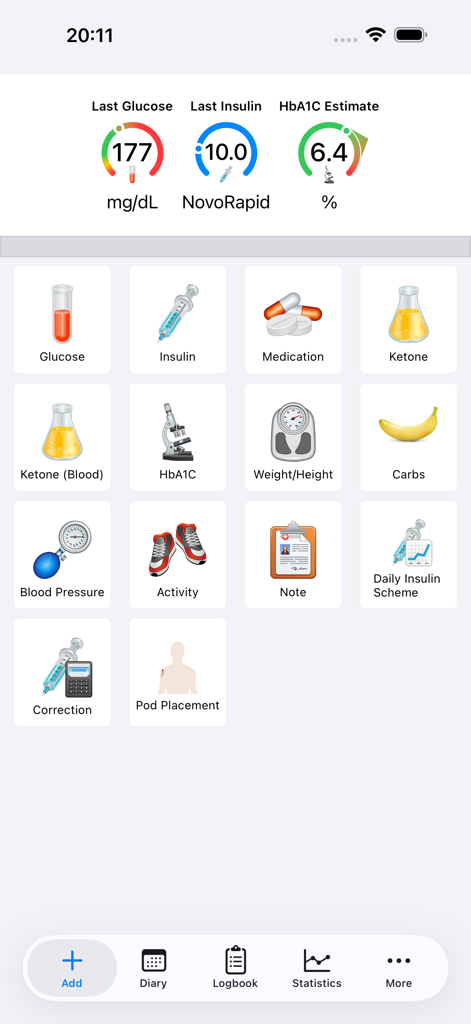
DiabetesPal app main screen showing blood glucose and insulin summaries with icons for health tracking

DiabetesPal app main screen showing blood glucose and insulin summaries with icons for health tracking

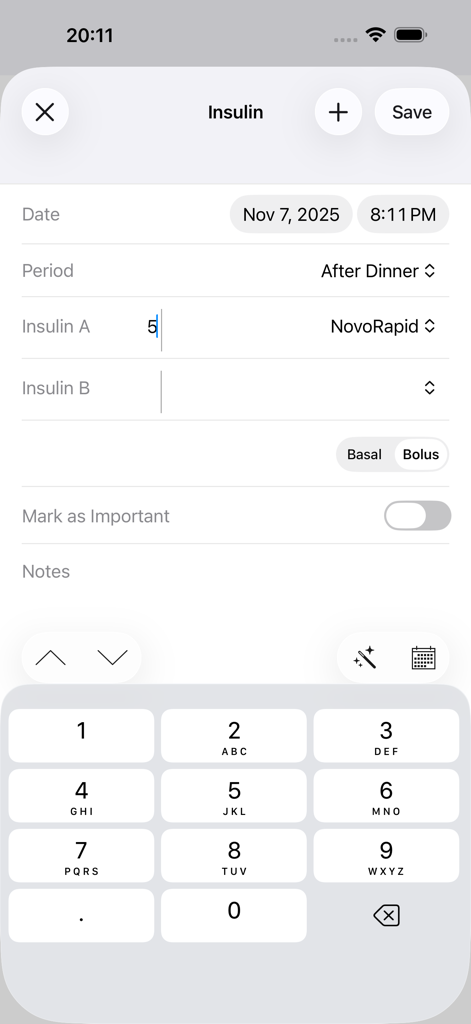
Insulin logging screen in DiabetesPal app showing dosage input and timing

Insulin logging screen in DiabetesPal app showing dosage input and timing

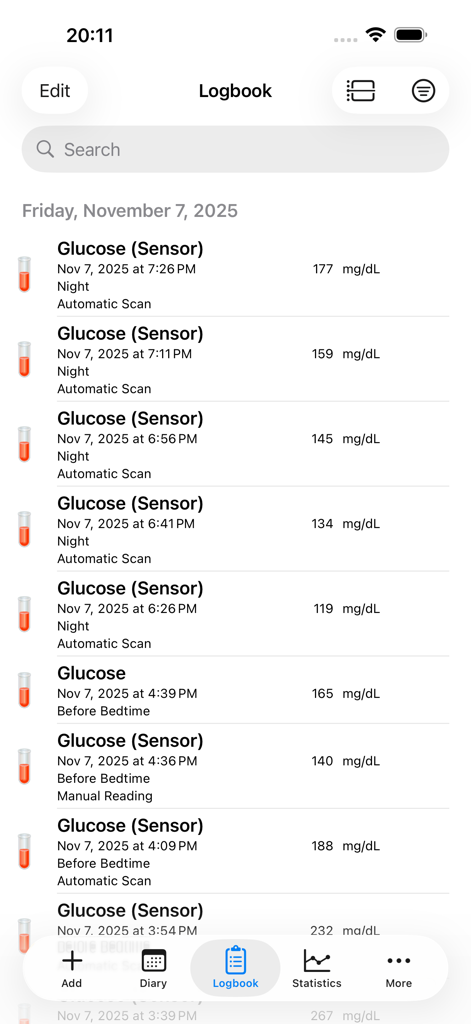
DiabetesPal app logbook screen displaying a list of blood glucose sensor readings with timestamps and mg/dL values

DiabetesPal app logbook screen displaying a list of blood glucose sensor readings with timestamps and mg/dL values

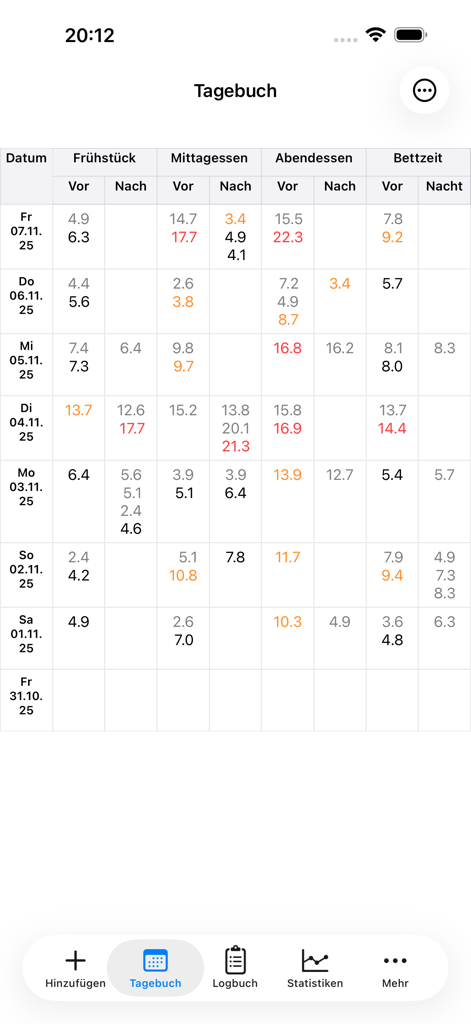
DiabetesPal app diary screen displaying a detailed table of blood glucose readings categorized by meals and time of day

DiabetesPal app diary screen displaying a detailed table of blood glucose readings categorized by meals and time of day

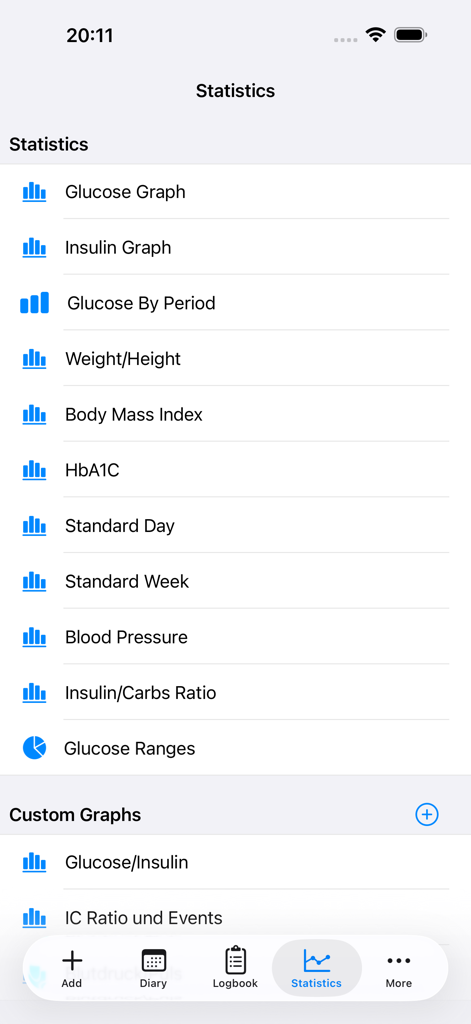
DiabetesPal app statistics menu showing options for glucose graphs, insulin tracking, and health trends.

DiabetesPal app statistics menu showing options for glucose graphs, insulin tracking, and health trends.

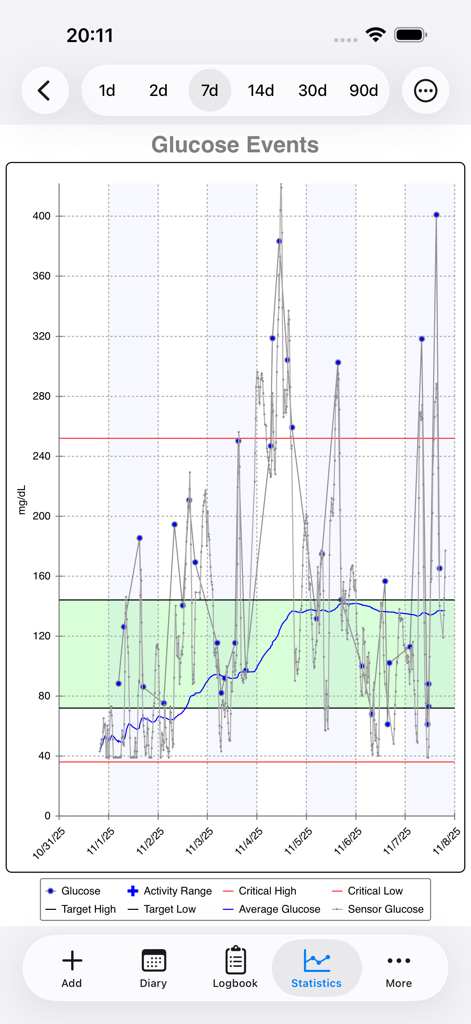
DiabetesPal app statistics screen showing a detailed seven day blood glucose trend graph with target ranges and average levels

DiabetesPal app statistics screen showing a detailed seven day blood glucose trend graph with target ranges and average levels

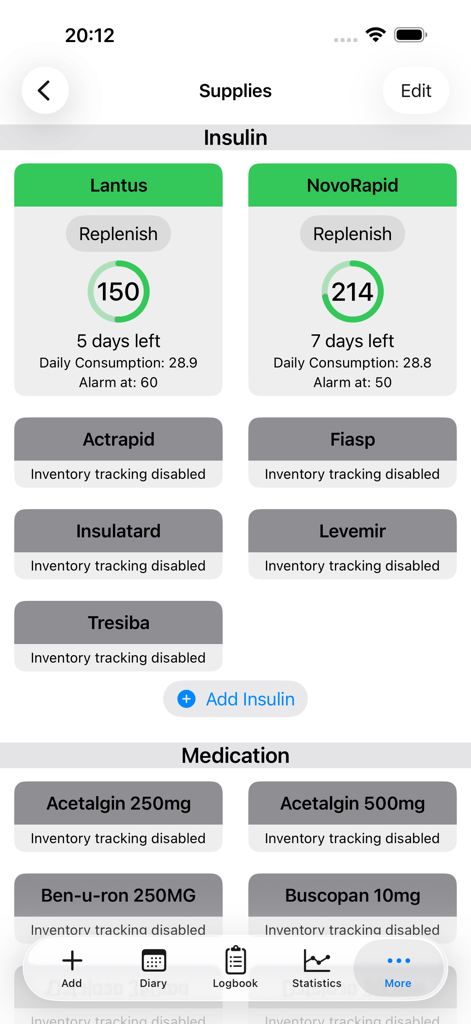
DiabetesPal app supplies screen showing insulin stock and days remaining tracking

DiabetesPal app supplies screen showing insulin stock and days remaining tracking

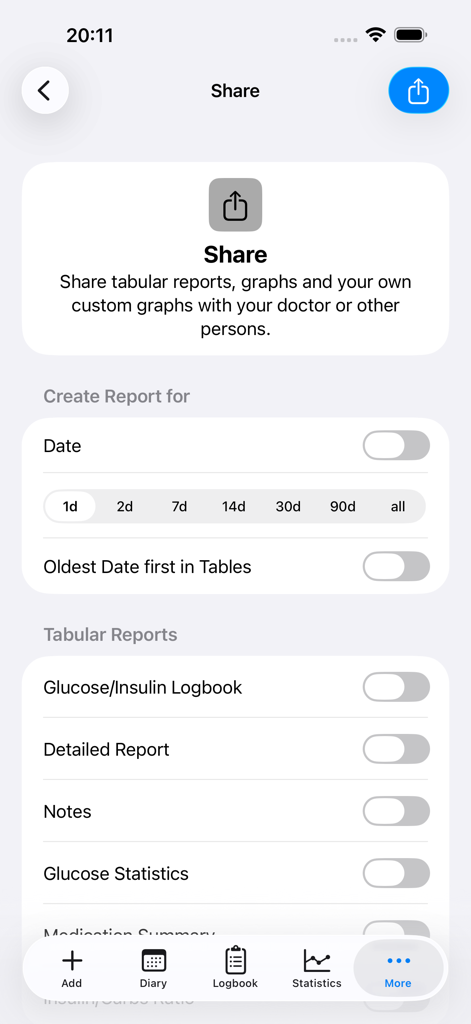
DiabetesPal app share screen showing options to generate and export glucose logbooks and medical reports for healthcare providers.

DiabetesPal app share screen showing options to generate and export glucose logbooks and medical reports for healthcare providers.

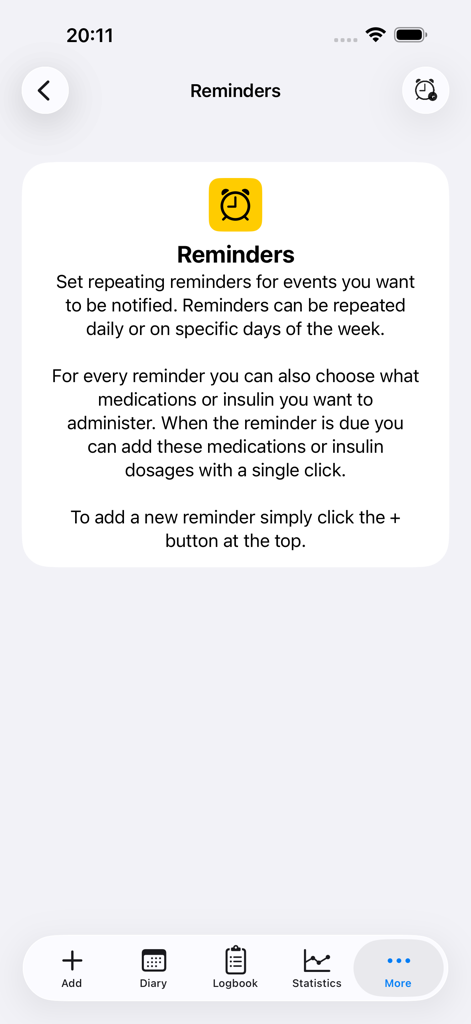
Interface of the DiabetesPal app showing the Reminders section for setting medication and insulin schedules

Interface of the DiabetesPal app showing the Reminders section for setting medication and insulin schedules

DiabetesPal app settings screen showing synchronization options and measurement units

DiabetesPal app settings screen showing synchronization options and measurement units

Master Your Health with Data-Driven Insights

The tools that make this app stand out, trusted by 0 users.

🔄

Seamless Apple Ecosystem Sync

Log data on your iPhone while on the go and perform deep-dive analysis on your Mac or iPad with secure iCloud and Apple Health integration.

📈

Advanced Pattern Recognition

Visualize glucose trends and insulin patterns with professional-grade graphs and 'Standard Day' comparisons to optimize your daily routine.

📋

Doctor-Ready Professional Reports

Generate and print detailed health summaries that help you lead more effective conversations with your healthcare team during every appointment.

About the app

Everything you need to know about DiabetesPal.

Description

DiabetesPal - Comprehensive Diabetes Management for iPhne Take control of your diabetes with DiabetesPal, now optimized for iPhone! Seamlessly sync your health data across iPhone, iPad, and Mac, and get the insights you need to manage your condition effectively. Why DiabetesPal? Track your data throughout the day on your iPad or iPhone, then analyze trends and patterns with comprehensive reports and visualizations. Your complete diabetes management system, wherever you are. Complete Health Tracking: - Blood glucose readings - Insulin dosages (bolus and basal) - Medications and supplements - Ketone levels - HbA1c results - Weight and height - Carbohydrate intake - Physical activity duration - Blood pressure and pulse Powerful Analysis Tools: - Easy-to-read daily diary showing glucose and insulin data at a glance - Visual graphs for glucose, insulin, HbA1c, and blood pressure - Blood sugar patterns by time of day - Standard Day/Week comparisons to identify trends - Printable reports ready to share with your healthcare team Apple Health Integration: Seamlessly integrates with Apple Health to keep all your health data in one place. Import data directly from compatible devices: - Bluetooth LE meters: AccuChek Guide, Contour Next One - FORA DiamondMini - More devices supported via companion Mac app Seamless Syncing: Keep your data synchronized across iPad, iPhone, and Mac using iCloud, Dropbox, or WebDAV (requires subscription). Never Run Out: Track your insulin and supply inventory so you're never caught unprepared. Flexible & International: Configure units to match your preference (mmol/L, mg/dL, %). All existing data automatically converts when you change settings. Pricing: Free: Up to 100 entries (local storage only) Monthly or yearly subscription for syncing across devices and more than 100 entries. Please note that different platforms (Mac, iPhone, iPad) require a separate subscription! Complete Ecosystem DiabetesPal works seamlessly across your Apple devices. Use the iPad app for comfortable home tracking, the iPhone app for on-the-go logging, and the Mac app for in-depth analysis and device imports. DISCLAIMER: The use of DiabetesPal does not replace consultation with a healthcare professional or other medical advice and is undertaken exclusively at the User's own risk. This applies in particular to data provided and/or imported from external devices, such as blood glucose meters, and any use of the data provided as part of DiabetesPal by the User including blood glucose results, calculations, and any recommendations. The User explicitly acknowledges that such data may be defective and the developers of DiabetesPal accept no responsibility for it being correct. The User has to ensure, that external measuring devices comply to the medical standards in their respective country. For US the devices have to be approved by the FDA, in Europe the devices need to be marked with the CE sign to be compliant with the regulatory requirements for medical devices. The User explicitly acknowledges that we accept no responsibility for using the application with non compliant devices.

Latest Version

10.2

Size

34.2 MB

First Released

Nov 8, 2013

Take Command of Your Diabetes Today

Join thousands of proactive health managers tracking glucose, trends, and supplies seamlessly across your iPhone, iPad, and Mac.

Download on App Store

App information, icons, screenshots, and descriptions displayed on this page are sourced from the Apple App Store and are the property of their respective developers. Download estimates and rankings are based on MWM's proprietary models and may not reflect actual figures. This page is provided for informational and analytical purposes only.

Believe this page infringes your intellectual property? File a dispute