
This page is not an official page of the app or its developer, but an independent editorial publication created for informational and commentary purposes. Unless expressly stated otherwise, neither the app nor its developer is affiliated with, endorsed by, sponsored by, authorized by, or otherwise officially connected with MWM, Apple, Google Play, the app publisher, or the app's developer, and nothing on this page implies that the app was developed using MWM's services. Any trademarks, logos, screenshots, and other content remain the property of their respective owners.


MyChart
Take control of your medical journey by messaging your care team, viewing test results instantly, and managing appointments for your entire family in one secure app.
Downloads
44M+User Rating
Total Ratings
628K+Publisher
Category
MedicalLocales
13Latest Version
11.6.4Size
131.7 MBFirst Released
Sep 14, 2010Your Entire Health Journey, All in One Place
Take total control of your family's medical care with the most trusted patient portal. From scheduling to lab results, manage everything securely from your smartphone.
Skip the Phone Call
Message your care team directly for non-urgent questions and get medical advice without the wait or being put on hold.
Instant Lab Results
Access your test results, immunization records, and physician notes the moment they are ready—no more waiting for a callback.
Frequently Asked Questions
Everything you need to know about MyChart
What is the primary function of the MyChart app?
MyChart is used to manage personal and family health information, communicate with care teams, review test results, schedule appointments, and pay medical bills. It centralizes health data for convenient access.
Can I communicate with my healthcare provider using MyChart?
Yes, MyChart enables direct communication with your care team. The app provides a secure messaging feature for patient-provider interaction regarding health concerns or inquiries.
Does MyChart display my medical test results?
Yes, MyChart allows users to review test results, medications, and immunization history. New lipid panel results are visible on the app's main dashboard, providing quick updates.
How does MyChart integrate with Apple Health?
MyChart connects to Apple Health, allowing it to pull health-related data from your personal devices directly into the MyChart app. This centralizes personal health metrics for easy viewing.
Can I schedule medical appointments using MyChart?
Yes, MyChart allows you to schedule and manage appointments, including in-person and video visits. The app displays available appointment slots and details like expected copay.
Does MyChart provide price estimates for medical care?
Yes, MyChart provides price estimates for the cost of care directly within the application. This feature helps users understand potential medical expenses before receiving services.
How can I pay my medical bills using MyChart?
Yes, MyChart enables users to view and pay their medical bills directly through the app. A dedicated "Billing" section facilitates these transactions, ensuring convenient management.
Is it possible to securely share my medical records with others via MyChart?
Yes, MyChart allows users to securely share their medical records from anywhere with anyone who has Internet access. The "Share Everywhere" feature generates a temporary share code.
Can MyChart consolidate health information from different healthcare organizations?
Yes, MyChart allows you to connect accounts from other healthcare organizations. This feature centralizes all your health information in one place, even if you've been seen at multiple providers.
Does MyChart support push notifications for updates?
Yes, MyChart sends push notifications when new information is available. Users can check whether push notifications are enabled under the Account Settings within the app to receive updates.
Is MyChart available on Apple Watch?
Yes, MyChart offers select features that are also available on Apple Watch. This extends convenient access to certain health information and functionalities to your wearable device.
How do I create a MyChart account?
To access MyChart, you must create an account with your healthcare organization. Download the app, search for your organization, or visit their MyChart website to sign up.
Can I use Face ID or Touch ID to log into MyChart?
Yes, MyChart supports quick login methods like Face ID, Touch ID, or a four-digit passcode. This removes the need for a username and password each time you access the app.
Does MyChart offer video visits or telehealth options?
Yes, MyChart supports video visits as a way to schedule and manage appointments. This feature allows users to consult with healthcare providers remotely, enhancing accessibility.
The following screenshots and description are sourced directly from the app's official store listing and are the property of the app developer.
App Store
Screenshots
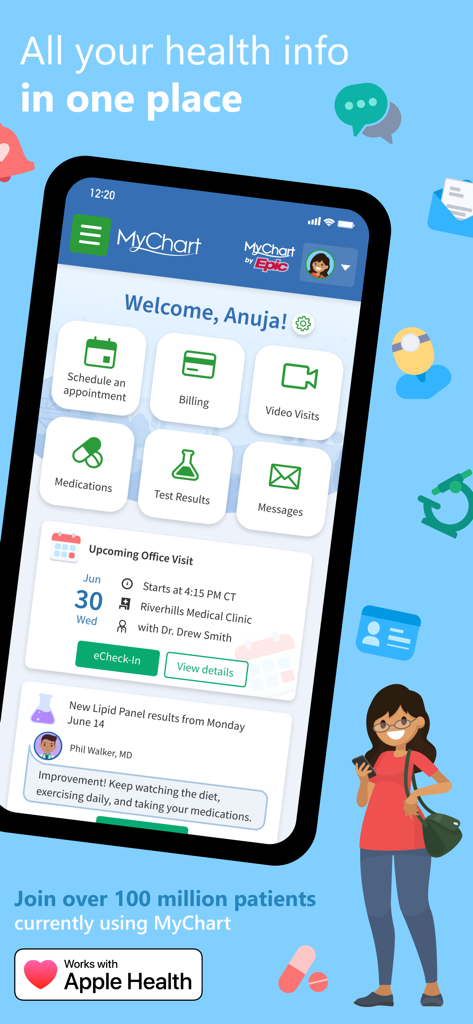
MyChart mobile app dashboard showing health information management features like appointments billing and test results
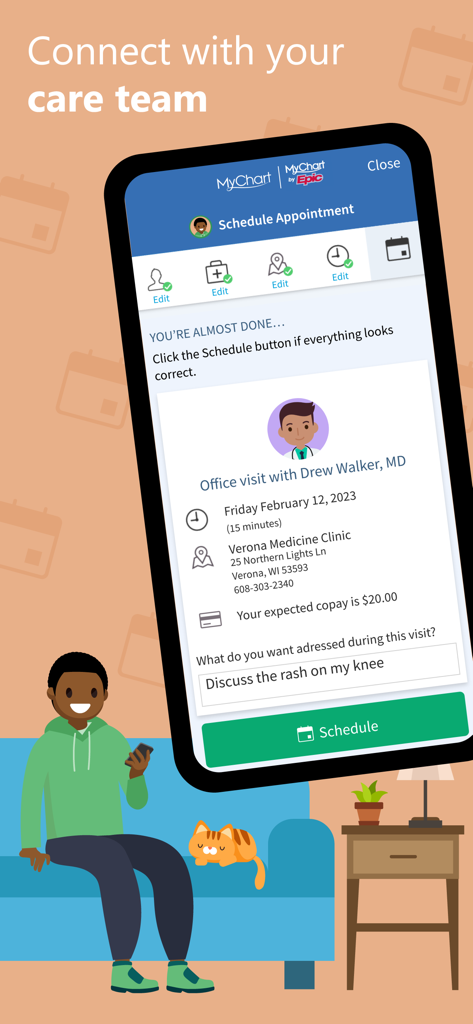
A mobile screen showing the MyChart app interface for scheduling a doctor appointment with a man sitting on a couch using his phone.
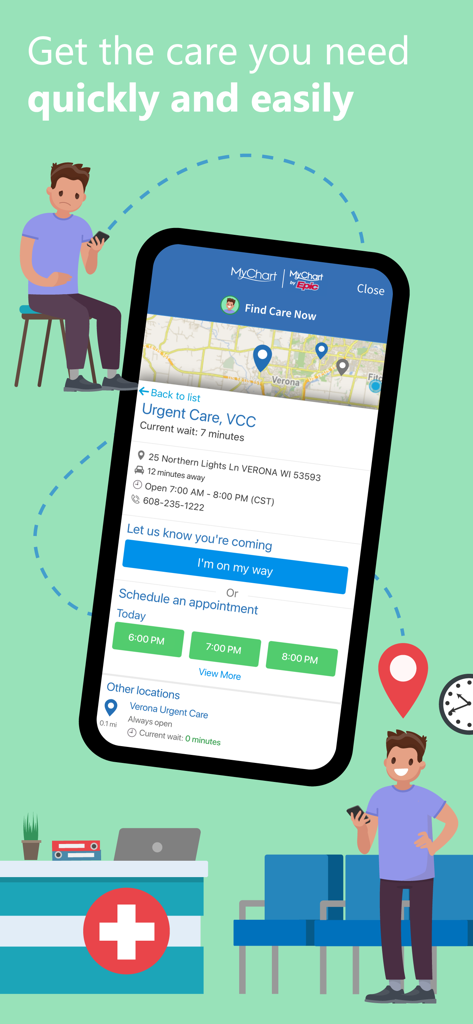
A screenshot of the MyChart app showing urgent care wait times and options to schedule an appointment.
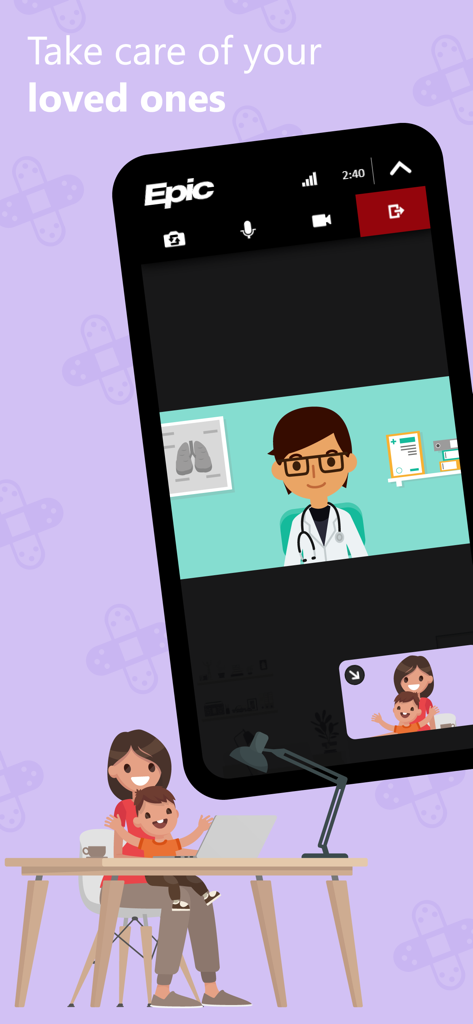
MyChart app interface showing a virtual doctor appointment for a mother and her child
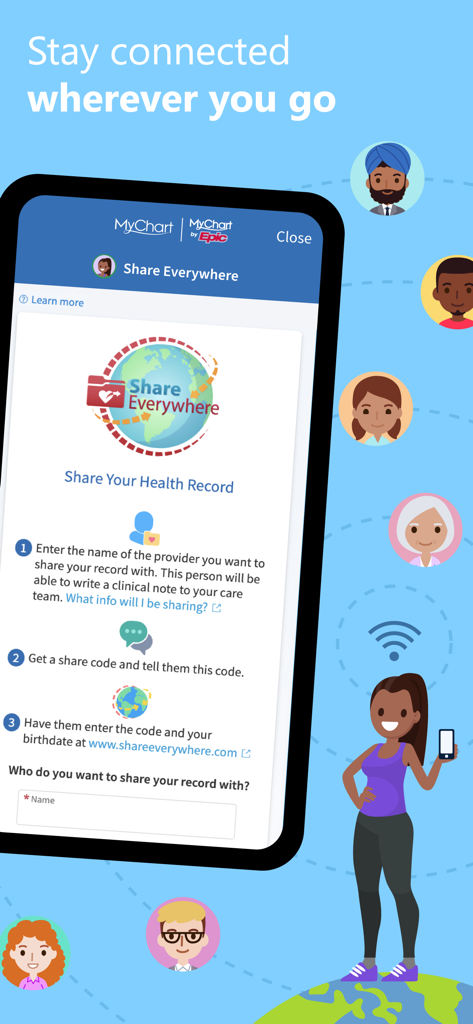
MyChart app screen explaining the Share Everywhere feature to securely share medical records with healthcare providers
Description
Download
More Like This
Apps with similar features and user experience

SimplePractice Client Portal
SimplePractice LLC

athenaPatient
athenahealth, Inc.

Kaiser Permanente
Kaiser Permanente

One Medical
One Medical Group, Inc.

Saudi German Health
Saudi German Hospital

NowServing by SeriousMD
LeapFroggr Inc.

Providence
PROVIDENCE HEALTH & SERVICES - WASHINGTON

Mediclinic - ميديكلينيك
MEDICLINIC MIDDLE EAST MANAGEMENT SERVICES FZ LLC

NMC - MyHealth
NMC HEALTHCARE LTD
This page is not an official page of the app or its developer, but an independent editorial publication created for informational and commentary purposes. Unless expressly stated otherwise, neither the app nor its developer is affiliated with, endorsed by, sponsored by, authorized by, or otherwise officially connected with MWM, Apple, Google Play, the app publisher, or the app's developer, and nothing on this page implies that the app was developed using MWM's services. Any trademarks, logos, screenshots, and other content remain the property of their respective owners.