
This page is not an official page of the app or its developer, but an independent editorial publication created for informational and commentary purposes. Unless expressly stated otherwise, neither the app nor its developer is affiliated with, endorsed by, sponsored by, authorized by, or otherwise officially connected with MWM, Apple, Google Play, the app publisher, or the app's developer, and nothing on this page implies that the app was developed using MWM's services. Any trademarks, logos, screenshots, and other content remain the property of their respective owners.


Kaiser Permanente
Email your doctor, refill prescriptions, and view lab results securely from your phone. Empowering you to manage your health and wellness with ease, whenever and wherever you need it.
Downloads
6M+User Rating
Total Ratings
912K+Publisher
Category
Health & FitnessLocales
10Latest Version
7.4.2Size
363.8 MBFirst Released
May 7, 2012Care at Your Fingertips
Empower your health journey with a secure, all-in-one hub designed for your busy lifestyle and family needs.
Direct Doctor Messaging
Skip the hold music—email your care team or book appointments instantly whenever it suits your schedule.
Effortless Rx Management
Refill prescriptions in seconds and track your order status to ensure you never miss an essential dose.
Frequently Asked Questions
Everything you need to know about Kaiser Permanente
What does the Kaiser Permanente app do?
The Kaiser Permanente app provides a secure way to manage health, allowing users to email doctors, schedule appointments, refill prescriptions, view medical history, find facilities, and access their digital membership card.
Can I schedule and manage appointments using the Kaiser Permanente app?
Yes, the Kaiser Permanente app allows users to easily schedule, view, and cancel routine appointments. Users can also see information about past visits and check in for scheduled appointments directly from the app.
How do I refill prescriptions with the Kaiser Permanente app?
The Kaiser Permanente app enables users to fill or refill most prescriptions, check the status of prescription orders, and view a comprehensive list of all their current medications directly within the application.
Does the Kaiser Permanente app allow access to medical records?
Yes, the Kaiser Permanente app provides access to medical history, including allergies, immunizations, ongoing health conditions, and most lab test results. Users can also view past visit information and summaries.
Can I communicate with my doctor through the Kaiser Permanente app?
Yes, users can email their doctor’s office or Member Services with nonurgent questions through the Kaiser Permanente app. The app also displays an inbox for messages from providers, including test results.
Does the Kaiser Permanente app include a digital membership card?
Yes, the Kaiser Permanente app provides a digital membership card. Users can access it to check in for appointments, pick up prescriptions, and conveniently add it to their Apple Wallet for quick access.
Does the Kaiser Permanente app integrate with Apple Health?
Yes, the Kaiser Permanente app integrates with Apple Health. This integration allows users to securely enter and view health information, such as glucose readings, which can then be shared with their care team.
How do I get started with the Kaiser Permanente app?
To get started with the Kaiser Permanente app, download it and sign in using your existing kp.org account. If you do not have an account, you can create one directly within the app itself.
Can I find Kaiser Permanente facilities and pharmacies using the app?
Yes, the Kaiser Permanente app allows users to find facilities and pharmacies nearby. The app provides a map view to locate KP locations, preferred affiliates, and hospitals efficiently.
Is the Kaiser Permanente app available everywhere in Washington?
No, if you live in Washington state outside of Vancouver/Longview, you must download the specific Kaiser Permanente Washington app instead of this version to manage your healthcare.
The following screenshots and description are sourced directly from the app's official store listing and are the property of the app developer.
App Store
Screenshots
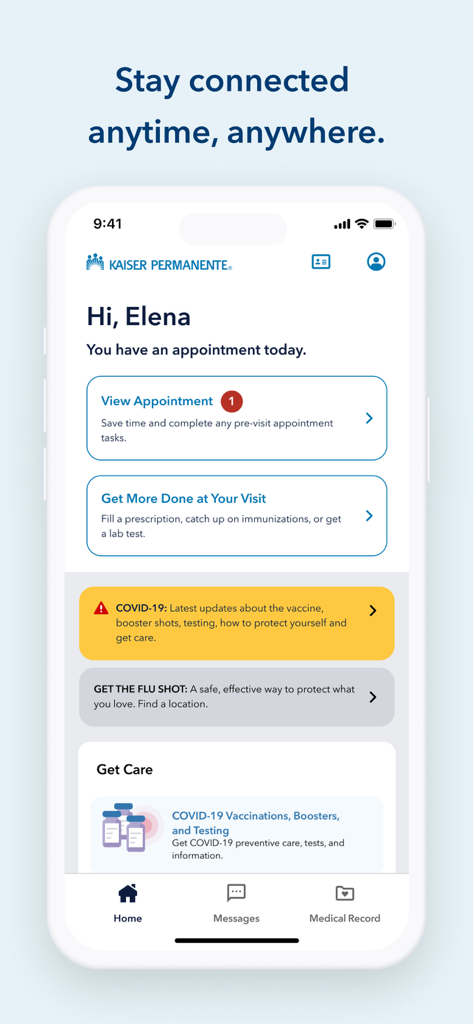
Kaiser Permanente mobile app home dashboard showing an appointment reminder and health management options.
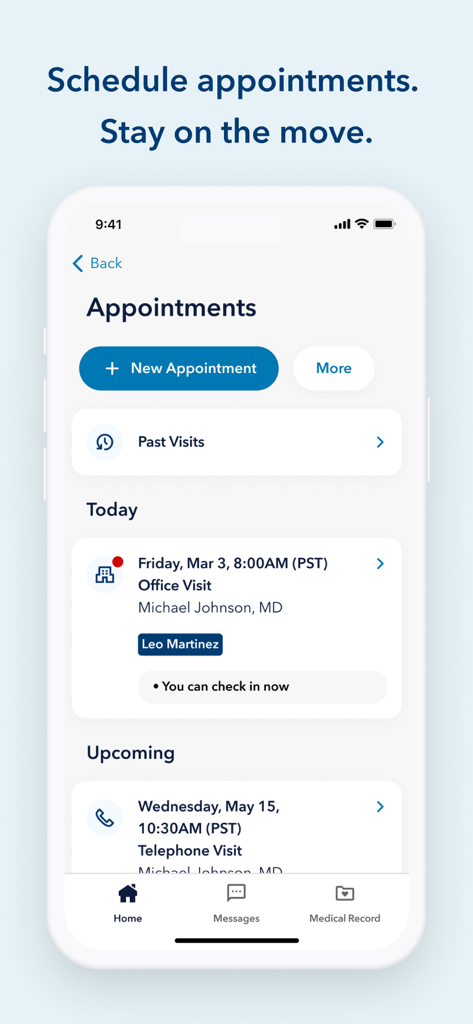
Kaiser Permanente app interface showing scheduled medical appointments and a new appointment booking button.
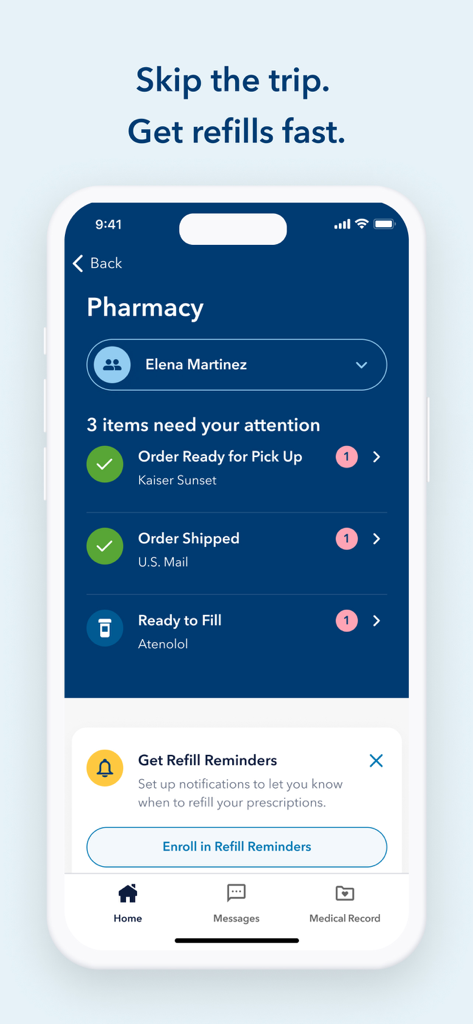
Pharmacy management screen in the Kaiser Permanente app for tracking prescription refills
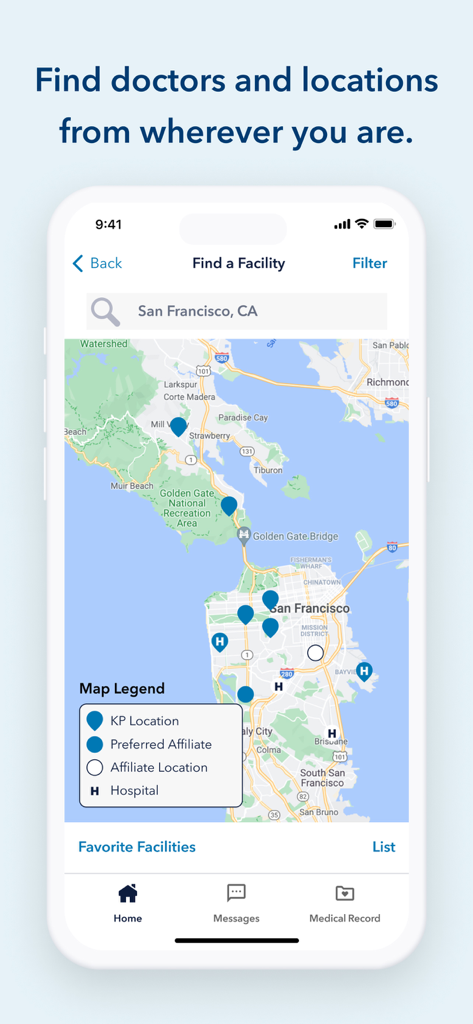
Screenshot of the Kaiser Permanente app's Find a Facility feature showing a map of medical locations in San Francisco
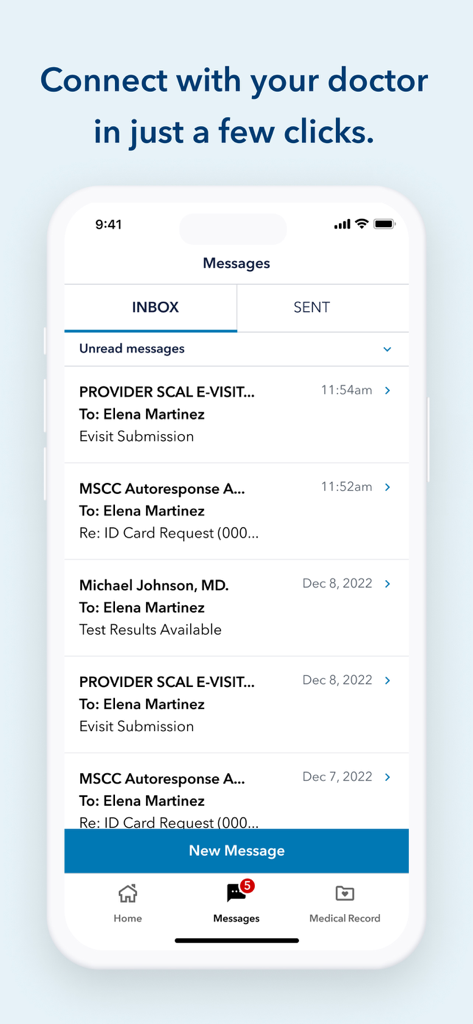
Interface of the Kaiser Permanente app showing the secure messaging inbox for doctor communication
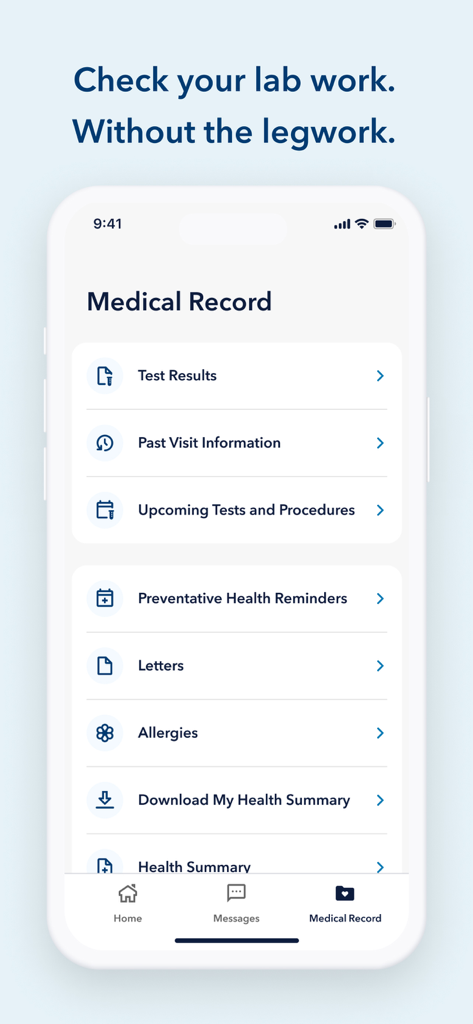
Kaiser Permanente app showing the Medical Record interface with sections for test results, past visit information, and health summaries.
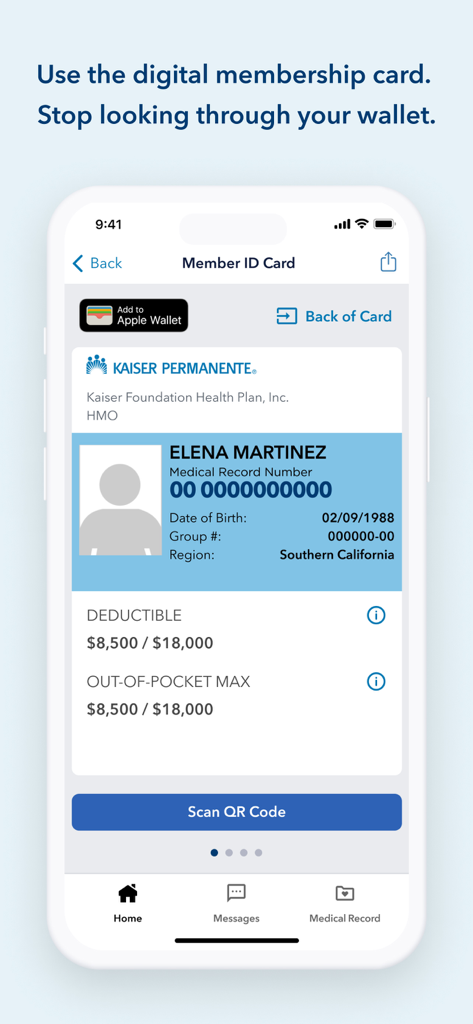
A mobile screen showing the Kaiser Permanente digital member ID card with medical record number and deductible details.
Description
Download
More Like This
Apps with similar features and user experience

SimplePractice Client Portal
SimplePractice LLC

athenaPatient
athenahealth, Inc.

One Medical
One Medical Group, Inc.

Saudi German Health
Saudi German Hospital

NowServing by SeriousMD
LeapFroggr Inc.

Providence
PROVIDENCE HEALTH & SERVICES - WASHINGTON

Mediclinic - ميديكلينيك
MEDICLINIC MIDDLE EAST MANAGEMENT SERVICES FZ LLC

NMC - MyHealth
NMC HEALTHCARE LTD

MyBSWHealth
Baylor Scott & White Holdings
This page is not an official page of the app or its developer, but an independent editorial publication created for informational and commentary purposes. Unless expressly stated otherwise, neither the app nor its developer is affiliated with, endorsed by, sponsored by, authorized by, or otherwise officially connected with MWM, Apple, Google Play, the app publisher, or the app's developer, and nothing on this page implies that the app was developed using MWM's services. Any trademarks, logos, screenshots, and other content remain the property of their respective owners.