
This page is not an official page of the app or its developer, but an independent editorial publication created for informational and commentary purposes. Unless expressly stated otherwise, neither the app nor its developer is affiliated with, endorsed by, sponsored by, authorized by, or otherwise officially connected with MWM, Apple, Google Play, the app publisher, or the app's developer, and nothing on this page implies that the app was developed using MWM's services. Any trademarks, logos, screenshots, and other content remain the property of their respective owners.


MyBSWHealth
Effortlessly manage your appointments, view lab results, and connect with your care team. Experience the convenience of Texas' leading healthcare network in the palm of your hand.
Downloads
1M+User Rating
Total Ratings
205K+Publisher
Category
MedicalLocales
2Latest Version
8.11.0Size
185.9 MBFirst Released
Jul 1, 2015Everything Your Health Needs, All in One Place
Designed for busy Texans who value their time, MyBSWHealth brings world-class medical management directly to your iPhone for you and your family.
Smart Scheduling & Virtual Care
Book in-person visits or launch a telehealth consultation from home. Access the care you need, exactly when you need it.
Real-Time Lab Results & History
View medical records and lab results instantly. Sync with Apple Health to keep your care team updated on your fitness progress.
Frequently Asked Questions
Everything you need to know about MyBSWHealth
What can I do with the MyBSWHealth app?
The MyBSWHealth app allows you to manage healthcare needs by scheduling appointments, communicating with your care team, viewing lab results, paying bills, completing telehealth visits, and managing family health.
Can I schedule appointments using the MyBSWHealth app?
Yes, you can schedule appointments with doctors and locations within your network directly through the MyBSWHealth app. The app features a calendar interface for easy date and time selection.
Does the MyBSWHealth app support telehealth visits?
Yes, the MyBSWHealth app supports telehealth visits. You can complete a virtual visit, receive a diagnosis, and get a prescription directly on your smartphone without leaving home.
How do I communicate with my care team using MyBSWHealth?
The MyBSWHealth app allows you to securely communicate with your care team. You can send messages to your doctors or clinic directly through the app's messaging feature.
Can I view my lab results in the MyBSWHealth app?
Yes, the MyBSWHealth app enables you to view your lab results and past visit summaries. Detailed test results, such as antibody status, are accessible within the app.
How do I pay medical bills with the MyBSWHealth app?
The MyBSWHealth app allows you to review and pay your medical bills directly. A 'Bill Pay' option is available on the home screen for easy access to financial management.
Can I view my health plan details in the MyBSWHealth app?
Yes, if you are a member of the Scott and White Health Plan, the MyBSWHealth app allows you to view deductible, out-of-pocket maximum, and claims information directly.
Does MyBSWHealth allow prescription refills or transfers?
Yes, the MyBSWHealth app allows users to transfer or refill prescriptions at BSW pharmacies. A 'Meds' icon is also visible on the home screen for quick access to prescription management.
Does the MyBSWHealth app integrate with Apple Health?
Yes, the MyBSWHealth app integrates with the Apple Health app. You can upload health and fitness data from Apple Health when enrolled in self-tracking programs.
Can I manage my family's healthcare using the MyBSWHealth app?
Yes, the MyBSWHealth app provides family account management features. You can manage your family's healthcare needs from a single place, including granting or requesting access to accounts.
The following screenshots and description are sourced directly from the app's official store listing and are the property of the app developer.
App Store
Screenshots
A happy mother playing with her young son at home, illustrating the MyBSWHealth app's message about managing healthcare on your own schedule.
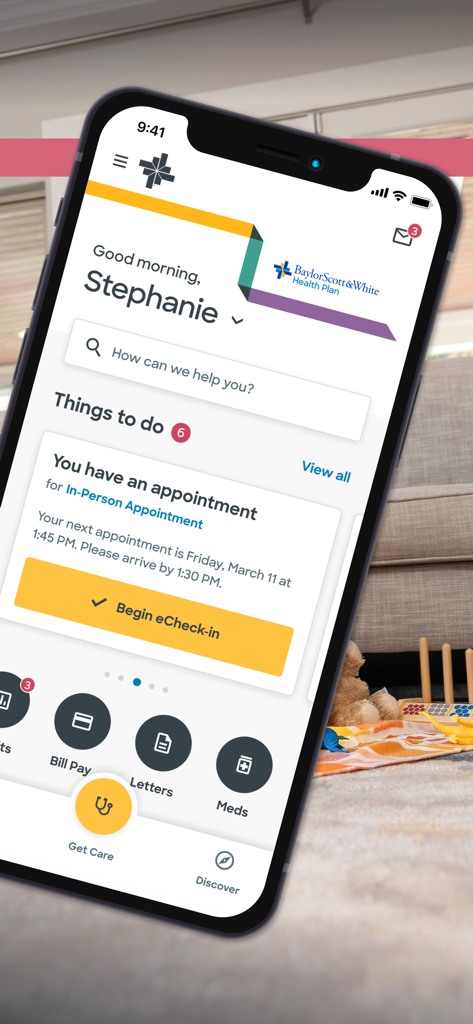
The home screen of the MyBSWHealth app showing a personalized dashboard with an upcoming medical appointment and eCheck-in button.
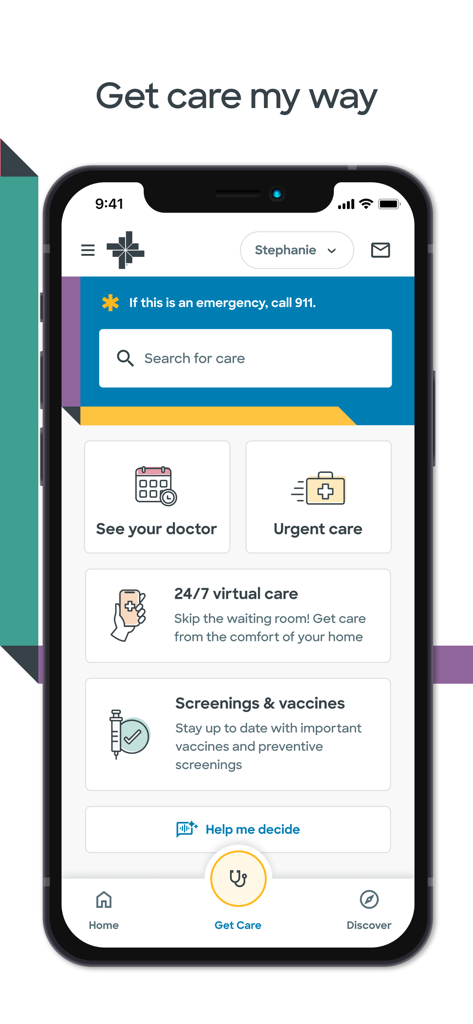
MyBSWHealth app screen showing healthcare options like See your doctor, Urgent care, and 24/7 virtual care.
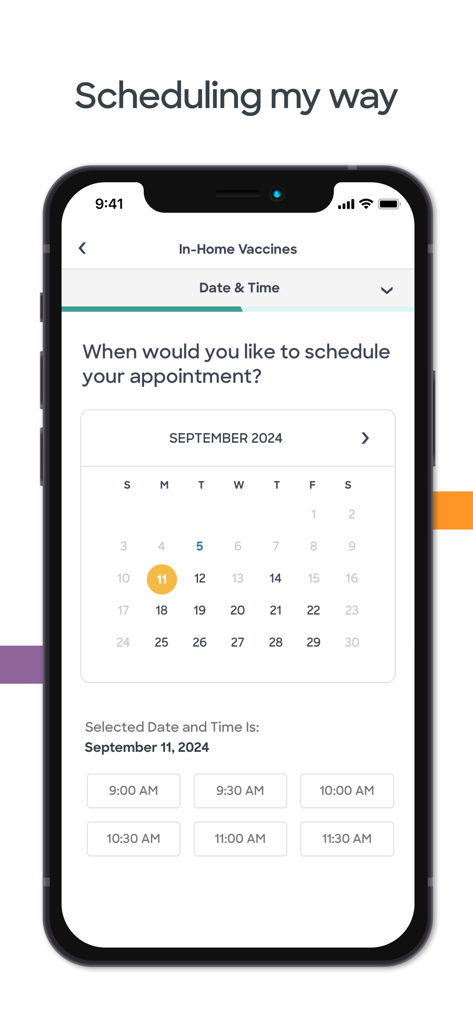
A mobile interface for scheduling an in-home vaccine appointment showing a calendar and available time slots
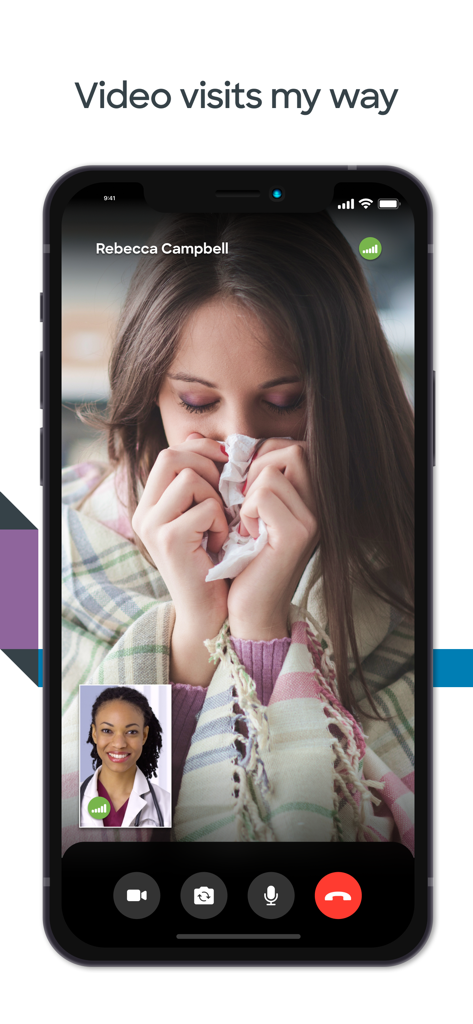
A smartphone screen showing a telehealth video call between a patient and a doctor in the MyBSWHealth app
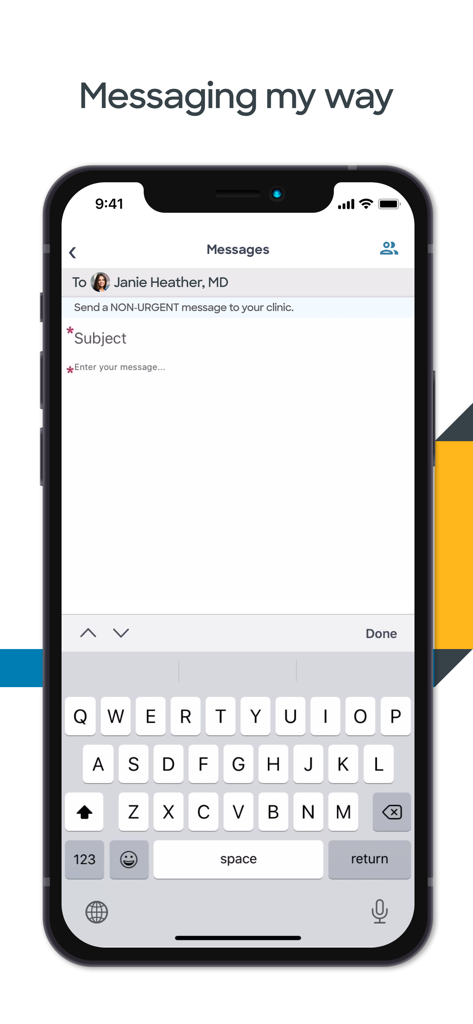
Secure messaging interface in the MyBSWHealth app for sending non-urgent messages to a doctor
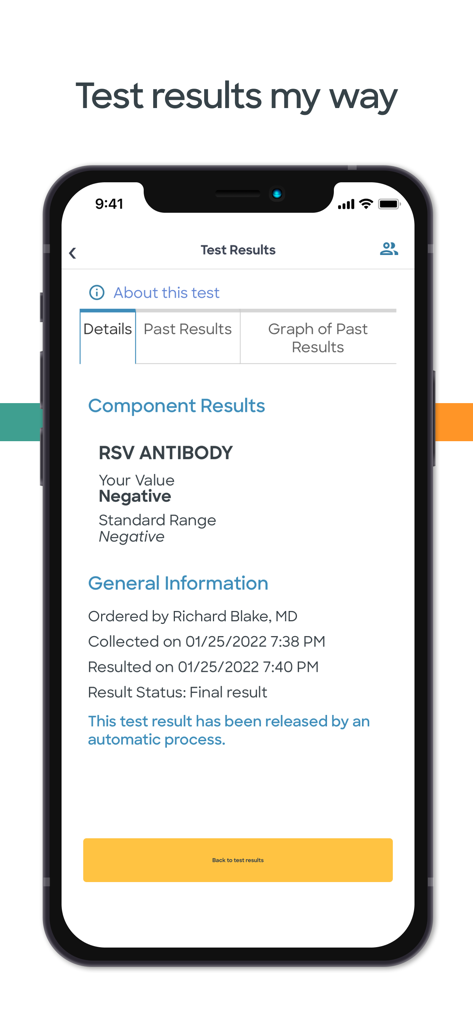
A smartphone screen displaying negative RSV antibody lab test results within the MyBSWHealth app
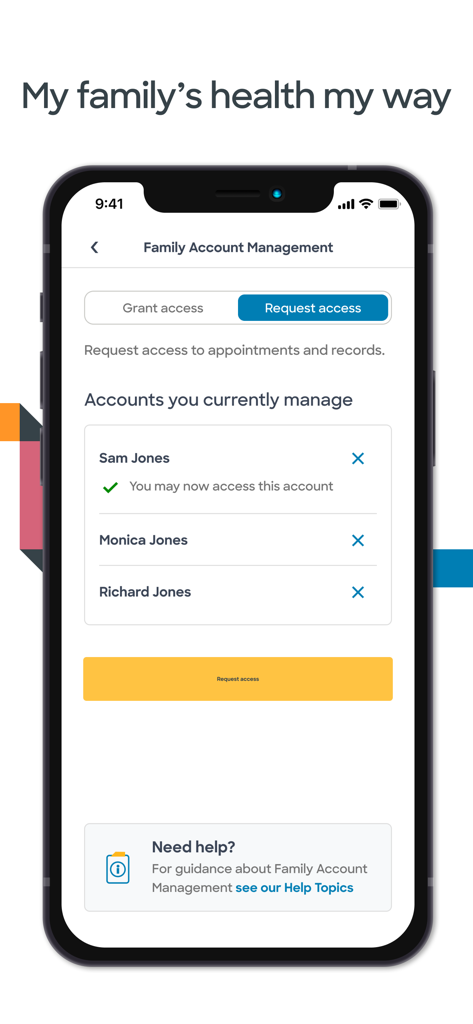
MyBSWHealth app screen for family account management showing access for family members
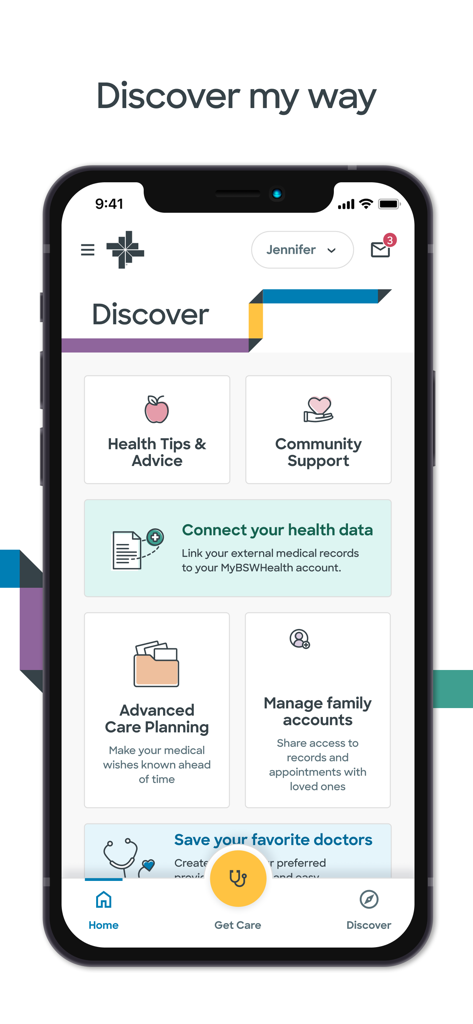
Screenshot of the MyBSWHealth app Discover tab featuring health tips, community support, and family account management options.
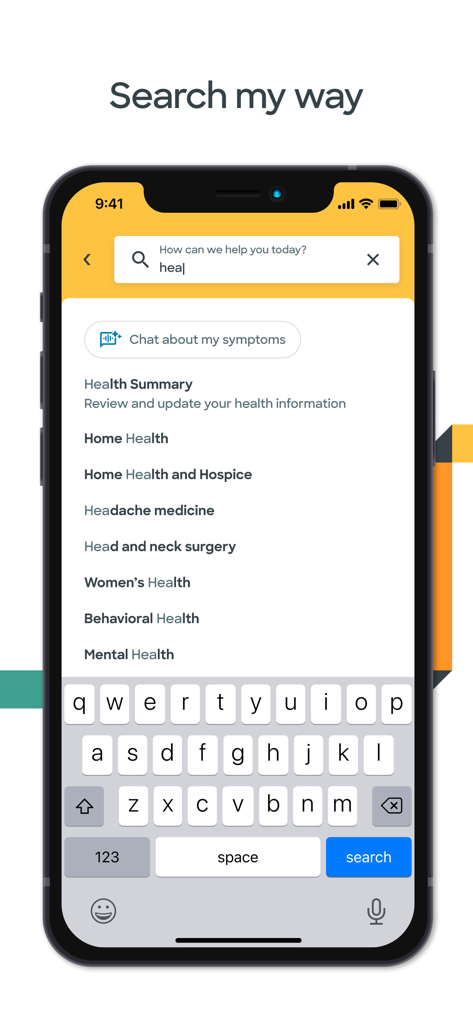
Search screen of the MyBSWHealth app showing medical categories and a symptoms chat option
Description
Download
More Like This
Apps with similar features and user experience

SimplePractice Client Portal
SimplePractice LLC

athenaPatient
athenahealth, Inc.

Kaiser Permanente
Kaiser Permanente

One Medical
One Medical Group, Inc.

Saudi German Health
Saudi German Hospital

NowServing by SeriousMD
LeapFroggr Inc.

Providence
PROVIDENCE HEALTH & SERVICES - WASHINGTON

Mediclinic - ميديكلينيك
MEDICLINIC MIDDLE EAST MANAGEMENT SERVICES FZ LLC

NMC - MyHealth
NMC HEALTHCARE LTD
This page is not an official page of the app or its developer, but an independent editorial publication created for informational and commentary purposes. Unless expressly stated otherwise, neither the app nor its developer is affiliated with, endorsed by, sponsored by, authorized by, or otherwise officially connected with MWM, Apple, Google Play, the app publisher, or the app's developer, and nothing on this page implies that the app was developed using MWM's services. Any trademarks, logos, screenshots, and other content remain the property of their respective owners.