DIC COLOR GUIDE

DIC COLOR GUIDE

Download on App Store
Logo of DIC COLOR GUIDE

DIC COLOR GUIDE: The Professional Standard for Global Color Fidelity

Master the bridge between screen and substrate. Access 2,553 colors, calibrated accuracy, and seamless Adobe integration for designers who demand perfection from concept to print.

Publisher

DICGraphics Corporation

Category

Reference

Downloads

183K+

User Rating

3.7/5

Total Ratings

200

Locales

3

Precision in View

Discover the interface used by 183K+ users.
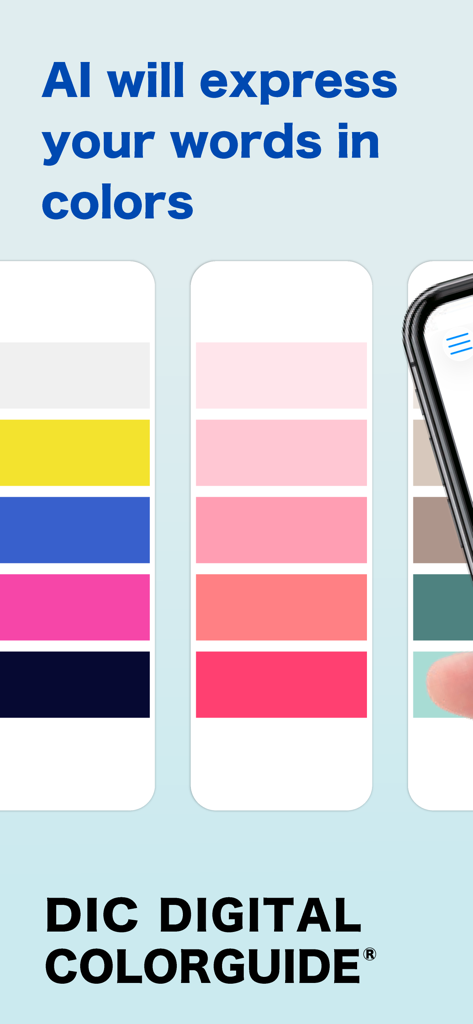
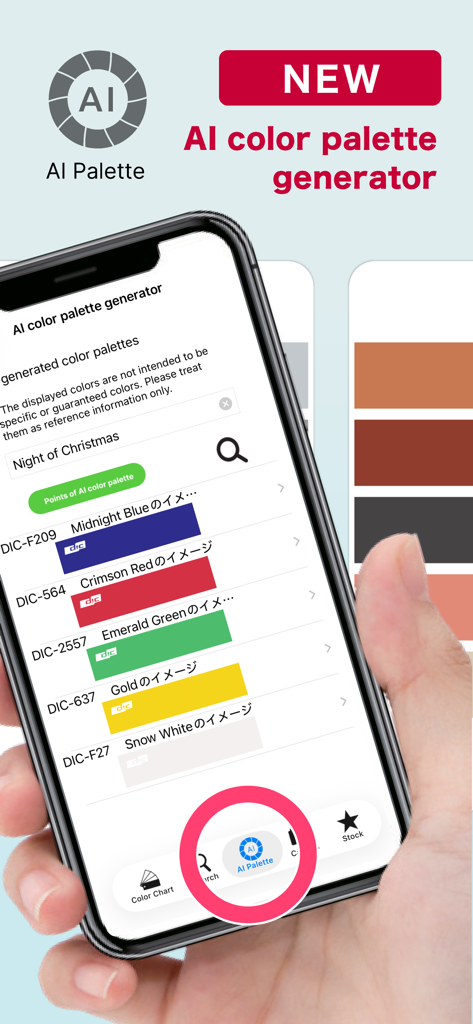
DIC Digital Color Guide app screen showing AI generated color palettes based on words

DIC Digital Color Guide app screen showing AI generated color palettes based on words

A smartphone screen showing the AI color palette generator feature in the DIC COLOR GUIDE app with a list of professional color swatches.

A smartphone screen showing the AI color palette generator feature in the DIC COLOR GUIDE app with a list of professional color swatches.

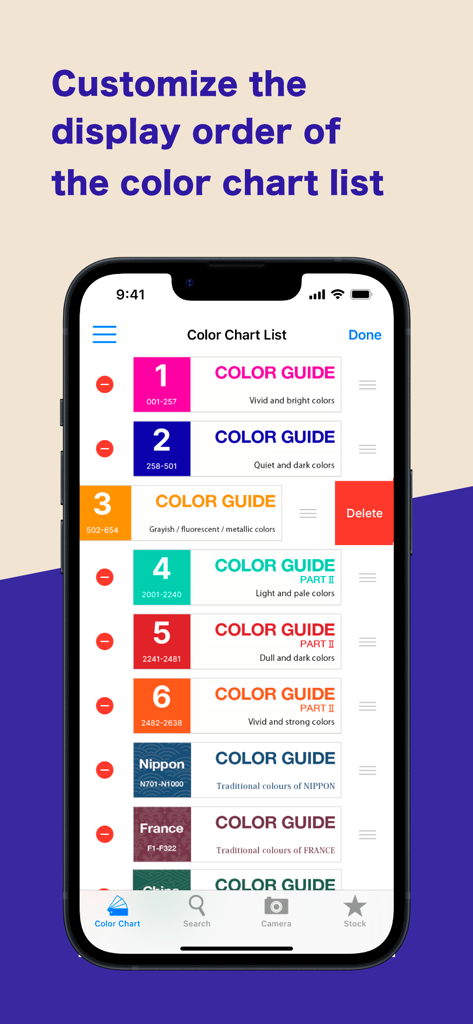
Interface of the DIC COLOR GUIDE app showing the customization of the color chart display order.

Interface of the DIC COLOR GUIDE app showing the customization of the color chart display order.

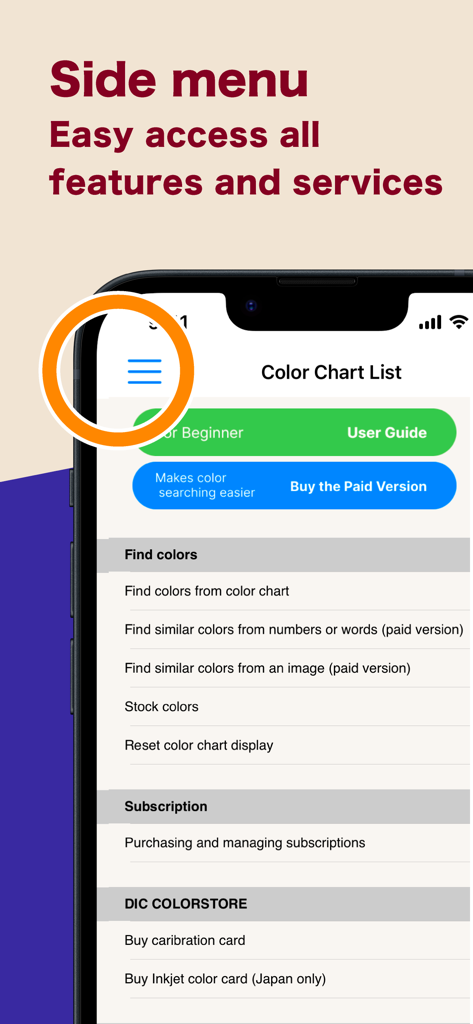
Side menu interface of the DIC COLOR GUIDE app showing navigation to features and services

Side menu interface of the DIC COLOR GUIDE app showing navigation to features and services

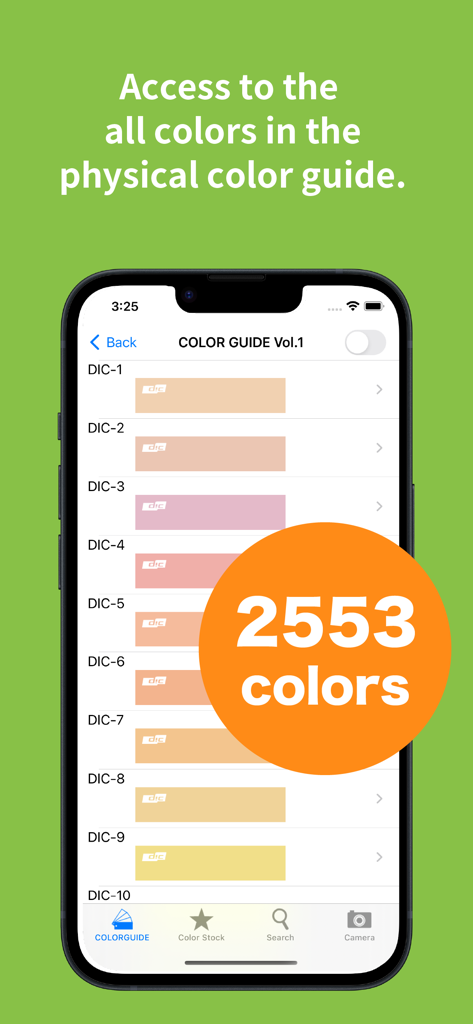
Smartphone screen displaying a digital library of 2553 colors from the DIC Color Guide app

Smartphone screen displaying a digital library of 2553 colors from the DIC Color Guide app

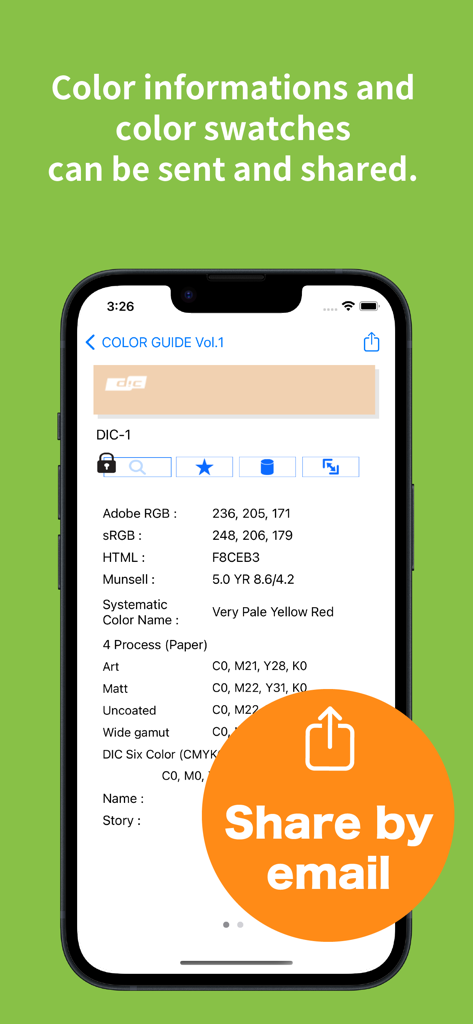
DIC COLOR GUIDE app screen showing RGB and CMYK values with a share by email button

DIC COLOR GUIDE app screen showing RGB and CMYK values with a share by email button

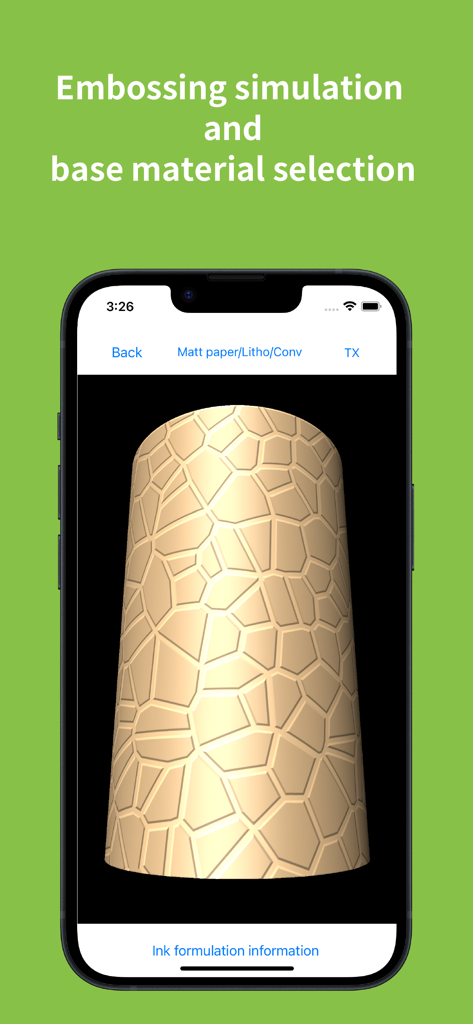
DIC COLOR GUIDE app screen showing embossing simulation and base material selection on a textured 3D object

DIC COLOR GUIDE app screen showing embossing simulation and base material selection on a textured 3D object

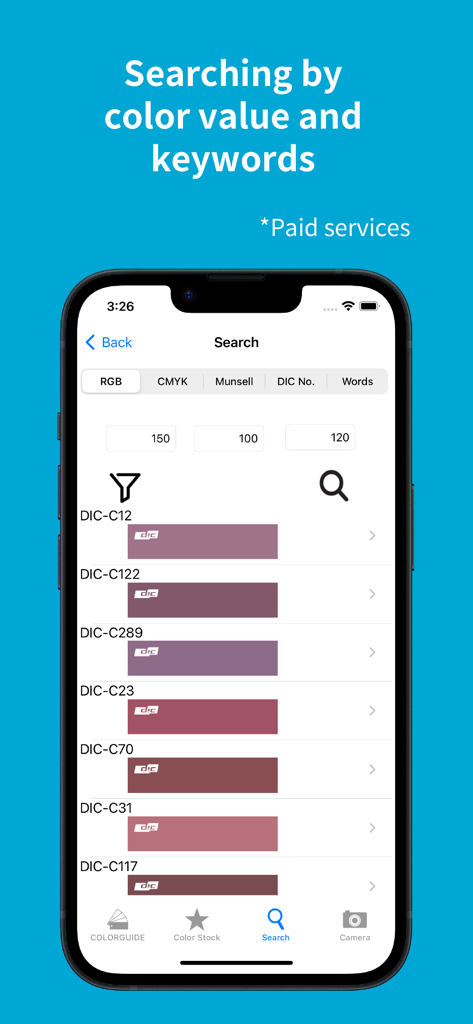
Search interface of DIC COLOR GUIDE app showing color results based on RGB values

Search interface of DIC COLOR GUIDE app showing color results based on RGB values

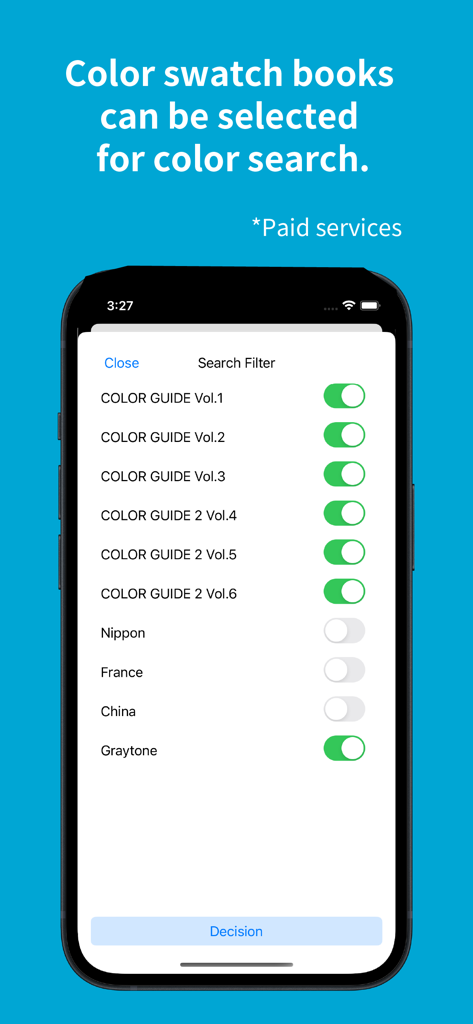
DIC Color Guide app interface showing search filters for various color swatch books and traditional color libraries

DIC Color Guide app interface showing search filters for various color swatch books and traditional color libraries

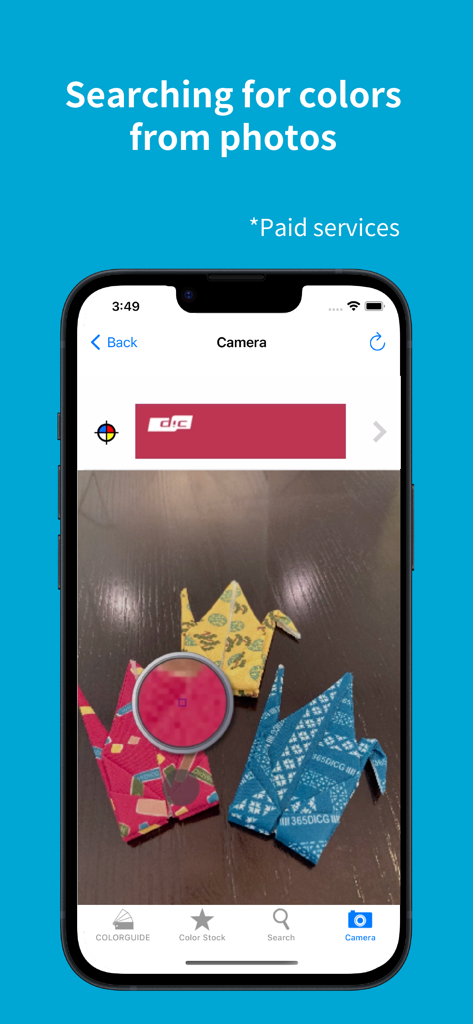
Interface of the DIC COLOR GUIDE app showing the search for colors from a photo feature using a smartphone camera

Interface of the DIC COLOR GUIDE app showing the search for colors from a photo feature using a smartphone camera

Precision Color Tools for Global Designers

The tools that make this app stand out, trusted by 183K+ users.

🏗️

Substrate & Texture Simulation

Visualize your brand colors on specific substrates including metal, film, and varied paper stocks to guarantee physical production accuracy.

Seamless Adobe Integration

Streamline your studio workflow by exporting swatch data, ink blending ratios, and CMYK values directly to Illustrator and Photoshop.

🎯

Scientific Color Accuracy

Utilize advanced camera calibration to capture real-world colors under standard D50/D65 light sources, eliminating environmental bias.

About the app

Everything you need to know about DIC COLOR GUIDE.

Description

This is a digital color library of the DIC Color Guide, a color sample book with the top market share in Japan. Please use the Guide as a color communication tool that allows you to select, stock, communicate, and share your favorite colors from a selection of 2,553 colors. This app has been provided free of charge since 2011 and has proved very popular. [Key Features] (Some features require a subscription.) - You can check the ink blending ratio to reproduce the colors of the DIC Color Guide in print. - You can use a pre-taken photographic image to call up a similar color from the Color Guide. (Subscription) - You can check the visual texture of DIC Color Guide colors printed on the substrate you wish to use (various types of paper, metal, and film). - The color library “Traditional Colors Series (Japan, France, China)” allows you to browse all the color names from these countries, and their origins. - Selected colors can be stocked together and text notes can be added. - Color swatch data from Adobe's Illustrator and Photoshop graphic software, RGB values, CMYK values, and other data can be sent by e-mail. -Calibration cards* can be used to convert colors under various light sources, such as sunlight, indoor fluorescent light, LED, etc., to pseudo colors that are the same as when the image is taken under a standard light source (D50/D65).  This allows for the same color reproduction as when shooting under standard light sources without concern for the light source at the time of shooting. (Subscription) *In rare cases, jaggies or moiré may appear after calibration is performed.  *Calibration cards must be purchased separately online from the DIC Graphics store (DIC Color Store). We will ship about 2 weeks after your order is placed.  Precautions for using the calibration card ・To obtain good search results, you will need a mobile device that supports the calibration card, a bright environment, and a clean camera lens. ・Please take pictures in a well-lit place (office: approx. 700 lux; 10 am on a sunny day: approx. 65,000 lux). When photographing the calibration card, make sure that light does not reflect or cast shadows on the card surface. The calibration function may not work properly.  ・When searching from DIC Color Guide images, search results may differ depending on factors such as the age of the Color Guide, its condition, and color changes.  ・Calibration cards are valid for one year. Due to inventory and shipping issues, the calibration card may be valid for more than one year at the time of delivery.  ・The expiration date of the calibration card is displayed on the Subscription Management Screen of the Digital Color Guide app. [Please note] If a film, glass, or other material is attached to the display surface of the device, the color may be affected by the color of the material, resulting in a discoloration of the displayed color. We recommend having no film, glass, etc. on the surface of the device. When viewing the screen, please set the brightness to the maximum brightness of each device. [Disclaimer] We make doubly sure that all information and values are correct, but give you no guarantee of those. Please note that all information and values are for reference only. We will never make restitution, if using this application may cause any damage or trouble.

Latest Version

6.1.1

Size

90.9 MB

First Released

Dec 6, 2010

Master the Global Standard of Color Precision

Bridge the gap between digital vision and physical reality. Download the DIC Color Guide to access 2,553 professional colors, substrate previews, and seamless Adobe integration for your most demanding global projects.

Download on App Store

App information, icons, screenshots, and descriptions displayed on this page are sourced from the Apple App Store and are the property of their respective developers. Download estimates and rankings are based on MWM's proprietary models and may not reflect actual figures. This page is provided for informational and analytical purposes only.

Believe this page infringes your intellectual property? File a dispute