
This page is not an official page of the app or its developer, but an independent editorial publication created for informational and commentary purposes. Unless expressly stated otherwise, neither the app nor its developer is affiliated with, endorsed by, sponsored by, authorized by, or otherwise officially connected with MWM, Apple, Google Play, the app publisher, or the app's developer, and nothing on this page implies that the app was developed using MWM's services. Any trademarks, logos, screenshots, and other content remain the property of their respective owners.

Discographic for Discogs
Catalog your library, track real-time market values, and hunt for rare gems with barcode scanning and full offline support—even in the deepest crates.
Downloads
77K+User Rating
Total Ratings
700Publisher
Category
MusicLocales
27Latest Version
4.9.16Size
46.9 MBFirst Released
Apr 12, 2015The Ultimate Crate-Digging Toolkit
Everything a serious vinyl collector needs to manage, value, and enjoy their library—anywhere, anytime.
Smart Cataloging & Offline Access
Scan barcodes in seconds and browse your entire collection without an internet connection. Perfect for deep-store digging.
Live Market Intelligence
View real-time collection values and historical sales data. Know exactly what your records are worth before you buy or sell.
Frequently Asked Questions
Everything you need to know about Discographic for Discogs
What is Discographic for Discogs?
Discographic for Discogs is a comprehensive vinyl collector app. It allows users to catalog their music collection, manage a wantlist, search the Discogs database, and integrate with Apple Music, Spotify, and Last.fm.
Can Discographic for Discogs integrate with music streaming services?
Yes, Discographic integrates with Apple Music and Spotify. It also offers Last.fm scrobbling functionality directly from the app to track listens.
How can I catalog my vinyl records using Discographic?
Discographic allows you to catalog records by adding or removing items, moving them between folders, and using a barcode scanner or searching by catalog number, artist, or title. You can also add custom notes and edit condition grades.
Does Discographic for Discogs support offline access to my collection?
Yes, Discographic offers full offline support. Your collection, wantlist, seller inventory, and other app data are cached, making them available anytime without an internet connection.
Can I sell items on the Discogs Marketplace through the Discographic app?
Yes, Discographic allows users to list items on the Discogs Marketplace directly. You can access your inventory, choose price suggestions, set item conditions, and add comments.
How does Discographic help me track the value of my collection?
Discographic calculates your collection's value. It displays an estimated Collection Value Range including minimum, median, and maximum values, based on historical sales data.
Can I export my collection data from Discographic?
Yes, Discographic enables you to export your collection, wantlist, and inventory data. The export format is Excel-compatible and includes custom notes and comments.
Is it possible to organize my collection using folders and tags in Discographic?
Yes, Discographic allows you to create and manage folders for your collection. You can also use and add custom tags to further organize your records.
What kind of search capabilities does Discographic offer for the Discogs database?
Discographic allows searching the entire Discogs database for records, artists, or labels. Users can filter searches by category and display full artist discographies, including image galleries.
Can I customize the appearance of the Discographic app?
Yes, Discographic offers customizable display options. Users can choose dark mode and various color schemes to personalize the app's appearance.
The following screenshots and description are sourced directly from the app's official store listing and are the property of the app developer.
App Store
Screenshots
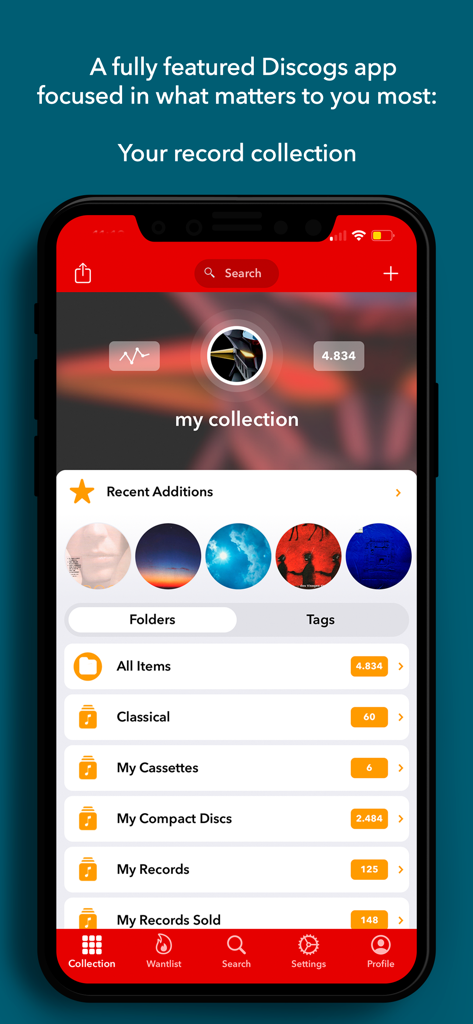
Discographic app interface displaying a user music collection with folders for records, CDs, and cassettes.
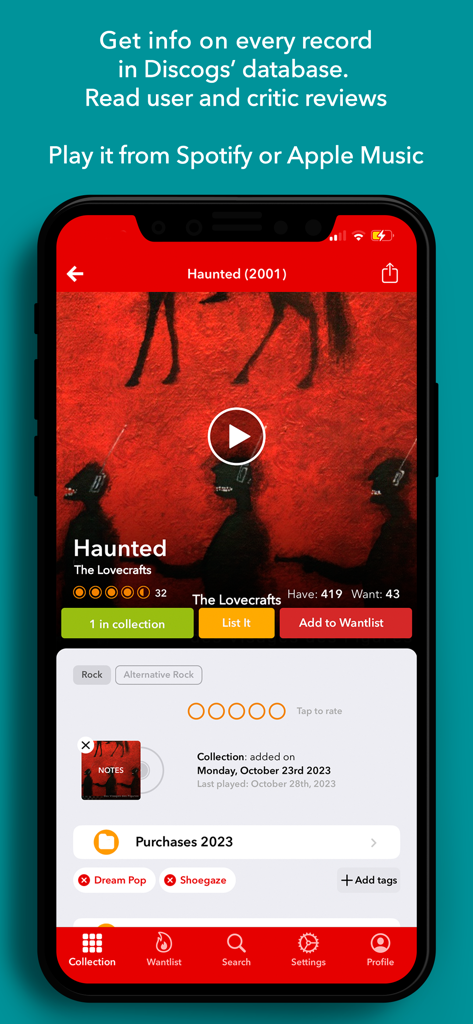
Discographic app interface showing vinyl album details with collection status and integrated music player options
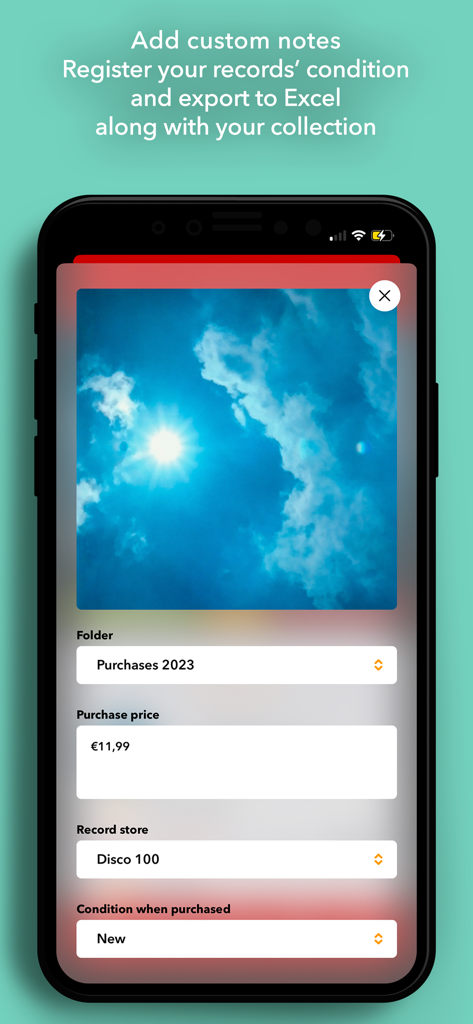
Discographic app interface for adding purchase price and record condition to a vinyl collection
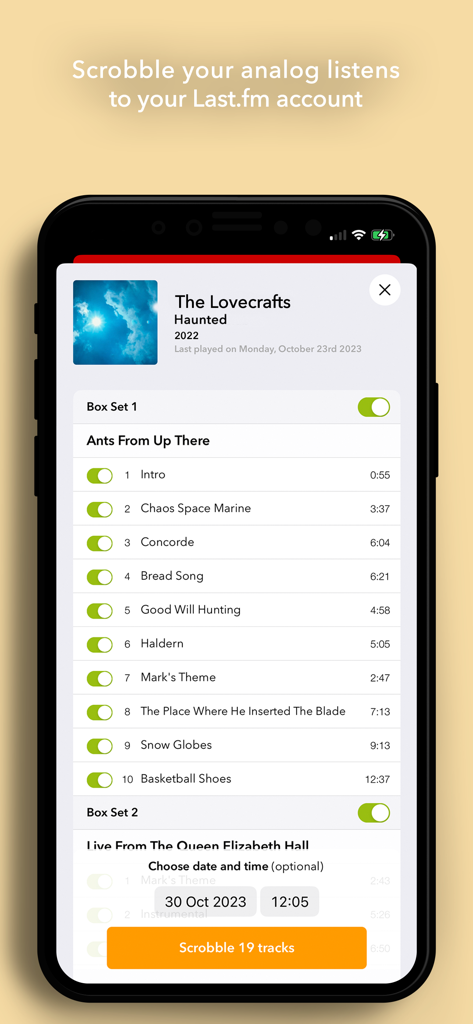
Smartphone screen displaying the Last.fm scrobbling feature for analog record listens in the Discographic app
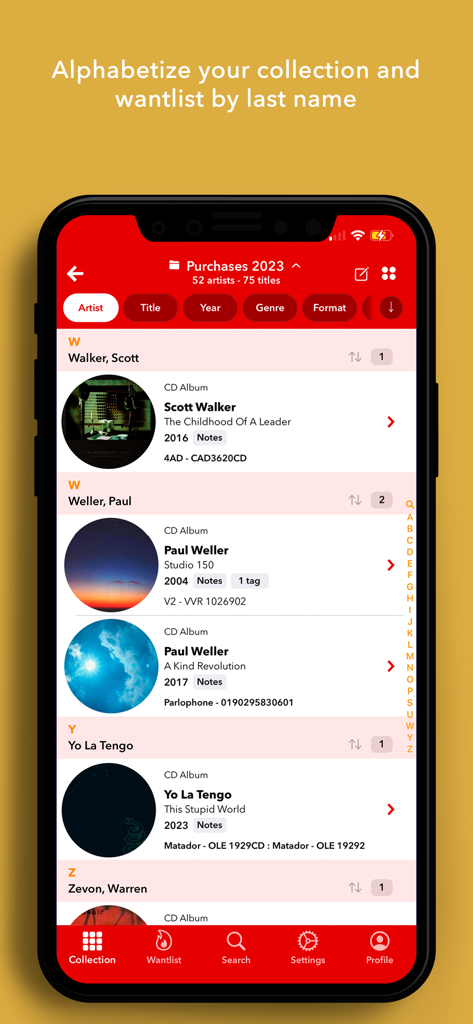
iPhone screenshot of Discographic for Discogs app showing a music collection alphabetized by artist last name
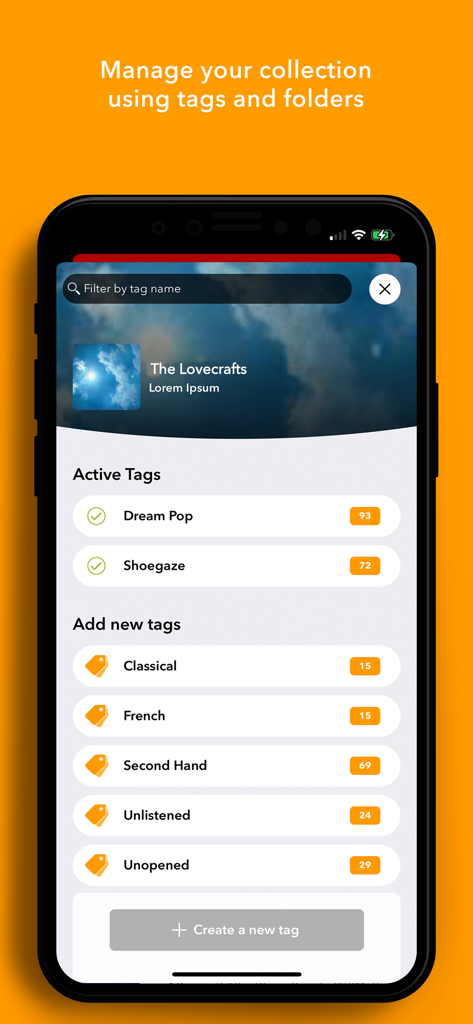
Interface for managing a music collection using custom tags and folders in Discographic
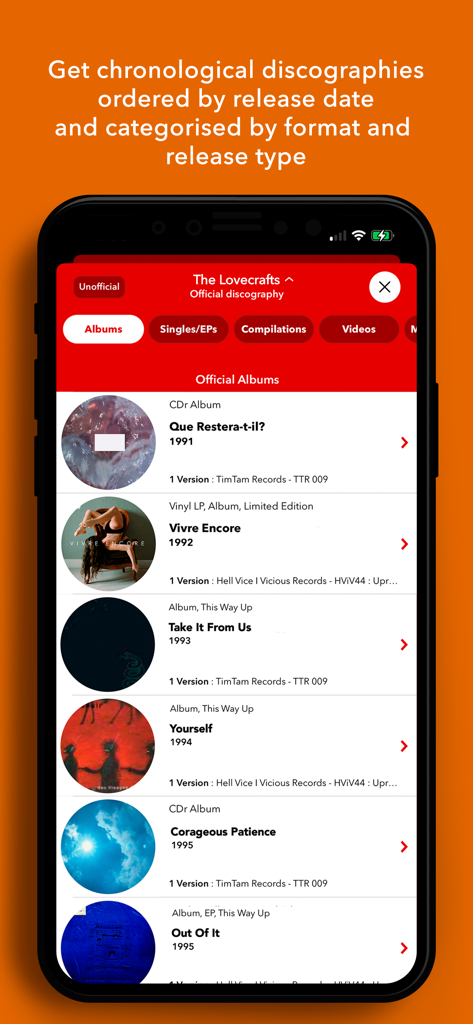
A chronological list of an artist discography categorized by format and release type within the app
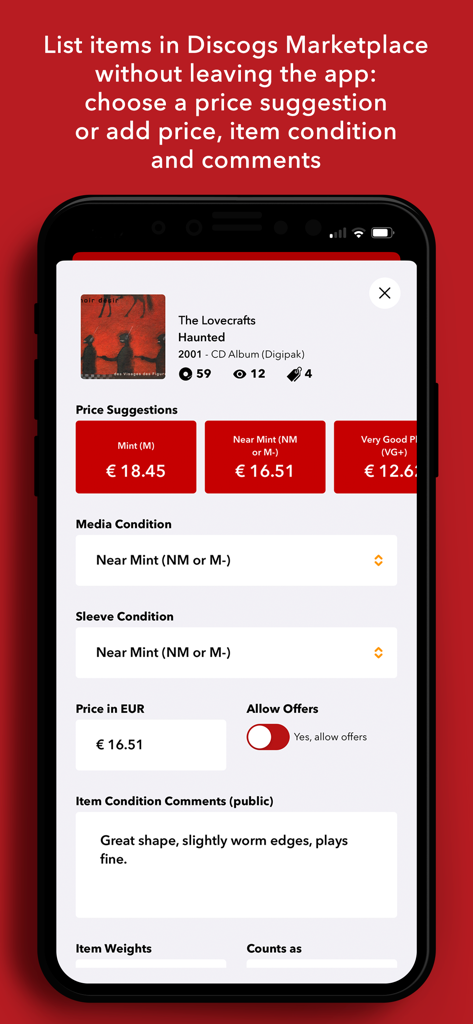
Interface of the Discographic app showing options to list a music album for sale on the Discogs Marketplace with price suggestions and condition grading.
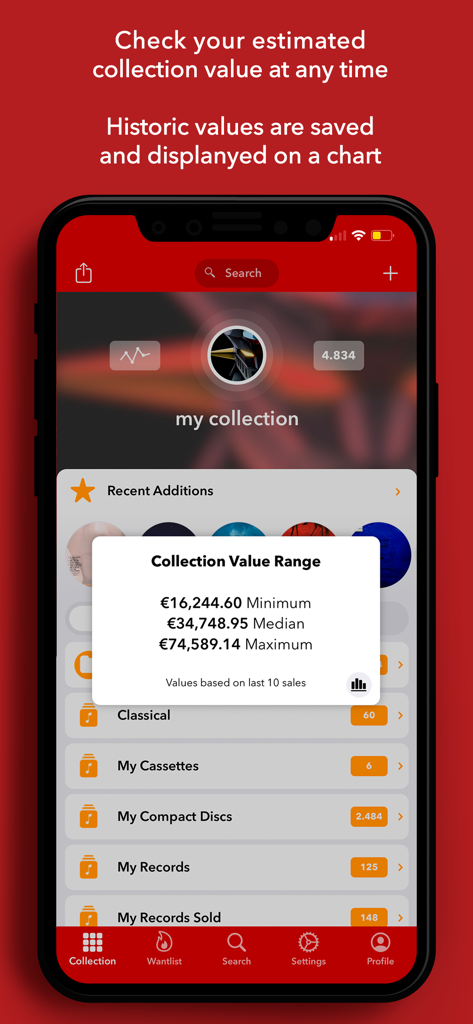
Discographic app interface showing the estimated financial value range for a physical music collection
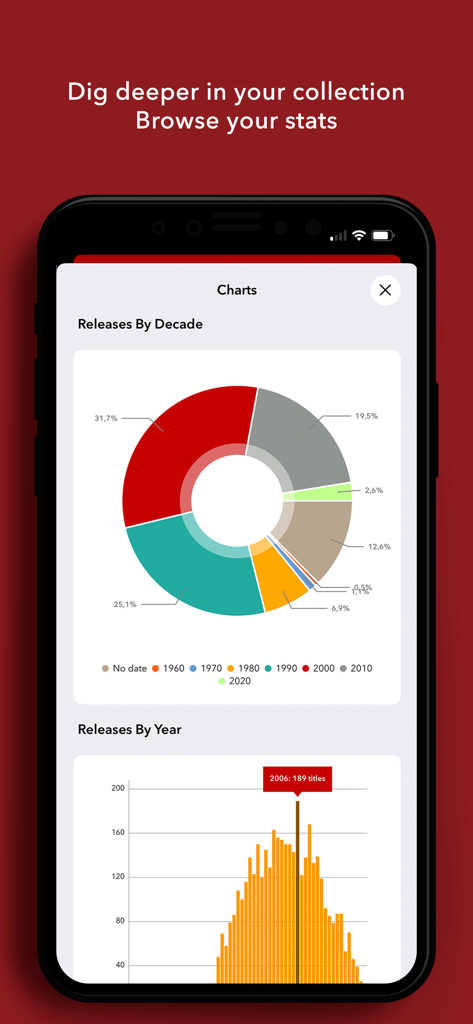
Discographic app screen displaying vinyl collection statistics through decade and year charts
Description
Download
More Like This
Top-ranked apps in the same category

Spotify: Music and Podcasts
Spotify

YouTube Music
Google LLC

Shazam: Find Music & Concerts
Apple Inc.

SoundCloud: The Music You Love
SoundCloud Global Limited & Co KG

Suno - AI Songs & Music
Suno Inc.

QQ音乐 - 听我想听
Tencent Technology (Shenzhen) Company Limited

Audiomack - Play Music Offline
Audiomack, Inc.

BandLab – Music Maker & Beats
BandLab Singapore Pte Ltd

GuitarTuna: Tune & Play Guitar
Yousician Ltd
This page is not an official page of the app or its developer, but an independent editorial publication created for informational and commentary purposes. Unless expressly stated otherwise, neither the app nor its developer is affiliated with, endorsed by, sponsored by, authorized by, or otherwise officially connected with MWM, Apple, Google Play, the app publisher, or the app's developer, and nothing on this page implies that the app was developed using MWM's services. Any trademarks, logos, screenshots, and other content remain the property of their respective owners.