DJ DEX - The DJ Mixing App

DJ DEX - The DJ Mixing App

Download on App Store
Logo of DJ DEX - The DJ Mixing App

DJ DEX - Pro-Grade DJ Software for Serious Mobile Performance

Turn your iPad into a professional mixing console. Designed for gigging DJs and side-hustlers, DJ DEX offers tactile hardware support, interactive waveforms, and rock-solid reliability—because this is not a game.

Download on App Store

Publisher

Digital 1 Audio, Inc.

Category

Music

Downloads

3K+

User Rating

3.1/5

Total Ratings

0

Locales

1

Pro Performance, Visualized

Discover the interface used by 3K+ users.
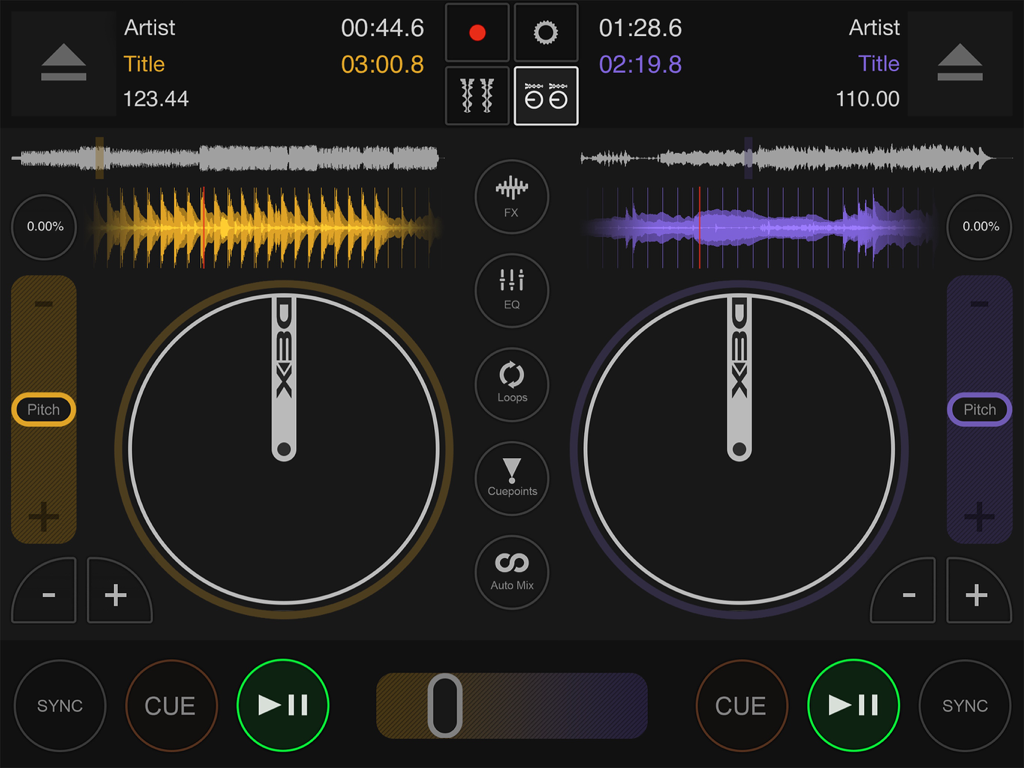
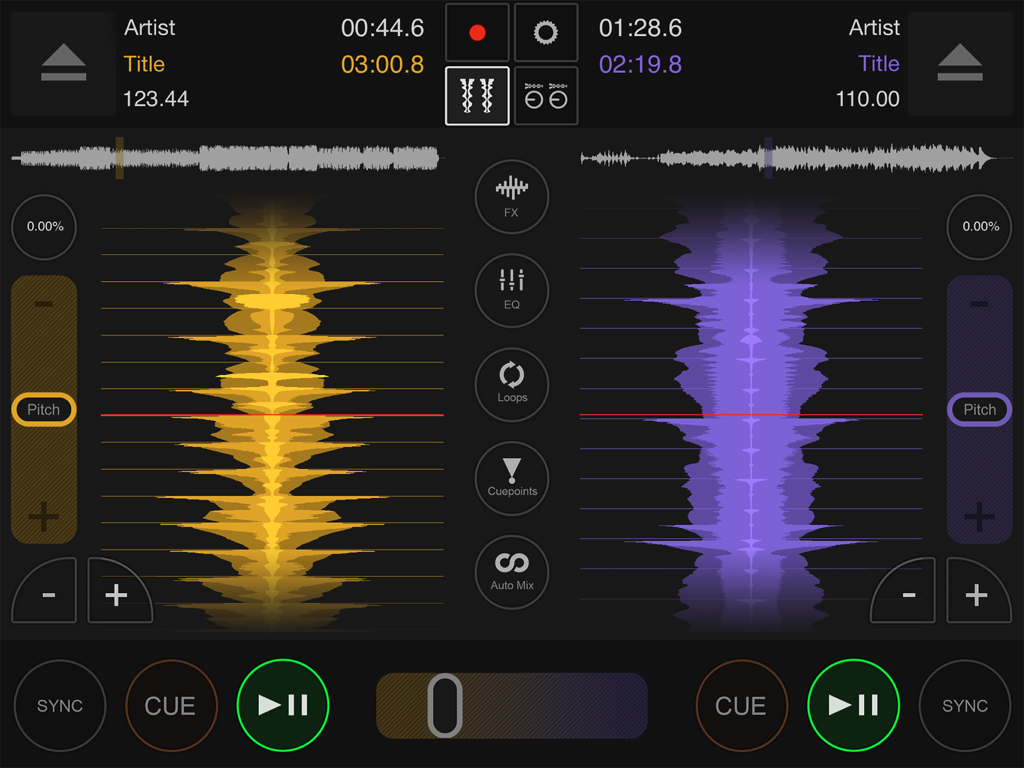
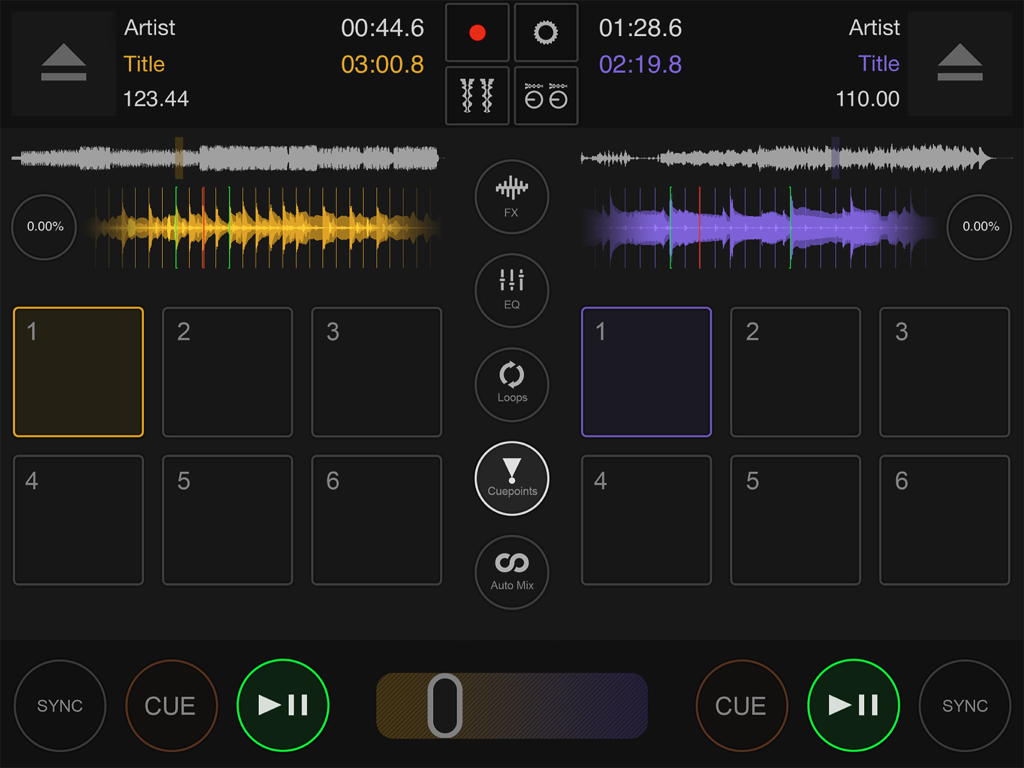
Professional DJ mixing interface with dual decks and waveforms on iPad

Professional DJ mixing interface with dual decks and waveforms on iPad

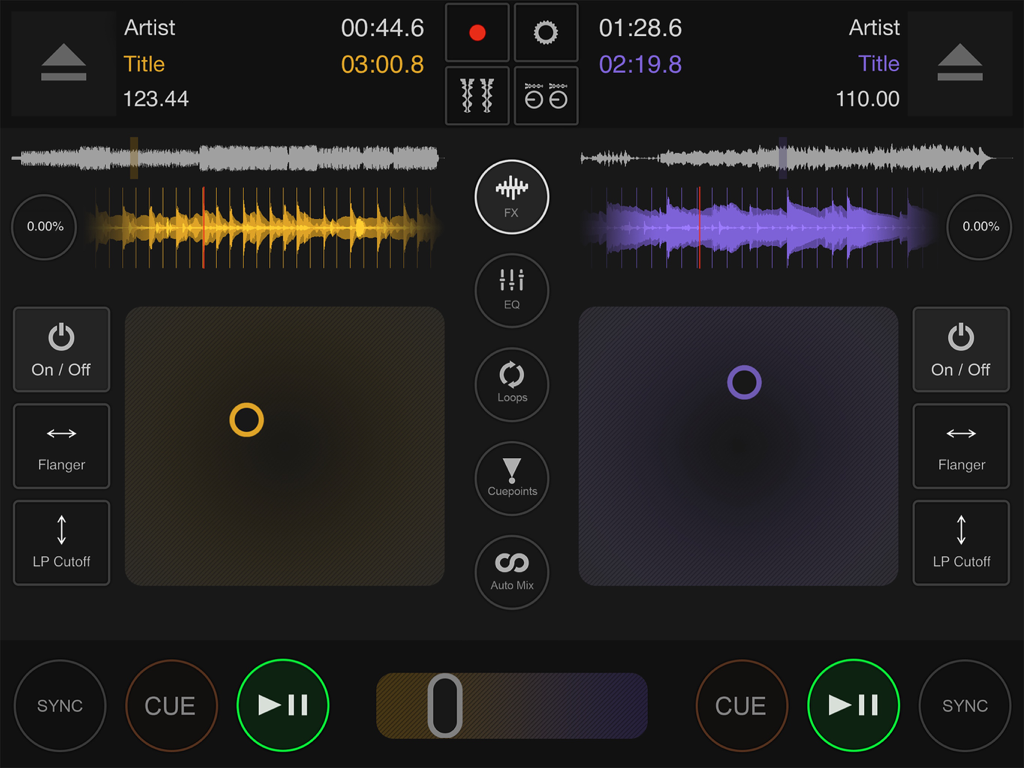
Professional DJ mixing interface with interactive waveforms and manual controls

Professional DJ mixing interface with interactive waveforms and manual controls

Professional dual deck DJ mixing interface with interactive waveforms and tempo controls

Professional dual deck DJ mixing interface with interactive waveforms and tempo controls

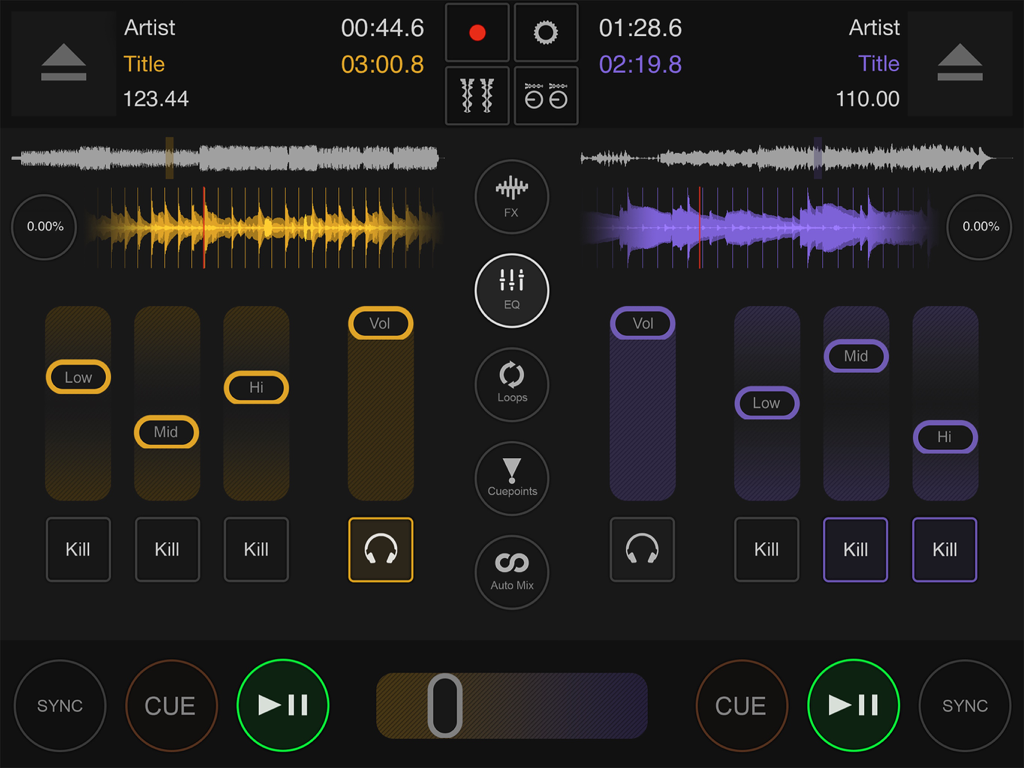
DJ DEX app interface on iPad showing two mixing decks with interactive waveforms and EQ faders

DJ DEX app interface on iPad showing two mixing decks with interactive waveforms and EQ faders

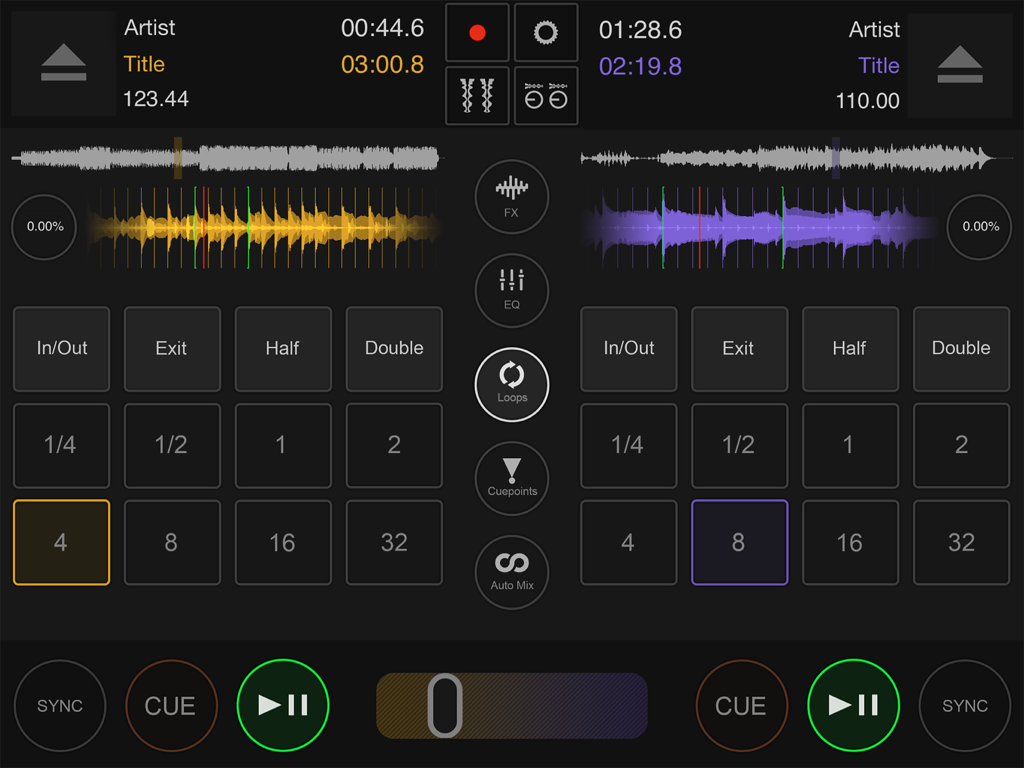
Professional DJ mixing interface with dual decks and loop controls in the DJ DEX app.

Professional DJ mixing interface with dual decks and loop controls in the DJ DEX app.

Professional DJ mixing interface on iPad with dual decks waveforms and hot cues

Professional DJ mixing interface on iPad with dual decks waveforms and hot cues

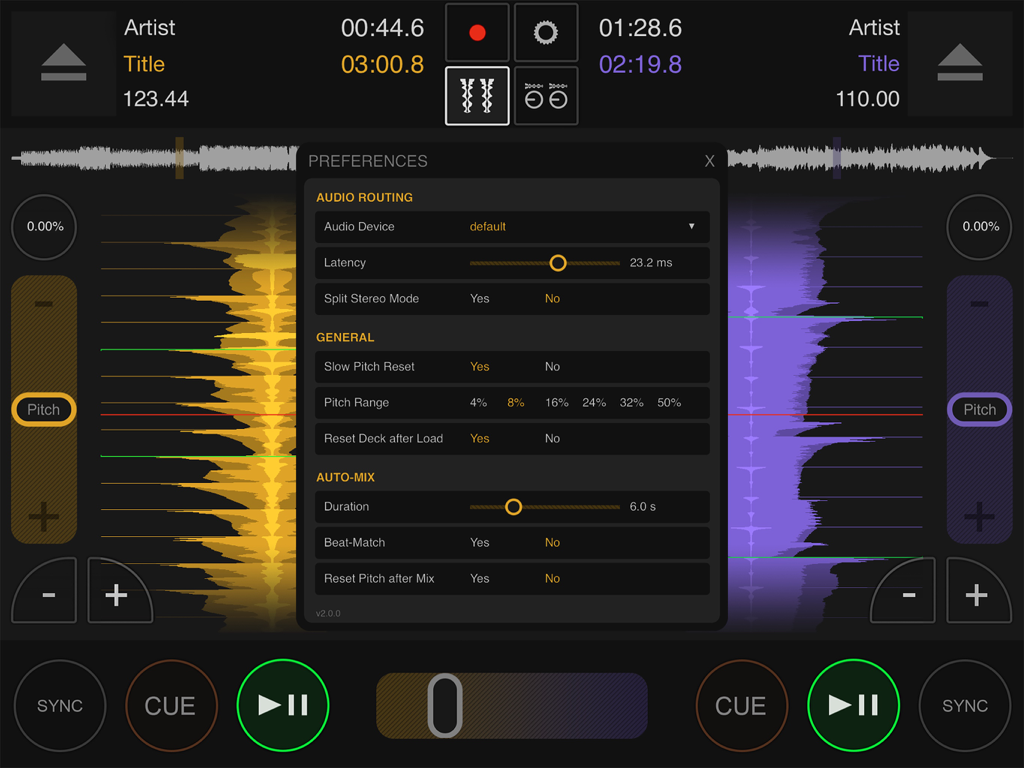
Preferences menu overlay in the DJ DEX mixing app showing audio routing and auto-mix settings

Preferences menu overlay in the DJ DEX mixing app showing audio routing and auto-mix settings

DJ DEX app logo featuring a stylized 45 RPM record adapter icon on a purple and orange gradient background

DJ DEX app logo featuring a stylized 45 RPM record adapter icon on a purple and orange gradient background

Professional-Grade Mixing on iPad

The tools that make this app stand out, trusted by 3K+ users.

🎛️

Plug-and-Play Controller Support

Experience tactile control with native support for over 100 DJ controllers from brands like Pioneer, Numark, and Denon, no complex mapping required.

Precision Performance Decks

Master every transition with interactive waveforms, automatic beat-grid detection, and 6 hot cues per deck for ultimate creative freedom during live sets.

🛡️

Gig-Ready Reliability

Built for the stage with a rock-solid audio engine, mono-split output for professional headphone monitoring, and optimized flight-mode performance.

About the app

Everything you need to know about DJ DEX - The DJ Mixing App.

Description

DJ DEX turns your iPad into veritable DJ software console that rivals features found in top professional DJ applications. Get touchy with the intuitive interface or plug in a supported DJ controller for tactile hands-on control over features like BPM sync, interactive waveform displays, pitch/tempo control, scratching, seamless automatic looping, automix, and effects. DJ DEX also supports mono split output so you can easily monitor each deck in your headphones just like a traditional DJ setup. DJ DEX is not a game – it was created using the same technology found in DEX 3 Pro for macOS. Whether you use DJ DEX as your go-to solution for DJing events or as backup you’ll have the features you need to create tantalizing mixes that keep ’em dancing. See for yourself and take it for a spin today! Key Features: + 2 DJ DECKS and a Mixer + Hands-on manual mixing or hands-free automation + Pitch/Tempo Control + BPM Snap-To-Beat Mixing + Seamless quantized looping + Automatic Beat-Grid based BPM detection + High-Quality effects (Flanger, Echo, Cutoff filters, etc) + Interactive waveforms that allow you to scratch, pitch bend, reverse play, backspin, etc + Library browsing and search + 6 hot cues can be set per deck, with cue-play + Record your mixes + Free updates! DJ Controller Support: + supports multichannel audio controllers + over 100 controllers supported (from Pioneer, Numark, Denon, Hercules, American Audio, Reloop, Gemini, Akai, Vestax, etc). No configuration needed, but you do need the iPad Camera Kit connector or a Lightning to USB adapter to connect the controller to your iPad. You must use DJ Controllers that consume very little power (so that the iPad can power them) or have their own power adapter. Optimize for performance: + Turn on “Flight Mode” when doing live mixes + If you need both speakers and headphones preview and you don't have a multi-channel audio interface or controller you can use a special inexpensive “splitter” that splits the headphones output so that the left channel will go to the speakers (master output) and right channel will go to the headphones (monitor)

Latest Version

2.1.0

Size

71.3 MB

First Released

Apr 6, 2012

The Professional Rig That Fits in Your Backpack

Stop playing games and start mixing with the power of DEX 3 Pro on your iPad. Whether it's your main mobile setup or a reliable emergency backup, DJ DEX delivers the professional control, hardware support, and rock-solid performance your next gig demands.

Download on App Store

App information, icons, screenshots, and descriptions displayed on this page are sourced from the Apple App Store and are the property of their respective developers. Download estimates and rankings are based on MWM's proprietary models and may not reflect actual figures. This page is provided for informational and analytical purposes only.

Believe this page infringes your intellectual property? File a dispute