Documents Translator
Download on App Store

This page is not an official page of the app or its developer, but an independent editorial publication created for informational and commentary purposes. Unless expressly stated otherwise, neither the app nor its developer is affiliated with, endorsed by, sponsored by, authorized by, or otherwise officially connected with MWM, Apple, Google Play, the app publisher, or the app's developer, and nothing on this page implies that the app was developed using MWM's services. Any trademarks, logos, screenshots, and other content remain the property of their respective owners.


Logo of Documents Translator
Download on App Store

Documents Translator

Empower your workflow with real-time translation for websites, documents, and voice. Integrated directly into your iOS keyboard and Safari, it provides 140+ languages and offline reliability for professionals and travelers who demand efficiency without limits.

Key Figures

Downloads

2K+

User Rating

4.0/5

Total Ratings

0

Publisher

Denk Alexandru

Category

Utilities

Locales

19

Latest Version

1.3.8

Size

52.1 MB

First Released

May 17, 2021
Features

Master Every Language Effortlessly

From professional emails to navigating foreign streets, our all-in-one suite integrates directly into your iOS experience to eliminate communication barriers.

Translate Anywhere Instantly

Use the integrated keyboard extension to translate emails and chats directly within any app without the friction of copy-pasting.

Visual Real-Time Translation

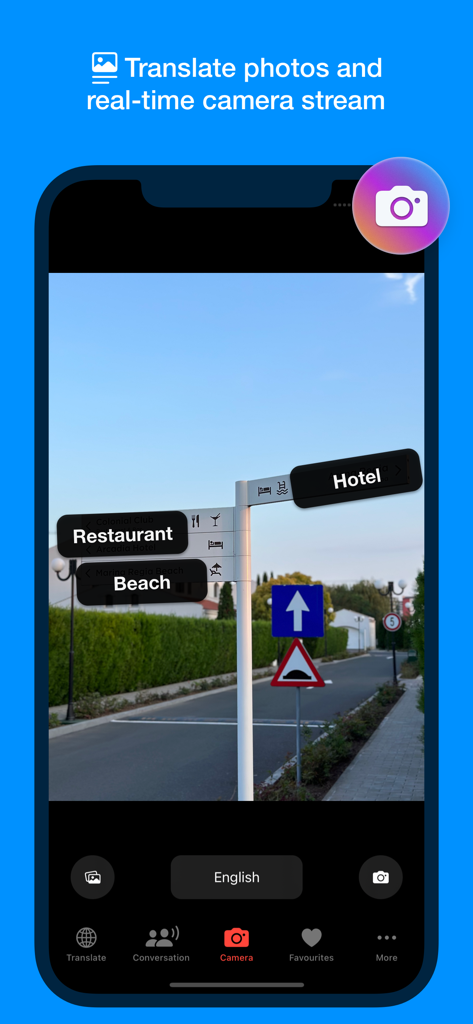
Point your camera at signs, menus, or documents to see instant translations. Navigate new cities and professional documents with complete confidence.

The following screenshots and description are sourced directly from the app's official store listing and are the property of the app developer.

App Store

Screenshots
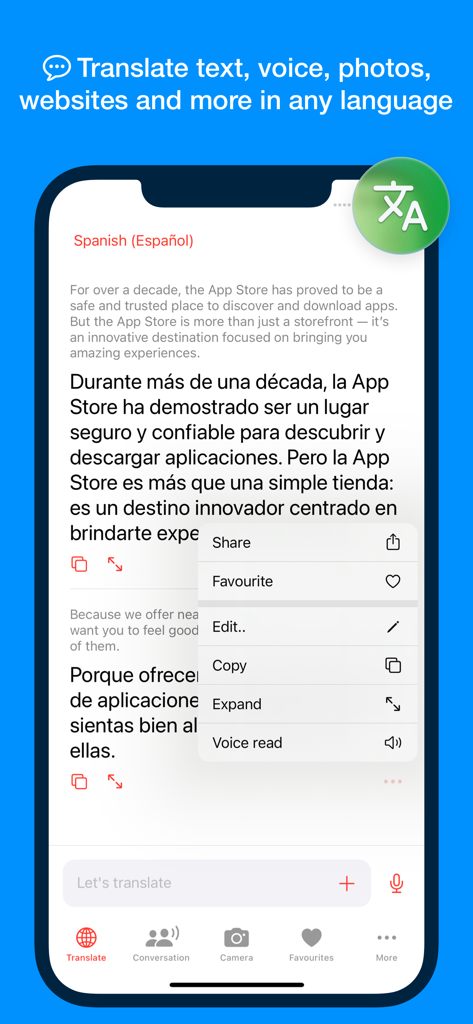
Documents Translator - Documents Translator app interface showing English to Spanish text translation on an iPhone
Documents Translator app interface showing English to Spanish text translation on an iPhone

Documents Translator - Real-time camera translation feature in the Documents Translator app showing translated street signs for restaurant beach and hotel
Real-time camera translation feature in the Documents Translator app showing translated street signs for restaurant beach and hotel

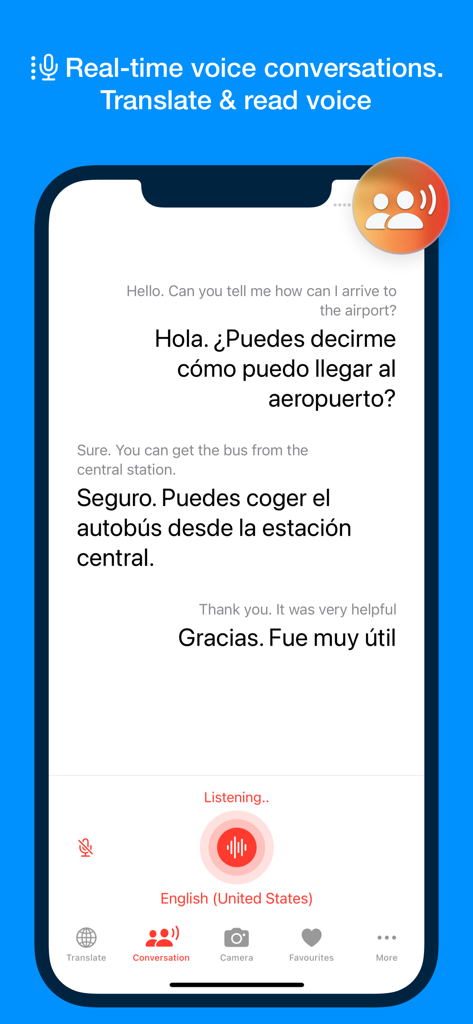
Documents Translator - Real-time voice conversation translation screen showing a dialogue between English and Spanish
Real-time voice conversation translation screen showing a dialogue between English and Spanish

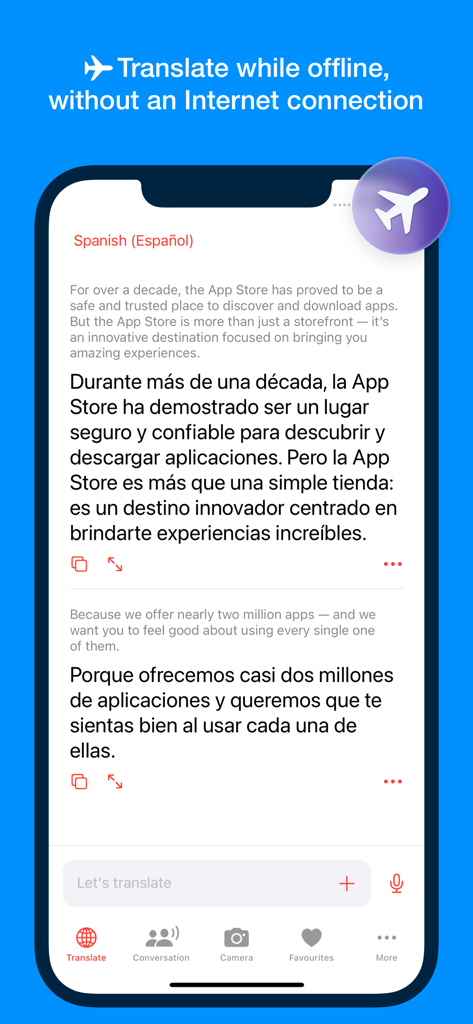
Documents Translator - Documents Translator app interface showing offline translation feature from English to Spanish with a plane icon
Documents Translator app interface showing offline translation feature from English to Spanish with a plane icon

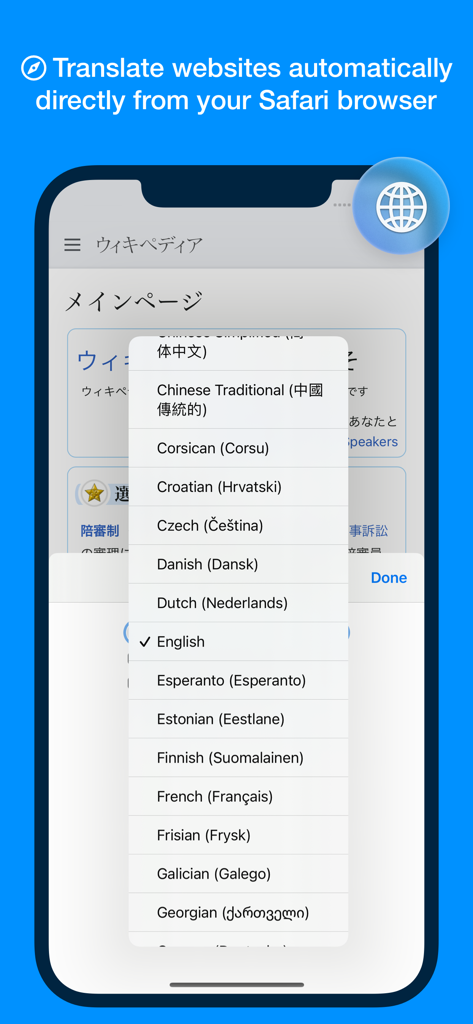
Documents Translator - iPhone screen showing the Safari extension translating a website with a list of available languages.
iPhone screen showing the Safari extension translating a website with a list of available languages.

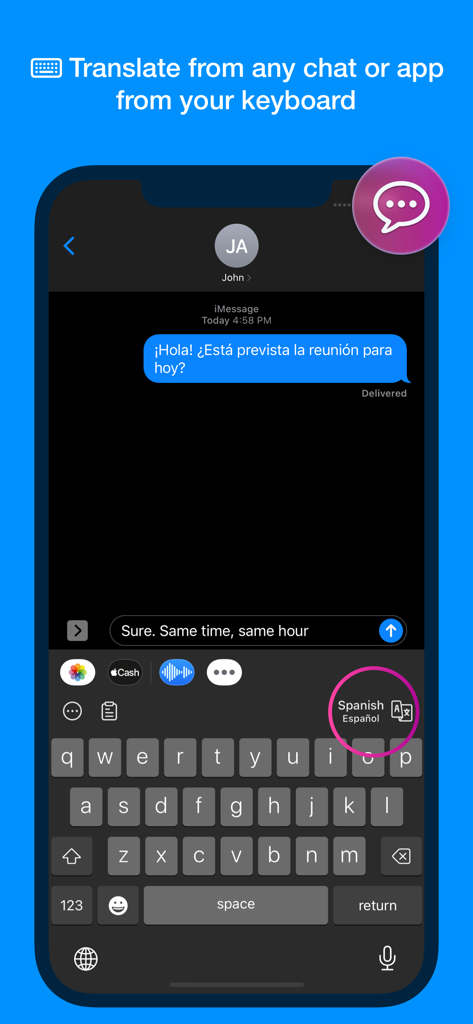
Documents Translator - iPhone screenshot showing the Documents Translator keyboard extension used to translate messages directly within a chat app.

iPhone screenshot showing the Documents Translator keyboard extension used to translate messages directly within a chat app.

Description

Documents Translator is ready to use every time you need to translate text, documents, photos, webpages, street signs, or when you need to ask for directions in a different language. • Translate text, voice, photos, and websites, all in one app. Remove all communication barriers, translate in more than 140 languages • With Documents Translator, you can translate content shared from any app or scanned from documents, or you can have voice conversations with anyone. You can turn your camera into a real-time translator or translate websites directly from Safari, or chats directly from the keyboard. The app supports an offline mode, enabling you to use it in remote locations without an internet connection. FEATURES • Translate text in more than 140 languages from books, scanned documents, and web pages. Share content from any app • Translate your camera in real-time and photos: Navigate around, read street signs, instructions, and directions in real-time. Scan documents or menus. • Real-time voice conversations: Talk on the street, ask for directions, connect with people around the world • Offline translation: Communicate anywhere in the world, even in remote areas with no internet connection • Translate any website with the Safari browser extension: translate automatically after page load or manually only when you want to • Turn your keyboard into a translator - no need to jump between apps to translate messages or emails from any app • Favourite translations for fast access. Voice read or enlarge content for better usability We read your support emails every day, day by day. Write with confidence any question, feedback, or complaint, and you will receive an answer in a very short period of time. 140+ SUPPORTED LANGUAGES Afrikaans, Albanian, Amharic, Arabic, Armenian, Azerbaijani, Basque, Belarusian, Bengali, Bosnian, Bulgarian, Catalan, Cebuano, Chinese (Simplified), Chinese (Traditional), Corsican, Croatian, Czech, Danish, Dutch, English, Esperanto, Estonian, Filipino, Finnish, French, Frisian, Galician, Georgian, German, Greek, Gujarati, Haitian Creole, Hausa, Hawaiian, Hebrew, Hindi, Hmong, Hungarian, Icelandic, Igbo, Indonesian, Irish, Italian, Japanese, Javanese, Kannada, Kazakh, Khmer, Korean, Kurdish, Kyrgyz, Lao, Latin, Latvian, Lithuanian, Luxembourgish, Macedonian, Malagasy, Malay, Malayalam, Maltese, Maori, Marathi, Mongolian, Myanmar (Burmese), Nepali, Norwegian, Nyanja (Chichewa), Pashto, Persian, Polish, Portuguese, Punjabi, Romanian, Russian, Samoan, Scots Gaelic, Serbian, Sesotho, Shona, Sindhi, Sinhala (Sinhalese), Slovak, Slovenian, Somali, Spanish, Sundanese, Swahili, Swedish, Tagalog (Filipino), Tajik, Tamil, Telugu, Thai, Turkish, Ukrainian, Urdu, Uzbek, Vietnamese, Welsh, Xhosa, Yiddish, Yoruba, Zulu We offer two auto-renewing subscriptions and a one-time payment option: • Basic, a 1 Month subscription • Premium, a 12-month subscription • Lifetime access: one-time payment only Prices may vary by location. Subscriptions will auto-renew unless canceled. • Payment will be charged to the iTunes Account at confirmation of purchase • Subscription may be managed by the user, and auto-renewal may be turned off by going to the user’s Account Settings after purchase. • No cancellation of the current subscription is allowed during the active subscription period. • Subscription automatically renews unless auto-renewal is turned off at least 24 hours before the end of the current period. • Your account will be charged for renewal for the amount of your current subscription within 24 hours prior to the end of the current period. All costs for subscriptions are mentioned above. Privacy Policy https://alexdenk.eu/subscriptions-privacy-policy.html Terms of Use https://alexdenk.eu/subscriptions-terms-of-use.html

Download

Download on App Store

This page is not an official page of the app or its developer, but an independent editorial publication created for informational and commentary purposes. Unless expressly stated otherwise, neither the app nor its developer is affiliated with, endorsed by, sponsored by, authorized by, or otherwise officially connected with MWM, Apple, Google Play, the app publisher, or the app's developer, and nothing on this page implies that the app was developed using MWM's services. Any trademarks, logos, screenshots, and other content remain the property of their respective owners.








