Dolphin EasyReader
Dolphin EasyReader
Download on App Store

This page is not an official page of the app or its developer, but an independent editorial publication created for informational and commentary purposes. Unless expressly stated otherwise, neither the app nor its developer is affiliated with, endorsed by, sponsored by, authorized by, or otherwise officially connected with MWM, Apple, Google Play, the app publisher, or the app's developer, and nothing on this page implies that the app was developed using MWM's services. Any trademarks, logos, screenshots, and other content remain the property of their respective owners.

Logo of Dolphin EasyReader
Download on App Store

Dolphin EasyReader

The world’s most versatile reading app for people with dyslexia, vision loss, or print disabilities. Connect to Bookshare, NFB-NEWSLINE, and global libraries to enjoy millions of books and newspapers with fully customizable text, human-sounding audio, and braille support.

Key Figures

Downloads

180K+

User Rating

4.1/5

Total Ratings

700

Publisher

Dolphin Computer Access Ltd

Category

Books

Locales

13

Latest Version

12.04

Size

46.0 MB

First Released

May 31, 2017
Features

The World’s Most Accessible Reading App

Tailor every page to your unique needs and explore millions of titles from global libraries—all in one place.

Instant Access to Global Libraries

Connect directly to Bookshare, NFB-NEWSLINE, and your local library to download bestsellers, textbooks, and daily newspapers instantly.

Customized for Dyslexia & Vision

Choose dyslexia-friendly fonts, adjust line spacing, and set high-contrast colors to make reading comfortable, clear, and focused.

The following screenshots and description are sourced directly from the app's official store listing and are the property of the app developer.

App Store

Screenshots
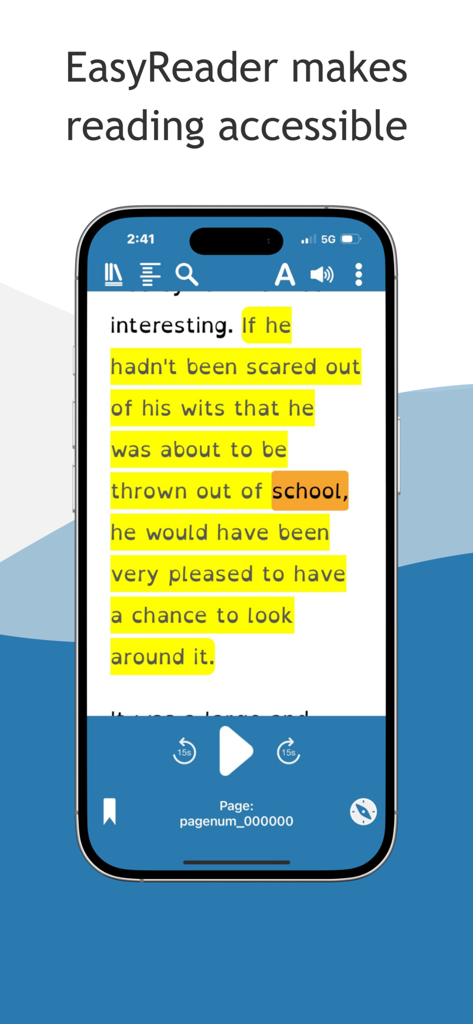
Dolphin EasyReader - Smartphone screen showing Dolphin EasyReader with synchronized text highlighting and audio controls
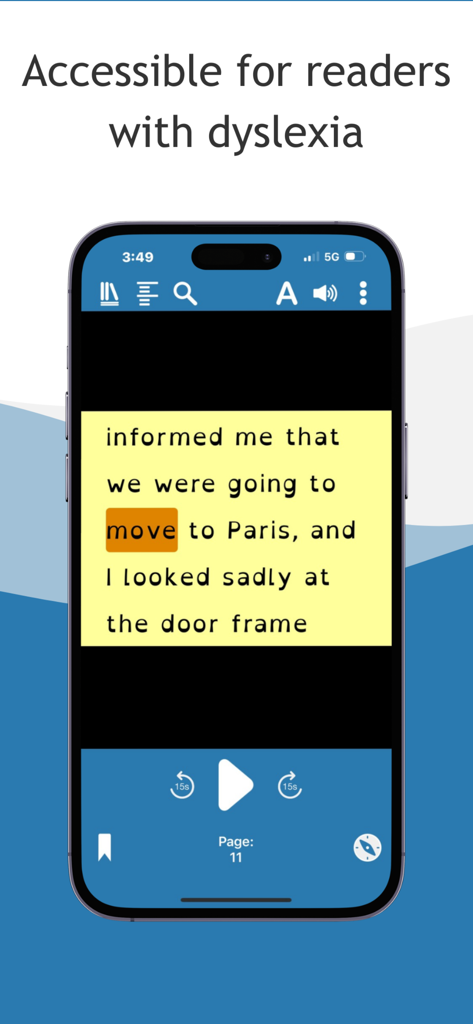
Smartphone screen showing Dolphin EasyReader with synchronized text highlighting and audio controls

Dolphin EasyReader - Smartphone screen showing Dolphin EasyReader app interface with text-to-speech highlighting and high-contrast settings for readers with dyslexia.
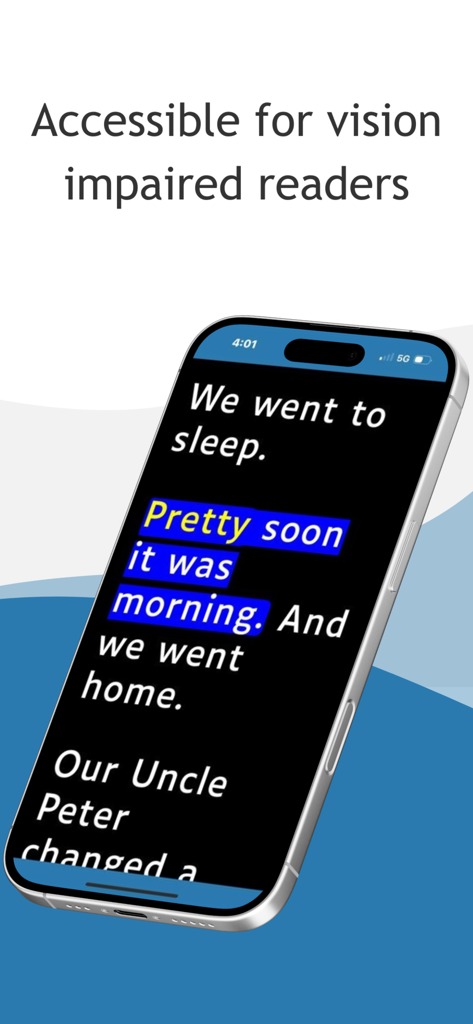
Smartphone screen showing Dolphin EasyReader app interface with text-to-speech highlighting and high-contrast settings for readers with dyslexia.

Dolphin EasyReader - Dolphin EasyReader app interface showing high contrast text and word highlighting for vision impaired readers
Dolphin EasyReader app interface showing high contrast text and word highlighting for vision impaired readers

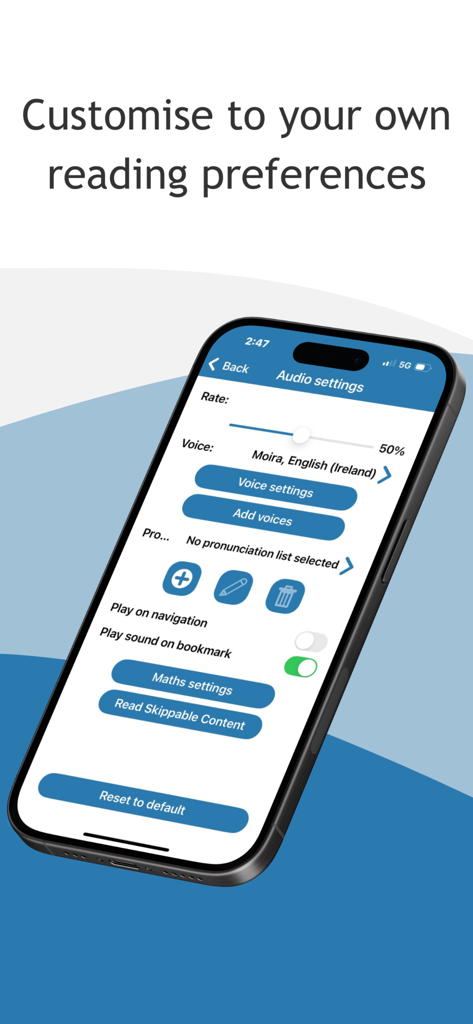
Dolphin EasyReader - Audio settings screen in the Dolphin EasyReader app showing text-to-speech voice and reading rate customization options.
Audio settings screen in the Dolphin EasyReader app showing text-to-speech voice and reading rate customization options.

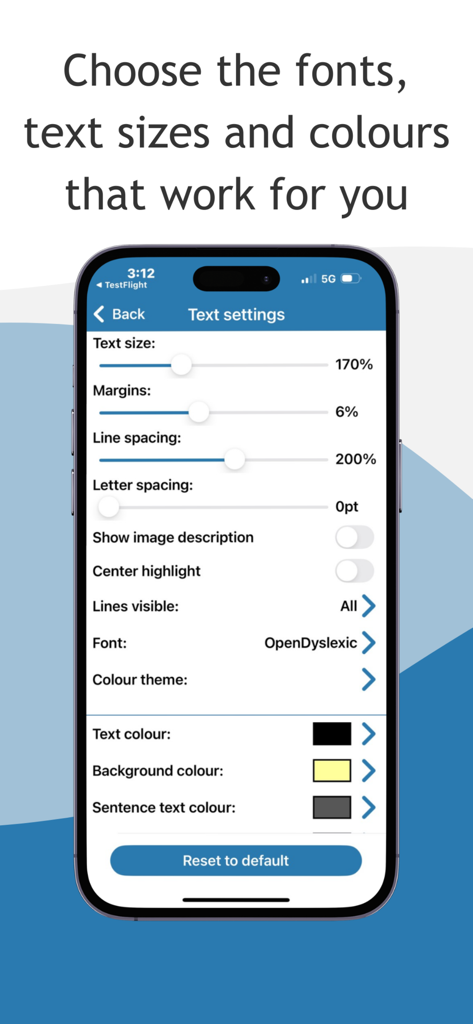
Dolphin EasyReader - Dolphin EasyReader text settings screen showing options for text size, line spacing, background color, and OpenDyslexic font for better accessibility.
Dolphin EasyReader text settings screen showing options for text size, line spacing, background color, and OpenDyslexic font for better accessibility.

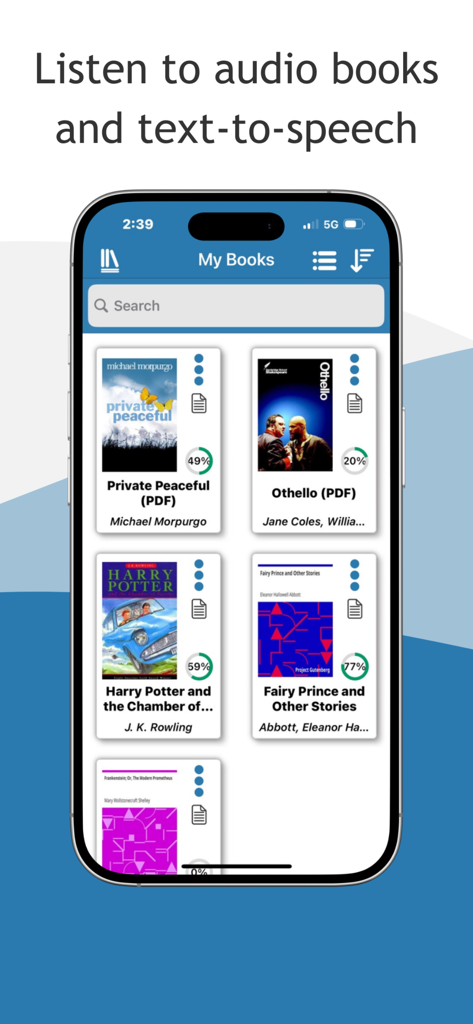
Dolphin EasyReader - Interface of Dolphin EasyReader app showing a library of accessible books on a smartphone
Interface of Dolphin EasyReader app showing a library of accessible books on a smartphone

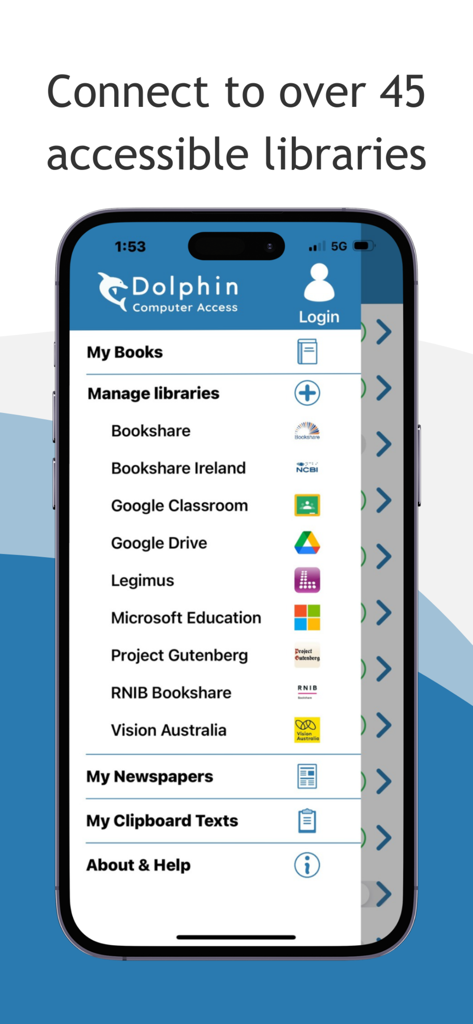
Dolphin EasyReader - Dolphin EasyReader app menu showing connections to accessible libraries like Bookshare and Project Gutenberg
Dolphin EasyReader app menu showing connections to accessible libraries like Bookshare and Project Gutenberg

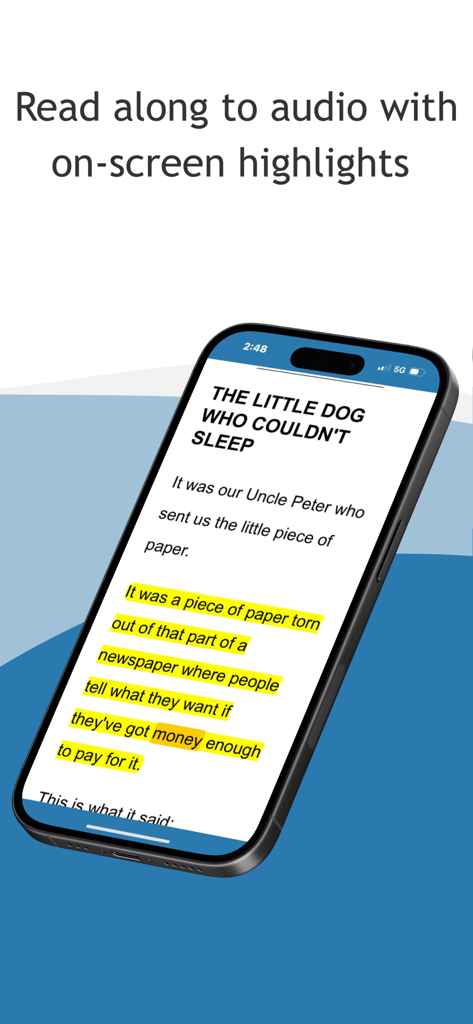
Dolphin EasyReader - Dolphin EasyReader app showing text with yellow highlights for audio read-along.
Dolphin EasyReader app showing text with yellow highlights for audio read-along.

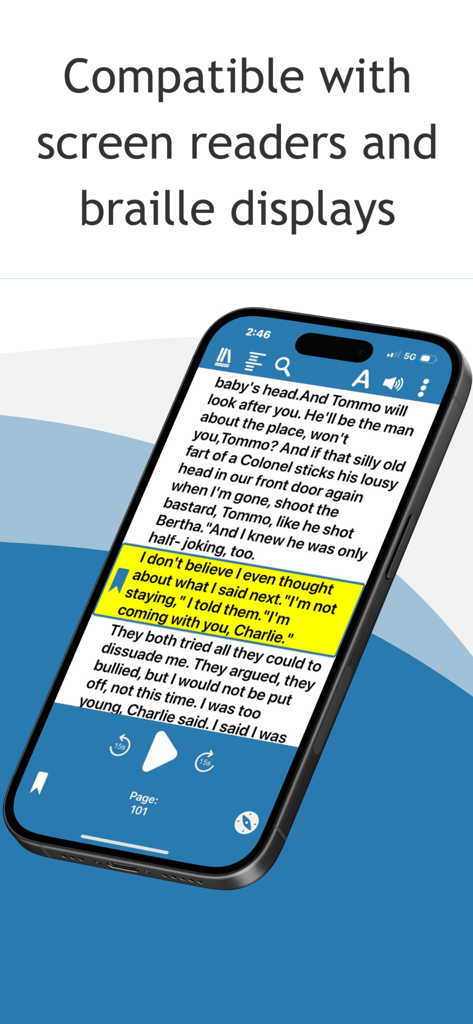
Dolphin EasyReader - Smartphone displaying the Dolphin EasyReader app with text highlighting and accessibility support text
Smartphone displaying the Dolphin EasyReader app with text highlighting and accessibility support text

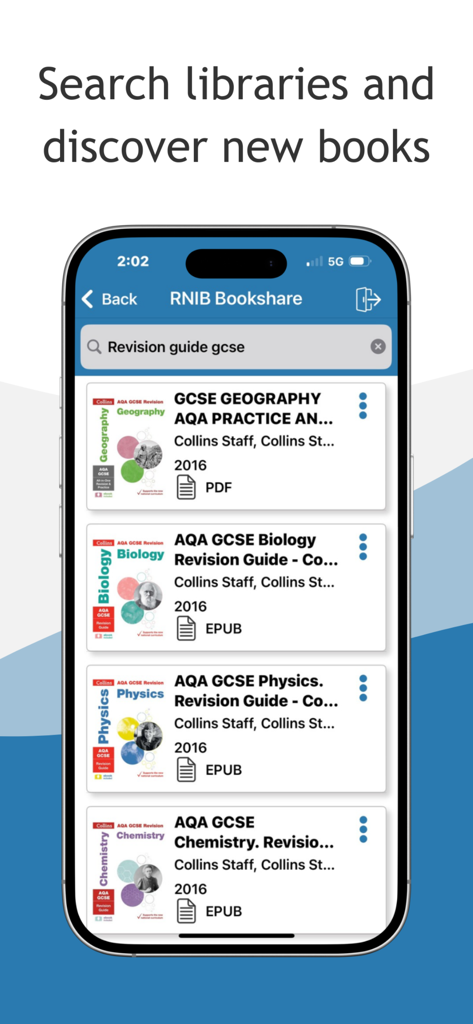
Dolphin EasyReader - Smartphone screen showing Dolphin EasyReader app searching the RNIB Bookshare library for GCSE revision guides.

Smartphone screen showing Dolphin EasyReader app searching the RNIB Bookshare library for GCSE revision guides.

Description

Open a World of Accessible Books EasyReader removes barriers to reading, connecting users to accessible book libraries and talking newspaper stands globally. Every reader can enjoy books independently, in ways they find comfortable and accessible. Free for personal use by anyone with a print disability, EasyReader enhances the reading experience for individuals with dyslexia, vision impairments, and other print-related challenges. Simply log in to your preferred library and download up to ten titles at a time. Millions of books, including classic literature, the latest bestsellers, non-fiction, textbooks and children’s storybooks are all available to read in ways that are accessible to you. You can also access talking newspaper stands to enjoy magazines, newspapers and other reading material. The Flexibility to Read Your Own Way Download up to ten titles at a time and customise your reading experience to suit your vision and preferences. Supporting Dyslexic readers and people with Irlen Syndrome: - Adjust fonts and try dyslexia-friendly fonts - Customise text, background colours and word highlights to improve readability - Modify letter spacing, line spacing and line views for comfort EasyReader offers an exceptional experience for readers with vision impairments: - Adjustable text size with touchscreen actions - Choose custom colour contrasts for comfortable reading - Braille display support for accessing books and documents - Linear reading mode for screen readers and braille users Audio Books & Text-to-Speech (TTS) Listen to audio books or use Text to Speech (TTS) to read books and newspapers with human-sounding synthesised speech. Personalise your reading experience further and read-along with on-screen text highlights that perfectly synchronise with the audio. - Choose your preferred reading voices. - Adjust reading speed, volume and pronunciation for optimal clarity Read a Range of Formats Choose from a wide range of book and document formats: - HTML - Text files - DAISY 2 & 3 - ePub - MathML - Microsoft Word (DOCX) - PDF (via RNIB Bookshare) - Any text copied to your device clipboard Easy Navigation Access your favourite libraries with EasyReader and browse, download and navigate books effortlessly. Skip pages, jump to chapters, or search by keyword to find information instantly, whether you read visually, with audio or braille. Help & Support EasyReader is intuitive, but if you need additional guidance or assistance, simply 'Ask a Question’ in EasyReader Help. The built-in AI searches Dolphin user guides, the Knowledge Base, and training materials for answers. If you prefer manual search, step-by-step help topics are available on the Dolphin website. Share feedback or report a bug directly in EasyReader to help Dolphin enhance EasyReader App. Libraries & Talking Newspaper Services in EasyReader Global Project Gutenberg Bookshare UK: Calibre Audio RNIB Bookshare RNIB Newsagent RNIB Reading Services USA & Canada: Bookshare CELA NFB Newsline SQLA Sweden: Legimus MTM Taltidningar Inläsningstjänst AB Europe: Anderslezen (Belgium) ATZ (Germany) Bookshare Ireland (Ireland) Buchknacker (Switzerland) CBB (Netherlands) DZB Lesen (Germany) DZDN (Poland) Eole (France) KDD (Czech Republic) Libro Parlato (Italy) Luetus (Finland) NBH Hamburg (Germany) NCBI Overdrive (Ireland) NLB (Norway) Nota (Denmark) Oogvereniging (Netherlands) Passend Lezen (Netherlands) Pratsam Demo (Finland) SBS (Switzerland) UICI (Italy) Unitas (Switzerland) Vereniging Onbeperkt Lezen (Netherlands) Rest of World: Blind Low Vision NZ (New Zealand) LKF (Russia) NSBS (Suriname) SAPIE (Japan) Vision Australia (Australia) Please note: Most libraries require membership, which can be set up via their websites. EasyReader lists and links to all available libraries in the app. Terms of Service (EULA) https://www.apple.com/legal/internet-services/itunes/dev/stdeula/

Download

Download on App Store

This page is not an official page of the app or its developer, but an independent editorial publication created for informational and commentary purposes. Unless expressly stated otherwise, neither the app nor its developer is affiliated with, endorsed by, sponsored by, authorized by, or otherwise officially connected with MWM, Apple, Google Play, the app publisher, or the app's developer, and nothing on this page implies that the app was developed using MWM's services. Any trademarks, logos, screenshots, and other content remain the property of their respective owners.








