
This page is not an official page of the app or its developer, but an independent editorial publication created for informational and commentary purposes. Unless expressly stated otherwise, neither the app nor its developer is affiliated with, endorsed by, sponsored by, authorized by, or otherwise officially connected with MWM, Apple, Google Play, the app publisher, or the app's developer, and nothing on this page implies that the app was developed using MWM's services. Any trademarks, logos, screenshots, and other content remain the property of their respective owners.

DotPlayer - MP3 Music player
Escape the algorithm and boring lists. Take control of your local library with a spatial interface where every dot is a song, every distance is a transition, and every gesture is yours.
Downloads
0User Rating
Total Ratings
0Publisher
Category
MusicLocales
5Latest Version
1.4.3Size
72.1 MBFirst Released
Jul 19, 2016A New Dimension for Your Music Library
Ditch the boring lists. DotPlayer transforms your local files into a tactile, interactive landscape where you control the vibe through spatial organization.
Spatial Playback Control
Arrange dots to define your playback order. The closer the dots, the sooner the track—making music management a tactile, satisfying experience.
Aesthetic Personalization
Custom colors and a Quick Hide UI mode allow you to create a minimalist focus environment that looks as good as it sounds on your desk.
The following screenshots and description are sourced directly from the app's official store listing and are the property of the app developer.
App Store
Screenshots
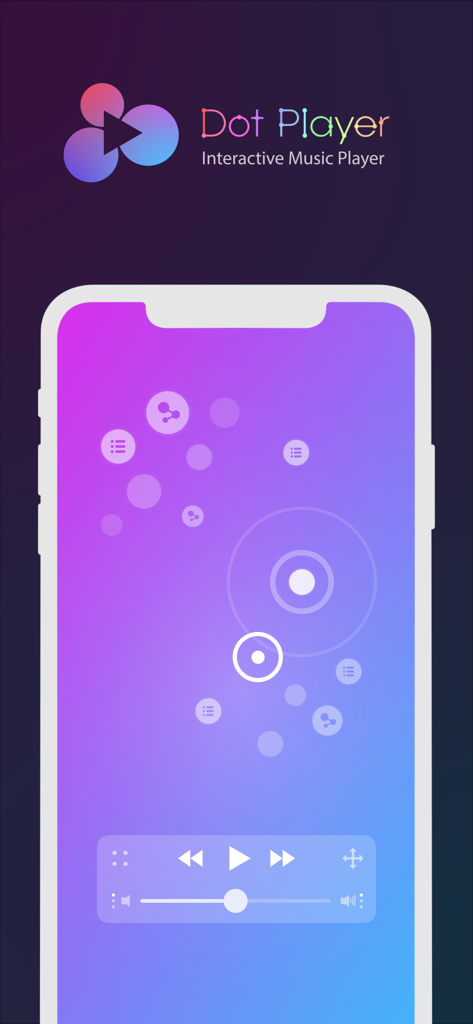
Interactive music player interface with dots representing songs on a purple gradient background
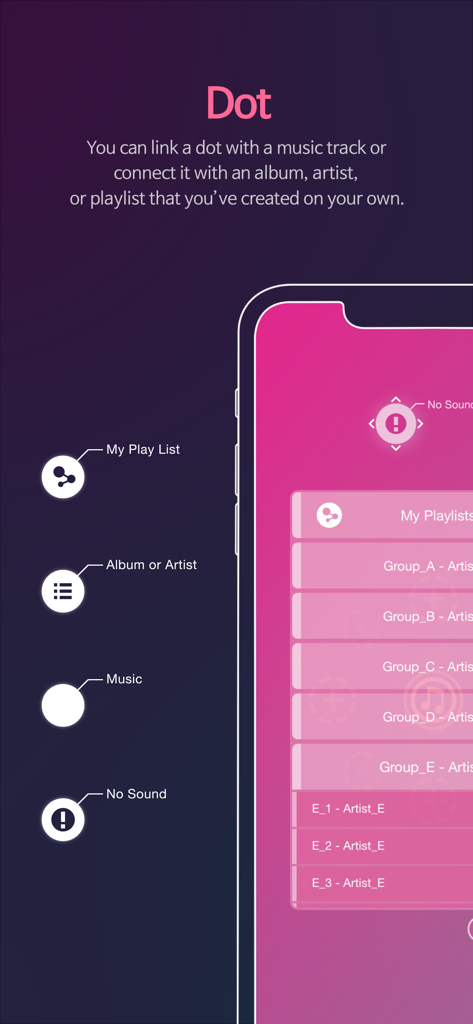
Explanation of the DotPlayer interface showing how interactive dots represent tracks albums and playlists
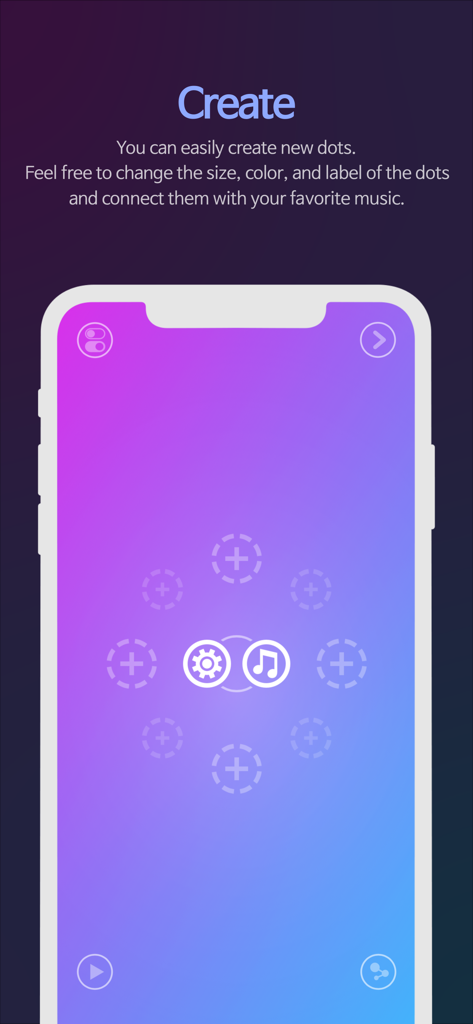
DotPlayer mobile app interface for creating and linking music dots
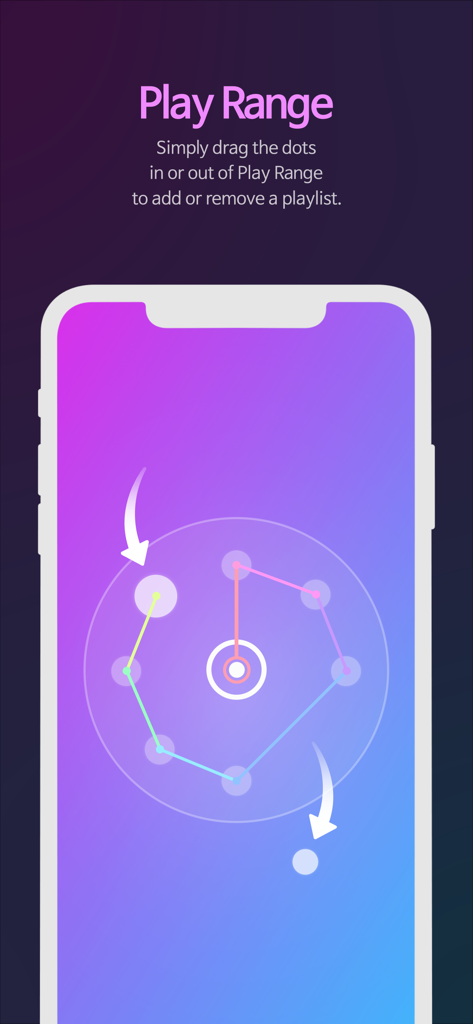
A screenshot of the DotPlayer app demonstrating the Play Range feature where users drag dots into a circular interface to manage music playlists.
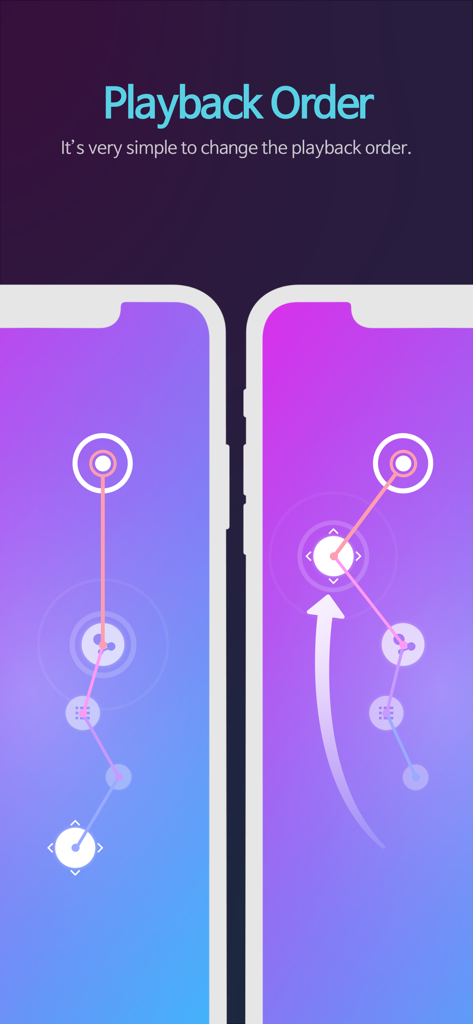
A demonstration of changing the music playback order by dragging dots on the DotPlayer interface.
Description
Download
More Like This
Top-ranked apps in the same category
Spotify: Music and Podcasts
Spotify

YouTube Music
Google LLC
Shazam: Find Music & Concerts
Apple Inc.
SoundCloud: The Music You Love
SoundCloud Global Limited & Co KG

Suno - AI Songs & Music
Suno Inc.

QQ音乐 - 听我想听
Tencent Technology (Shenzhen) Company Limited

Audiomack - Play Music Offline
Audiomack, Inc.

BandLab – Music Maker & Beats
BandLab Singapore Pte Ltd
GuitarTuna: Tune & Play Guitar
Yousician Ltd
This page is not an official page of the app or its developer, but an independent editorial publication created for informational and commentary purposes. Unless expressly stated otherwise, neither the app nor its developer is affiliated with, endorsed by, sponsored by, authorized by, or otherwise officially connected with MWM, Apple, Google Play, the app publisher, or the app's developer, and nothing on this page implies that the app was developed using MWM's services. Any trademarks, logos, screenshots, and other content remain the property of their respective owners.