DragTree – Real Drag Training

This page is not an official page of the app or its developer, but an independent editorial publication created for informational and commentary purposes. Unless expressly stated otherwise, neither the app nor its developer is affiliated with, endorsed by, sponsored by, authorized by, or otherwise officially connected with MWM, Apple, Google Play, the app publisher, or the app's developer, and nothing on this page implies that the app was developed using MWM's services. Any trademarks, logos, screenshots, and other content remain the property of their respective owners.

Logo of DragTree – Real Drag Training

DragTree – Real Drag Training

Turn your iPhone into a professional timing system. Measure 1/4 mile ETs, 0-60 sprints, and response times with a precision Christmas Tree start—designed for tuners, bikers, and drag racing enthusiasts.

Key Figures

Downloads

100+

User Rating

1.0/5

Total Ratings

0

Publisher

Takao Ichimura

Category

Sports

Locales

2

Latest Version

1.0.2

Size

8.3 MB

First Released

Jan 21, 2026
Features

Race-Grade Timing, No Track Required

The ultimate precision tool for drag racers and performance enthusiasts to measure, analyze, and improve every launch using high-frequency GPS data.

Master the Christmas Tree

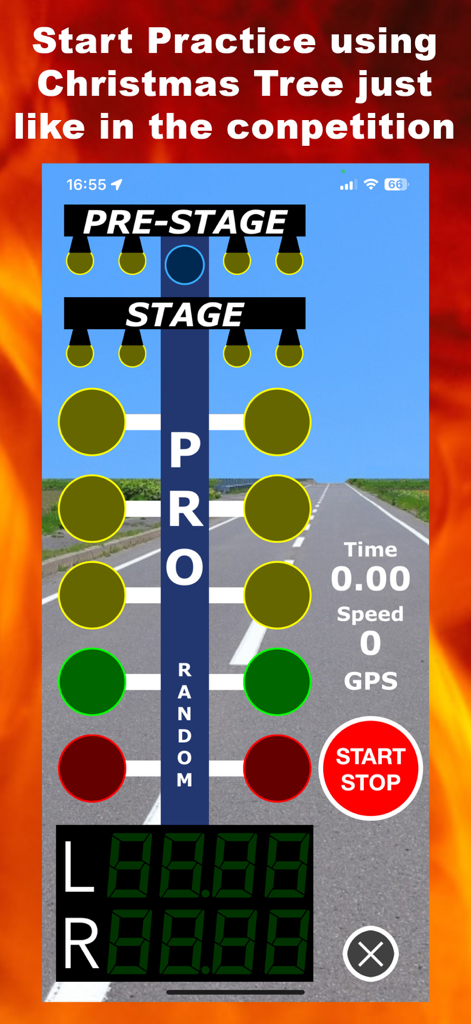
Train your reaction time with authentic Pro and Full tree sequences. Perfect your launch technique and minimize your Response Time (RT) before you even hit the strip.

Granular Performance Data

Go beyond simple 0-60 times. Get professional-grade metrics for 60ft, 330ft, 660ft, and the full 1/4 mile to analyze exactly where you are gaining or losing speed.

The following screenshots and description are sourced directly from the app's official store listing and are the property of the app developer.

App Store

Screenshots
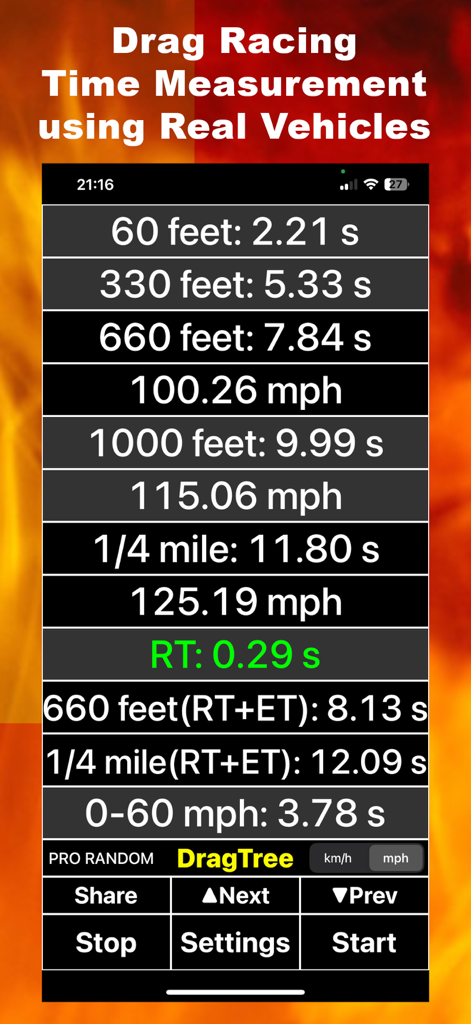
DragTree – Real Drag Training - DragTree app results screen displaying drag racing performance metrics including 1/4 mile time and response time
DragTree app results screen displaying drag racing performance metrics including 1/4 mile time and response time

DragTree – Real Drag Training - Drag racing Christmas tree simulation for start practice
Drag racing Christmas tree simulation for start practice

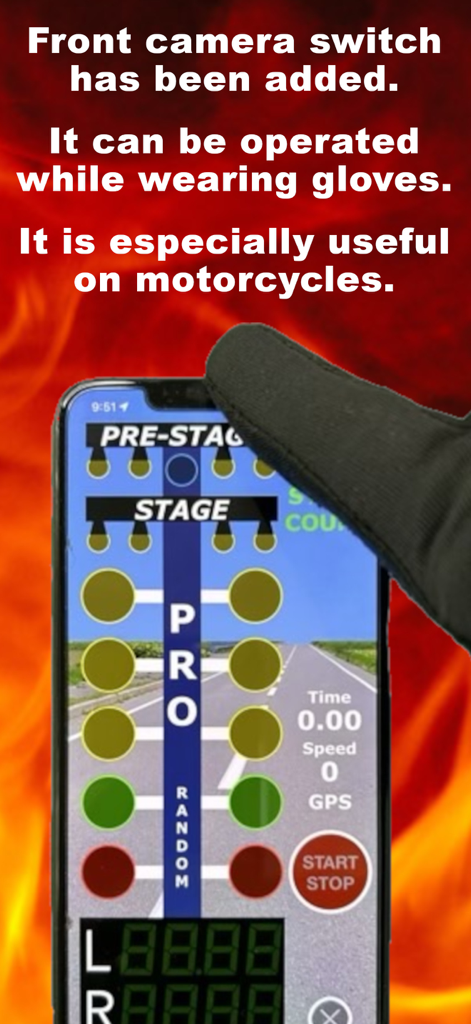
DragTree – Real Drag Training - Person wearing a glove using the front camera switch in the DragTree app

Person wearing a glove using the front camera switch in the DragTree app

Description

"DragTree" is an app for practicing real-car drag racing. You can measure drag race times in places where timing equipment is unavailable. Times for 60 feet, 330 feet, 660 feet, 1000 feet, and 1/4 mile are measured using GPS. Starts are determined by looking at a Christmas tree displayed on the screen, just like in competitions. Response times are also measured. A front camera switch allows you to operate the start/stop function while wearing gloves. The front camera switch is especially useful when using this app on a motorcycle. Safety is always the first priority. When using on public roads, please obey the law. (How to Use) 1. Secure the iPhone (or GPS-enabled iPad) with DragTree installed to a stable location, such as the dashboard of your vehicle, where the screen is visible. For use on a motorcycle, secure it to the handlebars or fuel tank. 2. Tap the "Start" button on the home screen to display the Christmas tree screen. If you have not yet upgraded, an information dialog will appear. (Covering the front camera with your finger has the same effect as tapping the "Start" button. This is the front camera switch.) 3. Tap the "START/STOP" button on the Christmas tree screen to begin the countdown until the blue light on the Christmas tree lights up. Tapping the "START/STOP" button before the green light lights up will return you to the time before the countdown began. The "START/STOP" button can be controlled with the front camera switch. 4. Once the blue light comes on, do not move the machine until it is time to start moving. After the staging light comes on, the start timing check will begin. 5. When the green light comes on, it is time to start moving. Response time is measured, followed by all other measurements. A negative response time indicates a false start. The home screen will appear at 660 feet. 6. When the measurement is complete, the results will be displayed on the home screen. 7. To view previous results, tap the "Prev" button. 8. You can share the currently displayed result using the "Share" button. (Settings) - On-screen driving lane selection (left, right) - Start method selection (PRO, FULL) - Select the time from staging light to amber light (Random, Fixed) - Set the countdown time until blue light turns on - Front camera on/off switch *Turn off if malfunction occurs in dark environments, etc. - Start sensor sensitivity selection *Can be adjusted if malfunction occurs frequently. (Changes not recommended) (Measurement Items) - 60 feet and 330 feet elapsed time and speed measurement - 660 feet, 1000 feet, and 1/4-mile elapsed time and speed measurement - Response time (RT) - RT+ET at 660 feet and 1/4-mile - 0-100km/h and 0-60mph acceleration time measurement (Notes) - Permission to use location information is required to use this app. - Permission to access the camera is required to use the front camera switch. - 1,000 measurement results are stored in memory. - Memorized measurement results will be deleted if DragTiming is uninstalled. - Cannot be used on iPads without GPS. - Operation may become unstable if the GPS signal or device reception sensitivity is low. - Measurements may not be accurate if the starting acceleration is too slow. - The developer assumes no responsibility for any accident, violation, loss or claims by third parties which may arise from the use of this app. Terms of Use: This application is provided under the Apple Standard End User License Agreement (EULA). https://www.apple.com/legal/internet-services/itunes/dev/stdeula/

Download

This page is not an official page of the app or its developer, but an independent editorial publication created for informational and commentary purposes. Unless expressly stated otherwise, neither the app nor its developer is affiliated with, endorsed by, sponsored by, authorized by, or otherwise officially connected with MWM, Apple, Google Play, the app publisher, or the app's developer, and nothing on this page implies that the app was developed using MWM's services. Any trademarks, logos, screenshots, and other content remain the property of their respective owners.