DysCalculator

DysCalculator

Logo of DysCalculator

DysCalculator: Empowering neurodivergent minds to master math with confidence

The accessibility-first calculator designed for dyscalculia. Experience visual logic, step-by-step explanations, and customizable tools that turn math anxiety into mathematical understanding.

Publisher

ExplainIT NZ Ltd

Category

Education

Downloads

100+

User Rating

1.0/5

Total Ratings

0

Locales

1

Math, Reimagined

Discover the interface used by 100+ users.
DysCalculator app interface featuring a specialized keyboard with word labels for numbers and math operators for dyscalculia support

DysCalculator app interface featuring a specialized keyboard with word labels for numbers and math operators for dyscalculia support

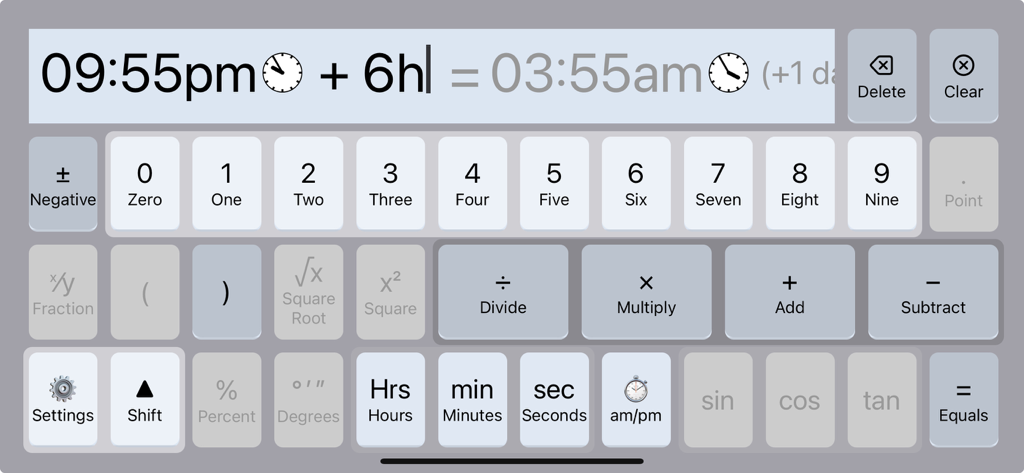
Accessible interface of DysCalculator showing a time addition calculation with labeled numeric and operator keys

Accessible interface of DysCalculator showing a time addition calculation with labeled numeric and operator keys

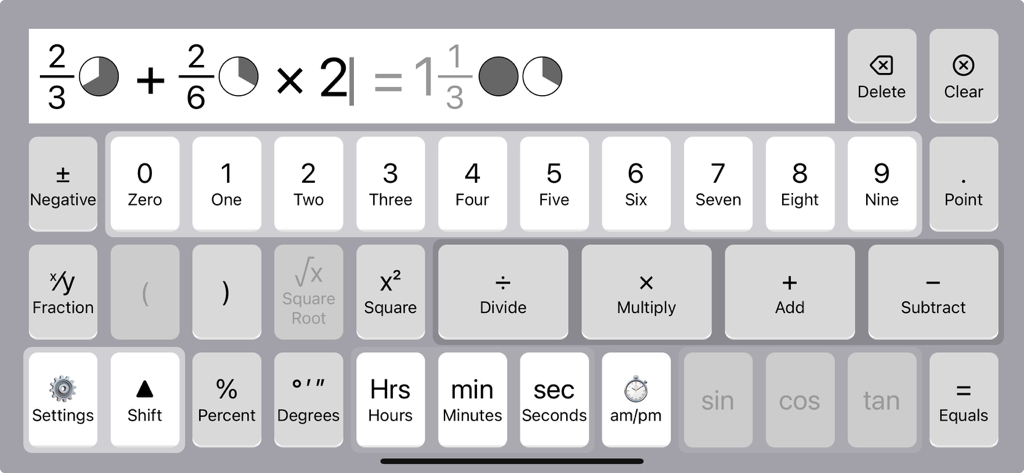
DysCalculator interface showing a fraction calculation with pie chart pictograms and a labeled accessibility keyboard.

DysCalculator interface showing a fraction calculation with pie chart pictograms and a labeled accessibility keyboard.

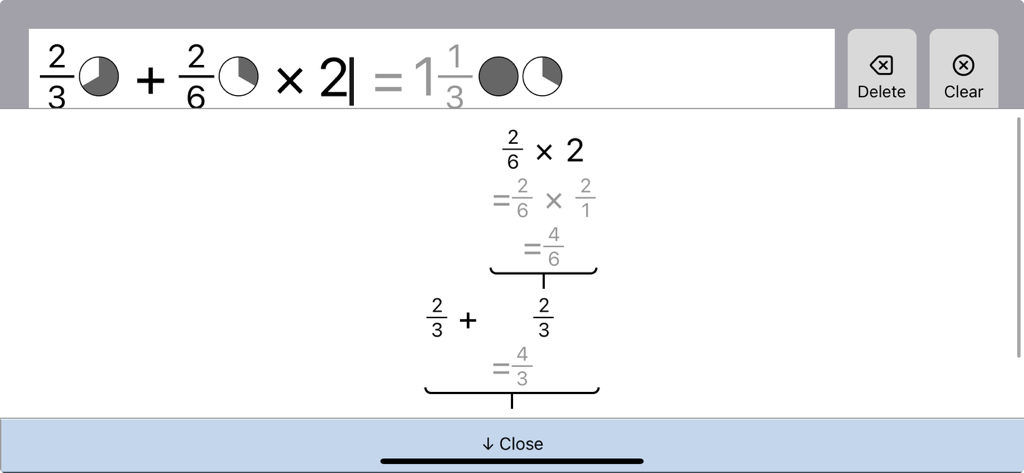
DysCalculator app interface showing a step-by-step visual breakdown of a fraction calculation using pictograms and PEMDAS logic.

DysCalculator app interface showing a step-by-step visual breakdown of a fraction calculation using pictograms and PEMDAS logic.

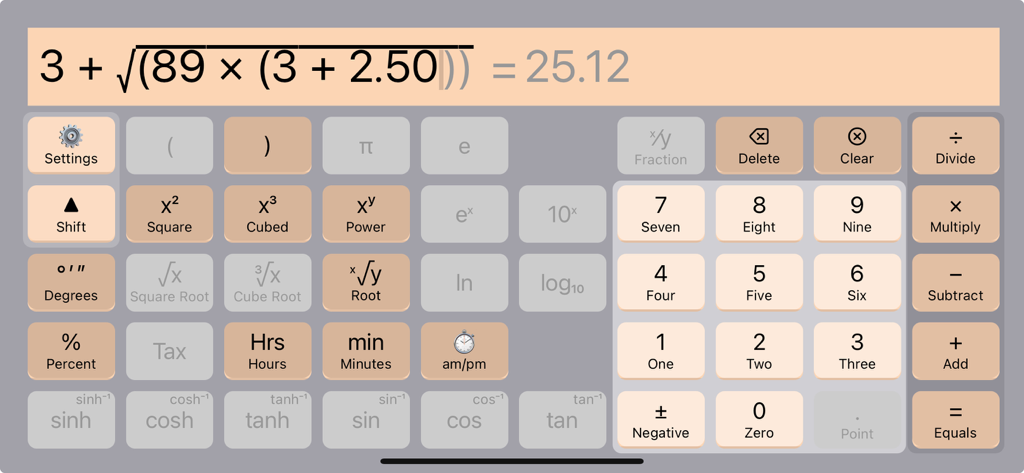
DysCalculator landscape view showing a complex equation and a keypad with number word labels for accessibility

DysCalculator landscape view showing a complex equation and a keypad with number word labels for accessibility

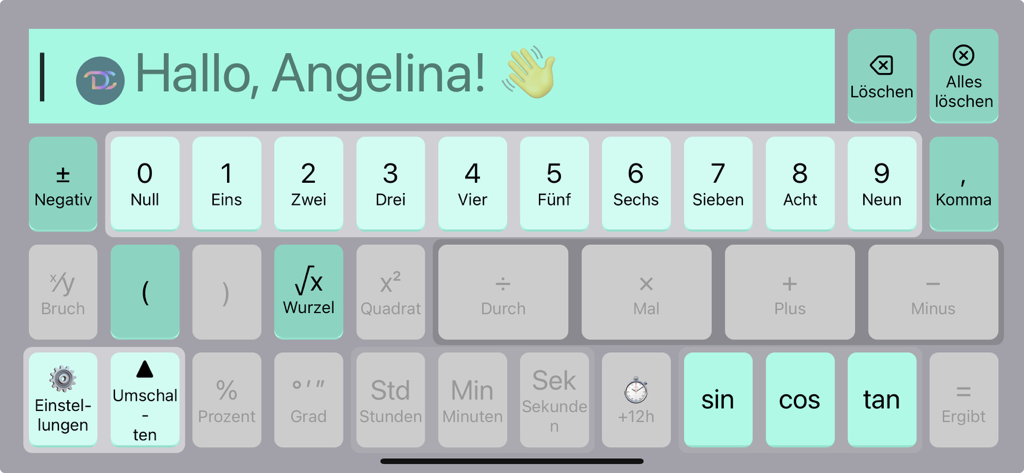
Landscape view of the DysCalculator app with German labels and a high-contrast accessible keyboard layout

Landscape view of the DysCalculator app with German labels and a high-contrast accessible keyboard layout

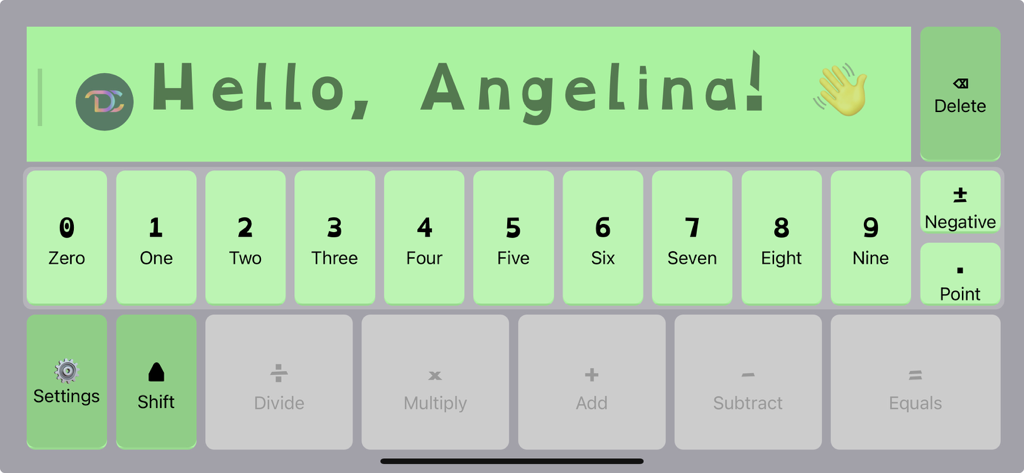
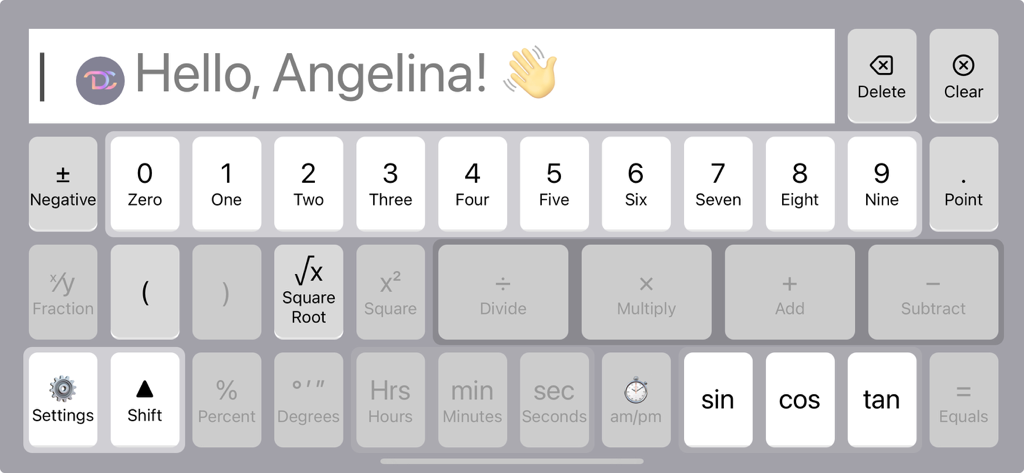
Screenshot of the DysCalculator app interface showing an accessible numeric keyboard with word labels and a personalized greeting

Screenshot of the DysCalculator app interface showing an accessible numeric keyboard with word labels and a personalized greeting

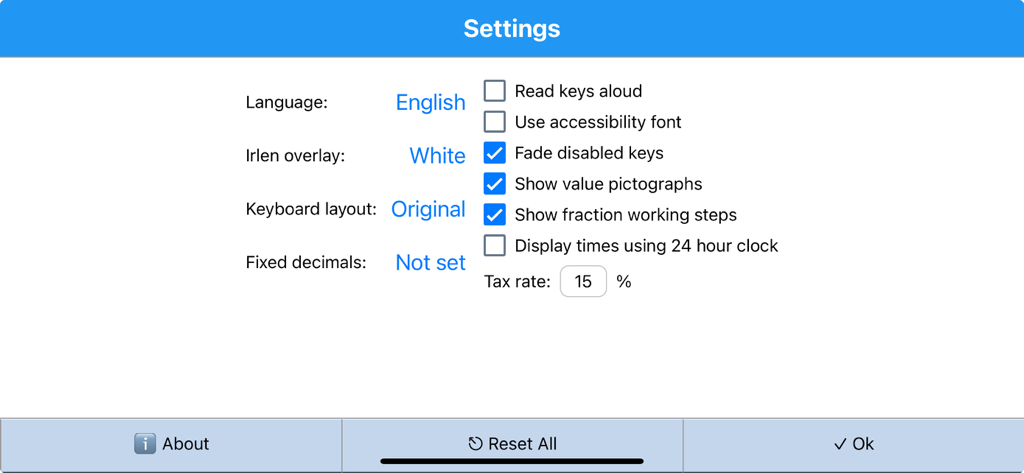
The settings menu of DysCalculator showing accessibility options like dyslexia font and Irlen overlay

The settings menu of DysCalculator showing accessibility options like dyslexia font and Irlen overlay

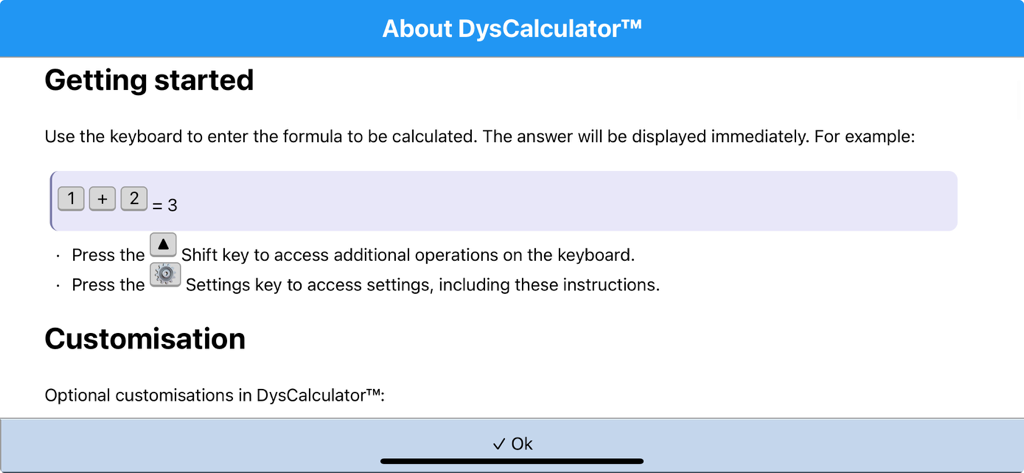
The About DysCalculator screen showing getting started instructions and an example calculation of one plus two equals three.

The About DysCalculator screen showing getting started instructions and an example calculation of one plus two equals three.

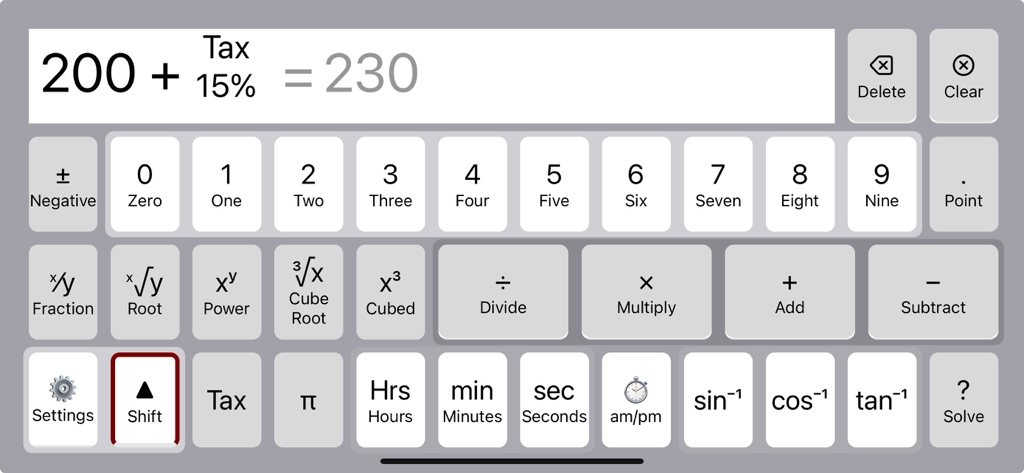
DysCalculator interface showing a calculation of 200 plus 15 percent tax with large labeled buttons for numbers and operations

DysCalculator interface showing a calculation of 200 plus 15 percent tax with large labeled buttons for numbers and operations

Finally, Math That Thinks Like You

The tools that make this app stand out, trusted by 100+ users.

📐

Intuitive Magnitude Layout

Find numbers faster with keys arranged by size and operators ordered by mathematical precedence, reducing the cognitive load of every calculation.

🧩

Visual Step-by-Step Logic

Stop guessing how you got there. Our visual workings and pictograms for fractions and time turn complex math into a clear, understandable story.

👁️

Stress-Free Accessibility

Eliminate visual fatigue with OpenDyslexic fonts, Irlen-style color shading, and read-aloud keys that keep numbers clear and focused.

About the app

Everything you need to know about DysCalculator.

Description

DysCalculator is designed for people with dyscalculia and related learning differences. It reflects how these individuals perceive and work with numbers, using language, visual, and spatial cues to build number sense, confidence, and understanding. Developed from years of research into maths accessibility, DysCalculator simplifies numerical tasks by adapting to how users interact with numbers and technology. Key features: • Numbers arranged by magnitude (0 to 9) • Operators ordered by precedence (PEMDAS/BODMAS) • Natural-order input (e.g. 2 + 3 = for addition) • Visual step-by-step workings to explain calculation logic • Solve for unknowns (e.g. 3 + ? = 5) • Solve time calculations (e.g. elapsed time, differences) • Pictograms for time, fractions, and percentages • Tax and percentage calculators with preset values Customisable: • Personal greetings • Alternate key labels (e.g. “plus” or “and” for +) • OpenDyslexic font for dyslexic users • Irlen-style shading to improve legibility • Multiple languages, including te reo Māori and German • Read keys aloud • Different keyboard layouts and fixed decimal formats DysCalculator doesn’t just give answers – it helps everyone understand how maths works. Whether you're using it independently, in a classroom, or as a support tool, it’s built to make maths more accessible, intuitive, and less intimidating.

Latest Version

1.0.15

Size

25.4 MB

First Released

Aug 24, 2025

Ready to See Numbers Differently?

Join thousands of students and adults who are reclaiming their math confidence. Download DysCalculator today and experience a tool designed to speak your language.

App information, icons, screenshots, and descriptions displayed on this page are sourced from the Apple App Store and are the property of their respective developers. Download estimates and rankings are based on MWM's proprietary models and may not reflect actual figures. This page is provided for informational and analytical purposes only.

Believe this page infringes your intellectual property? File a dispute