e-Conte Board
e-Conte Board
Download on App Store

This page is not an official page of the app or its developer, but an independent editorial publication created for informational and commentary purposes. Unless expressly stated otherwise, neither the app nor its developer is affiliated with, endorsed by, sponsored by, authorized by, or otherwise officially connected with MWM, Apple, Google Play, the app publisher, or the app's developer, and nothing on this page implies that the app was developed using MWM's services. Any trademarks, logos, screenshots, and other content remain the property of their respective owners.

Logo of e-Conte Board
Download on App Store

e-Conte Board

Streamline your animation workflow with automated timing, technical camera tools, and high-precision layouts tailored for the next generation of filmmakers.

Key Figures

Downloads

28K+

User Rating

3.2/5

Total Ratings

0

Publisher

SGA Works LLC

Category

Graphics & Design

Locales

1

Latest Version

1.5.3

Size

3.0 MB

First Released

Feb 9, 2020
Features

Elevate Your Storytelling Workflow

The ultimate digital canvas for professional storyboard artists, combining traditional Japanese 'Conte' precision with powerful iPad automation.

Authentic 'E-Conte' Precision

Craft professional Japanese-style storyboards with dedicated columns for dialogue, action, and timing—tailored for the modern director.

Automatic Timing & Calculations

Stop manual math. Our built-in stopwatch and automatic duration tracking handle the total runtime for you during PDF and MP4 exports.

The following screenshots and description are sourced directly from the app's official store listing and are the property of the app developer.

App Store

Screenshots
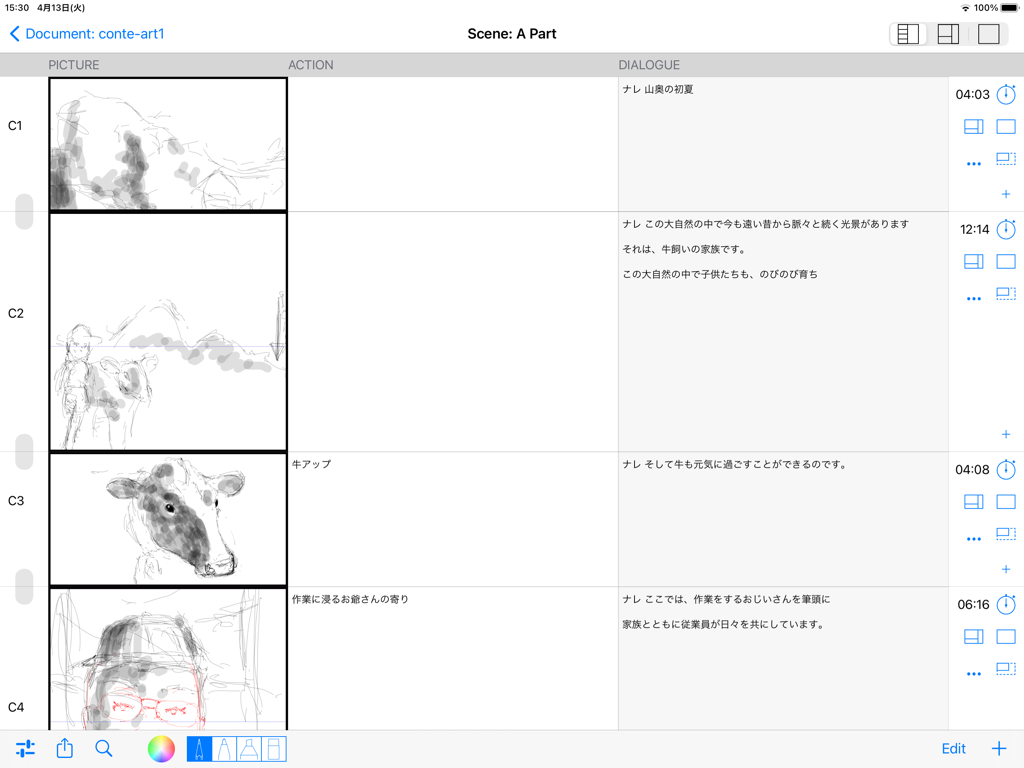
e-Conte Board - Digital storyboard interface with picture action and dialogue columns in Japanese style
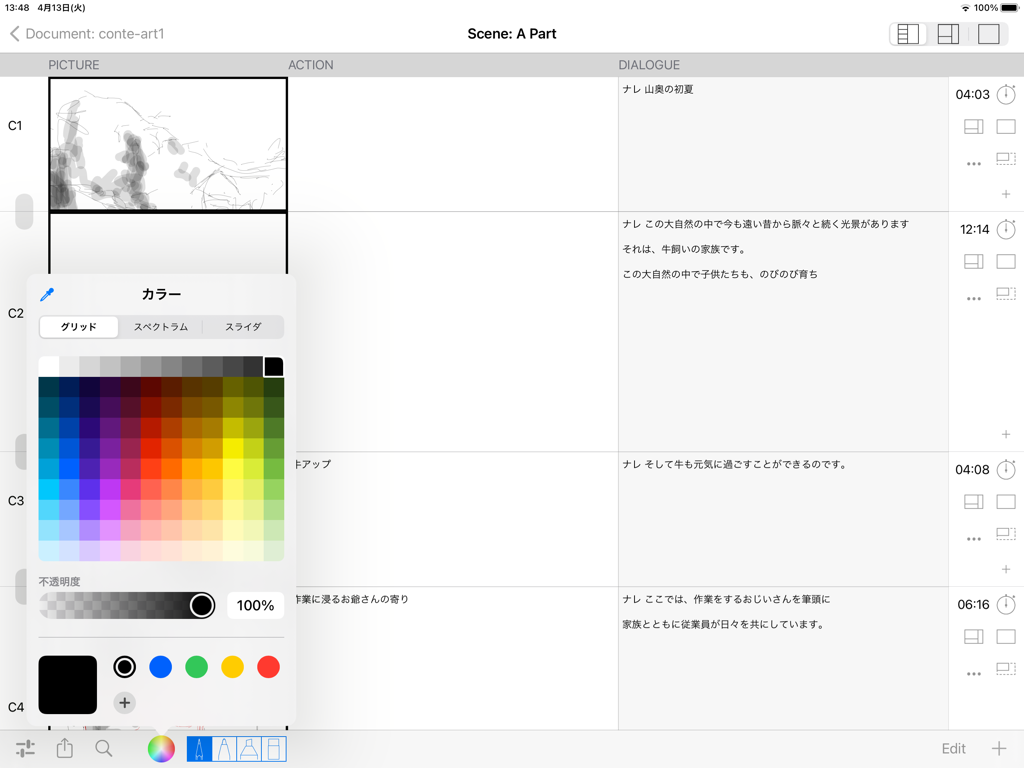
Digital storyboard interface with picture action and dialogue columns in Japanese style

e-Conte Board - iPad interface of the e-Conte Board app showing a Japanese style storyboard layout and a color picker menu.
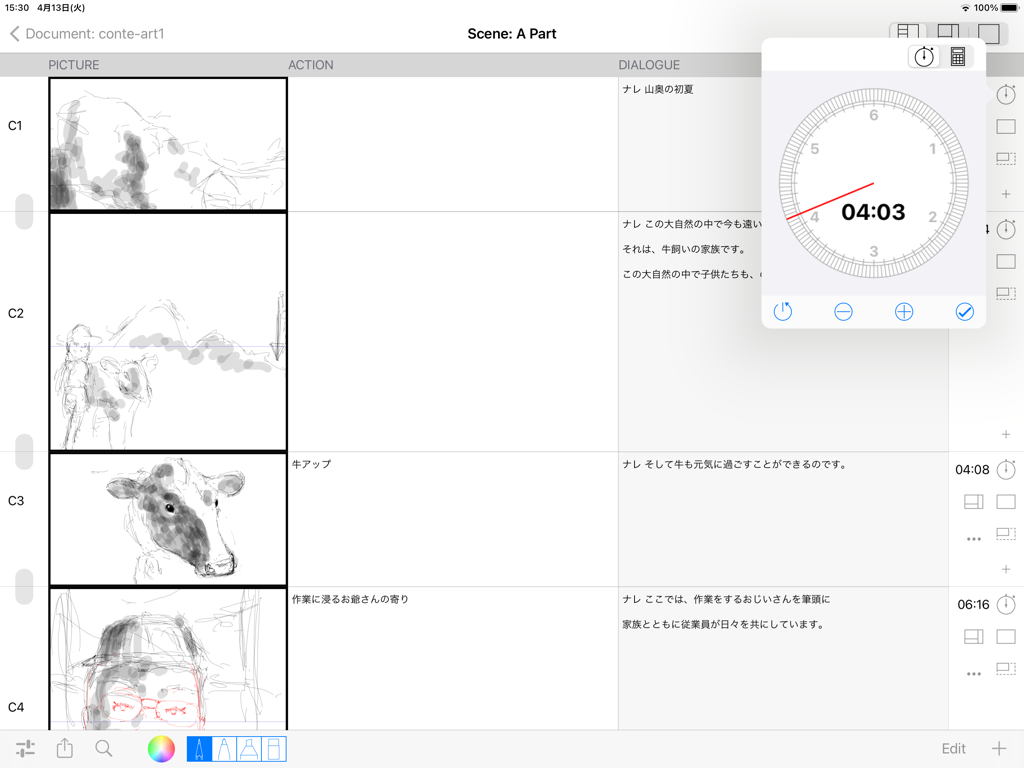
iPad interface of the e-Conte Board app showing a Japanese style storyboard layout and a color picker menu.

e-Conte Board - Interface of e-Conte Board showing a Japanese-style storyboard with sketches and a floating timing tool
Interface of e-Conte Board showing a Japanese-style storyboard with sketches and a floating timing tool

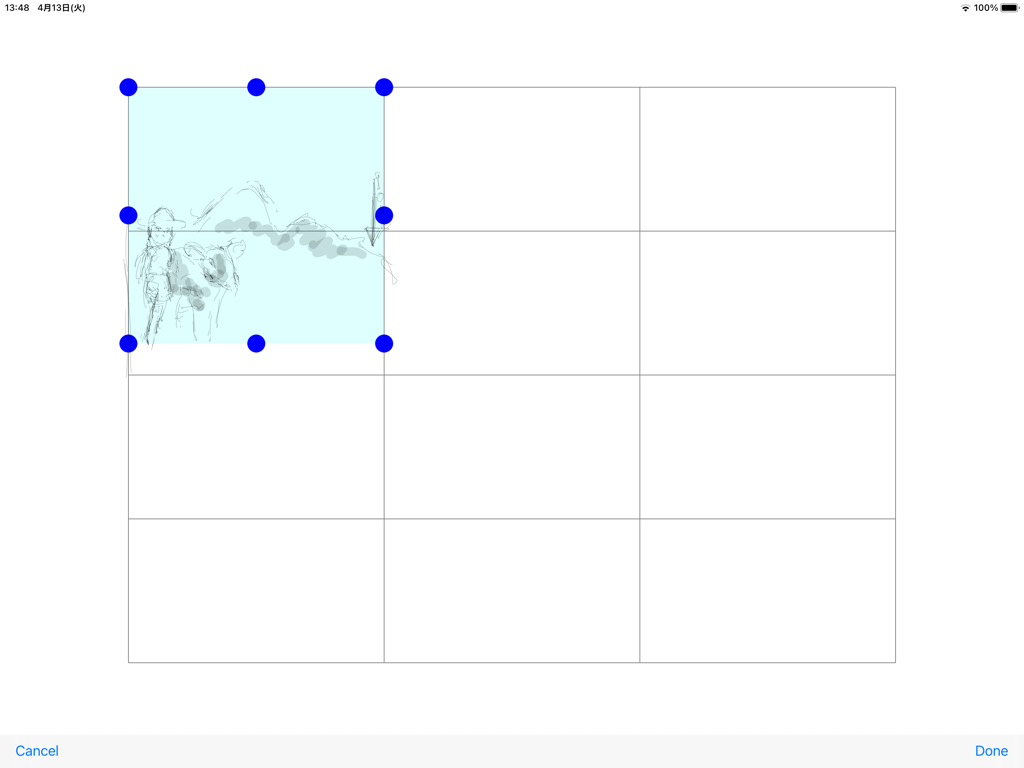
e-Conte Board - Interface of the e-Conte Board app displaying a storyboard panel grid with a sketch being selected.
Interface of the e-Conte Board app displaying a storyboard panel grid with a sketch being selected.

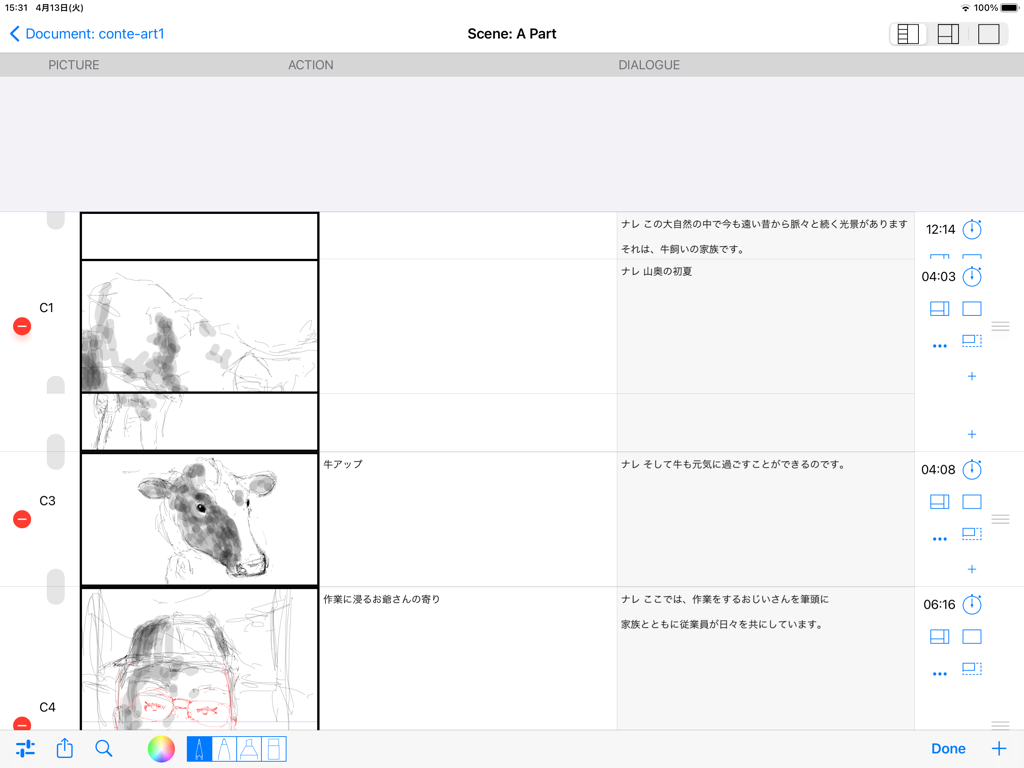
e-Conte Board - Interface of the e-Conte Board app showing a Japanese style storyboard layout with picture action and dialogue columns
Interface of the e-Conte Board app showing a Japanese style storyboard layout with picture action and dialogue columns

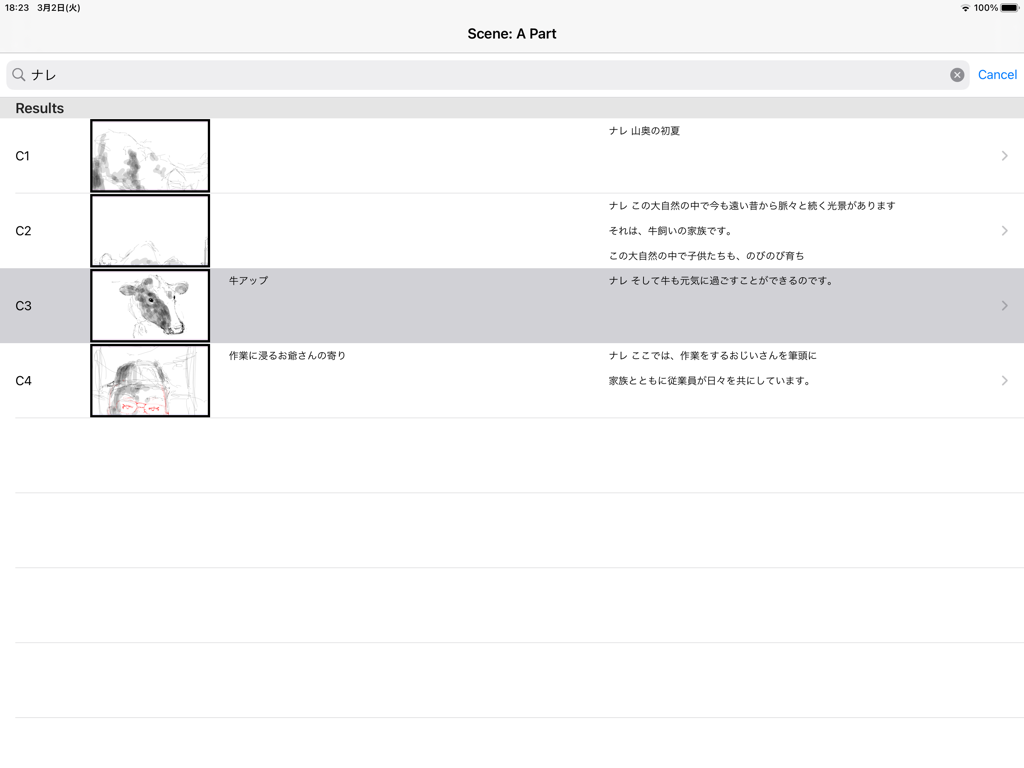
e-Conte Board - Interface of the e-Conte Board app showing a vertical list of storyboard cuts with thumbnail sketches and Japanese text
Interface of the e-Conte Board app showing a vertical list of storyboard cuts with thumbnail sketches and Japanese text

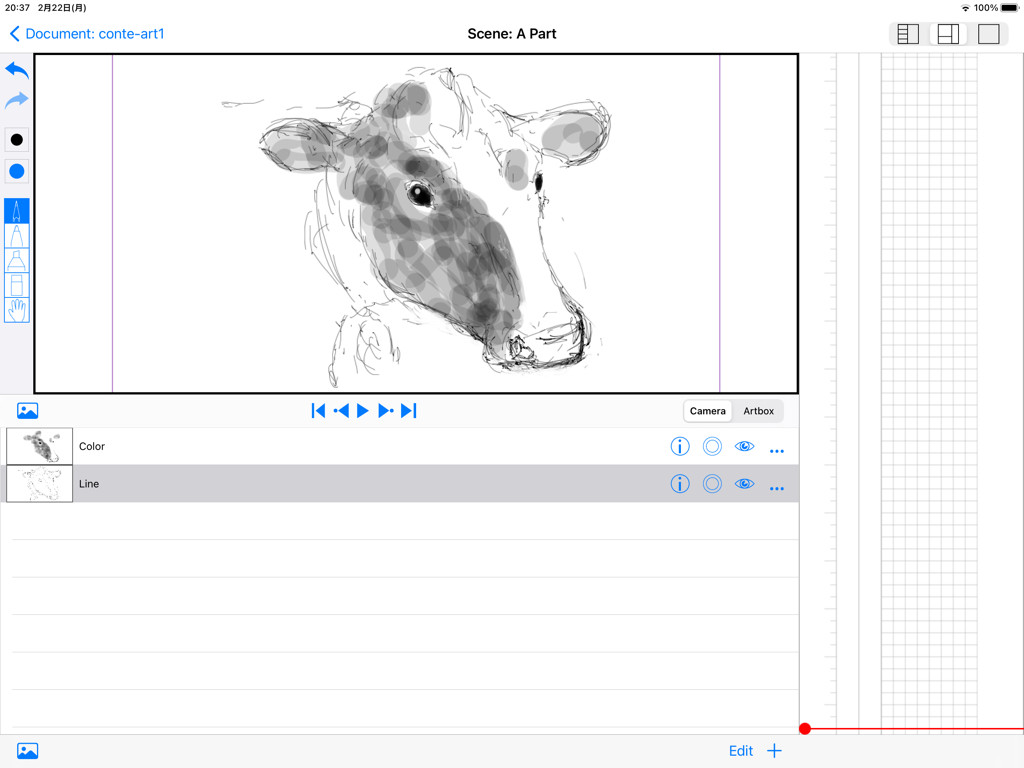
e-Conte Board - Interface of e-Conte Board app on iPad featuring a cow sketch drawing tools and vertical Japanese-style storyboard grid
Interface of e-Conte Board app on iPad featuring a cow sketch drawing tools and vertical Japanese-style storyboard grid

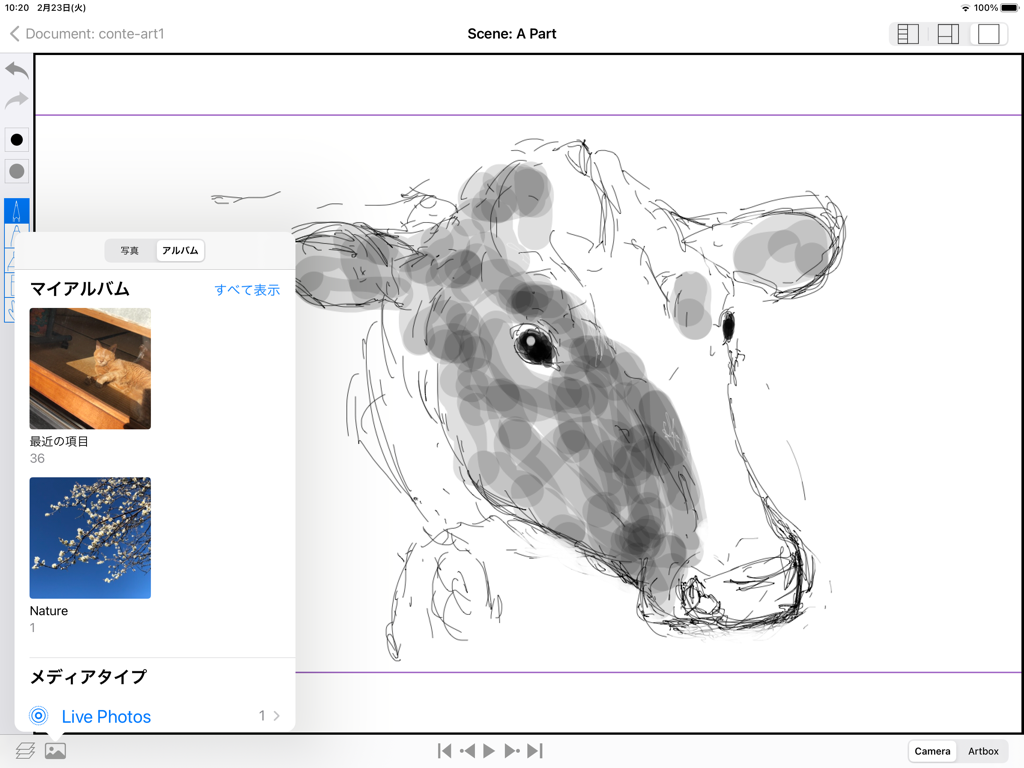
e-Conte Board - A cow sketch on the e-Conte Board storyboard app for iPad with a photo selection menu open
A cow sketch on the e-Conte Board storyboard app for iPad with a photo selection menu open

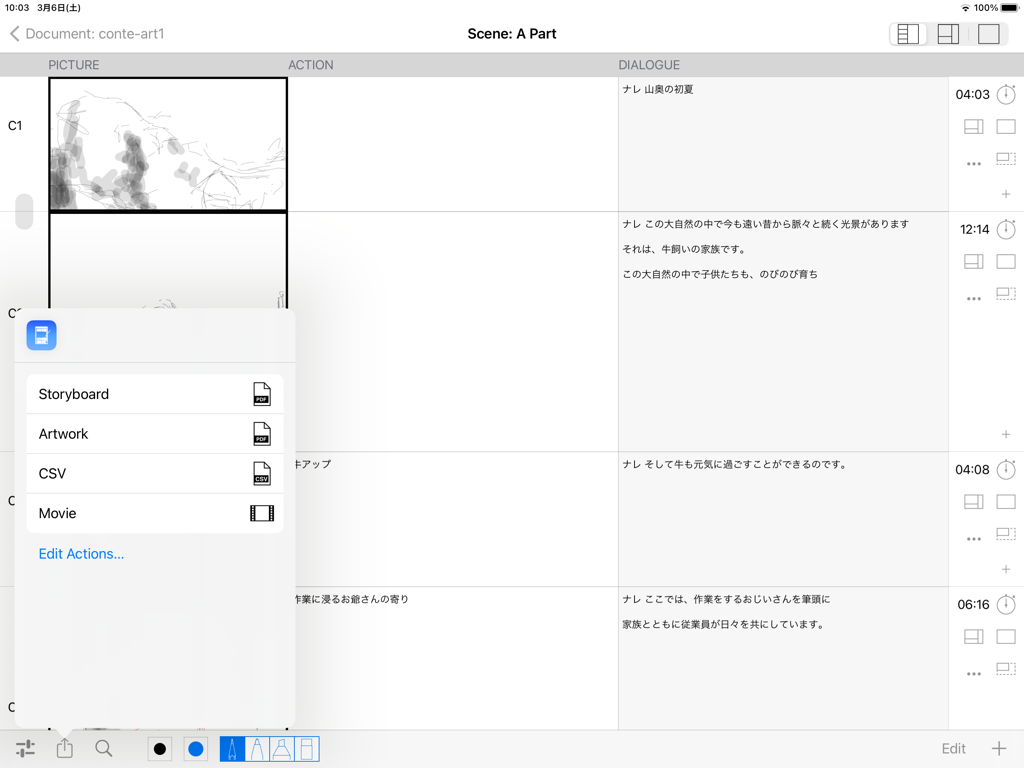
e-Conte Board - Interface of the e-Conte Board app showing a storyboard layout with sketches and a pop-up menu for exporting work as PDF, CSV, or movie files.
Interface of the e-Conte Board app showing a storyboard layout with sketches and a pop-up menu for exporting work as PDF, CSV, or movie files.

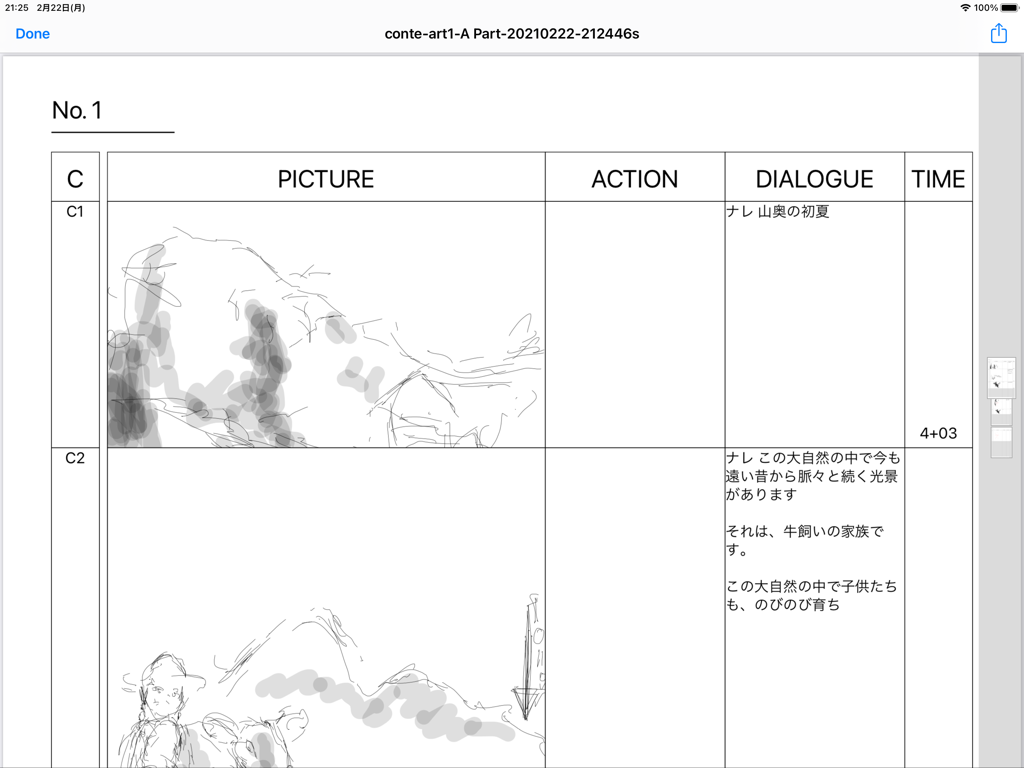
e-Conte Board - Interface of the e-Conte Board app showing a Japanese style storyboard with sketching panels and columns for dialogue and timing

Interface of the e-Conte Board app showing a Japanese style storyboard with sketching panels and columns for dialogue and timing

Description

Main features of this storyboard app -You can use various functions by switching between 3 modes. 1st View • A function similar to the storyboard style, inputting characters such as writing, and inputting the number of seconds -You can draw from the moment you make a cut on the screen with the drawing function similar to Japanese storyboard style. -You can use the keyboard and copy and paste to enter text and text. -You can enter or directly specify the number of seconds with the stopwatch function. -You can freely specify the drawing size when using PAN, TB, large format, etc., and the size of the drawing area will increase according to that specification. The size is maintained even when outputting to PDF. -You can edit each cut, such as changing the order of cuts, deleting, new insertion, and copy & paste, just like using a smartphone. -If it is the same cut, you can handle it as the same cut without pressing the next cut by pressing the cut concatenation button. 2nd View • Toolbar function -Several pen styles, pen colors, pen opacity and eraser features. -Hand tools can be moved (tap & move) and scaled (pinch in & pinch out). • Layer function -Equipped with standard layer functions such as hiding layers, changing order, and deleting. -You can select the layer to use the move and scale functions in conjunction with the hand tool on the toolbar. It is possible to select more than one at the same time. • Image import function -You can import images from within the Photos app. 3rd View • Full screen mode -Full-screen video check function -Equipped with a switching function between camera mode and full drawing mode, and layer function. -Pinch in and pinch out to enlarge or reduce the screen. • Output function -You can create a Japanese-style storyboard PDF, create a PDF for each cut, and output an mp4 format video. -The total number of seconds is automatically calculated and entered when the PDF is output. • Supports various screen aspect ratios and frame rates. -4:3, 16:9 and other aspect ratios such as 1.85:1 and 2.35:1 are supported. -The frame rate can be selected from 24 fps and 30 fps. -You can also select the switching of the position of dialogue and G, and the correspondence to the serial number of cuts for each part and scene. To use this application, a monthly or annual subscription must be purchased separately. ver 1.5 -Fixes have been made to lighten the operation. The opacity of brushes is switched between the previous 1.4 version and the current one from 1.5 after 65. The higher the opacity (closer to 0), the higher the load, causing delays and slowness with the pencil and brush tools. If you want to avoid delays and slowdowns with the pencil and brush tools, it is recommended to use opacity as close to 100 as possible. -The action of the Back button from the Edit screen has been changed to wait until saving is complete. Therefore, the Back button cannot be operated until saving is completed. Please note that this is not a malfunction. -The behavior of the screen transition to the edit screen has been modified to be more stable. -When Duplicating a video, there was a case that the video would not be saved and would be blank, but this has been corrected. -Fixed some minor issues, such as canceling during video export. -Safety has been improved. How-to videos:https: //www.youtube.com/watch?feature=youtu.be&v=oKvQqb3aAZI&fbclid=IwAR0PlHlhl8ZzGiCjXBONcWaXvvV8RVsP1I-tL1LdJTBEOdk9HpE4HzeuqDM&app=desktop End Use Lisence Agreement : https://www.apple.com/legal/internet-services/itunes/dev/stdeula/

Download

Download on App Store

This page is not an official page of the app or its developer, but an independent editorial publication created for informational and commentary purposes. Unless expressly stated otherwise, neither the app nor its developer is affiliated with, endorsed by, sponsored by, authorized by, or otherwise officially connected with MWM, Apple, Google Play, the app publisher, or the app's developer, and nothing on this page implies that the app was developed using MWM's services. Any trademarks, logos, screenshots, and other content remain the property of their respective owners.







