
This page is not an official page of the app or its developer, but an independent editorial publication created for informational and commentary purposes. Unless expressly stated otherwise, neither the app nor its developer is affiliated with, endorsed by, sponsored by, authorized by, or otherwise officially connected with MWM, Apple, Google Play, the app publisher, or the app's developer, and nothing on this page implies that the app was developed using MWM's services. Any trademarks, logos, screenshots, and other content remain the property of their respective owners.


ECG Logger for Polar H10
The professional-grade tool for biohackers and athletes to record, analyze, and export raw ECG and R-R interval data with clinical precision.
Downloads
3K+User Rating
Total Ratings
100Publisher
Category
Health & FitnessLocales
2Latest Version
v1.17Size
15.1 MBFirst Released
Nov 30, 2021Professional-Grade Heart Insights
Unlock the raw power of your Polar H10. Monitor, record, and export high-fidelity ECG and R-R data for ultimate health and performance optimization.
Live High-Fidelity ECG
Visualize your heart's electrical activity in real-time with intuitive zooming and panning gestures for precise signal inspection.
Continuous Background Logging
Capture data for hours even while using other apps. Perfect for overnight recovery analysis or long-duration athletic monitoring.
Frequently Asked Questions
Everything you need to know about ECG Logger for Polar H10
What does the ECG Logger for Polar H10 app do?
The ECG Logger for Polar H10 app records and displays electrocardiogram (ECG), heart rate, and R-R intervals from your Polar H10 sensor. It offers live viewing, background recording, and data export.
Can I record ECG data in the background with ECG Logger for Polar H10?
Yes, the ECG Logger for Polar H10 app supports recording ECG data, heart rate, and R-R intervals in the background. This allows for continuous monitoring even when the app is not actively open.
What data types does ECG Logger for Polar H10 display?
The ECG Logger for Polar H10 app displays ECG, heart rate (Pulse bpm), and R-R intervals (ms). Users can view these individually or combined in the same graph within the app.
Can ECG Logger for Polar H10 export recordings?
Yes, the ECG Logger for Polar H10 app allows users to export recordings. You can export them in PDF format directly or access CSV format files via Apple's Files app for use in other applications like Excel.
Does ECG Logger for Polar H10 support long recordings?
Yes, ECG Logger for Polar H10 supports very long recordings. The app automatically splits lengthy recordings into one-hour files, enabling extended monitoring sessions without interruption.
What languages does the ECG Logger for Polar H10 app support?
The ECG Logger for Polar H10 app supports two interface languages. Users can operate the application in both English and Finnish.
Does ECG Logger for Polar H10 offer a dark mode?
Yes, ECG Logger for Polar H10 offers a dark mode interface. This feature is visible in the application's user interface, providing an alternative visual theme for users.
Can I view historical ECG data in the ECG Logger for Polar H10 app?
Yes, the ECG Logger for Polar H10 app allows you to view your earlier recordings. You can explore past ECG, heart rate, and R-R interval data directly within the application.
The following screenshots and description are sourced directly from the app's official store listing and are the property of the app developer.
App Store
Screenshots
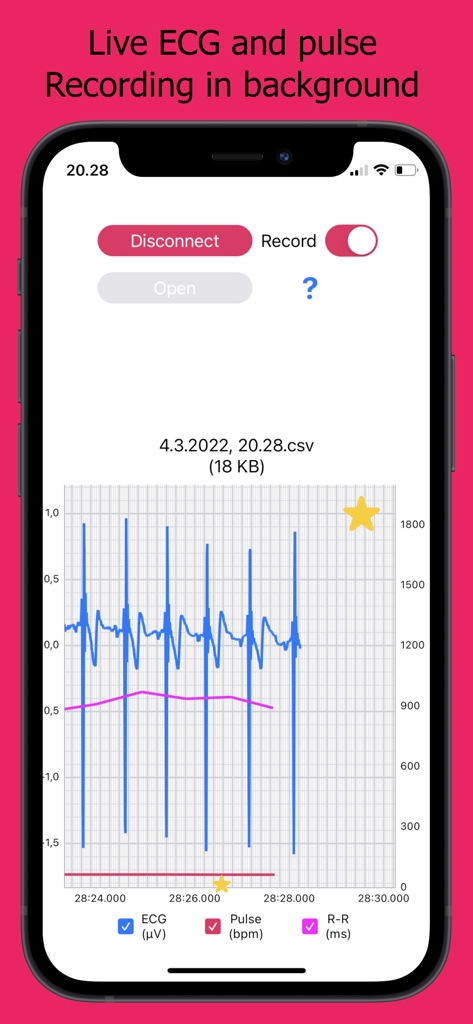
ECG Logger for Polar H10 showing live heart rate and ECG data graphs
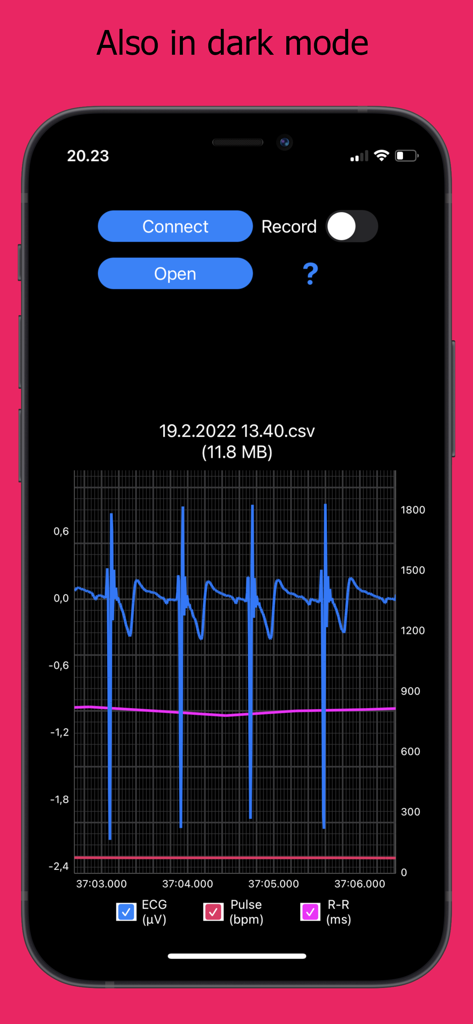
ECG Logger for Polar H10 app interface in dark mode showing live heart data graphs.
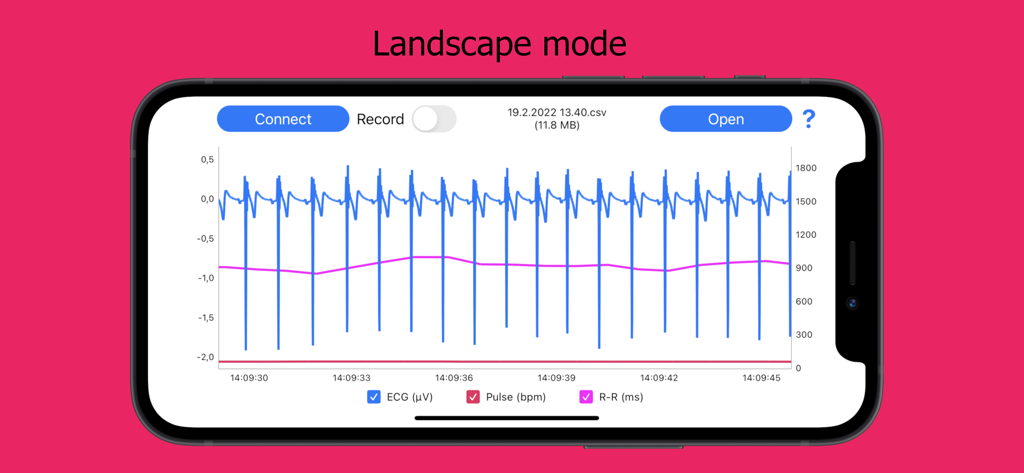
Smartphone in landscape mode displaying a detailed live graph of ECG and R-R intervals data
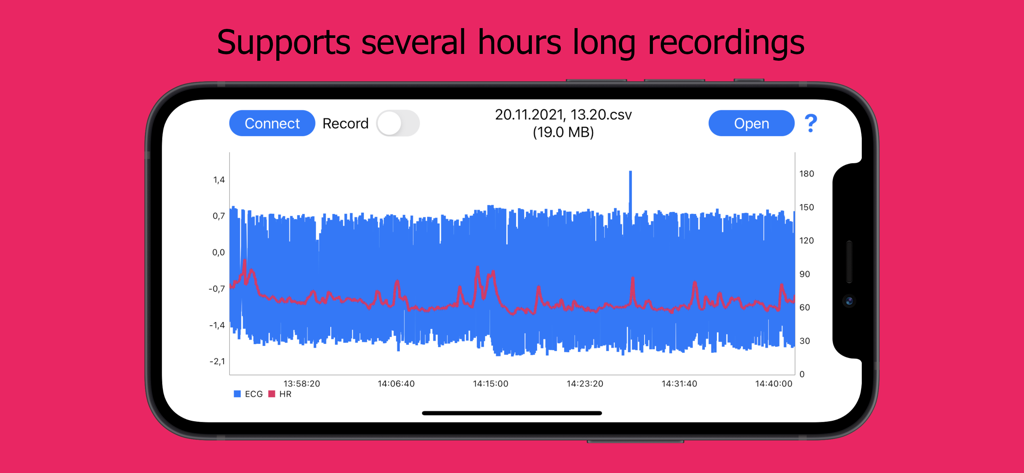
ECG Logger app interface on a smartphone showing heart rate and ECG graph for a long recording session
Description
Download
More Like This
Top-ranked apps in the same category

Strava: Run, Bike, Walk
Strava Inc.

Flo Cycle & Period Tracker
FLO HEALTH UK LIMITED

AI Calorie Tracker by Yazio
YAZIO GmbH

MyFitnessPal: Calorie Counter
MyFitnessPal, Inc.

Mi Fitness (Xiaomi Wear Lite)
Beijing Xiaomi Co., Ltd

美柚 - 经期·备孕·怀孕·育儿&亲友版
Xiamen Meet You Co., Ltd.

Cal AI - Calorie Tracker
Viral Development LLC

Yuka - Food & Cosmetic Scanner
Yuca

BitePal: Food Tracker Pet
REFACE LITHUANIA UAB
This page is not an official page of the app or its developer, but an independent editorial publication created for informational and commentary purposes. Unless expressly stated otherwise, neither the app nor its developer is affiliated with, endorsed by, sponsored by, authorized by, or otherwise officially connected with MWM, Apple, Google Play, the app publisher, or the app's developer, and nothing on this page implies that the app was developed using MWM's services. Any trademarks, logos, screenshots, and other content remain the property of their respective owners.