ECG Recorder for Polar H10
Download on App Store

This page is not an official page of the app or its developer, but an independent editorial publication created for informational and commentary purposes. Unless expressly stated otherwise, neither the app nor its developer is affiliated with, endorsed by, sponsored by, authorized by, or otherwise officially connected with MWM, Apple, Google Play, the app publisher, or the app's developer, and nothing on this page implies that the app was developed using MWM's services. Any trademarks, logos, screenshots, and other content remain the property of their respective owners.

Logo of ECG Recorder for Polar H10
Download on App Store

ECG Recorder for Polar H10

Go beyond basic tracking with 130Hz ECG sampling and precise R-R intervals. Capture, visualize, and export high-fidelity ASCII data for advanced analysis in Excel, Numbers, or EDFbrowser.

Key Figures

Downloads

0

User Rating

3.9/5

Total Ratings

0

Publisher

Philipp Poeml

Category

Health & Fitness

Locales

4

Latest Version

1.6.4

Size

5.6 MB

First Released

Dec 9, 2020
Features

Master Your Heart's Raw Metrics

Designed for the quantified-self community, this utility provides unfiltered access to your Polar H10's ECG, HR, and RR intervals for professional-grade analysis.

Unfiltered Raw Data Export

Eliminate black-box algorithms. Export raw microvolt values directly to the iOS Files app as ASCII text for seamless processing in Excel, Python, or EDFbrowser.

High-Resolution 130Hz Sampling

Capture the true ECG waveform with 130 samples per second. Get the precision required to analyze R-R intervals and complex cardiac patterns with clinical-grade accuracy.

The following screenshots and description are sourced directly from the app's official store listing and are the property of the app developer.

App Store

Screenshots
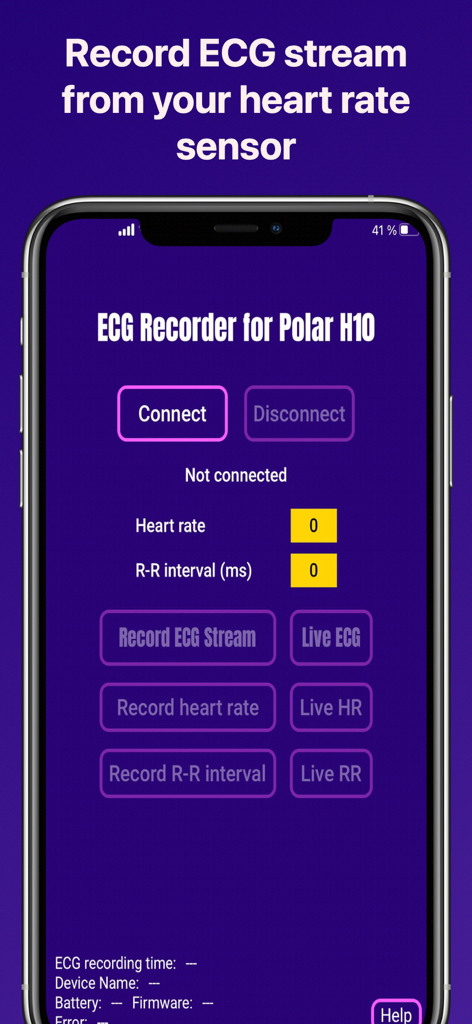
ECG Recorder for Polar H10 - Main interface of the ECG Recorder for Polar H10 app showing connection and recording options
Main interface of the ECG Recorder for Polar H10 app showing connection and recording options

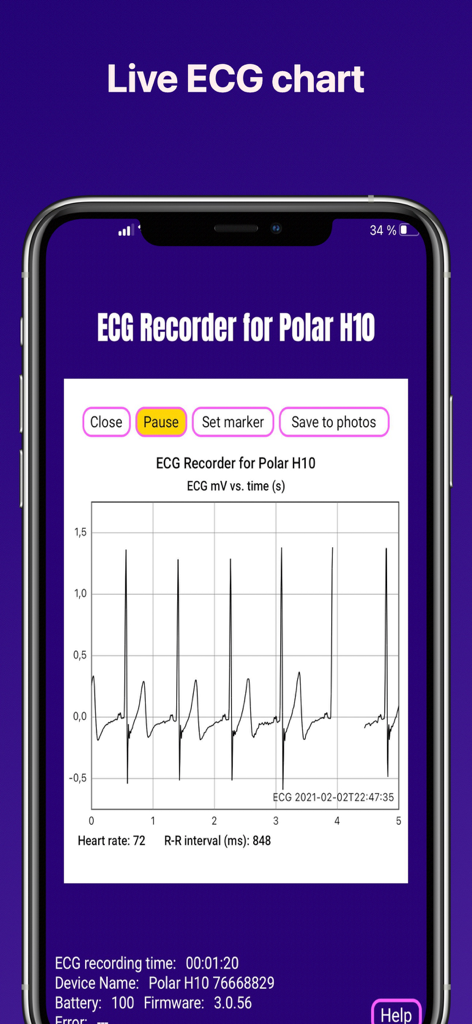
ECG Recorder for Polar H10 - Live ECG waveform chart and heart rate data on a smartphone screen from the ECG Recorder for Polar H10 app
Live ECG waveform chart and heart rate data on a smartphone screen from the ECG Recorder for Polar H10 app

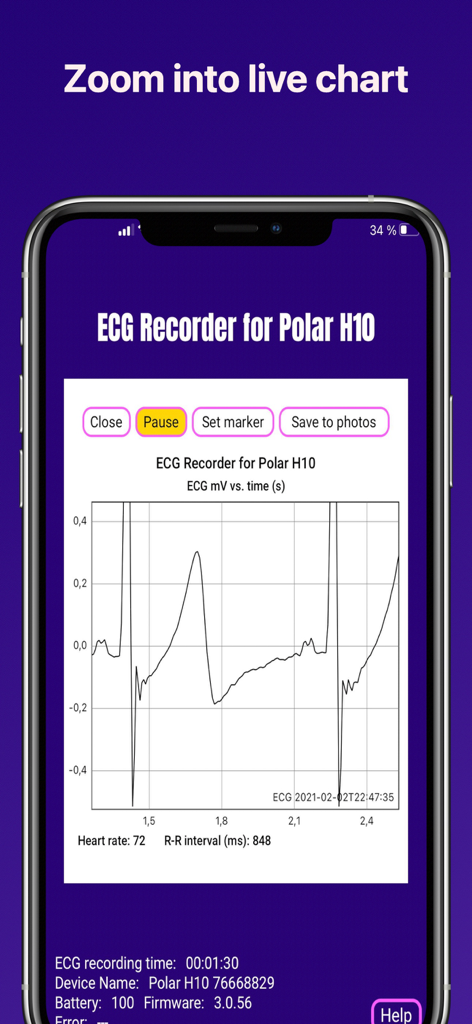
ECG Recorder for Polar H10 - Detailed zoomed in view of a live ECG waveform on the Polar H10 recorder app showing millivolts over time and heart rate data
Detailed zoomed in view of a live ECG waveform on the Polar H10 recorder app showing millivolts over time and heart rate data

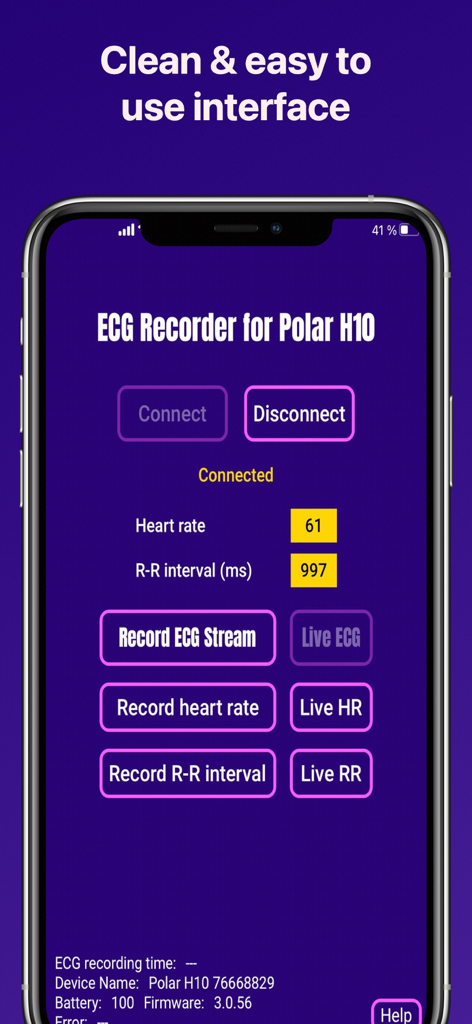
ECG Recorder for Polar H10 - Main interface of the ECG Recorder for Polar H10 app showing heart rate and R-R interval data

Main interface of the ECG Recorder for Polar H10 app showing heart rate and R-R interval data
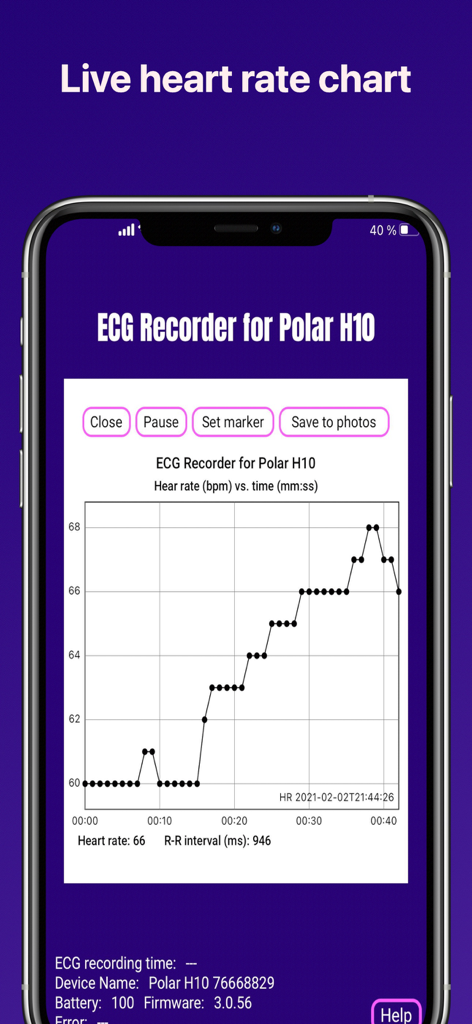
ECG Recorder for Polar H10 - Live heart rate chart interface on the ECG Recorder for Polar H10 app showing beats per minute over time
Live heart rate chart interface on the ECG Recorder for Polar H10 app showing beats per minute over time

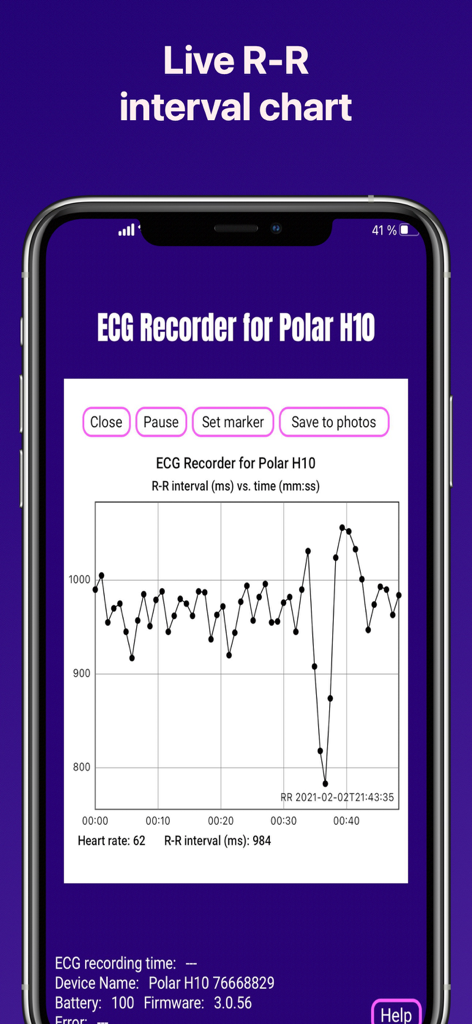
ECG Recorder for Polar H10 - A live RR interval chart on a smartphone screen from the ECG Recorder for Polar H10 app
A live RR interval chart on a smartphone screen from the ECG Recorder for Polar H10 app

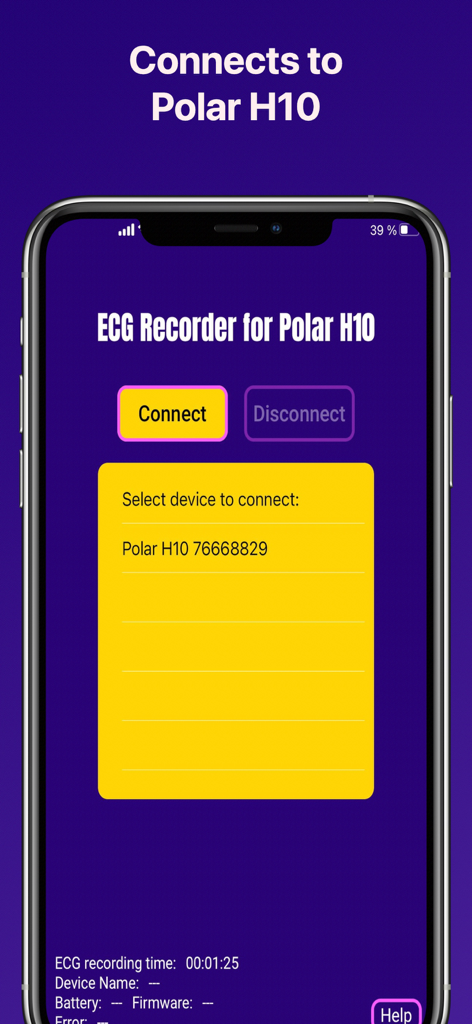
ECG Recorder for Polar H10 - ECG Recorder app connection interface showing a Polar H10 sensor ready to connect.
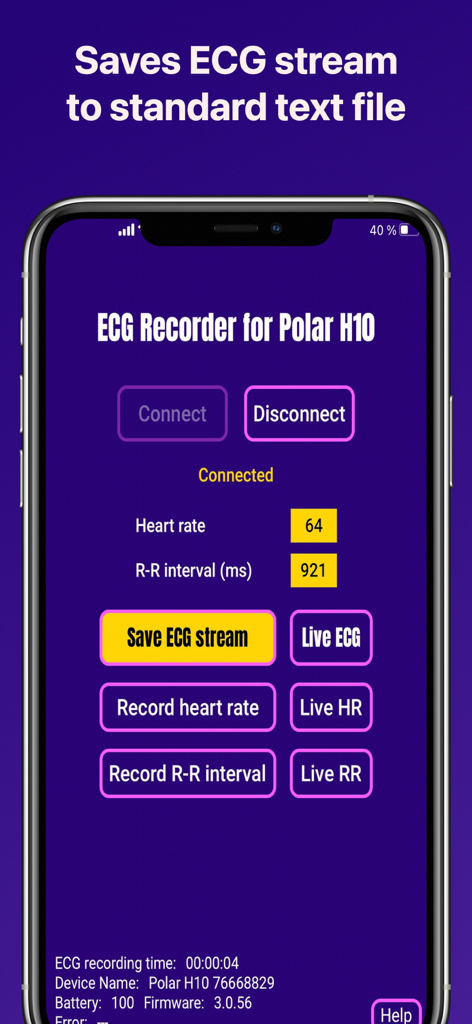
ECG Recorder app connection interface showing a Polar H10 sensor ready to connect.

ECG Recorder for Polar H10 - ECG Recorder for Polar H10 app interface showing live heart rate data and recording controls
ECG Recorder for Polar H10 app interface showing live heart rate data and recording controls

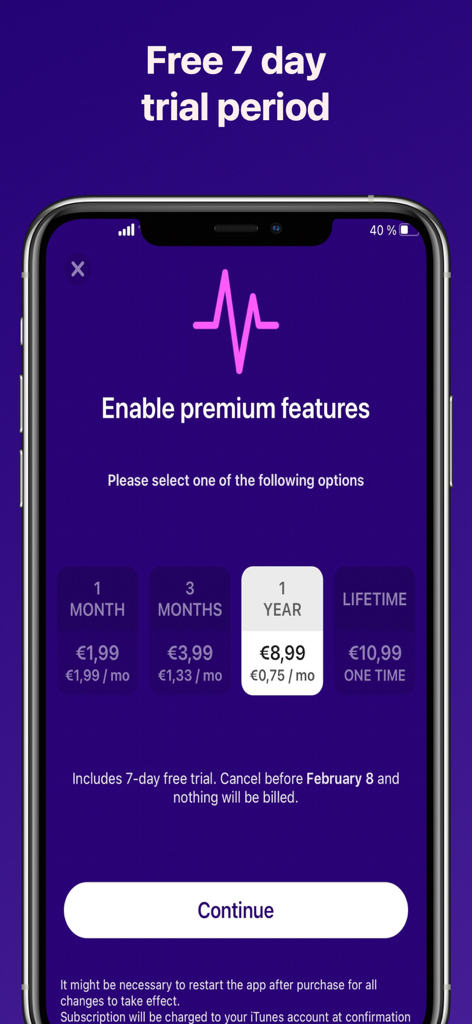
ECG Recorder for Polar H10 - Subscription screen for ECG Recorder app showing premium pricing options and a 7-day free trial
Subscription screen for ECG Recorder app showing premium pricing options and a 7-day free trial

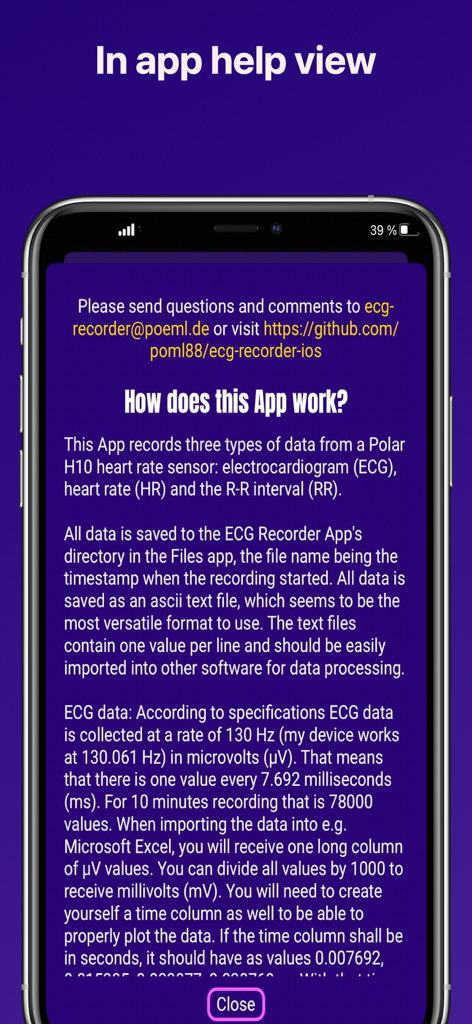
ECG Recorder for Polar H10 - In-app help view showing technical instructions and data recording specifications for the ECG Recorder for Polar H10 app.

In-app help view showing technical instructions and data recording specifications for the ECG Recorder for Polar H10 app.

Description

This App records three types of data from a Polar H10 heart rate sensor: electrocardiogram (ECG), heart rate (HR) and the R-R interval (RR). Minimum firmware of the H10 for ECG to work is 3.0.35. Each type of data can also be displayed in a real time chart. Screenshots of the real time chart can be taken via the “save to photos” button. A video of the live chart can be recorded using the iOS screen recorder button from the iOS Control Center (maybe needs to be enabled via Settings —> Control Center). If the user has an active subscription "Enable premium features" (IN-APP purchase), all data is saved to the ECG Recorder App's directory in the "Files" app, the file name being the timestamp when the recording started. All data is saved as an ascii text file. The text files contain one value per line and should be easily imported into other software for data processing. In addition, the premium features include live / real-time charts of ECG, HR, and RR. ECG DATA According to specifications ECG data is collected at a rate of 130 Hz (my device works at 130.061 Hz) in microvolts (µV). That means that there is one value every 7.692 milliseconds (ms). For 10 minutes recording that is 78000 values. When importing the data into e.g. Microsoft Excel or Apple Numbers, you will receive one long column of µV values. You can divide all values by 1000 to receive millivolts (mV). You will need to create yourself a time column as well to be able to properly plot the data. If the time column shall be in seconds, it should have as values 0.007692, 0.015385, 0.023077, 0.030769, …. With that time column as X and the mV as Y you can plot a mV vs. seconds ECG. The "Set marker" button in the ECG live chart adds a value of 2000 µV to the data. This value can be easily seen in a graph or found by searching through the data. The open source software “EDFbrowser” can convert the ascii text files into .edf files which can be nicely browsed using the software. Some sample ECG data and demo videos for import into Apple Numbers and EDFBrowser are available at the Github site (https://poml88.github.io/ecg-recorder-ios/). HR DATA There is about one value for HR (average beats per minute, bpm) recorded per second. In case you want to plot the data you will need to create a time column with 1, 2, 3, 4, … seconds and so forth. RR DATA The RR interval is the time elapsed between two successive R-waves of the QRS signal on the electrocardiogram (the reciprocal is the HR). The RR intervals are recorded in ms. The app is free to download to get a first impression and connect to a device. It is possible to see a few seconds of the live charts. To activate the premium features, please make one of the available IN-APP purchases. Each subscription has a one week free trial, so all features can be tried free of charge. Subscription will be charged to your iTunes account at confirmation of purchase and will automatically renew (at the duration selected) unless auto-renewal is turned off at least 24h prior to the end of the current period. Otherwise, your account will be charged for renewal at the original cost of your current subscription. Visit your iTunes Account Settings to manage subscriptions and/or turn off auto-renewal. Any unused portion of free trial period, if offered, will be forfeited when purchasing a subscription. For more information, see our Terms of Service and Privacy Policy. TERMS OF SERVICE https://github.com/poml88/ecg-recorder-ios/blob/main/TERMS_of_SERVICE.md#terms-of-service Please note: This app is for informational purpose only. Use of the app and site is not intended to be a substitute for professional medical advice and you should promptly contact your own health care and/or provider regarding any medical conditions or medical questions that you have. THE APP AND WEB SITE DO NOT OFFER MEDICAL ADVICE, AND NOTHING CONTAINED IN THE CONTENT IS INTENDED TO CONSTITUTE PROFESSIONAL ADVICE FOR MEDICAL DIAGNOSIS OR TREATMENT.

Download

Download on App Store

This page is not an official page of the app or its developer, but an independent editorial publication created for informational and commentary purposes. Unless expressly stated otherwise, neither the app nor its developer is affiliated with, endorsed by, sponsored by, authorized by, or otherwise officially connected with MWM, Apple, Google Play, the app publisher, or the app's developer, and nothing on this page implies that the app was developed using MWM's services. Any trademarks, logos, screenshots, and other content remain the property of their respective owners.