
This page is not an official page of the app or its developer, but an independent editorial publication created for informational and commentary purposes. Unless expressly stated otherwise, neither the app nor its developer is affiliated with, endorsed by, sponsored by, authorized by, or otherwise officially connected with MWM, Apple, Google Play, the app publisher, or the app's developer, and nothing on this page implies that the app was developed using MWM's services. Any trademarks, logos, screenshots, and other content remain the property of their respective owners.


EdLink
The all-in-one mobile platform for students and educators to collaborate on assignments, share materials, and build a connected academic community—anytime, anywhere.
Downloads
365K+User Rating
Total Ratings
700Publisher
Category
EducationLocales
2Latest Version
1.4.9Size
141.7 MBFirst Released
Sep 27, 2020Revolutionize Your Learning Experience
EdLink brings students and educators together in a mobile-first community designed for social learning, instant collaboration, and academic success.
Interactive Class Forums
Break the barriers of traditional classrooms with real-time discussions, media sharing, and collaborative networking in private or public spaces.
Smart Task Management
Submit assignments effortlessly and gain new academic insights by reviewing peer answers to benchmark your progress and understanding.
Frequently Asked Questions
Everything you need to know about EdLink
What is the EdLink application?
EdLink is an application that assists students and lecturers with learning activities. It facilitates sharing information, course materials, and assigning tasks effectively.
What are the main features of the EdLink application?
EdLink's key features include creating discussion forums and classes, sharing various data types, assigning class tasks, private messaging, and posting information, events, and surveys.
Can students create discussion forums in EdLink?
No, only lecturers can create class forums within EdLink. However, both students and lecturers can join these forums to connect and share information.
How do lecturers manage student tasks using EdLink?
Lecturers manage tasks by creating them directly within class forums in EdLink. They view all student submissions, and students can see their peers' answers for additional reference.
Does EdLink allow private messaging between users?
Yes, EdLink includes a private messaging feature. Users can send direct messages to friends or lecturers who are members of the same forum.
What is the "Kelas Merdeka" feature in EdLink?
EdLink offers "Kelas Merdeka" to enhance knowledge and skills. This feature provides a new interface with various attractive class options led by prominent mentors.
Does EdLink support interactive video learning materials?
Yes, EdLink offers interactive video materials. This new feature aims to make learning content easier and more engaging for users to understand.
Can users attend video conference classes within the EdLink app?
Yes, EdLink integrates video conference classes. Users can join these sessions directly to attend lectures with their lecturers and classmates from any location.
Does EdLink allow students to take quizzes?
Yes, students can take quizzes directly within EdLink classes. The app provides a quiz leaderboard to track performance and readiness for subjects.
Does EdLink provide a personal schedule or to-do list?
Yes, EdLink includes a "My To-Do List" to help users organize academic tasks. It also displays daily schedules, indicating any lectures or scheduled activities.
The following screenshots and description are sourced directly from the app's official store listing and are the property of the app developer.
App Store
Screenshots
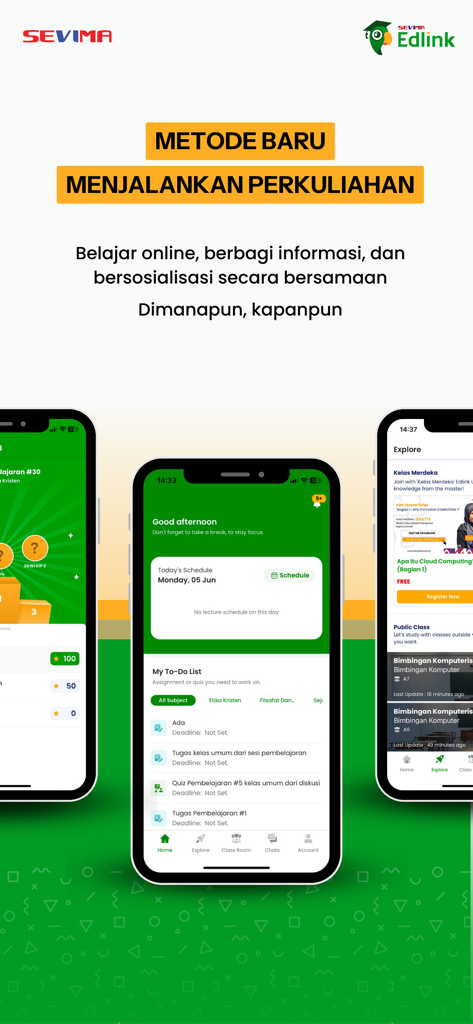
EdLink mobile app interface showing student schedule to-do list and academic course exploration
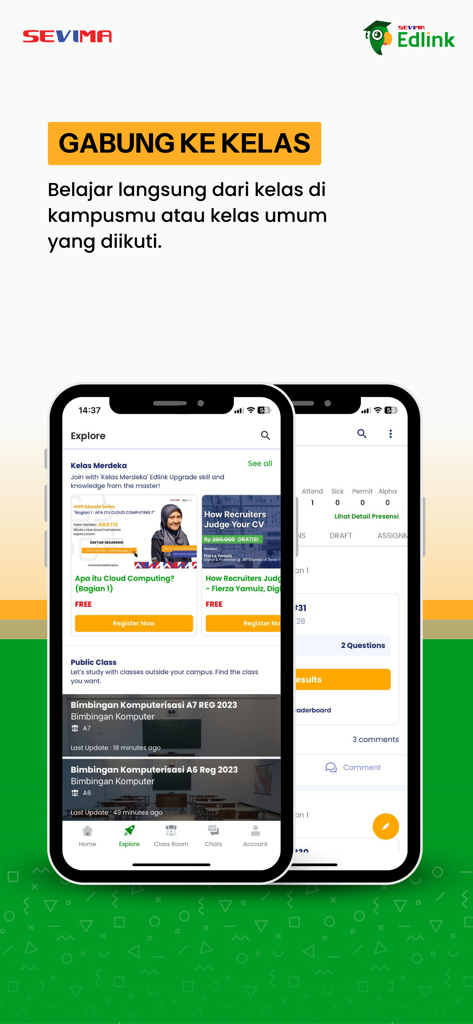
Screenshot of the EdLink mobile app explore screen showing various campus and public courses available for students to join
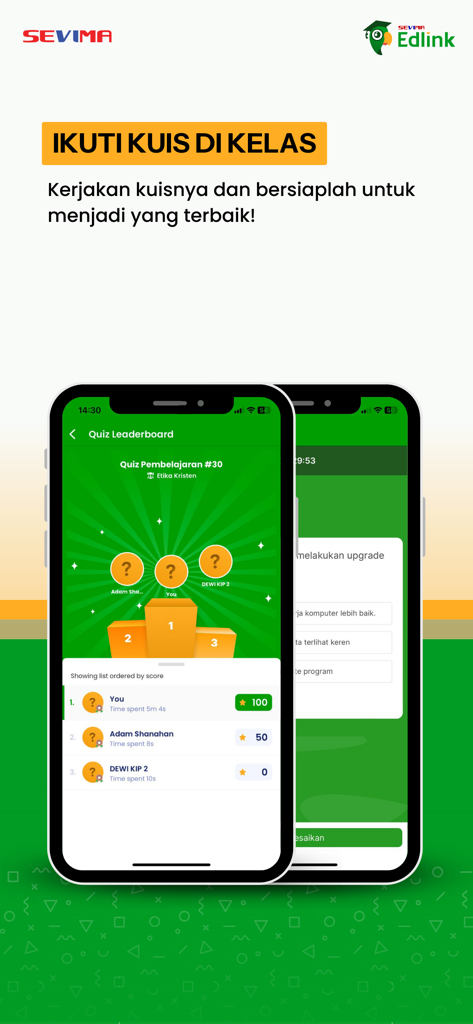
EdLink app quiz leaderboard screen showing student rankings and scores on a podium.
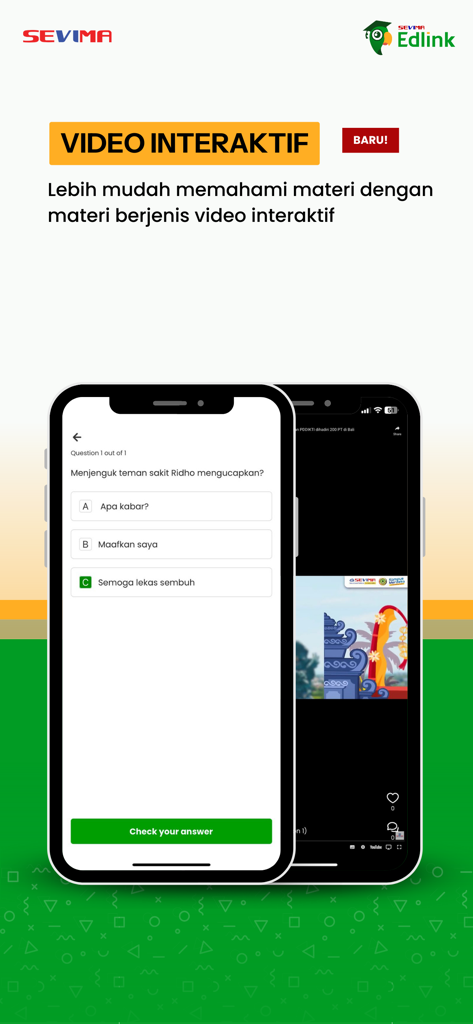
EdLink mobile app interface showing an interactive video lesson and a multiple choice quiz question
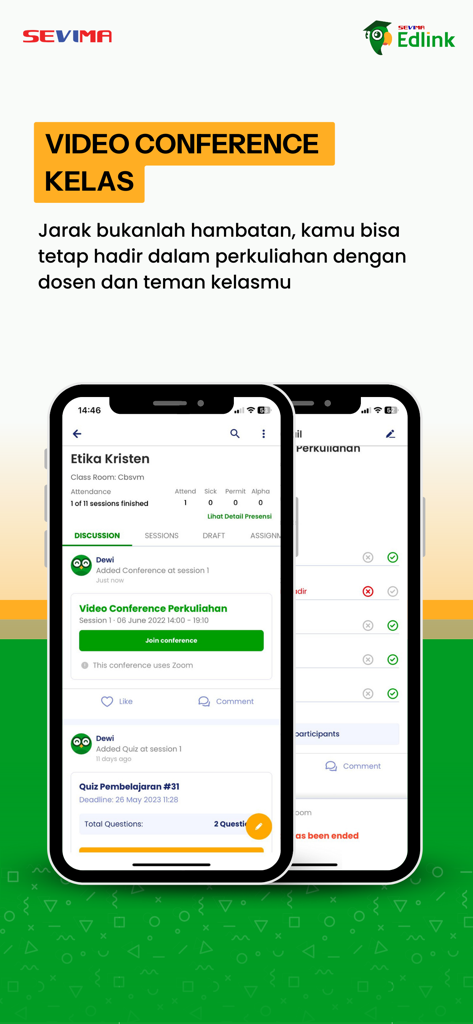
EdLink mobile app interface showing class discussion and video conference options
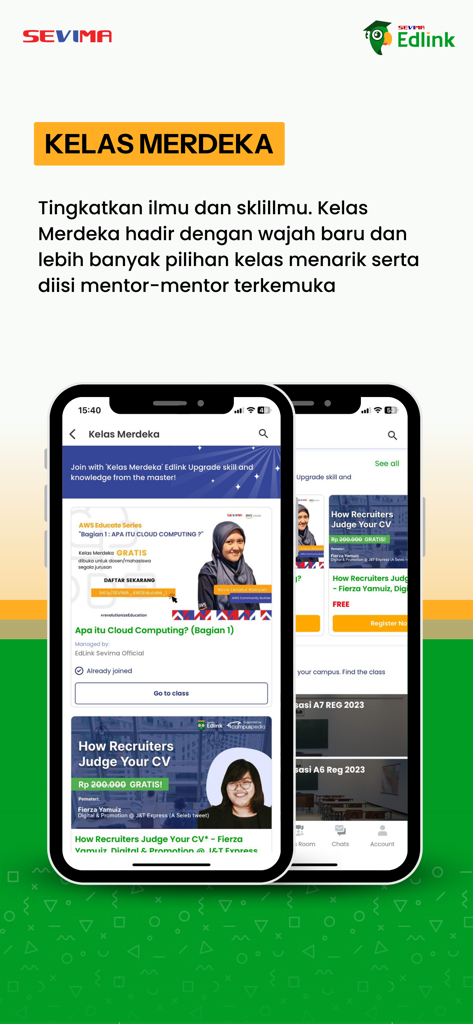
EdLink mobile app interface displaying the Kelas Merdeka online course listings
Description
Download
More Like This
Apps with similar features and user experience
GetCourse
Timur Karimbaev
CourseKey Student
COURSE KEY

少年得到-知识百科平台
Kude youth (tianjin) culture communication co. LTD

Ulife
GAEC Educacao S/A

知享学堂
Hangzhou Kuozhi Network Technology Co., Ltd.

Tfaseel
QUANTIC TECH SOLUTIONS FZC

Classera
Classera Inc.

JustSchool - English Online
Igor Furmanenko

myWGU Mobile
Western Governors University
This page is not an official page of the app or its developer, but an independent editorial publication created for informational and commentary purposes. Unless expressly stated otherwise, neither the app nor its developer is affiliated with, endorsed by, sponsored by, authorized by, or otherwise officially connected with MWM, Apple, Google Play, the app publisher, or the app's developer, and nothing on this page implies that the app was developed using MWM's services. Any trademarks, logos, screenshots, and other content remain the property of their respective owners.