
This page is not an official page of the app or its developer, but an independent editorial publication created for informational and commentary purposes. Unless expressly stated otherwise, neither the app nor its developer is affiliated with, endorsed by, sponsored by, authorized by, or otherwise officially connected with MWM, Apple, Google Play, the app publisher, or the app's developer, and nothing on this page implies that the app was developed using MWM's services. Any trademarks, logos, screenshots, and other content remain the property of their respective owners.


Elevate Pay: USD Banking
Open a US-based, ACH-enabled account in minutes. Receive your salary in dollars, hedge against inflation, and save up to 5x on fees with our market-leading exchange rates.
Downloads
64K+User Rating
Total Ratings
600Publisher
Category
FinanceLocales
2Latest Version
1.0.6Size
73.0 MBFirst Released
Oct 26, 2023Empower Your Remote Career
A complete USD banking experience designed for freelancers and remote workers to receive, hold, and transfer earnings with maximum efficiency.
Your Own US Bank Account
Receive payments via ACH from US clients or platforms like Upwork and Fiverr as if you were living in the States.
5x Cheaper Transfers
Stop losing your paycheck to hidden fees. Convert USD to your local currency with market-leading FX rates that beat traditional banks.
Frequently Asked Questions
Everything you need to know about Elevate Pay: USD Banking
What is Elevate Pay for?
Elevate Pay offers a complete USD digital banking experience for freelancers and remote workers worldwide. It enables users to open US-based, ACH-enabled accounts through licensed banking partners.
Does Elevate Pay offer US-based bank accounts?
Yes, Elevate Pay provides US-based, ACH-enabled bank accounts. These accounts are established in partnership with licensed banking providers, ensuring secure and compliant financial services.
Can I send money home using Elevate Pay?
Yes, Elevate Pay allows users to send money home efficiently. The service offers market-leading FX rates, enabling users to save up to 5x on international money transfers.
What types of payments can I receive with Elevate Pay?
Elevate Pay supports receiving payments from various platforms. Users can get paid by clients, employers, and through remote jobs, including sources like Upwork, Fiverr, Wise, Deel, and Airbnb.
What security features does Elevate Pay offer?
Elevate Pay incorporates industry-leading security features. These include 256-bit data encryption, biometric security (fingerprint and Face ID), and 2FA for comprehensive account protection.
Does Elevate Pay provide real-time transaction notifications?
Yes, Elevate Pay provides real-time notifications for transactions. Users receive instant alerts, such as confirmation of received funds, to maintain awareness of their account activity.
How can I contact Elevate Pay support?
Users can contact Elevate Pay support via email at help@elevatepay.co for any queries. Updates and information are also available on their social media channels: @elevatepayhq.
Where can I find the terms and disclosures for Elevate Pay?
All disclosures, consents, and terms for Elevate Pay are published on their official website. Users can access this detailed legal information by visiting www.elevatepay.co.
The following screenshots and description are sourced directly from the app's official store listing and are the property of the app developer.
App Store
Screenshots
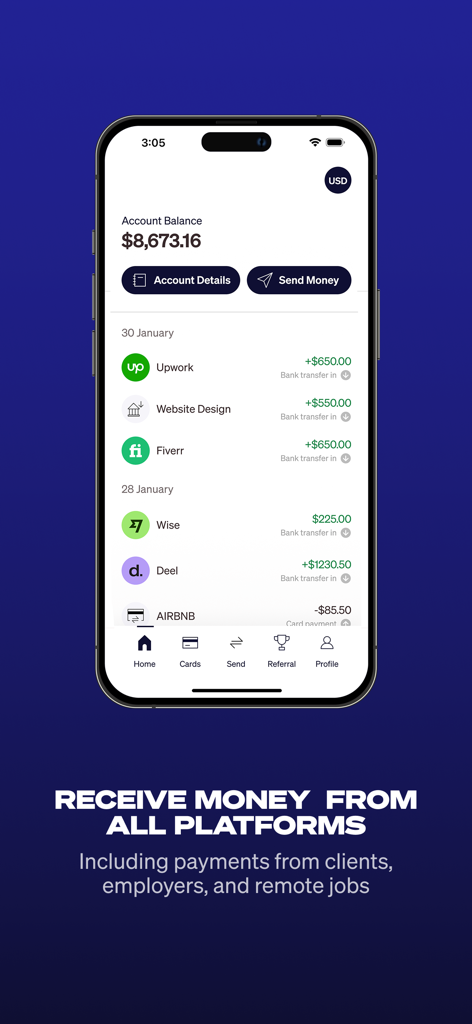
Elevate Pay app interface showing account balance and payment history from Upwork, Fiverr, and Deel.
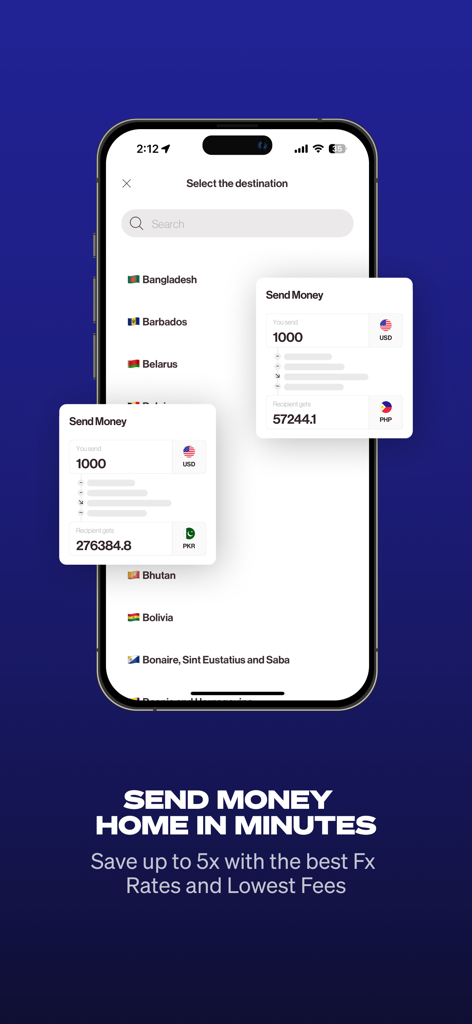
Elevate Pay app interface showing international money transfer from USD to various countries with competitive exchange rates
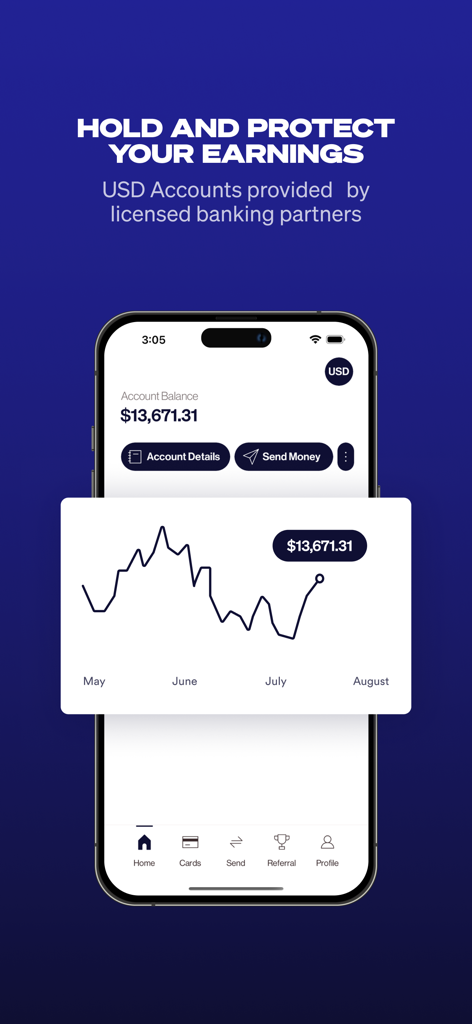
Elevate Pay app interface showing a USD account balance and an earnings growth chart

Elevate Pay app showcasing industry leading security features including biometric login and data encryption.
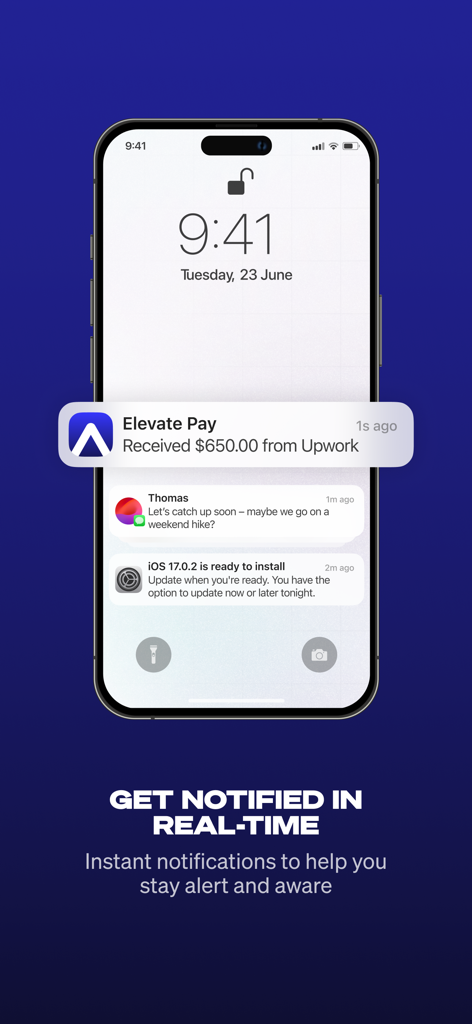
Elevate Pay app notification on an iPhone lock screen showing a payment received from Upwork
Description
Download
More Like This
Top-ranked apps in the same category

电子税务局
State Administration of Taxation

UnionPay APP
China Unionpay Co.,Ltd.

养基宝 - 年轻人的养基神器
Shenzhen Xiaoduotou Information Technology Co.,Ltd.

PayPal - Pay, Send, Save
PayPal, Inc.

中国农业银行
AGRICULTURAL BANK OF CHINA LIMITED

Mercado Pago: cuenta digital
MercadoLibre S.A.

Kalshi: Trade on the Big Game
KALSHI INC.

中国工商银行
Industrial and Commercial Bank of China

个人所得税
State Administration of Taxation
This page is not an official page of the app or its developer, but an independent editorial publication created for informational and commentary purposes. Unless expressly stated otherwise, neither the app nor its developer is affiliated with, endorsed by, sponsored by, authorized by, or otherwise officially connected with MWM, Apple, Google Play, the app publisher, or the app's developer, and nothing on this page implies that the app was developed using MWM's services. Any trademarks, logos, screenshots, and other content remain the property of their respective owners.