EndNote

EndNote

Download on App Store
Logo of EndNote

EndNote: The Premier Research and Citation Manager for Scholars on the Go

Access your library anywhere, annotate PDFs with ease, and sync your research across devices to stay productive from the lab to the library.

Publisher

Clarivate Analytics (US) LLC

Category

Productivity

Downloads

759K+

User Rating

3.0/5

Total Ratings

1K+

Locales

1

Your Library, Visualized

Discover the interface used by 759K+ users.
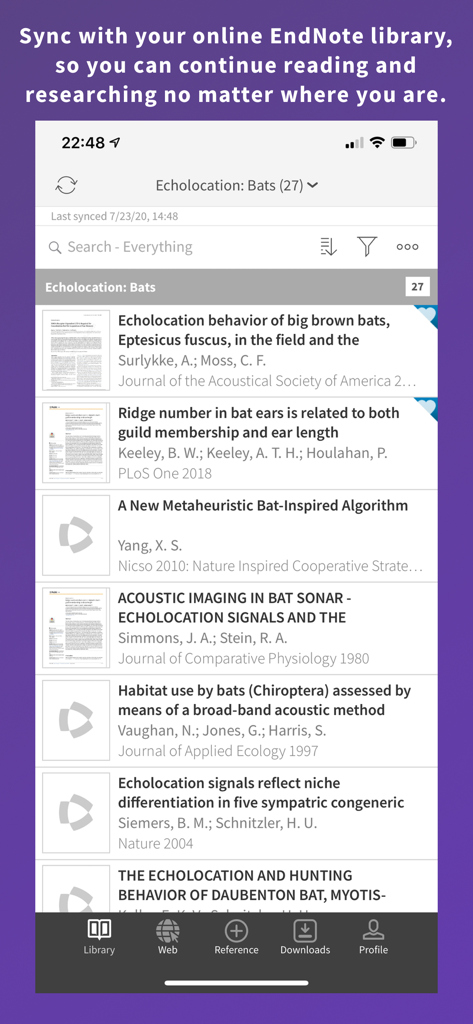
A list of academic research papers in the EndNote mobile app library showing sync status

A list of academic research papers in the EndNote mobile app library showing sync status

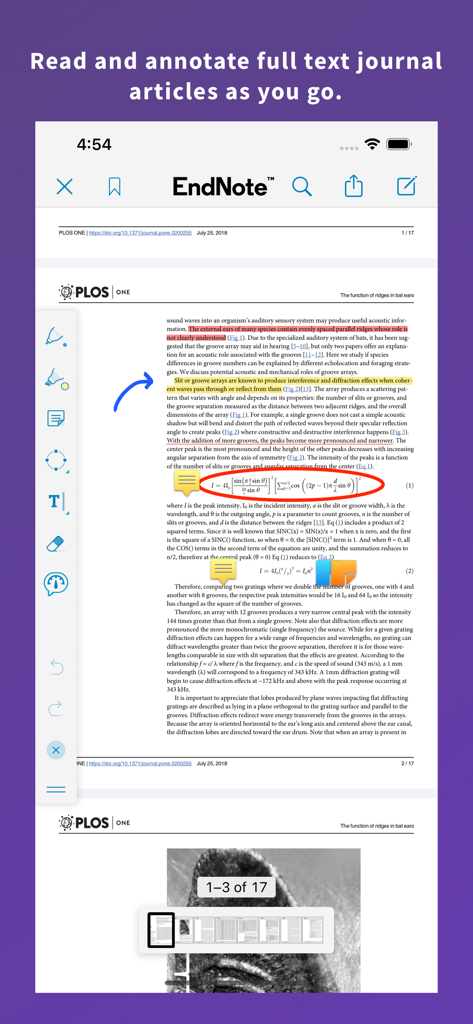
EndNote app interface displaying a research paper with highlights and annotations

EndNote app interface displaying a research paper with highlights and annotations

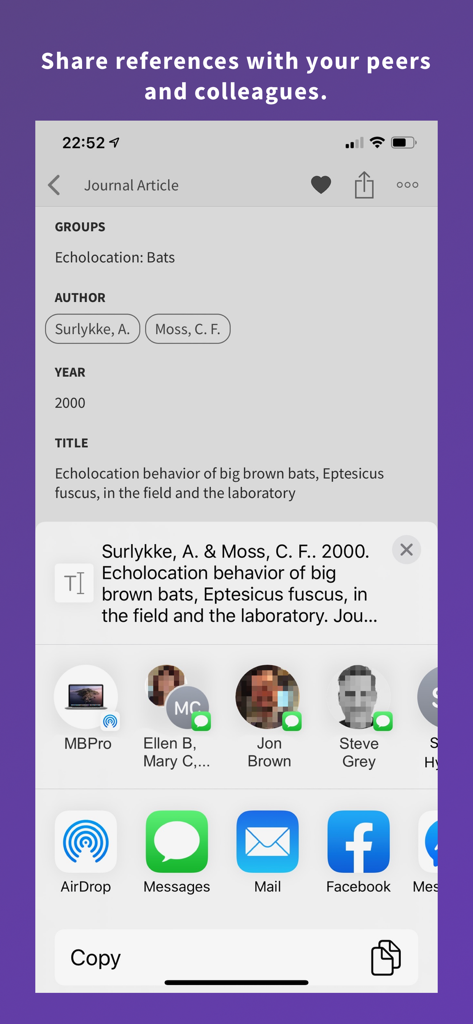
EndNote mobile app screen showing options to share a research journal article reference via AirDrop, Messages, and Mail.

EndNote mobile app screen showing options to share a research journal article reference via AirDrop, Messages, and Mail.

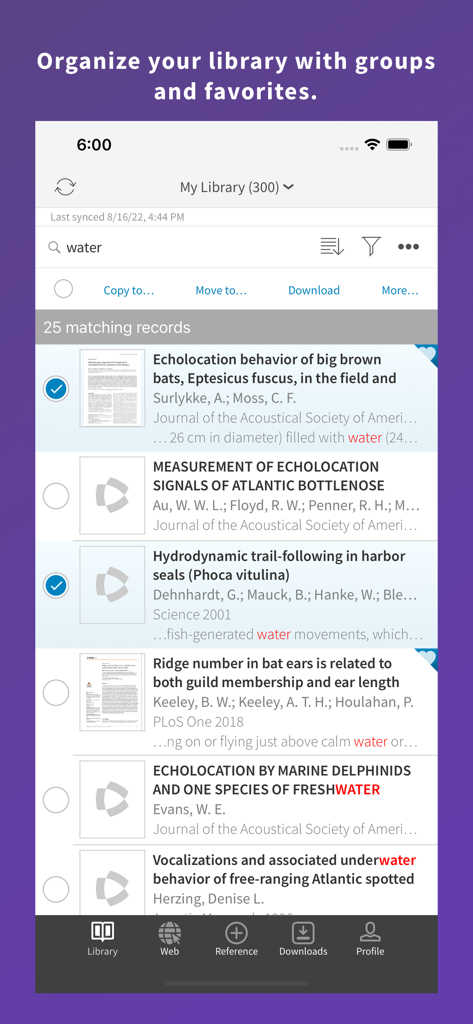
EndNote mobile app interface displaying search results for research papers and library organization options.

EndNote mobile app interface displaying search results for research papers and library organization options.

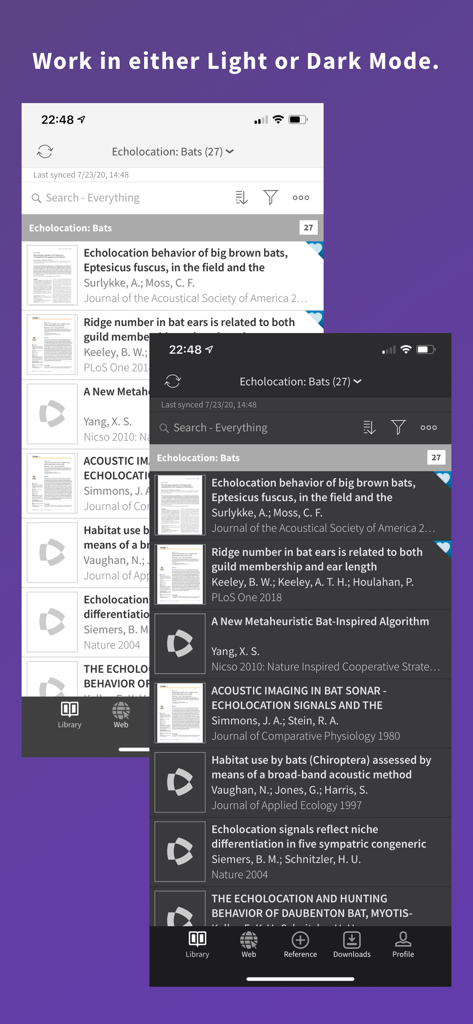
EndNote mobile app interface showing a list of research references in light and dark mode options

EndNote mobile app interface showing a list of research references in light and dark mode options

Elevate Your Academic Research

The tools that make this app stand out, trusted by 759K+ users.

🔄

Instant Library Sync

Move between the lab, the library, and home without missing a beat. Your references and attachments stay updated across iPad, desktop, and web.

🖊️

Deep PDF Annotation

Read and mark up journal articles on the go. Your highlights and notes sync automatically, so they're waiting for you when it's time to write.

🎓

Direct Database Access

Search PubMed, Web of Science, and your university library within the app. Find and import the latest research in seconds.

About the app

Everything you need to know about EndNote.

Description

Collect, collaborate, create from anywhere with the EndNote app - the world's most popular research management tool. With flexible tools for searching, organizing, sharing research, and creating bibliographies, the EndNote app extends your ability to stay on top of cutting edge research and connect with your EndNote library on the go. EndNote enables you to easily view, edit, organize, and share research material on your iOS device. By syncing your research library across iOS, online, and desktop, you increase the power of EndNote by gaining seamless access to your reference library from multiple devices and platforms. The EndNote app includes: - Sign up for a free, EndNote online account or sign in to an existing account - Synchronize your library references, attachments, and PDF annotations to your online account and EndNote desktop - Built in web browser to search Clarivate Analytics Web of Science, PubMed, Google Scholar, your library catalog, or any other database you choose - Built in PDF viewer with wide range of annotation features. Annotations made can be synced and edited online and on the EndNote desktop - Importing capabilities for .ris, .nbib, and other popular reference file formats - Email and copy options for sharing references and file attachments with collaborators - EndNote “temporary citation” format support - Attach files from Dropbox, OneDrive or Google Drive to your references (accounts available separately) - Viewing and editing options for references and file attachments - Sorting, searching, and grouping options for references and file attachments - Getting Started Guide documentation

Latest Version

3.6.1

Size

91.1 MB

First Released

Jan 28, 2013

Your Entire Research Library, Everywhere You Go

Join over 750,000 scholars and professionals. Sync your citations, annotate PDFs on the fly, and accelerate your path to publication with the world's leading research tool.

Download on App Store

App information, icons, screenshots, and descriptions displayed on this page are sourced from the Apple App Store and are the property of their respective developers. Download estimates and rankings are based on MWM's proprietary models and may not reflect actual figures. This page is provided for informational and analytical purposes only.

Believe this page infringes your intellectual property? File a dispute