
This page is not an official page of the app or its developer, but an independent editorial publication created for informational and commentary purposes. Unless expressly stated otherwise, neither the app nor its developer is affiliated with, endorsed by, sponsored by, authorized by, or otherwise officially connected with MWM, Apple, Google Play, the app publisher, or the app's developer, and nothing on this page implies that the app was developed using MWM's services. Any trademarks, logos, screenshots, and other content remain the property of their respective owners.


Envoy
Coordinate with your team, book the perfect desk, and navigate your office with interactive maps. Make every trip to the office productive and frictionless.
Downloads
806K+User Rating
Total Ratings
24K+Publisher
Category
BusinessLocales
7Latest Version
5.21.0Size
95.7 MBFirst Released
Apr 21, 2015Make Every Office Day Count
Envoy brings your team and workplace together. We handle the logistics of desk booking, team scheduling, and office navigation so you can focus on doing your best work.
Sync with Your Squad
Never commute to an empty office. See who plans to be onsite each day so you can coordinate your schedule for face-to-face collaboration.
Your Ideal Desk, Every Time
Book your preferred workspace by the hour or day. Choose a spot near your team or select a desk with the specific amenities you need to stay productive.
Frequently Asked Questions
Everything you need to know about Envoy
How does Envoy help coordinate office schedules?
Envoy allows users to set their hybrid work schedule and view who plans to work onsite daily. This feature enables users to plan to be in the office with coworkers.
Can I book a desk using the Envoy app?
Yes, users can easily book a desk in Envoy by the hour, day, or week. The app allows finding desks with specific amenities and reserving a spot near colleagues.
Does Envoy provide interactive maps for workplace navigation?
Yes, Envoy provides interactive workplace maps. These maps help users find coworkers, book meeting rooms, see visitor details, and locate delivery pickup spots within the office.
How do I invite visitors with Envoy?
Users invite guests to their office through Envoy and track scheduled arrivals. The app sends a notification when a visitor arrives, ensuring the guest is not kept waiting.
Can Envoy notify me about package deliveries?
Yes, Envoy notifies users immediately when their package arrives. Users can also confirm pick-up directly within the app once they have collected their mail.
Does the Envoy app allow reporting workplace issues?
Yes, Envoy allows users to create tickets for workplace issues directly from their phone. This includes adding photos and noting the exact location for quick resolution by facilities and IT teams.
What is Envoy Passport™?
Envoy Passport™ automatically maintains an up-to-date record of a user's workplace visits. It also enables users to collect digital stamps with info about each visit.
Can Envoy send emergency notifications?
Yes, Envoy can send emergency notifications. The app allows selecting message types like SMS or push notifications and targeting specific employee groups and visitors.
How do I check into my reservation with Envoy?
Users check into their reservations via the Envoy app. The home screen displays a "Check in" button for scheduled reservations, typically required by a specific time.
Does Envoy show who is working onsite?
Yes, Envoy shows who is working onsite. The app's schedule feature and home screen allow users to easily see which coworkers plan to be in the office each day.
The following screenshots and description are sourced directly from the app's official store listing and are the property of the app developer.
App Store
Screenshots
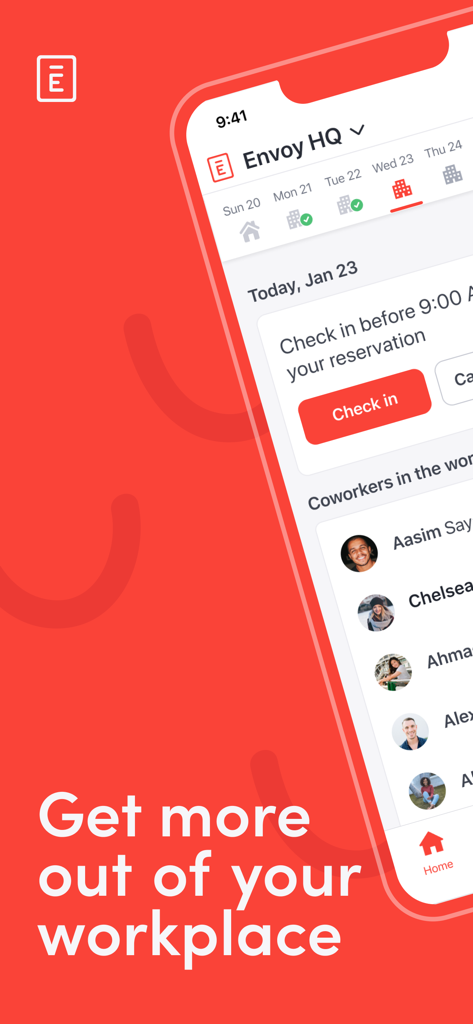
Envoy mobile app interface showing workplace schedule and coworker availability.
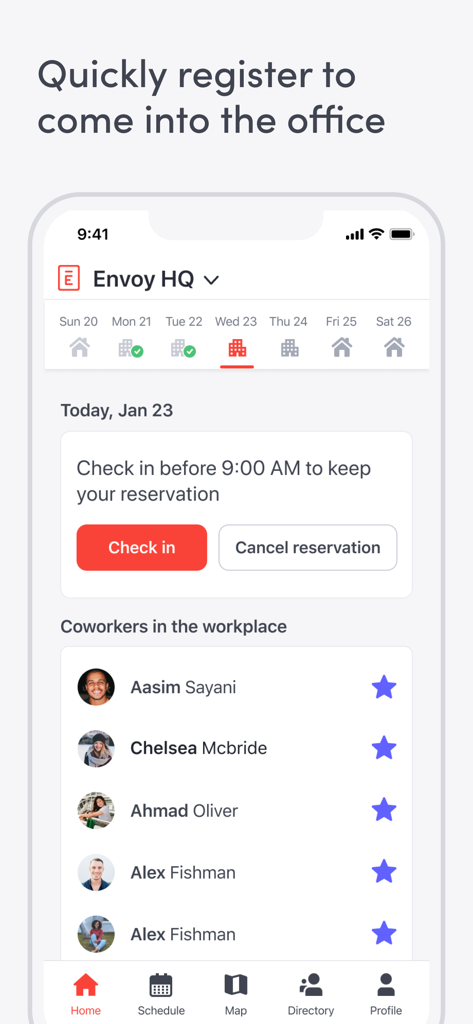
Envoy mobile app interface for office registration and checking in to see which coworkers are present.
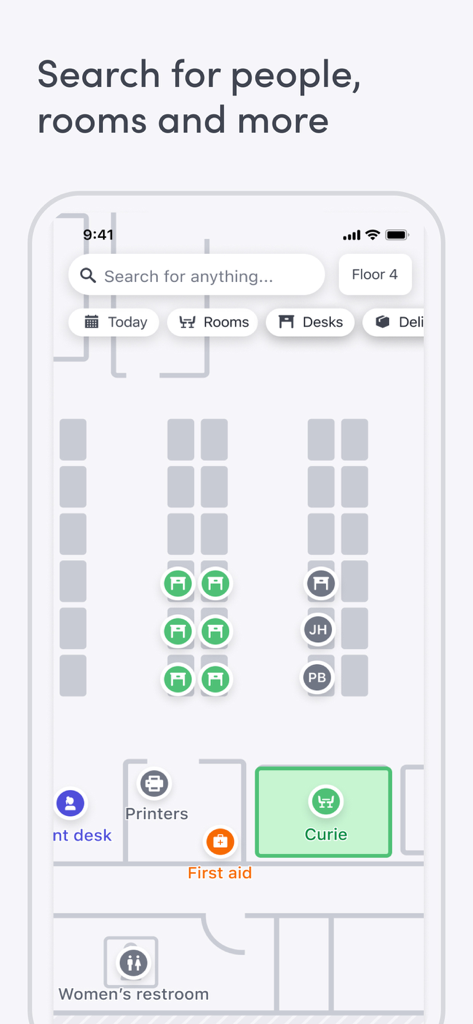
Envoy app screen showing an interactive office floor plan with desk and room booking features
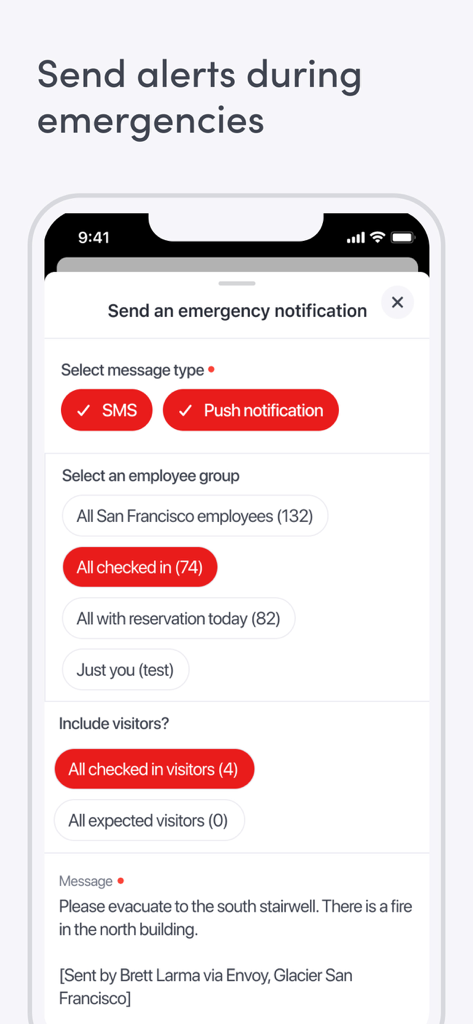
Interface of the Envoy app showing the emergency notification feature with options to send SMS and push alerts to employees and visitors.
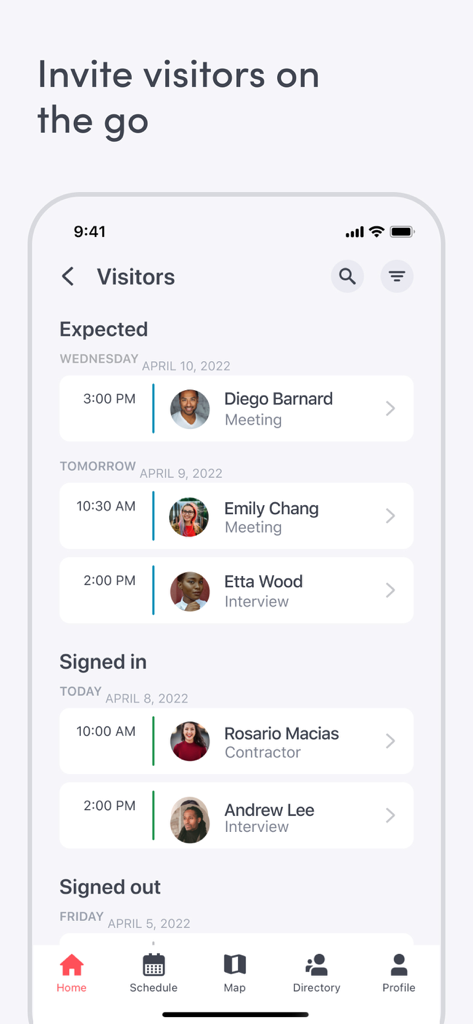
Envoy mobile app screen displaying a list of expected and signed in office visitors
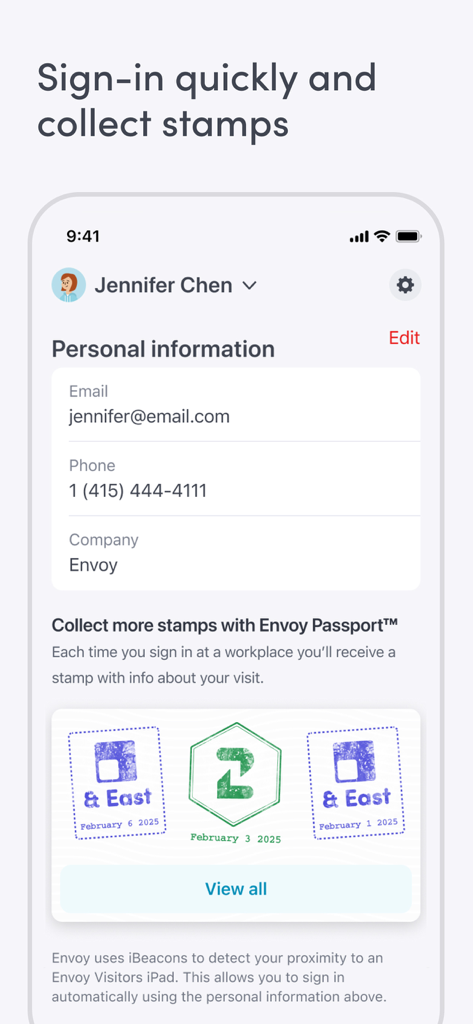
Envoy app interface showing personal information and digital stamps for office visits through Envoy Passport.
Description
Download
More Like This
Apps with similar features and user experience






This page is not an official page of the app or its developer, but an independent editorial publication created for informational and commentary purposes. Unless expressly stated otherwise, neither the app nor its developer is affiliated with, endorsed by, sponsored by, authorized by, or otherwise officially connected with MWM, Apple, Google Play, the app publisher, or the app's developer, and nothing on this page implies that the app was developed using MWM's services. Any trademarks, logos, screenshots, and other content remain the property of their respective owners.