
This page is not an official page of the app or its developer, but an independent editorial publication created for informational and commentary purposes. Unless expressly stated otherwise, neither the app nor its developer is affiliated with, endorsed by, sponsored by, authorized by, or otherwise officially connected with MWM, Apple, Google Play, the app publisher, or the app's developer, and nothing on this page implies that the app was developed using MWM's services. Any trademarks, logos, screenshots, and other content remain the property of their respective owners.


ePub Reader - eBook Viewer
Break free from closed ecosystems. Effortlessly import EPUBs, PDFs, and DOCX files via AirDrop or iCloud, and customize your reading experience with professional-grade themes, fonts, and note-taking tools.
Downloads
1K+User Rating
Total Ratings
0Publisher
Category
BooksLocales
1Latest Version
1.0.3Size
66.4 MBFirst Released
Jan 20, 2026Your Entire Library, Unlocked
Break free from ecosystem locks. Import, organize, and read any document format with a professional-grade viewer designed for your iPhone and iPad.
Any Format, One App
From EPUB and PDF to DOCX and RAR archives—open any file instantly without tedious conversions or third-party tools.
Seamless Apple Integration
Effortlessly import your files via AirDrop, iCloud, or Finder. Your personal library is always synced and ready for your next commute.
Frequently Asked Questions
Everything you need to know about ePub Reader - eBook Viewer
What file formats does the ePub Reader - eBook Viewer support?
The ePub Reader - eBook Viewer supports EPUB, PDF, TXT, DOC, DOCX, ODT, and archives like ZIP and RAR for direct extraction and reading of digital content.
How can I import books into the ePub Reader - eBook Viewer app?
Users can import files into ePub Reader - eBook Viewer via Browser, AirDrop, iCloud, Finder, and other integrated apps. This ensures seamless access across various devices.
What reading customization options are available in ePub Reader - eBook Viewer?
ePub Reader - eBook Viewer offers extensive reading customization. Options include adjustable font size, various background colors (Light, Sepia, Dark), screen brightness control, and different themes.
Can I take notes while reading in the ePub Reader - eBook Viewer app?
Yes, ePub Reader - eBook Viewer allows users to annotate with notes. This feature enhances the reading experience by letting users save thoughts and highlights directly within their digital books.
Does ePub Reader - eBook Viewer offer audiobook functionality?
Yes, ePub Reader - eBook Viewer supports listening to audiobooks. The app provides dedicated controls for playback, chapter navigation, and speed adjustment to enhance the audio experience.
What are the features of the free version of ePub Reader - eBook Viewer?
The free version of ePub Reader - eBook Viewer permits up to five books and notes, supports basic document formats, and offers a light theme with two limited font options for reading.
What are the prices for ePub Reader - eBook Viewer subscriptions?
ePub Reader - eBook Viewer offers weekly ($4.99 USD), monthly ($12.99 USD), yearly ($39.99 USD) subscriptions, and a one-time lifetime purchase available for $59.99 USD.
How does the PRO version of ePub Reader - eBook Viewer differ from the free version?
The PRO version of ePub Reader - eBook Viewer unlocks unlimited books and notes, supports advanced file formats, integrates widgets, and offers enhanced reading personalization beyond the free tier.
Is there a privacy policy for the ePub Reader - eBook Viewer app?
Yes, ePub Reader - eBook Viewer provides a privacy policy. The official link to this document is accessible within the app's store listing for users to review privacy practices.
The following screenshots and description are sourced directly from the app's official store listing and are the property of the app developer.
App Store
Screenshots
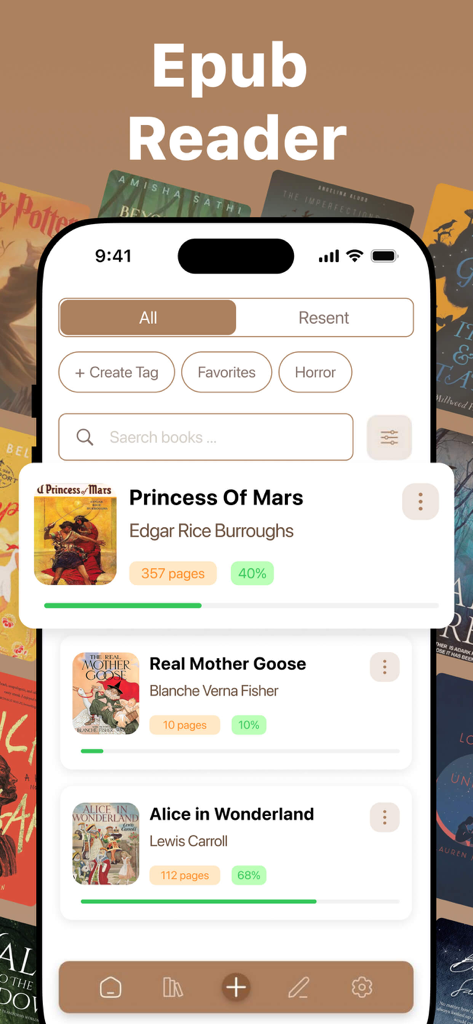
Library interface of the ePub Reader app showing a list of books with reading progress bars and genre tags
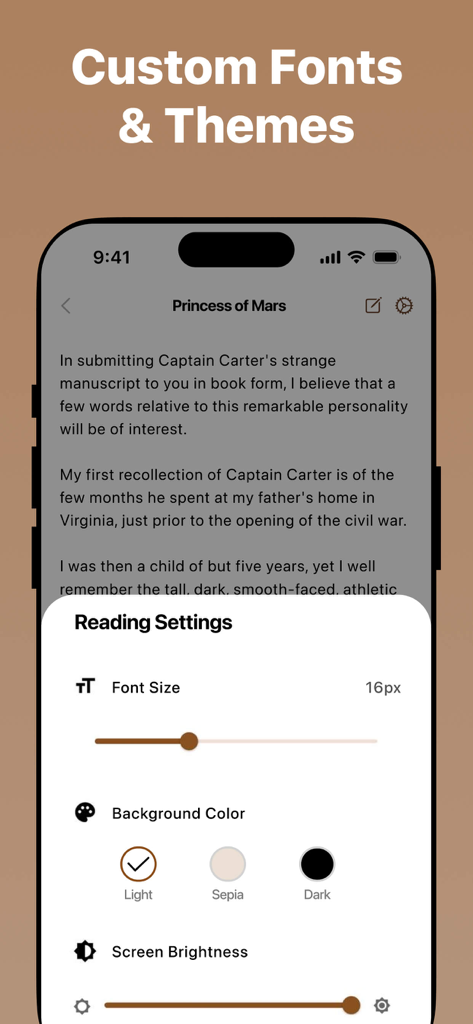
Interface of the ePub Reader app showing custom font and theme settings including font size, background color options, and screen brightness.
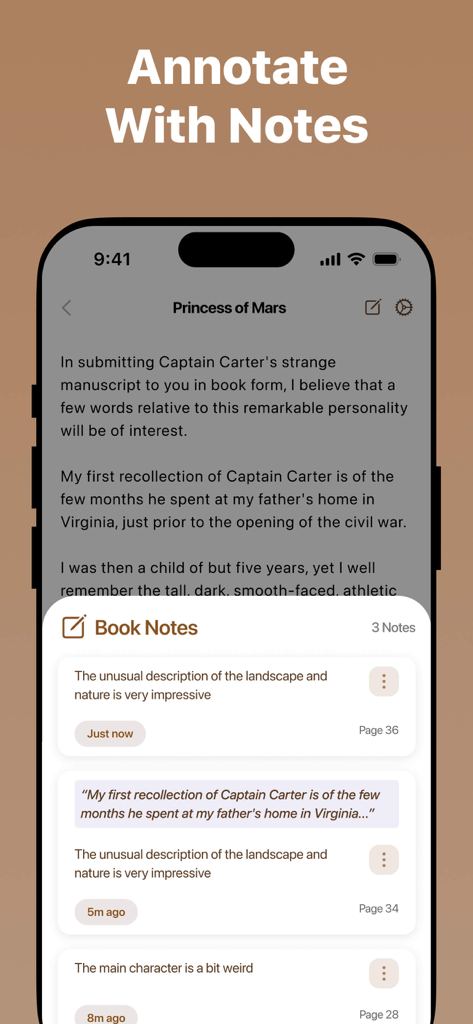
ePub Reader app interface showing the book notes and annotation feature on an iPhone
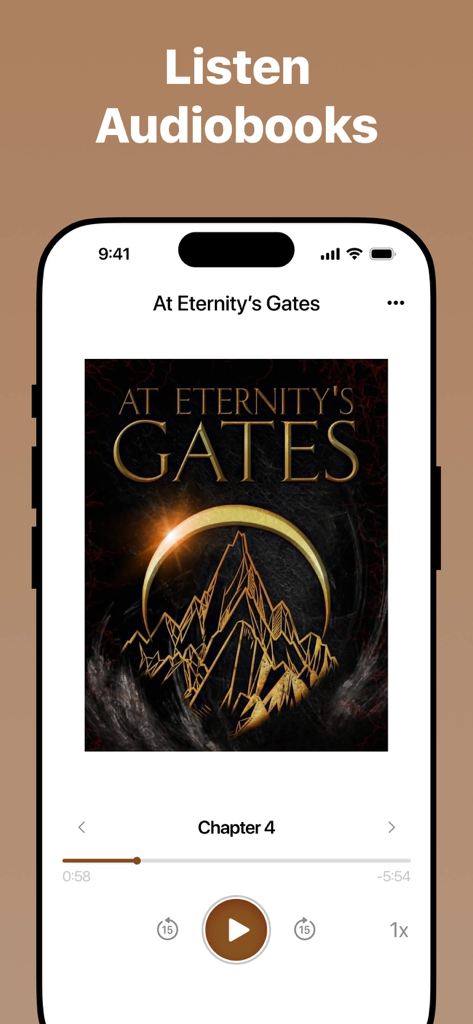
Audiobook player interface in the ePub Reader app showing playback controls for a book title
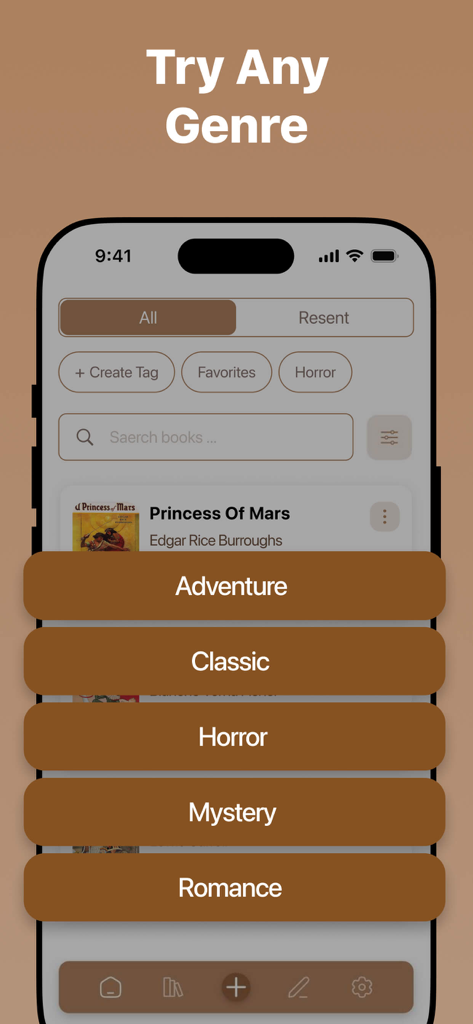
Ebook reader app interface showing a list of books and genre categories like Adventure Classic and Horror
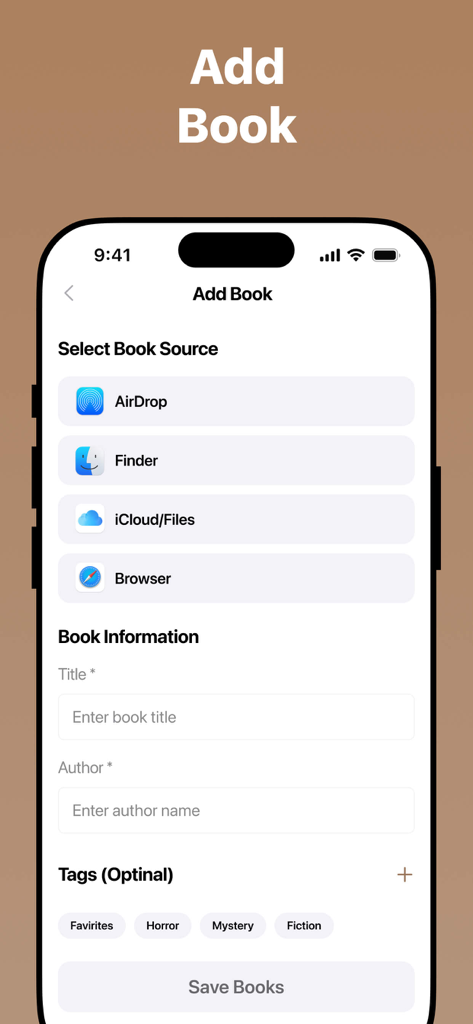
The Add Book interface showing options to import files from AirDrop Finder iCloud and Browser along with title and author fields
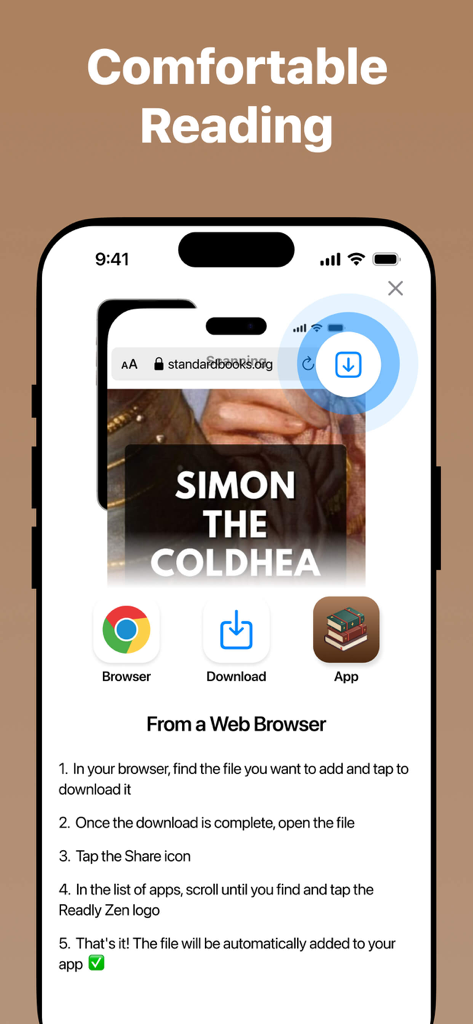
Instructional screen showing how to download and import ebook files from a web browser into the app
Description
Download
More Like This
Top-ranked apps in the same category

Amazon Kindle
AMZN Mobile LLC

Audible: Audiobooks & Podcasts
Audible, Inc.

七猫小说-看小说电子书的阅读神器
Shanghai Seven-Cat Culture Media Co.,Ltd.

QQ阅读
Shenzhen Tencent Computer Systems Company Limited

Wattpad - Read & Write Stories
Wattpad Corp

Libby, the library app
OverDrive, Inc.

微信读书
Tencent Technology (Shenzhen) Company Limited

起点读书-看小说听书的阅读神器
Shanghai Xuan Ting Entertainment Information & technology CO.,LTD

Goodreads: Book Reviews
Goodreads, Inc
This page is not an official page of the app or its developer, but an independent editorial publication created for informational and commentary purposes. Unless expressly stated otherwise, neither the app nor its developer is affiliated with, endorsed by, sponsored by, authorized by, or otherwise officially connected with MWM, Apple, Google Play, the app publisher, or the app's developer, and nothing on this page implies that the app was developed using MWM's services. Any trademarks, logos, screenshots, and other content remain the property of their respective owners.