EvolverFX AUv3 Audio Plugin
Download on App Store

This page is not an official page of the app or its developer, but an independent editorial publication created for informational and commentary purposes. Unless expressly stated otherwise, neither the app nor its developer is affiliated with, endorsed by, sponsored by, authorized by, or otherwise officially connected with MWM, Apple, Google Play, the app publisher, or the app's developer, and nothing on this page implies that the app was developed using MWM's services. Any trademarks, logos, screenshots, and other content remain the property of their respective owners.

Logo of EvolverFX AUv3 Audio Plugin
Download on App Store

EvolverFX AUv3 Audio Plugin

The professional AUv3 performance tool for the mobile-first producer. Transform MIDI chords into rich, multi-layered textures with a sophisticated 4-lane sequencing engine designed for deep-work creativity.

Key Figures

Downloads

5K+

User Rating

4.6/5

Total Ratings

100

Publisher

Limelight Software

Category

Music

Locales

1

Latest Version

1.24

Size

860.8 MB

First Released

Apr 24, 2020
Features

Sculpt Living Soundscapes

Elevate your mobile production with a sophisticated 4-lane sequencing engine designed for deep sonic exploration and professional AUv3 workflows.

4-Lane Generative Sequencing

Transform simple MIDI chords into complex, multi-layered accompaniments that react to your playing and stay perfectly in sync.

Hybrid Sound Synthesis

Merge multi-samples, one-shots, and harmonic oscillators to create rich, evolving textures that defy traditional synthesis limits.

The following screenshots and description are sourced directly from the app's official store listing and are the property of the app developer.

App Store

Screenshots
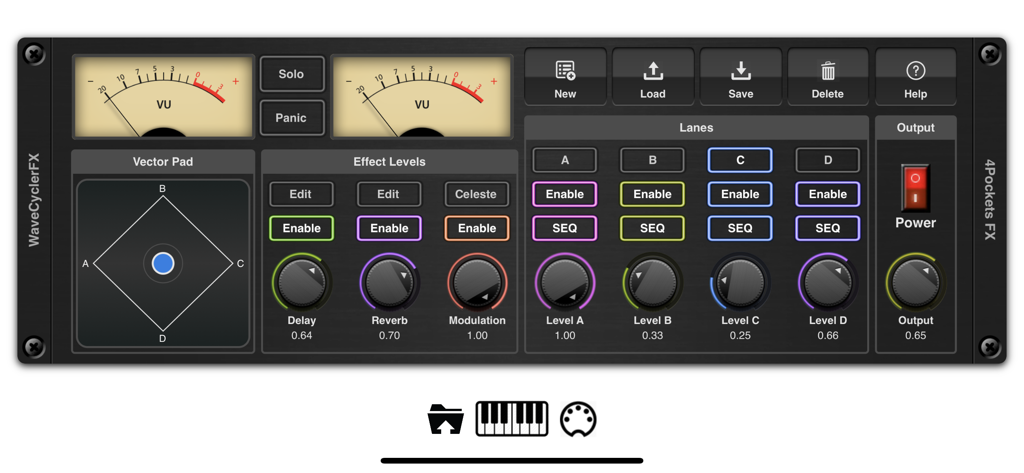
EvolverFX AUv3 Audio Plugin - Main control panel of the EvolverFX AUv3 audio plugin featuring analog VU meters a vector pad and four sequencer lanes
Main control panel of the EvolverFX AUv3 audio plugin featuring analog VU meters a vector pad and four sequencer lanes

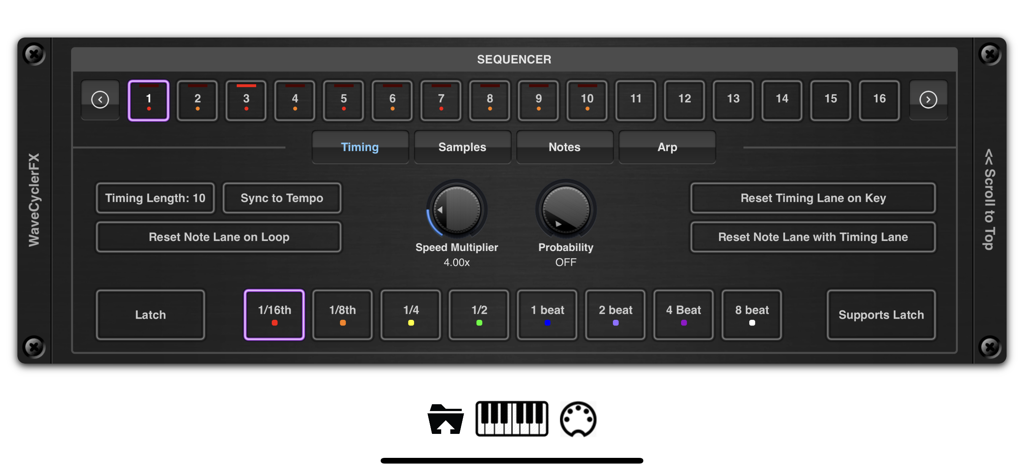
EvolverFX AUv3 Audio Plugin - EvolverFX AUv3 plugin sequencer timing control interface
EvolverFX AUv3 plugin sequencer timing control interface

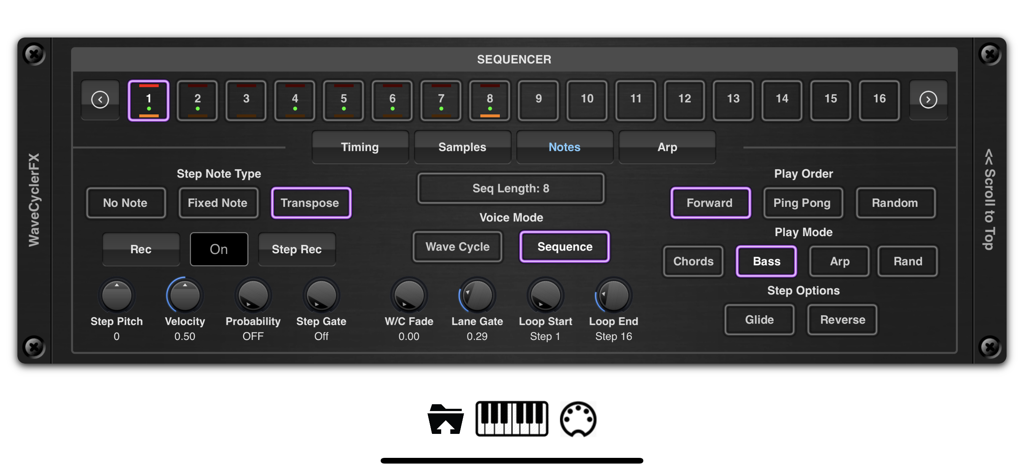
EvolverFX AUv3 Audio Plugin - EvolverFX AUv3 audio plugin sequencer interface with step controls and playback modes
EvolverFX AUv3 audio plugin sequencer interface with step controls and playback modes

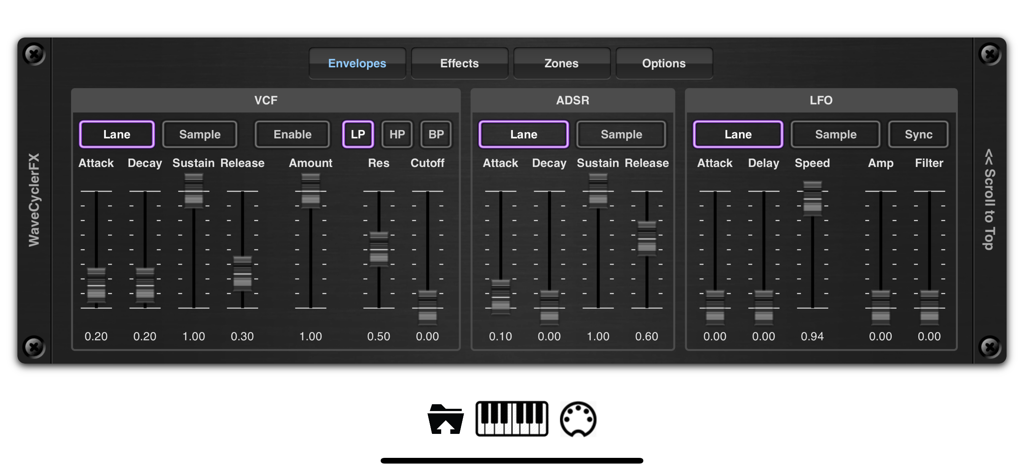
EvolverFX AUv3 Audio Plugin - The envelopes control interface of the EvolverFX AUv3 Audio Plugin showing VCF ADSR and LFO synthesizer settings
The envelopes control interface of the EvolverFX AUv3 Audio Plugin showing VCF ADSR and LFO synthesizer settings

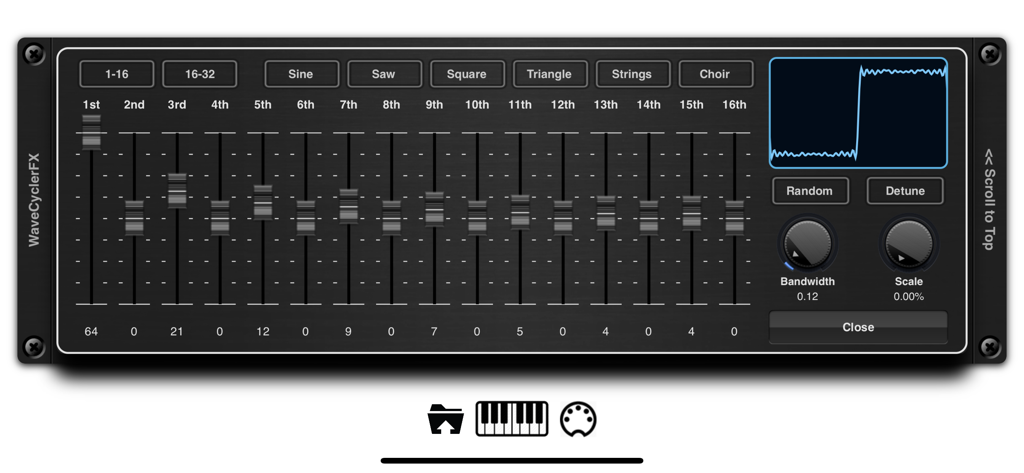
EvolverFX AUv3 Audio Plugin - WaveCycler interface in the EvolverFX app showing harmonic sliders and waveform display
WaveCycler interface in the EvolverFX app showing harmonic sliders and waveform display

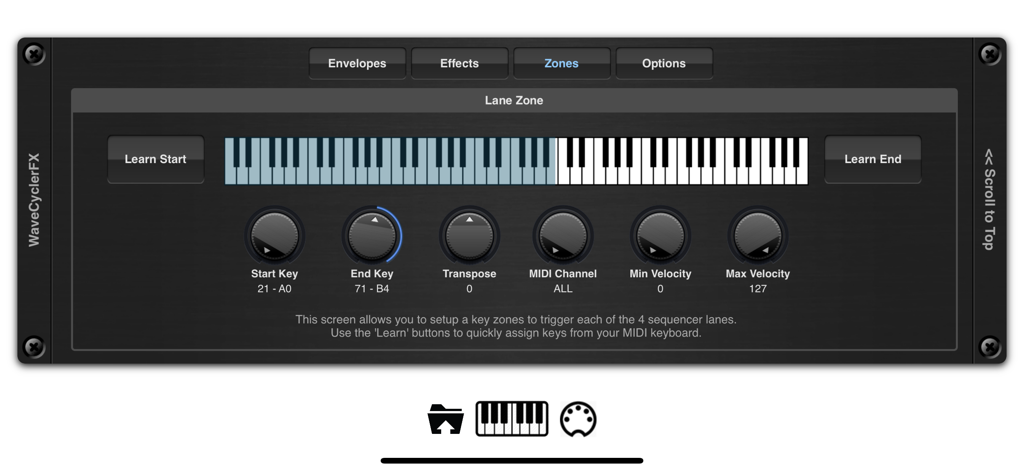
EvolverFX AUv3 Audio Plugin - EvolverFX key zone setup screen with virtual keyboard and MIDI controls
EvolverFX key zone setup screen with virtual keyboard and MIDI controls

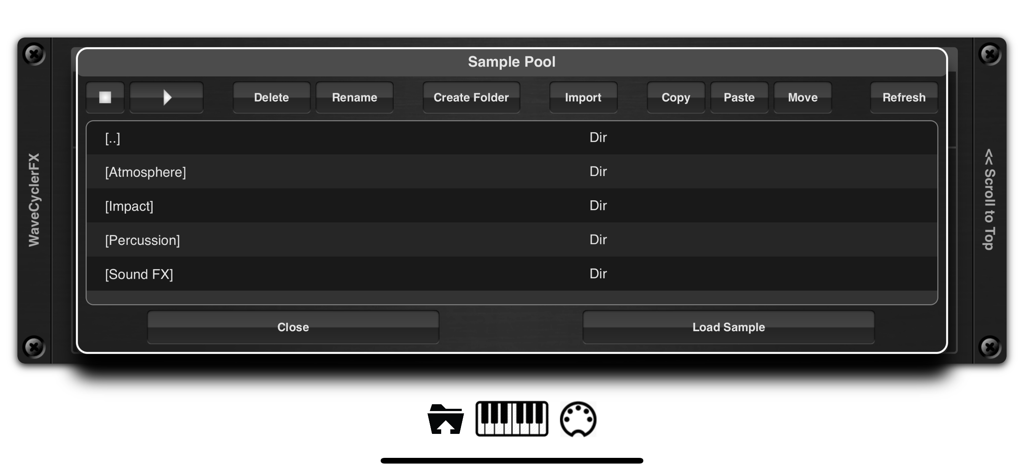
EvolverFX AUv3 Audio Plugin - EvolverFX app interface showing the sample pool with folders for atmosphere impact and percussion sounds
EvolverFX app interface showing the sample pool with folders for atmosphere impact and percussion sounds

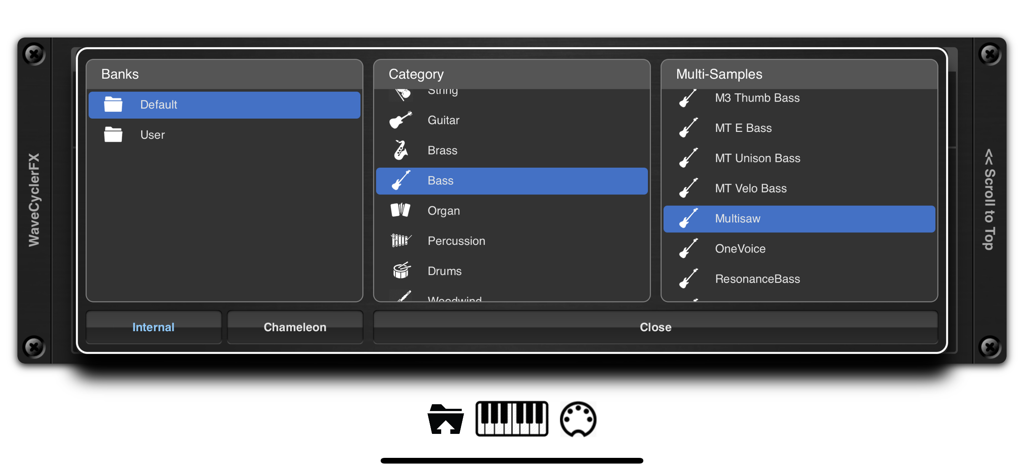
EvolverFX AUv3 Audio Plugin - EvolverFX sound browser showing banks, categories, and multi-samples selection
EvolverFX sound browser showing banks, categories, and multi-samples selection

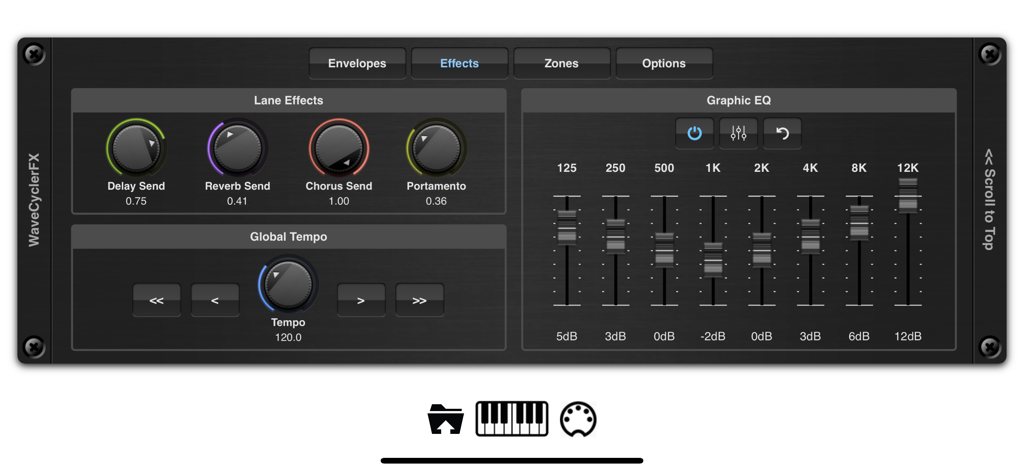
EvolverFX AUv3 Audio Plugin - EvolverFX interface displaying lane effects knobs and an 8 band graphic equalizer
EvolverFX interface displaying lane effects knobs and an 8 band graphic equalizer

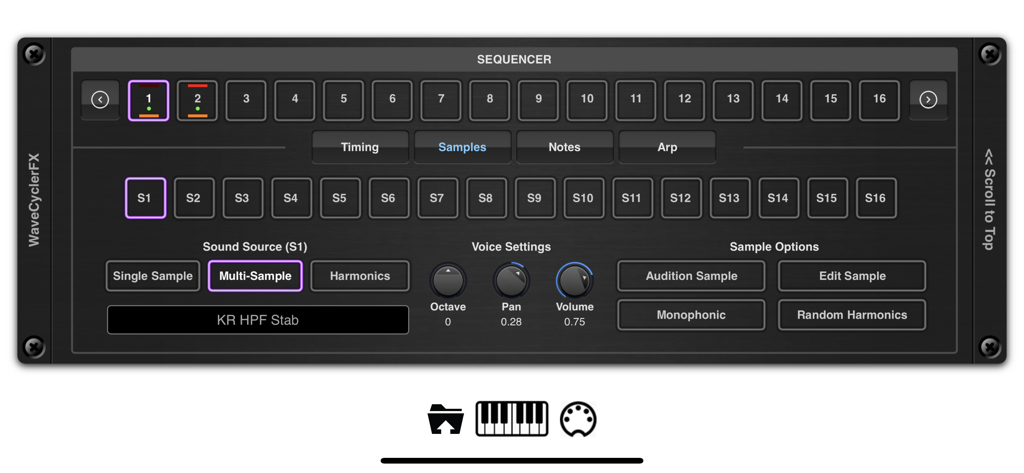
EvolverFX AUv3 Audio Plugin - Interface of the EvolverFX AUv3 audio plugin showing the sequencer and multi-sample sound source settings.

Interface of the EvolverFX AUv3 audio plugin showing the sequencer and multi-sample sound source settings.

Description

Evolver is a performance tool for creating multi-layered evolving sequences of sound. At its most basic think of evolver as a 4 lane sequencer which creates automatic accompaniment from notes and chords as you play on your MIDI keyboard, but it can also be used to create elastic evolving soundscapes where audio samples seamlessly merge into one another to create highly complex and original sounds. At the heart of evolver is a sophisticated wave synthesizer and sequencing engine which can create dramatic hard hitting transitions of sounds or merge sounds to create seamless transitions that evolve in time to the beat. It has 4 sequencer lanes which can run independently and mixed together using the real-time controls or over MIDI. When you play a chord on your MIDI keyboard for instance, each of the 4 sequencer lanes will take those MIDI notes and translate them into a musical sequence of sounds which are combined together and synced to create a form of automatic accompaniment. Evolver can load its own multi-layer patches or import them directly from Chameleon. These patches can be layered using the 4 sequencer lanes or split over a virtual keyboard. You can assign key zones, transpose them, assigned MIDI channels and velocity levels, set latch options etc. You can also load in your own one shot samples and lay them end on end to create evolving atmospheres or backing soundscapes. These samples can be looped or be free running with definable start/end and loop points using our non destructive editor. We also included a third sound source which lets you build sounds on the fly by overlaying harmonics to create anything from traditional sine, square, triangle, saw waves to complex detuned oscilators. These can be used in conjunction with multi-samples or one-shot-samples within the same sequencer lane. You can even randomize a complete sequence of harmonic sounds which when pieced together create some very unique and dynamic voices. Each sequencer lane can be up to 64 steps in length, each step has independent timing, pitch, volume, gate, probability, sample source etc. so the scope of what is achievable is vast. Each sequencer lane has its own ADSR, VCF and LFO which operates on all sounds within its lane, as well as being able to change the underlying settings for each sound source. Evolver also includes an ARP function which can be run in one of the default modes or you can define your own fingering patterns to be used to enhance your playing style. Create your own sequences, lay down your MIDI notes in your DAW and have Evolver automatically play along to your chord sequences, automatically locking to the host tempo. Sequencer events can be fixed or transposed allowing you to create percussive and drum backing using a single lane. Key Features: • 4 sequencer lanes • Up to 64 notes per sequence. • Each note can be fixed or transposed. • Timing and note probability. • 3 different sound source types (multi-sample, one-shot samples and harmonic) . • Add your own loops to a sequence. • Built in ARP function. • Import your own samples and mutli-sample patches. • Chameleon Support. • 5 different effect types (reverb, delay, phaser, flanger and chorus). • 8 band EQ. • .Latch Feature to hold chords/notes. • Create independent key zones with transposition and MIDI channels. • Paramter Automation from your DAW. • Control mixing and sequencer enable buttons using MIDI. • Built in Sampler. • Multiple Import options (including an experimental SFZ format). • iTunes and Files App importing of samples into the audio pool. • Files App Drag & Drop Support • Comprehensive Help pages included. Please Note: Not all features are currently compatible with Auria.

Download

Download on App Store

This page is not an official page of the app or its developer, but an independent editorial publication created for informational and commentary purposes. Unless expressly stated otherwise, neither the app nor its developer is affiliated with, endorsed by, sponsored by, authorized by, or otherwise officially connected with MWM, Apple, Google Play, the app publisher, or the app's developer, and nothing on this page implies that the app was developed using MWM's services. Any trademarks, logos, screenshots, and other content remain the property of their respective owners.







