Expense Tracker Genius

This page is not an official page of the app or its developer, but an independent editorial publication created for informational and commentary purposes. Unless expressly stated otherwise, neither the app nor its developer is affiliated with, endorsed by, sponsored by, authorized by, or otherwise officially connected with MWM, Apple, Google Play, the app publisher, or the app's developer, and nothing on this page implies that the app was developed using MWM's services. Any trademarks, logos, screenshots, and other content remain the property of their respective owners.

Logo of Expense Tracker Genius

Expense Tracker Genius

Master your money with on-device AI insights, beautiful reports, and seamless sync across iPhone, iPad, and Mac—keeping your data exactly where it belongs: with you.

Key Figures

Downloads

0

User Rating

1.0/5

Total Ratings

0

Publisher

Hussein Juybari

Category

Finance

Locales

11

Latest Version

1.0

Size

16.7 MB

First Released

Mar 20, 2026
Features

Total Financial Control, Built for Your Apple Lifestyle

Experience a professional-grade finance suite that respects your privacy. Track expenses across all your devices with smart AI insights, beautiful reports, and zero cloud tracking.

Privacy-First, On-Device Security

Your financial data never leaves your device. No servers, no accounts to hack—just pure, local control with optional encrypted iCloud sync.

Seamless Apple Ecosystem Integration

Transition effortlessly between your iPhone, iPad, Mac, and Watch. Use Siri shortcuts, interactive widgets, and Mac-native keyboard shortcuts to log expenses in seconds.

The following screenshots and description are sourced directly from the app's official store listing and are the property of the app developer.

App Store

Screenshots
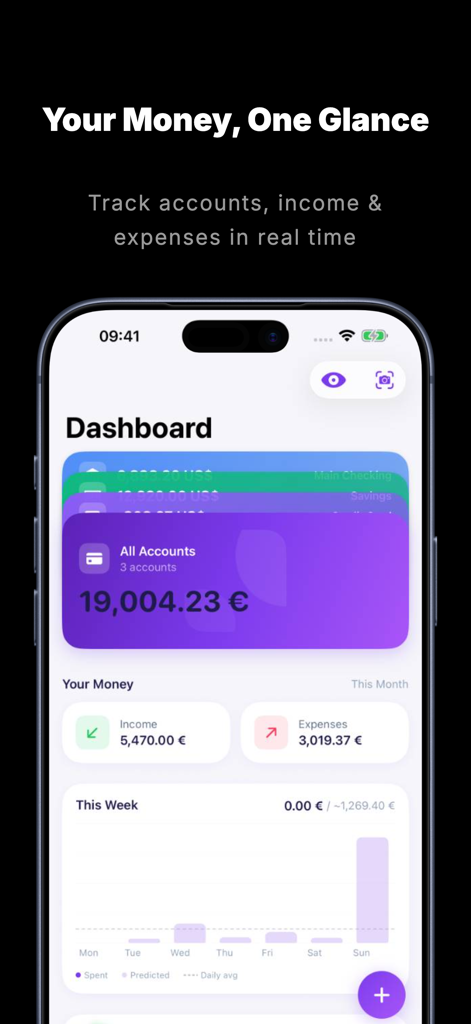
Expense Tracker Genius - Dashboard of Expense Tracker Genius app showing total balance and weekly spending chart
Dashboard of Expense Tracker Genius app showing total balance and weekly spending chart

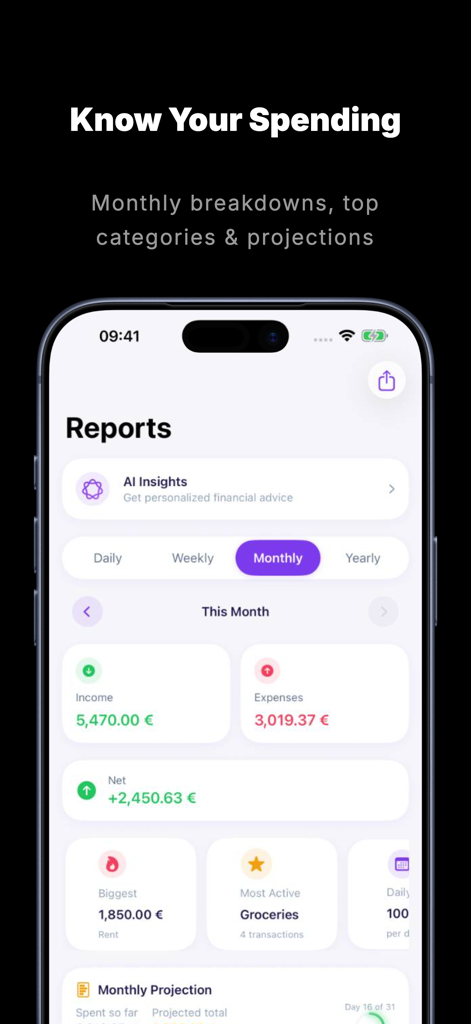
Expense Tracker Genius - Monthly financial reports dashboard in the Expense Tracker Genius app showing income and expenses summary
Monthly financial reports dashboard in the Expense Tracker Genius app showing income and expenses summary

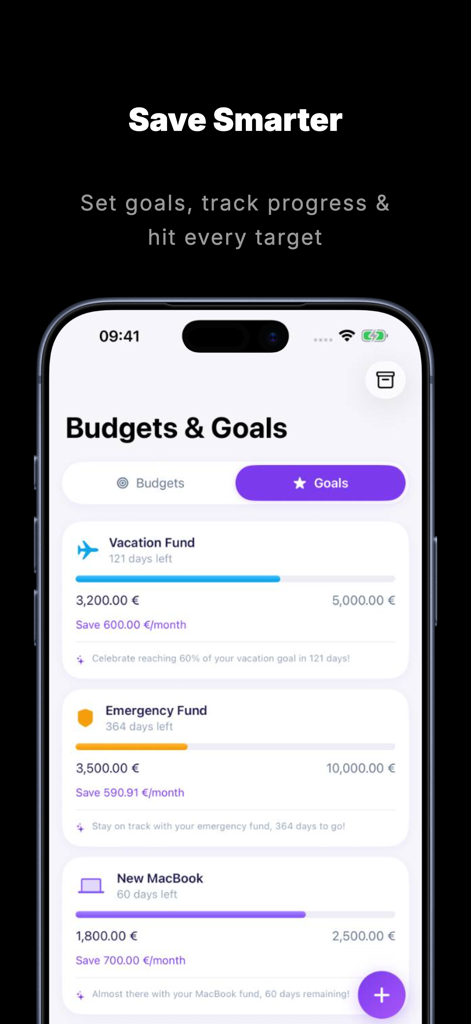
Expense Tracker Genius - Savings goals screen in Expense Tracker Genius showing progress bars for vacation and emergency funds.
Savings goals screen in Expense Tracker Genius showing progress bars for vacation and emergency funds.

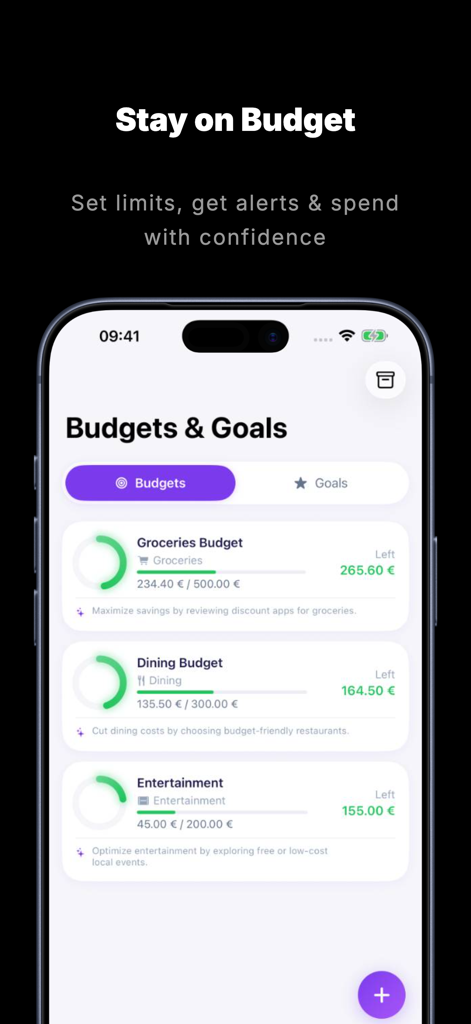
Expense Tracker Genius - iPhone screen showing the budgets and goals section with progress bars for groceries dining and entertainment categories.
iPhone screen showing the budgets and goals section with progress bars for groceries dining and entertainment categories.

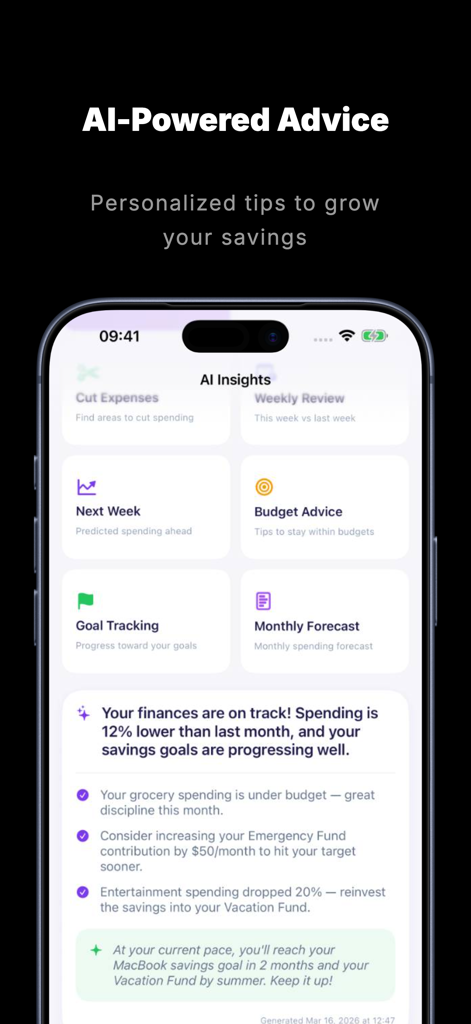
Expense Tracker Genius - Expense Tracker Genius app screen showing AI powered financial advice and personalized savings tips
Expense Tracker Genius app screen showing AI powered financial advice and personalized savings tips

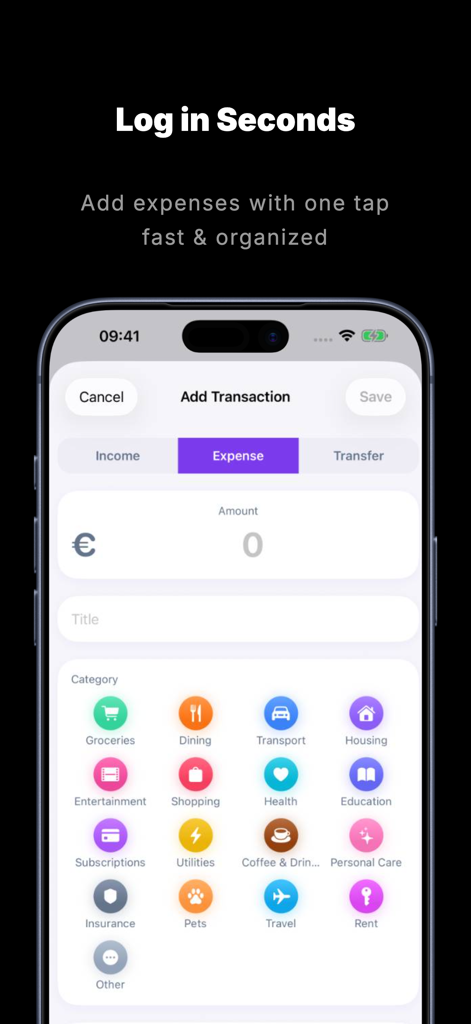
Expense Tracker Genius - A user interface for adding an expense in the Expense Tracker Genius app showing various spending categories like groceries, dining, and transport.

A user interface for adding an expense in the Expense Tracker Genius app showing various spending categories like groceries, dining, and transport.

Description

Take control of your finances with Expense Tracker Genius — the smart, privacy-first expense tracker for iPhone, iPad, and Mac that keeps everything on your device. SMART EXPENSE TRACKING - Add income and expenses quickly with category, tags, and notes - Scan receipts with AI-powered OCR on iPhone, or import receipt images on iPad and Mac - Import bank statements from CSV, PDF, or text files - Set up recurring transactions so you never forget a bill - Attach receipt photos to any transaction BUDGETS THAT WORK - Create category-specific budgets with weekly, monthly, or custom periods - Track progress with visual charts and percentage indicators - Get notified when you're approaching your limit - Review budget history and trends over time - Pay cycle support — track spending from payday to payday, not just calendar months SAVINGS GOALS - Set targets with due dates and track your progress - Addiction goals help you cut spending on specific categories - Get AI-powered tips to reach your goals faster POWERFUL REPORTS - Beautiful pie charts, bar charts, radar charts, and line graphs - Daily, weekly, monthly, and yearly breakdowns - Spending predictions based on your patterns - Export reports as CSV, PDF, or images - Category and tag-based analytics MULTIPLE ACCOUNTS & CURRENCIES - Manage cash, bank accounts, credit cards, and more - Beautiful stacked card interface - Per-account currency support - Set a default account for quick entry DESIGNED FOR MAC - Full Mac Catalyst experience with native macOS window and menu bar - Keyboard shortcuts for fast expense entry - Resizable window that adapts to your workspace - All the same features as iPhone and iPad — budgets, goals, reports, and AI insights APPLE WATCH - View your daily summary at a glance - Add expenses directly from your wrist - Watch face complications for spending tracking - Real-time sync with your iPhone 10 HOME SCREEN WIDGETS - Monthly summary, spending trends, budget progress, savings goals - Quick action widget for instant access - Total balance, income/expenses, forecast, and daily quotes - 7 stunning themes: System, Story Card, Editorial, Pop Art, Monochrome Ink, Card Stack, and Midnight Sapphire AI-POWERED INSIGHTS - On-device Apple Intelligence for financial health analysis - Spending pattern recognition and budget optimization - Daily financial wisdom quotes - Smart category and tag suggestions PRIVACY FIRST - All data stored on your device — no servers, no cloud databases - Optional iCloud sync between your own devices - Face ID, Touch ID, or PIN lock - Privacy mode hides amounts on screen - GDPR-compliant analytics (opt-in only) CUSTOMIZATION - Light, dark, or system appearance - 12 languages including Arabic, Persian, Japanese, and Chinese - Full right-to-left layout support - Gregorian, Persian, Islamic, and Chinese calendar support - Custom first day of week Siri Shortcuts let you add transactions, check balances, and view spending summaries with your voice. Get Expense Tracker Genius today and start making smarter financial decisions — on any Apple device.

Download

This page is not an official page of the app or its developer, but an independent editorial publication created for informational and commentary purposes. Unless expressly stated otherwise, neither the app nor its developer is affiliated with, endorsed by, sponsored by, authorized by, or otherwise officially connected with MWM, Apple, Google Play, the app publisher, or the app's developer, and nothing on this page implies that the app was developed using MWM's services. Any trademarks, logos, screenshots, and other content remain the property of their respective owners.