
EyeDropAlarm


The doctor-recommended app for managing eye drops after surgery or for chronic conditions. No login required—just select your medication, see your bottle cap color, and never miss a dose.
Publisher
Category
MedicalDownloads
4K+User Rating
Total Ratings
200Locales
1Discover the interface used by 4K+ users.
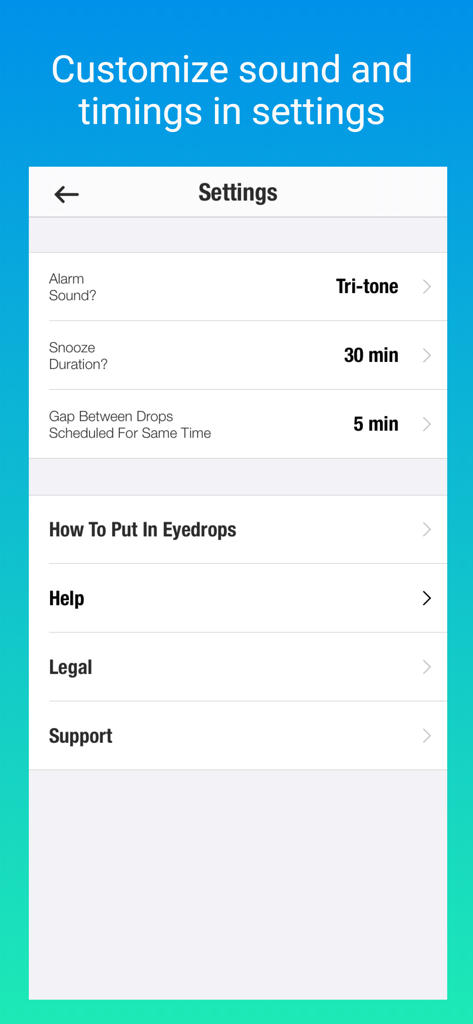
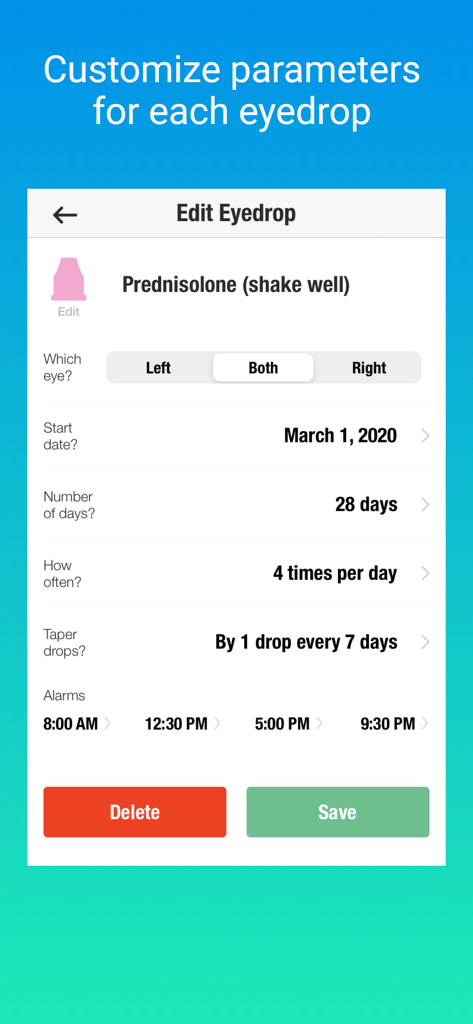
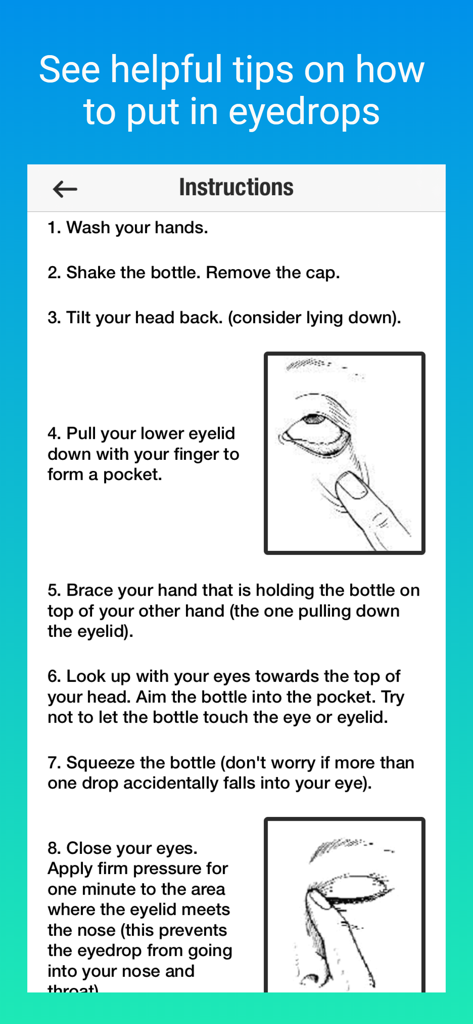
The tools that make this app stand out, trusted by 4K+ users.
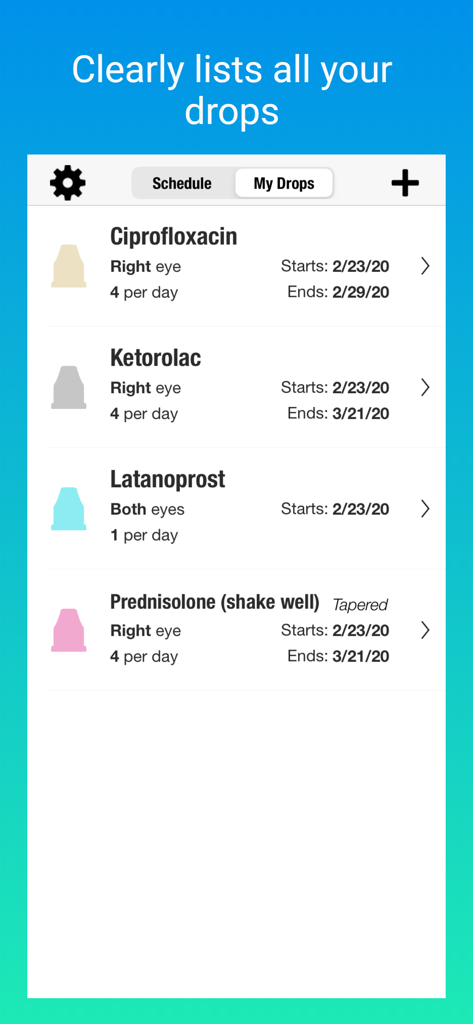
See the exact bottle cap color and the correct eye on every alert, making it easy to identify your medication even with blurred post-op vision.
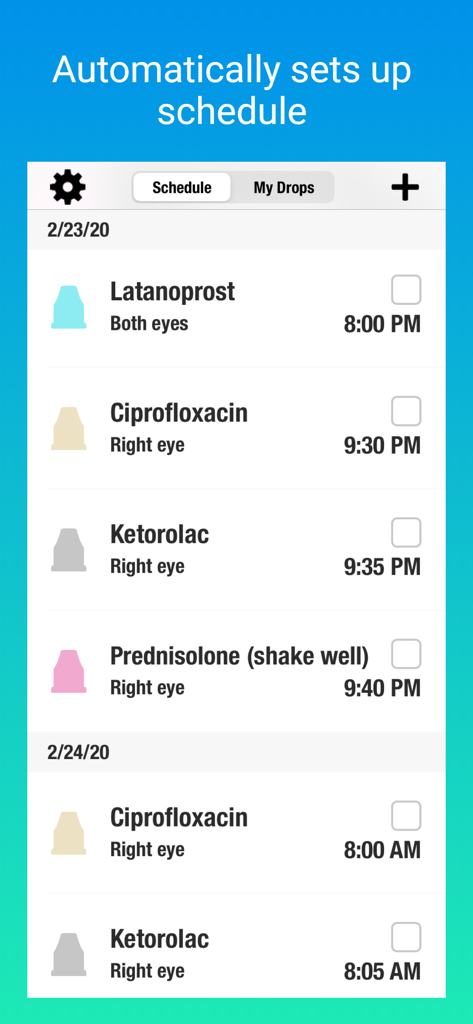
Our smart scheduler automatically spaces out your different drops to ensure maximum absorption and follow medical best practices perfectly.
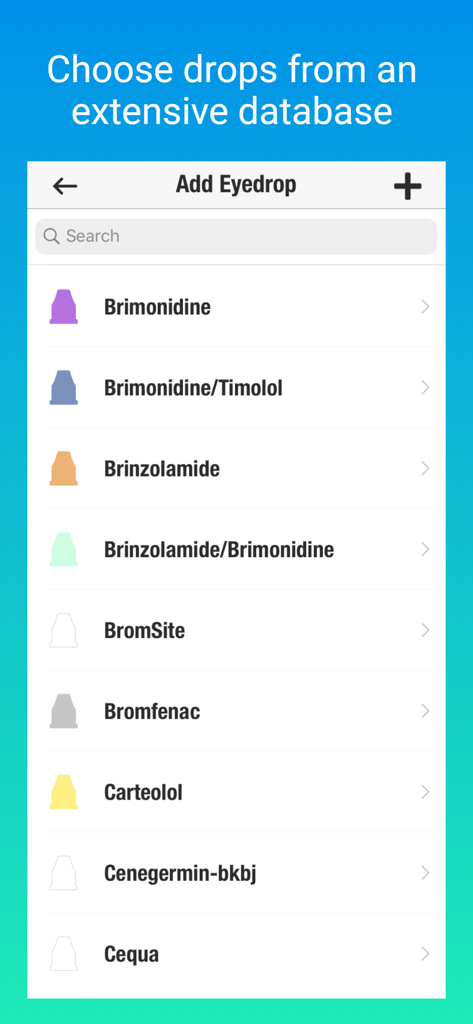
Skip the typing and long logins. Simply select your prescriptions from our comprehensive database to start your recovery schedule immediately.
Everything you need to know about EyeDropAlarm.
Description
Latest Version
2.1.2
Size
16.0 MB
First Released
Nov 3, 2017
The simplest way to manage your eye drops and protect your vision. Recommended by experts, trusted by patients, and ready to use in seconds with no login required.
Everything you need to know about EyeDropAlarm
EyeDropAlarm is an app that reminds users to administer their eyedrops according to a set schedule. It helps manage medication routines for various eye conditions and post-surgery care.
No, EyeDropAlarm does not require users to create an account or log in to use its features. The setup process is quick and straightforward.
EyeDropAlarm allows users to select eyedrops from an extensive database and set up schedules. It sends alerts indicating the eye and bottle cap color, and automatically gaps drops scheduled for the same time.
Yes, EyeDropAlarm is ideal for drops prescribed before and after eye surgery, including cataract surgery, LASIK, and retina surgery. Users can set schedules in advance for recovery.
EyeDropAlarm provides helpful reminders for people with glaucoma, dry eyes, allergies, infections, and uveitis (ocular inflammation), assisting in consistent medication adherence.
Yes, EyeDropAlarm includes a variety of alarm sounds for users to choose from. Users can customize their preferred sound within the app's settings menu.
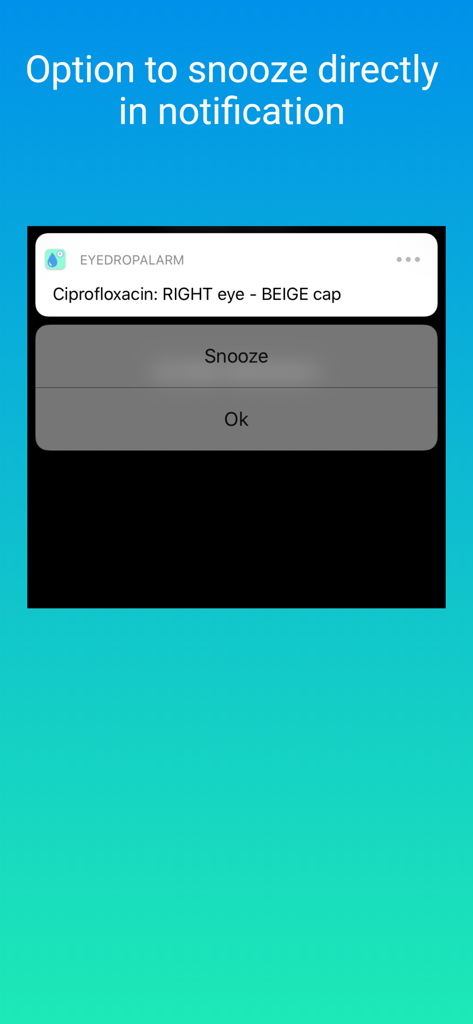
Yes, EyeDropAlarm notifications provide an option to snooze directly from the alert. Users can also configure the snooze duration within the app's settings.
Yes, EyeDropAlarm allows users to view their eyedrop alerts directly on their Apple Watch, providing convenient access to reminders.
EyeDropAlarm allows users to set alarms to match their doctor’s prescription. It can schedule reminders as frequently as every hour if needed.
Yes, EyeDropAlarm includes clear step-by-step instructions on how to best put in eyedrops, guiding users through the proper administration technique.
Yes, EyeDropAlarm allows users to select their eyedrops from an extensive database within the app. There is no need to manually type in each medication name.
EyeDropAlarm automatically inserts a recommended gap between drops that are scheduled for the same time of day. This ensures proper administration without user intervention.
EyeDropAlarm alerts clearly indicate which eye (e.g., Right, Left, Both) requires the drops, along with the bottle cap color, to prevent confusion and ensure correct application.
Top-ranked apps in the same category

National Healthcare Security Administration

Epic Systems Corporation

Doctolib

Philips Digital UK Limited

CVS Pharmacy

Jiangsu Healthcare Security Bureau

UNITED HEALTHCARE SERVICES, INC.

BEIJING JINGDONG 360 DU E-COMMERCE LTD.

Servicos e Informacoes do Brasil
App information, icons, screenshots, and descriptions displayed on this page are sourced from the Apple App Store and are the property of their respective developers. Download estimates and rankings are based on MWM's proprietary models and may not reflect actual figures. This page is provided for informational and analytical purposes only.
Believe this page infringes your intellectual property? File a dispute